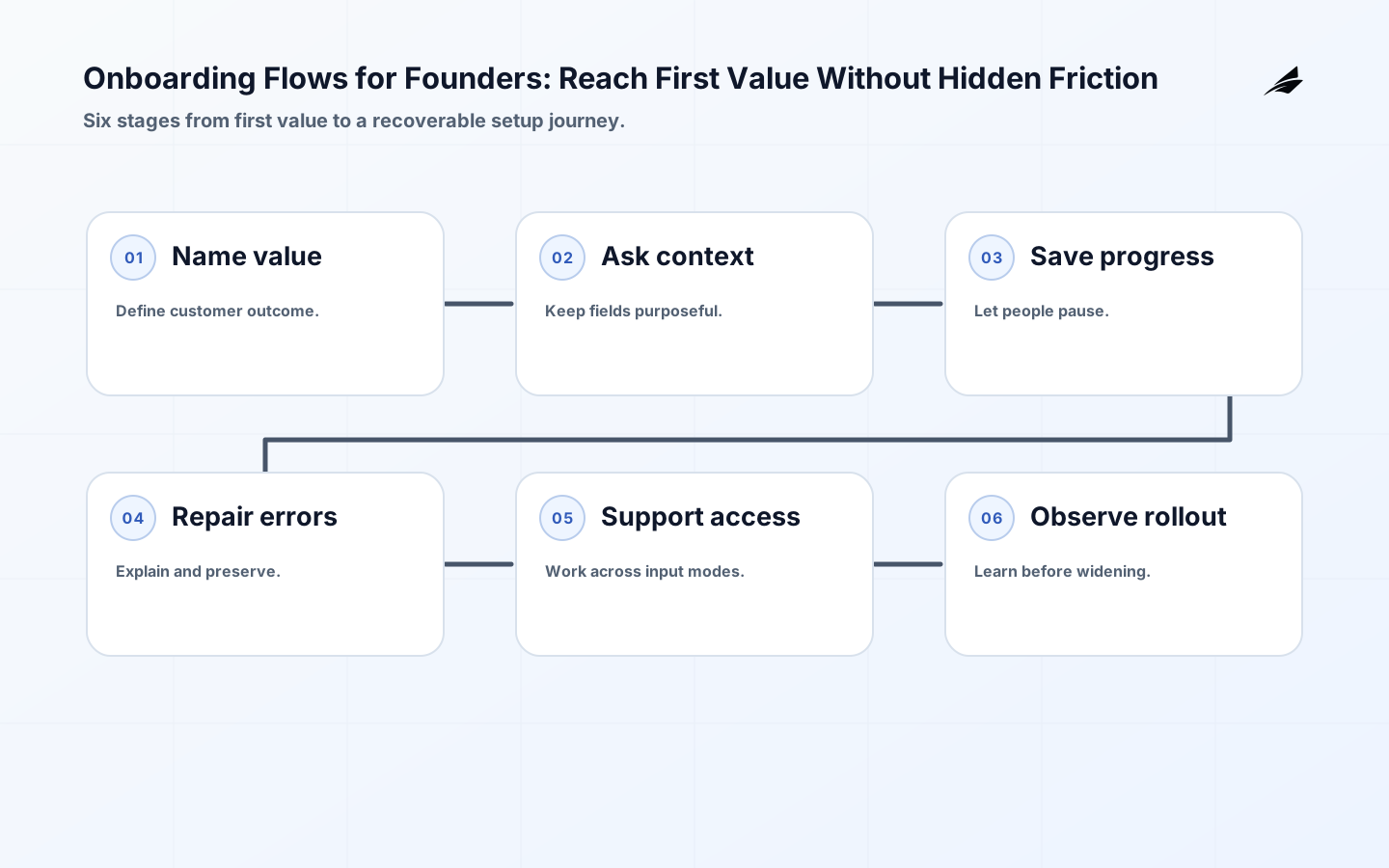
Founders often describe onboarding flows as the screens between signup and the dashboard. Customers experience something broader: the promise they were sold, the information they must provide, the first useful result, the errors they can recover from, and the confidence that their work will be there when they return. The W3C Forms Tutorial recommends asking only for what is required and providing instructions, validation, notifications, and progress for multi-step forms. Those principles are useful product strategy, not just accessibility detail. This guide sits beside the plain-language onboarding flows guide and self-serve onboarding in production.
Name first value before designing the onboarding flows
First value is a customer outcome that can be observed and understood, such as a team seeing its first shared report, a developer receiving a successful deployment signal, or an operator completing a safe test import. It is not necessarily account creation, profile completion, or clicking through a tour. Write the actor, starting condition, result, evidence, and reasonable time window. If the value depends on another person, a file, an integration, or an approval, show that dependency and its fallback. The founder's job is to protect the promise while giving engineering a boundary small enough to build and measure.
| Step type | Customer purpose | Founder decision |
|---|---|---|
| Required setup | Make the first outcome possible | Keep only fields that change the next action |
| Guided action | Help the person perform the core task | Prefer an example or safe default |
| Validation | Prevent a bad or incomplete result | Explain the issue and correction |
| Optional configuration | Tailor future use | Defer until value is visible |
Ask for context only when it changes the journey
Every field creates cognitive effort, storage, validation, support, and privacy work. Ask whether the answer changes routing, permissions, a useful example, or a required integration. If it does not, postpone it or make it optional. A team name may select a workspace template; a job title that never affects the product is probably research rather than onboarding. When the answer is known from an existing account or invitation, do not ask the person to re-enter it. W3C's guidance that simple, short forms reduce abandonment is a strong product heuristic: friction should buy a clear improvement in the next moment.
Structure a journey that can pause and resume
Model onboarding as durable states rather than a sequence of screens: invited, account created, context collected, core action started, core action completed, blocked, and ready to return. Persist enough progress to resume safely, but do not save sensitive or invalid data without an explicit policy. Show where the person is, what remains, and whether leaving will lose work. A long form can be divided into logical steps with a progress indicator, but the indicator should describe real stages rather than arbitrary percentages. Give users a safe skip or exit when the step is optional, and make the route back visible.
Design error recovery as part of the main flow
The W3C error-identification guidance says that when an input error is detected, the item must be identified and the error described in text. Apply the stronger product version: say what is wrong, why it matters, how to fix it, and what will remain intact. “Something went wrong” is not a recovery route. Preserve valid fields, focus the first repairable issue without trapping the person, and allow a retry when the dependency is temporary. If an import is still processing, show pending rather than presenting the form as invalid. Good errors reduce support demand because they give the customer a next action they can trust.
| Failure | Helpful state | Recovery action |
|---|---|---|
| Required field missing | Field named with clear instruction | Move focus and preserve other input |
| Invalid format | Value rule described in text | Show an example and allow correction |
| Third-party timeout | Connection pending or unavailable | Retry, save progress, or choose fallback |
| Duplicate invitation | Account already has access | Explain current membership and continue |
Make the onboarding flows usable across input modes
Use real labels, grouped controls, clear instructions, predictable focus, sufficient target size, keyboard access, and text alternatives for status changes. Test with zoom, keyboard-only input, a screen reader, a slow network, and a narrow viewport. Do not let a tooltip or colour be the only explanation of the next step. W3C's forms guidance connects labels and structure to the needs of people using speech input, screen readers, and limited dexterity; the same choices help anyone completing setup under stress or on a phone. Accessibility is most affordable when the flow model and content are designed with it from the start.
Instrument progress without turning people into click trails
Define a small event set: onboarding started, stage reached, core action attempted, core outcome completed, blocked with a reason, resumed, and abandoned after a meaningful delay. Add a stable journey identifier, stage version, outcome, and correlation key where appropriate. OpenTelemetry's semantic conventions show the value of consistent names and attributes for signals; apply that discipline without copying sensitive form contents into telemetry. An event should answer a product question, not merely prove that a screen rendered. Review event quality beside support reports and completion samples so a high rate of “finished” does not hide a weak customer outcome.
Use examples and defaults to lower decision load
A good example turns an abstract field into a choice the customer can evaluate. Use a sample workspace, a small test file, a preview, or a guided first record when the product allows it. Defaults should be safe, reversible, and clearly labelled; never use a convenient default to silently grant broad access or send external communication. For an integration, show what will be connected and what the product will do before authorisation. These moments build a mental model, which is more valuable than a tour that points at controls without explaining the outcome.
Give support a journey-level view
Support should see the onboarding state, last safe checkpoint, dependency status, and user-visible reason without needing to reproduce a customer's private data. Provide a reset or resend action only where it is safe, and record who used it and why. Distinguish a customer choice from a system failure; the next response differs. If a third-party service is unavailable, present the same fallback and communication guidance to support that the customer sees. This keeps an unfinished flow from becoming a set of ad hoc instructions in a ticket queue.
Roll out with a narrow promise and a reversible gate
Start with one audience and one first-value path. Observe completion, time to value, error repair, return-to-flow rate, support contacts, accessibility findings, and the quality of the core outcome. Test invitation, duplicate account, missing dependency, slow upload, expired session, and mobile or keyboard paths before widening. A feature flag can limit exposure, but it does not replace the state model or rollback plan. Expand when the evidence explains both success and failure; pause when a metric improves by encouraging workarounds or hiding unresolved support effort.
Walk through an interrupted onboarding journey
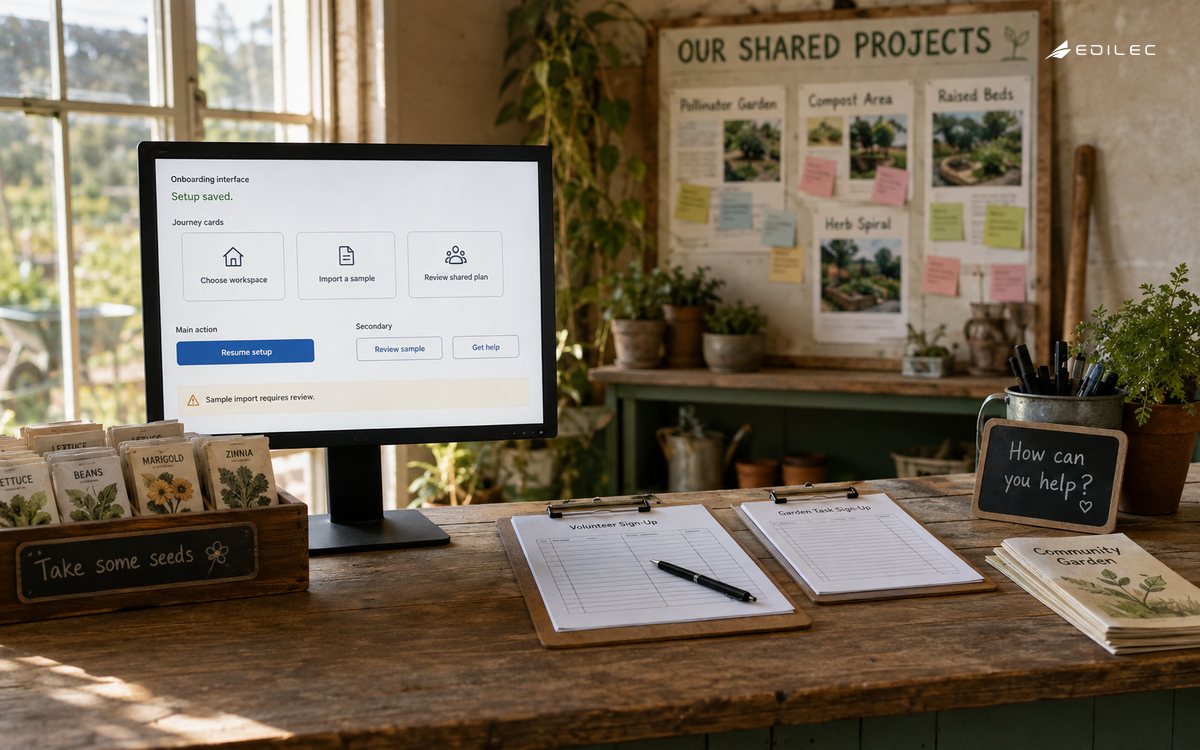
Imagine a founder has entered workspace details, uploaded a small file, and then loses the network connection while the import is being checked. The safe experience preserves valid fields, records the upload as pending or failed with a clear reason, and lets the person resume without creating a second workspace or duplicate import. Support can see the checkpoint and dependency status, while engineering can trace the attempt without reading the file contents. The product can offer a retry, a test sample, or an alternate route if the external service is unavailable. This scenario is more revealing than a perfect signup because it tests durable state, idempotency, error text, accessibility, and recovery ownership together. Use it as a release acceptance example and repeat it on mobile and keyboard paths.
Founders can review onboarding copy by asking a simple question at every step: what can the customer do now that they could not do before? If the answer is unclear, the step may be internal setup disguised as customer progress. Pair each step with a visible outcome, a safe exit, and a recovery owner. This keeps the flow focused as new integrations and plans are added, and it gives the team a principled way to remove a field or screen that no longer earns its place.
Key takeaways
- Define first value as a customer outcome with a clear actor, evidence, and time window.
- Ask only for information that changes the next safe or useful action.
- Model durable states so a person can pause, resume, skip optional work, and recover.
- Describe errors in text, preserve valid input, and offer a concrete correction or fallback.
- Instrument a small set of meaningful stages and review them with outcome samples and support signals.
- For related product decisions, See the plain-language guide to product analytics and admin consoles for CTOs.
Frequently asked questions
Do onboarding flows need a product tour?
Only when the tour helps a person complete a real task. A contextual example, preview, or guided first action is often more useful than a sequence of highlights that the user must remember later.
How do founders decide which fields are required?
Ask which field changes permissions, routing, a necessary integration, or the first outcome. If the answer is none, make it optional or collect it after value. Review the choice when the product promise changes.
What is a better metric than signup completion?
Measure the rate and time at which the intended customer reaches first value, with repair rate, support contact, and quality guardrails. A completed form is only useful if it leads to the outcome the product promises.
Conclusion: make the first promise easy to keep
Strong onboarding flows do not ask customers to admire the product before they can use it. They set a clear first outcome, request only necessary context, explain the next action, handle failure with care, and leave evidence that helps the team improve. Founders can protect that quality by treating the journey as a product system with states, ownership, accessibility, and recovery—not as a collection of screens to optimise for completion alone.
A practical example for onboarding flows for founders is an operator loses access during a handoff. Treat onboarding flows for founders exceptions as evidence for the next decision.
Ownership is clearer when onboarding flows for founders separates the promise from the mechanism. Use onboarding flows for founders support evidence to decide whether the workflow is ready.
Before widening onboarding flows for founders, run a small rehearsal with normal, denied, delayed, and corrected cases. For onboarding flows for founders, record the state, evidence, and recovery path.
The measurement plan for onboarding flows for founders should pair an outcome with a reason to investigate it.
This decision also connects to How CTOs Should Think About Admin Consoles, How CTOs Should Think About Release Notes, Product Analytics for SaaS Product Engineering. Review those boundaries together when onboarding flows for founders shares identity, data, billing, or support evidence with another workflow.
For Onboarding Flows for Founders, Forms Tutorial defines scope; Error Identification supports the control; Design Forms to Prevent Mistakes clarifies evidence; Semantic Conventions guides recovery. Make onboarding flows for founders corrections visible, scoped, and reversible during about onboarding flows.
Evidence for “Onboarding Flows for Founders: A Practical Guide” is grounded in Forms Tutorial, Error Identification, Design Forms to Prevent Mistakes, Semantic Conventions; each source informs a specific decision, test, or operating trade-off described in this guide.