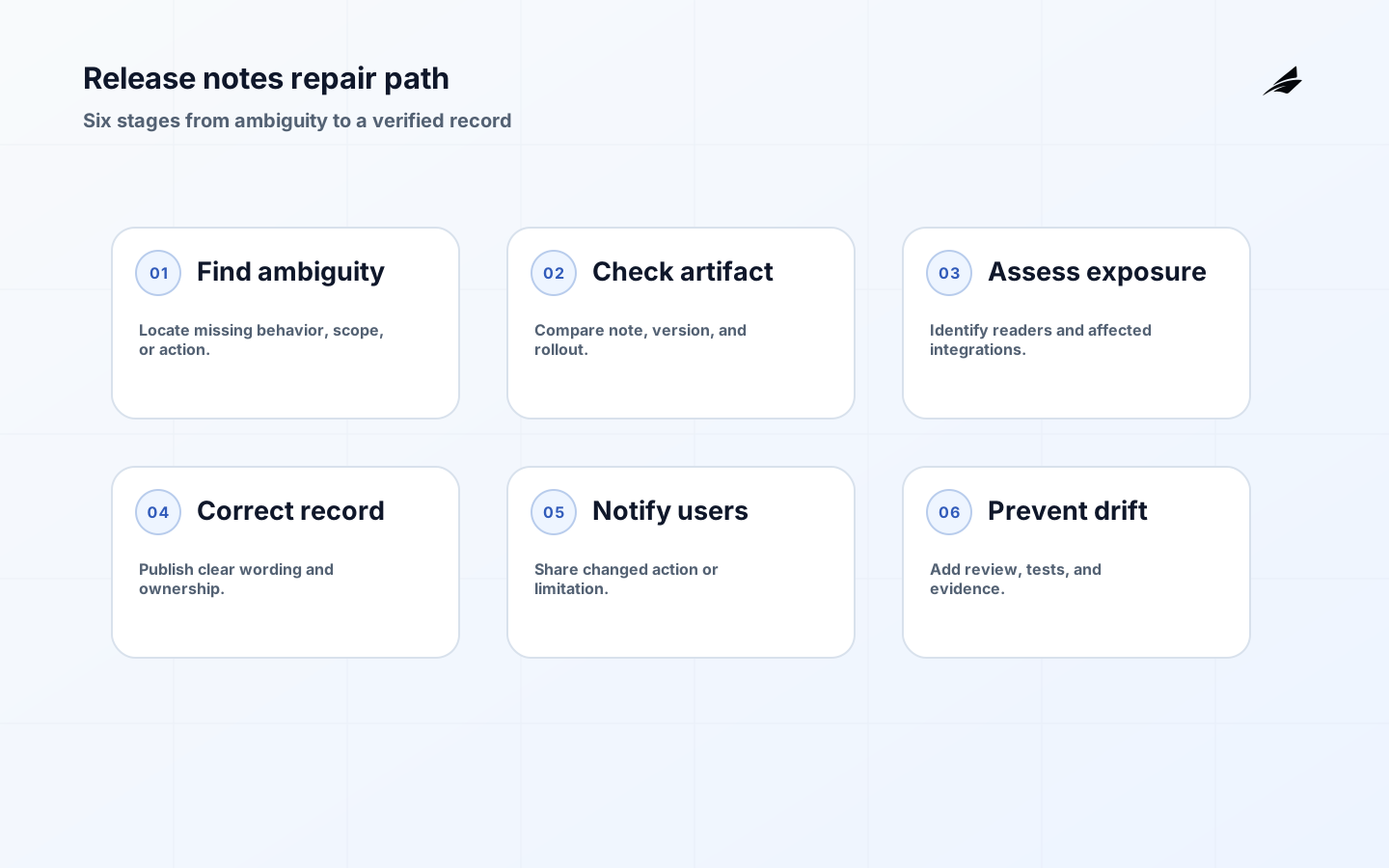
Bad release notes usually fail through omission rather than false grammar. They say that a feature was improved without naming the changed behavior, call a breaking API change a cleanup, or publish a rollout statement that became stale the next day. The result is operational ambiguity: customers cannot prepare, support invents explanations, and engineers are pulled into questions that a durable record should have answered. This guide focuses on release notes mistakes and fixes as a practical review exercise. Use the plain-language release notes guide for a writing model and the release notes checklist for a gate before publication.
Mistake 1: writing a vague summary
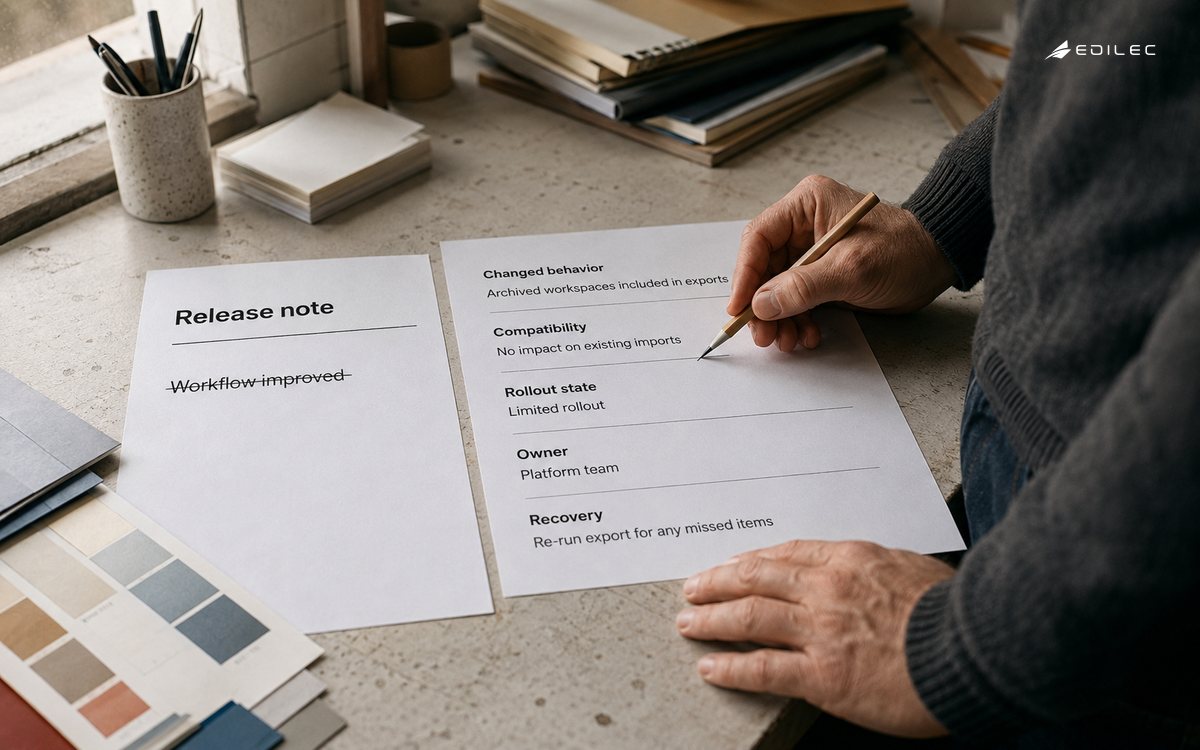
Phrases such as improved performance, updated workflow, and minor fixes are not inherently wrong, but they leave the reader to guess whether anything needs attention. The fix is to name the actor, action, observable result, and boundary. Exports now include archived workspaces for workspace administrators is testable. Add the release or rollout state and a limitation if one exists. Keep the implementation detail as supporting context, not as the main sentence. If the change has no meaningful consequence for the intended reader, place it in an internal engineering history instead of forcing every audience to decode it.
Mistake 2: hiding compatibility changes
A changed field, required header, permission, event state, or rate limit can break an integration even if the feature appears backward-compatible in a browser. Semantic Versioning makes compatibility expectations explicit for versioned public APIs, but the note still needs to identify the affected consumer and migration route. Say what remains valid, what expires, and how to test the new behavior. A compatibility table is often clearer than a paragraph. Do not label a change non-breaking merely because the server accepts old input for a short transition window; the sunset date and warning path are part of the contract.
| Mistake | What the reader experiences | Fix |
|---|---|---|
| Vague improvement | No idea what to verify. | Describe the before-and-after behavior. |
| Hidden breaking change | Integration fails after deployment. | Name compatibility, timing, and migration. |
| Stale rollout | A note says available while exposure is partial. | State cohort, environment, and current phase. |
| Missing owner | Known issue becomes everyoneÃÂÃÂÃÂâÃÂÃÂÃÂÃÂÃÂÃÂÃÂÃÂs problem. | Assign follow-up and next review date. |
| Ticket-only evidence | A reader cannot access the source. | Link a durable public or internal explanation. |
Mistake 3: confusing deployment with release
Code can be deployed without a feature being visible to every user. A flag, region, plan, tenant, or approval rule may limit exposure. GitHub describes releases as packaged iterations based on tags; product systems often add a gradual release layer on top. The fix is to write both facts: the artifact is deployed, and the behavior is available to a defined audience. Include the next promotion checkpoint and the stop condition when the rollout is material. A note that says released while a customer can neither access nor test the feature creates avoidable support confusion and weakens incident investigation.
Mistake 4: publishing a note with no owner
A deprecation, limitation, migration, or security follow-up needs a responsible role and a time boundary. Do not assign ownership only to a project name that can disappear after launch. Name the team or role that can answer questions, the artifact that tracks progress, and the condition that closes the work. The owner is not necessarily the person who wrote the note. Operations may own a runbook, product may own a customer decision, and engineering may own a compatibility adapter. Split those responsibilities when necessary and keep the handoff visible.
Mistake 5: trusting generated text without review
Automatically generated release notes are useful because they collect merged pull requests, contributors, and changelog links. They are weak at explaining the customer consequence of a refactor, the operational risk of a migration, or the difference between a staged and complete rollout. The fix is a two-pass process. First, use automation to collect facts and catch omissions. Second, have a reviewer classify audience, impact, action, security sensitivity, and rollout. Delete entries that do not help a reader and expand entries whose metadata hides a decision. A shorter, edited list is more useful than a complete but unreadable dump.
- Replace issue titles with observable behavior and affected scope.
- Separate deployed, enabled, generally available, deprecated, and removed states.
- Use version and date consistently so support can correlate an incident.
- Give migrations, known issues, and security changes an owner and next action.
- Amend published notes when evidence changes what readers need to do.
Example: repair a misleading note
A team publishes: Improved team invitations. Two days later, support sees that invitations now expire after twenty-four hours and that only workspace owners can resend them. The repair should not silently overwrite history. Add a visible correction explaining that version 5.2 changed invitation expiry to twenty-four hours, restricted resend to workspace owners, and may require pending invitations to be sent again. Support should confirm the workspace role before troubleshooting. Then link the permission model and state whether the behavior is intentional, being rolled back, or awaiting a follow-up. The correction turns a vague promise into an actionable record and preserves why support answers changed.
| Review question | Evidence to inspect | Repair decision |
|---|---|---|
| Is the behavior true? | Deployed version and representative account. | Correct, retract, or qualify the claim. |
| Who is exposed? | Flag, plan, region, or tenant scope. | Add the current boundary and timing. |
| Is action needed? | Integration tests, migration status, support cases. | Add steps, deadline, or explicit no action. |
| Who answers next? | Runbook, escalation path, ownership record. | Name a durable owner. |
| What changed after launch? | Metrics, incidents, customer feedback. | Publish a correction or follow-up. |
Build a review loop that catches drift
The best prevention is a small review loop attached to existing delivery work. Require a proposed note with the change request, validate links and version, check rollout state at approval, and sample the final experience after deployment. Ask support to bring recurring questions back to the release record. Keep a correction policy so nobody hesitates to amend a note because the original wording feels embarrassing. The goal is not a spotless history; it is an honest, searchable history that helps people make the next safe decision.
Key takeaways
- The main release notes failure is ambiguity about behavior, scope, action, or ownership.
- Compatibility changes deserve explicit migration language even during a transition period.
- Deployment and customer availability are different states and should be written separately.
- Generated notes gather facts; editorial review determines meaning and risk.
- Corrections are reliability work when new evidence changes the reader's decision.
FAQ: Release notes mistakes questions
FAQ: Is a short release note always a bad release note?
No. A short note is strong when it names the relevant behavior and action. Brevity becomes a problem when it removes the information a reader needs to decide whether they are affected or how to respond.
FAQ: Should a published release note be edited?
Yes, when the original wording is materially wrong or incomplete. Preserve a visible correction or revision history when readers may already have acted on the first version, and notify affected audiences if their required action changes.
FAQ: Who owns release notes?
Ownership is a product operating responsibility, not only a writing task. Product, engineering, support, security, and operations can contribute different facts, but one named release owner should approve the final record and its follow-up.
Triage a bad note before rewriting it
When a release note is challenged, first classify the failure. A factual error needs correction against the deployed artifact. An omission needs new audience, action, or compatibility context. A stale note needs a current rollout state and an owner. A misleading phrase needs a clearer before-and-after example. Triage prevents the team from rewriting prose while leaving the product or rollout defect unresolved. If the note exposed a real customer impact, coordinate the correction with support and incident communication rather than treating it as a cosmetic edit. Record the trigger for the change and the person who approved the new wording. That history lets future reviewers distinguish a normal clarification from a change in product behavior.
Use a small sample of real release notes in each retrospective. Look for repeated verbs such as improved, enhanced, or updated that hide the same kind of consequence, recurring links to inaccessible systems, and notes that never mention rollout or recovery. Convert the pattern into a template question or automated check. The aim is not to ban familiar words; it is to ensure that a reader can connect the words to an action, boundary, or observable result. Over time, the review becomes a way to improve the release process rather than a final copy edit performed in isolation.
A release note can be corrected without assigning blame. The review should ask what information was unavailable, which approval step failed, and whether the release process made the omission likely. If the team was unsure whether a change was public, improve the rollout state; if support lacked the right audience view, add it; if the implementation changed after writing, move the note checkpoint. Treat the error as evidence about the system that produces release notes.
A correction should be easy to find in search and clear about whether reader action changed. Keep the original release identity, state the new fact, and link the owner or procedure that resolves the issue. This is enough history for support without turning the note into an incident report.
For release notes mistakes, test a stale integration event before treating the first release as complete. Give release notes mistakes a named owner and a review date for mistakes and fixes.
A practical example for release notes mistakes is a required input is absent at the moment of action. Reconcile release notes mistakes changes against the original record.
Ownership is clearer when release notes mistakes separates the promise from the mechanism. Keep customer language aligned with the recorded state for release notes mistakes.
Before widening release notes mistakes, run a small rehearsal with normal, denied, delayed, and corrected cases. Test release notes mistakes with normal, delayed, denied, and corrected workflow cases.
For release notes mistakes, review scope during normal handling. Use release notes mistakes support evidence to decide whether the workflow is ready.
For Release Notes Mistakes, Keep a Changelog 1.1. 0 defines scope; Semantic Versioning 2.0. 0 Specification supports the control; About releases clarifies evidence; Automatically generated release notes guides recovery.
For release notes mistakes, review control during normal handling. For release notes mistakes, review recovery during a dependency failure.
A durable operating note for release notes mistakes records the authoritative source, effective time, permitted actor, protected resource, and recovery route. For release notes mistakes, review ownership during a measured rollout.
For release notes mistakes, test a duplicate request before treating the first release as complete. For release notes mistakes, review evidence during a measured rollout.
Conclusion
Release notes mistakes are usually symptoms of an unclear release contract. Fix them by naming observable behavior, compatibility, exposure, action, and ownership, then reviewing the record against evidence after launch. Edilec's roadmap systems checklist helps connect release intent to delivery, while the SaaS product development FAQ is useful when teams need to turn the same decisions into implementation guidance. A correction that helps the next reader is a successful operational improvement.
Evidence for “Release Notes Mistakes: Fix the Record Before Support Finds It” is grounded in Keep a Changelog 1.1.0, Semantic Versioning 2.0.0 Specification, About releases, Automatically generated release notes; each source informs a specific decision, test, or operating trade-off described in this guide.