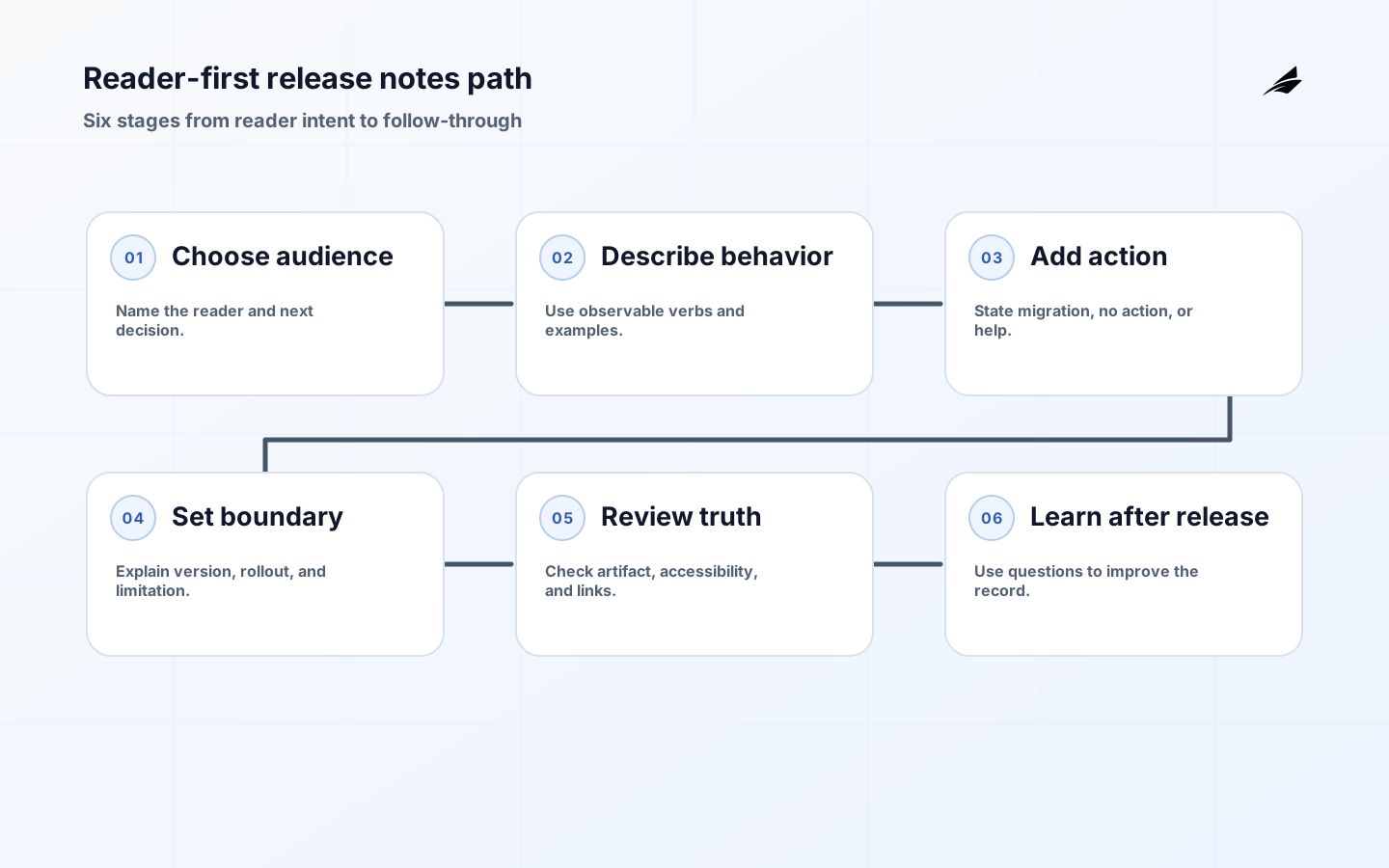
Release notes are a translation layer between shipped work and the people who must live with it. A reader should learn what is different, why it matters, whether action is required, and where to look if the result is unexpected. That makes release notes useful to operations leaders even when they do not inspect code. Keep a Changelog recommends a consistent record of notable changes, while GitHub describes a release as a tagged software iteration that can include notes and assets. Add local context: exposure, ownership, support wording, and recovery. Edilec's release notes checklist is the companion for publication controls.
Begin with the reader's next decision
Ask what the reader must decide after reading. A customer may need to update a client. An administrator may need to approve a new permission. Support may need to recognize a new error state. An on-call engineer may need to watch latency after a migration. If the answer is nothing, the change may belong in an engineering history rather than a public note. This filter prevents release notes from becoming a stream of internal nouns and helps the writer choose a concrete example from a real user journey.
Replace implementation language with observable behavior
Prefer verbs a reader can verify: upload, export, invite, authenticate, reconcile, cancel, retry, or approve. Replace refactored entitlement resolver with workspace access now updates within the billing event window. Replace added endpoint support with the request, response, compatibility, and authentication behavior an integrator can test. Plain language is not a loss of rigor; it exposes the contract instead of forcing readers to infer it from a diff.
| Writer prompt | Reader-friendly answer | Do not leave implied |
|---|---|---|
| What changed? | The export now includes archived workspaces. | The old behavior and the new scope. |
| Who sees it? | Workspace admins using CSV export. | Unaffected users and rollout boundary. |
| What should happen? | No action; existing exports remain valid. | Migration or compatibility requirements. |
| What should be watched? | Export duration and row-count errors. | The signal and the owner. |
| What if it fails? | Pause the cohort and retry the prior path. | A plausible recovery action. |
Give every note a small, repeatable shape
A practical entry has a short label, one sentence of impact, an optional example, an action or explicit no-action statement, and a link to durable detail. Add release state when a feature is gradual or behind a flag. A security entry should name urgency and remediation without exposing unnecessary exploit detail. A deprecation entry should name the replacement, date or version, migration path, and owner. Keep sections reverse chronological and do not force empty categories into every release.
Serve different audiences from one source of truth
Customer notes describe benefit and action. Support notes add symptoms and a safe response. Operations notes add rollout, metrics, and rollback. Developer notes add API details and compatibility. These views should derive from the same release identity and change set, not be independently rewritten. GitHub's generated notes can collect pull requests, contributors, and a changelog link; use that as a factual index, then review audience, impact, security, and rollout.
Example: explain a permission change
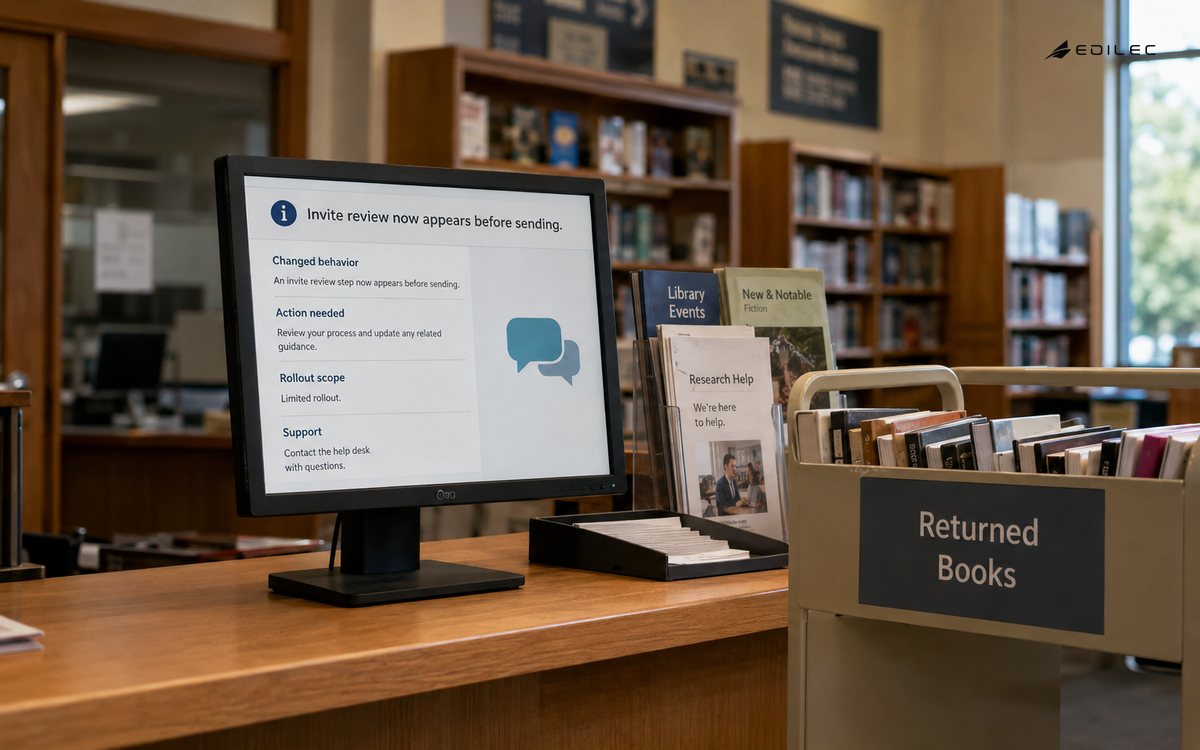
Consider a release that separates the ability to view a workspace from the ability to export its data. A useful note says that workspace owners can grant export access without granting administration, existing administrators keep both permissions, and support roles that used administration only for exports should be reviewed before rollout. It also explains that export attempts are recorded with actor, workspace, and outcome. The note gives the reader the new model, compatibility condition, review action, and evidence to inspect.
| Audience | Useful detail | Avoid |
|---|---|---|
| Customer | Benefit, availability, action, limitation. | Internal service names. |
| Support | Symptoms, affected scope, safe response. | A private ticket link. |
| Operations | Rollout, signal, owner, reversal. | An untested rollback promise. |
| Developer | API shape, version, compatibility. | Unqualified breaking-change language. |
| Security | Remediation and urgency. | Unnecessary exploit instructions. |
Review for truth, accessibility, and follow-through
Compare the note to the deployed artifact and current rollout state. Check dates and version labels, test links, confirm examples match production behavior, and remove claims that are not true for every intended reader. Make headings scannable, tables readable on small screens, and code samples copyable when technical detail is necessary. After launch, use support questions and monitoring evidence as feedback. If the same confusion appears twice, improve the note or the linked documentation.
- Write around a reader decision and observable product behavior.
- Use one source of truth with audience-specific views.
- State rollout status, required action, compatibility, and recovery when they matter.
- Automate fact collection, then review meaning, risk, and accessibility.
- Use post-release questions to improve the next explanation.
Key takeaways
FAQ: Plain-language release notes questions
FAQ: How long should a release note be?
Long enough to support the reader's decision and no longer. A small improvement may need one sentence; a migration needs compatibility, timing, steps, and a support path.
FAQ: Should internal changes be included?
Include an internal change when it alters operations, security, support, integration, data handling, or a customer-visible result. Keep purely mechanical detail in engineering records.
FAQ: Are generated release notes reliable enough to publish?
They can provide a useful draft of merged work and contributors. Human review is still needed for audience, impact, rollout, security, and action.
Add the detail an operator needs to act
Operations leaders read release notes to prepare people and systems for change. Include the release identifier, effective time, rollout boundary, expected signal, known limitation, and the first safe action when behavior differs. If a migration runs in stages, explain what a partial state looks like and whether support should wait, retry, or escalate. If a security change alters access, say which role or credential is affected and what remediation is required. If a new feature is behind a flag, state who can see it and which owner can pause it. These details turn a broad announcement into a usable operating instruction without requiring the reader to know the internal architecture.
Plain language also requires disciplined uncertainty. Do not write that a feature is available when only an internal cohort has received it. Do not write that an issue is fixed if the patch is deployed but the affected records still need repair. Use terms such as rolling out, available to selected workspaces, correction in progress, or deprecated after a stated version when they describe the actual state. Readers can make good decisions with uncertainty when it is named; they make bad decisions when a confident sentence hides an incomplete rollout. This is why a release notes guide should include state and evidence as well as prose.
A useful editorial review asks four questions. Can a customer identify whether their workflow changes? Can support describe the symptom and safe response? Can operations name the signal and owner? Can a developer test compatibility from the note or its linked detail? If any answer is no, revise the entry or add the missing view. The review can be asynchronous, but the decision should be recorded with the release. Over time, the questions become a compact release communication standard that reduces repeated translation work.
Release notes should also tell readers where the record ends and the operational work begins. A customer-facing note can link to a migration guide; a support view can link to a troubleshooting decision tree; an operations view can link to a dashboard and rollback procedure. Avoid linking to a private ticket that will be closed or a dashboard that requires a role the reader does not have. Keep the primary release record stable and move detailed procedures into maintained documents with clear owners. When a link changes, update the note or provide a durable redirect so an old release remains useful to someone diagnosing a historical issue.
Use examples carefully. A good example is small enough to scan but concrete enough to test. Show the old and new status, the request that changes, the role allowed to act, or the event that confirms success. Label illustrative values as examples and do not copy customer data into a public note. Keep release notes observable, owned, and recoverable through the next review.
Keep the release note discoverable after the launch window. Use a stable title, date, version, and category so a support agent can find it while investigating an older account. If the behavior is later changed, add a correction rather than deleting the original context. Historical clarity matters when a customer reports that a workflow behaved differently last month or when an operator compares an incident with a prior rollout. The best release notes guide therefore serves both the reader preparing for a change and the reader reconstructing what happened.
Readers should be able to tell whether a note is current, historical, or corrected. Keep version and date visible, avoid disappearing entries, and preserve a stable route to supporting detail. That small discipline makes release notes useful during later troubleshooting.
Keep examples tied to a stable version or release date so a reader can compare behavior without guessing which implementation they received. A short, dated example often prevents a long support exchange.
The measurement plan for the plain-language guide to release notes should pair an outcome with a reason to investigate it. Keep release notes observable, owned, and recoverable through the next review.
A durable operating note for the plain-language guide to release notes records the assumptions that made the decision safe: the authoritative source, effective time, permitted actor, protected resource, and recovery route.
For the plain-language guide to release notes, a good handoff ends with observable evidence rather than a verbal promise. Test release notes with normal, delayed, denied, and corrected workflow cases.
The smallest useful improvement to the plain-language guide to release notes is often a sharper boundary, not another feature. Give release notes a named owner and a review date.
For Release Notes, Keep a Changelog 1.1. 0 defines scope; Semantic Versioning 2.0. 0 Specification supports the control; About releases clarifies evidence; Automatically generated release notes guides recovery; Taking notes and recording user research sessions frames review. Explain release notes pending and denied states before expansion.
Conclusion
The plain-language guide to release notes is a guide to making change understandable. Start with what a reader can observe, add the action and boundary, then preserve the link between release identity, support response, and operational evidence. Pair it with Edilec's multi-tenant SaaS architecture plan and the product support tooling guide. Clear notes reduce guesswork before and after deployment.
Evidence for “The Plain-language Guide to Release Notes” is grounded in Keep a Changelog 1.1.0, Semantic Versioning 2.0.0 Specification, About releases, Automatically generated release notes, Taking notes and recording user research sessions; each source informs a specific decision, test, or operating trade-off described in this guide.