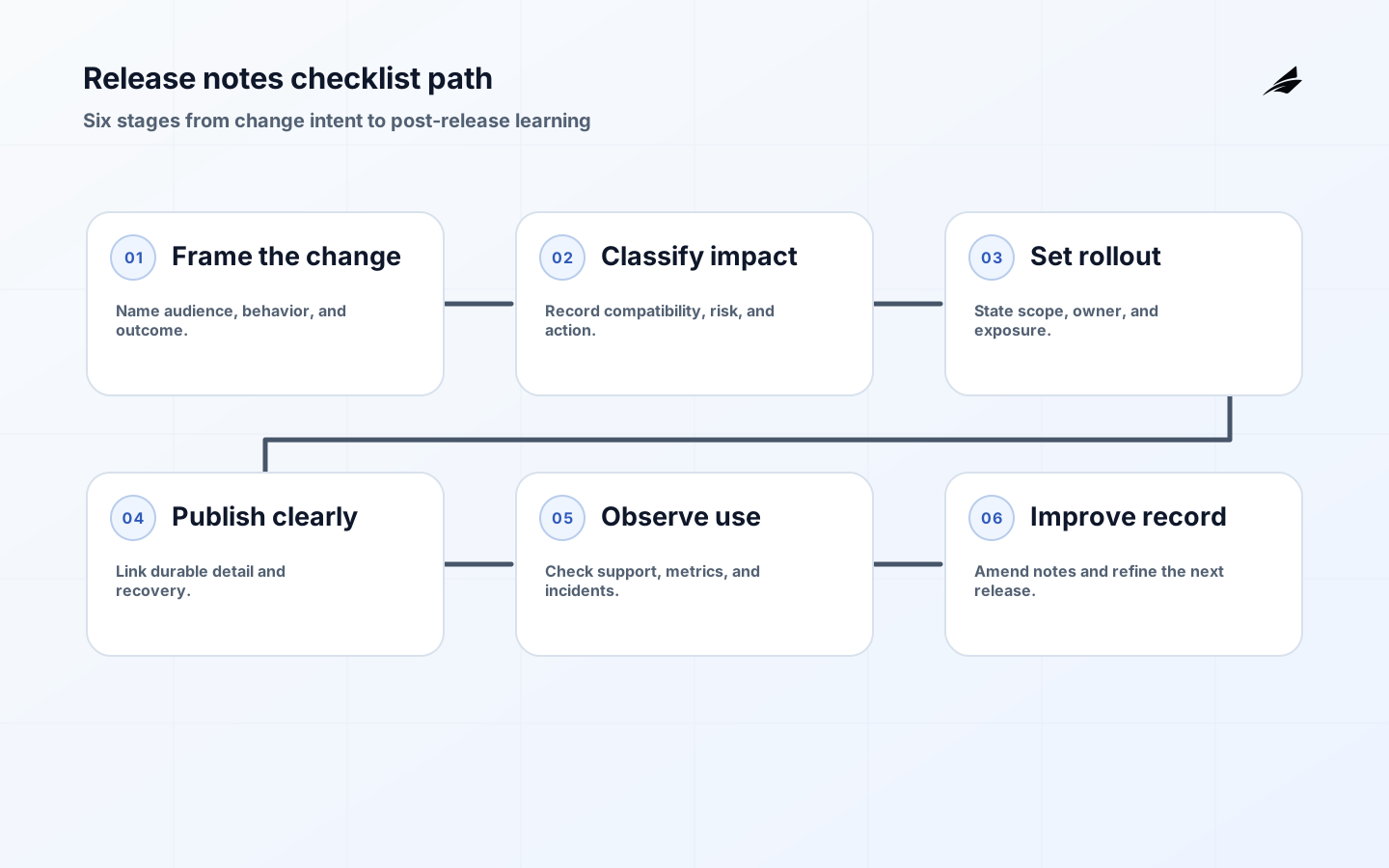
A release notes checklist is a reliability control when it helps a reader decide what changed, whether it affects them, and what to do next. A list of issue keys may prove that work happened, but it does not explain a changed permission, a new billing state, a migration prerequisite, or a temporary limitation. Start each entry with the consequence for a person or system. Then add the evidence an operator needs to identify the version, assess exposure, and choose a safe response. Connect this checklist to Edilec's release notes practical guide and keep the local operating record precise.
Start with the reader decision, not the ticket title
The first question is not whether a change is technically small. It is whether someone outside the implementing branch must change behavior, monitor a new signal, update an integration, or understand a different outcome. A passwordless login improvement may be a few lines of code but still matter to support, analytics, accessibility, and incident response. Conversely, a refactor can be absent from customer-facing notes when it does not alter a supported behavior. Define the audience before writing: customer, administrator, support agent, developer, finance operator, or on-call engineer. One change can need several short views, each with the same version and truth.
Use a consistent entry contract
A dependable entry answers five things in plain language: what changed, who can notice it, when it is effective, what action is required, and where to investigate a problem. Add a sixth field for reversibility when a release can be rolled back, disabled, or corrected. Keep the original issue key as a trace, not as the explanation. Keep a Changelog's Added, Changed, Deprecated, Removed, Fixed, and Security categories are useful prompts, while semantic versioning helps readers interpret compatibility when the product exposes a public API. The contract should also record whether the note describes a deployed release, an available feature, or a gradual rollout.
| Checklist field | Question for the writer | Evidence for the reviewer |
|---|---|---|
| Audience | Who must understand this change? | Named role or customer segment. |
| Impact | What will look or behave differently? | Before-and-after example or observable signal. |
| Action | Must anyone migrate, configure, or retrain? | Step, owner, deadline, or explicit no action. |
| Exposure | Is the change everywhere or staged? | Environment, cohort, flag, or rollout state. |
| Recovery | What happens if the result is unsafe? | Rollback, disablement, correction, or escalation path. |
Describe risk without creating noise
Reliable release notes distinguish a known limitation from a speculative concern. Say that an API field is now required for clients using version two, then name the compatibility window and sample response. Say that an index migration runs in the background, then state whether reads and writes remain available. Avoid dramatic labels that do not change behavior, but do not hide a security fix or a data-retention change in a generic Changed paragraph. A short risk sentence is more useful than a long implementation narrative: If your integration reads the old status value, map it before enabling the new workflow. Support should be able to turn that sentence into a customer answer.
Make review part of the delivery workflow
Treat notes as a release artifact with an owner and a review checkpoint. The implementer supplies behavior and edge cases; product or support translates the consequence; security or compliance reviews sensitive changes; operations confirms rollout and recovery wording. This does not require a meeting for every patch. A pull request template can require a proposed note, audience, action, and rollout state, while a release owner approves the final grouping. GitHub's generated notes can assemble merged pull requests and contributors, but generated text cannot know whether a migration needs customer action or whether a flag is still at ten percent. Use automation to gather facts and humans to decide meaning.
- Write the user-visible consequence before the internal implementation detail.
- State whether the change is available, staged, deprecated, or removed.
- Name required action, affected integrations, and the owner of follow-up work.
- Link to a stable help page or runbook, not a private ticket or chat thread.
- Record the review decision and update the note when rollout scope changes.
Example: document a staged billing change
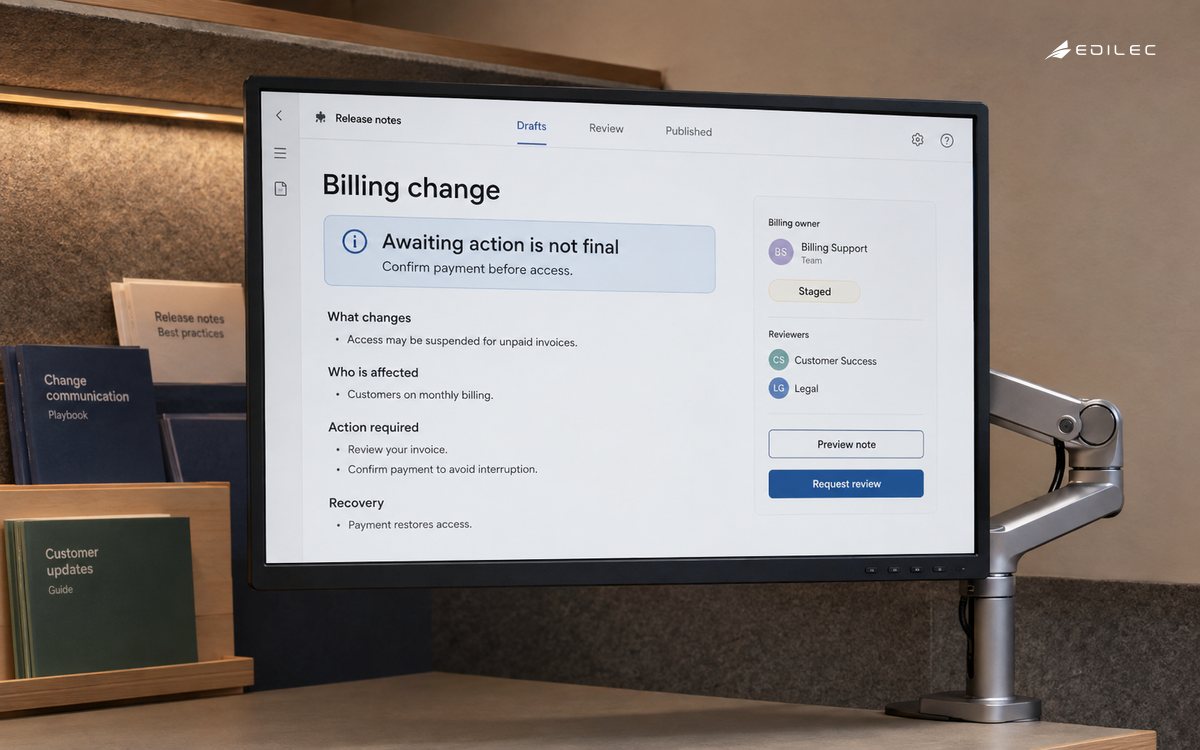
Imagine a SaaS team changing invoice status from a single paid or failed result to a lifecycle that includes pending customer action. A weak note says Billing webhook improvements. A useful note says that from version 4. 8, invoice events may remain pending while customer authentication completes; consumers should treat pending as non-final, listen for the paid event before granting a paid entitlement, and handle paymentactionrequired with a customer-facing prompt. The rollout begins with new accounts and can be paused by the billing owner. This entry names the changed state, integration rule, customer consequence, rollout boundary, and recovery authority.
| Release question | Weak evidence | Useful evidence |
|---|---|---|
| What changed? | A linked ticket title. | A before-and-after behavior statement. |
| Who is affected? | All users. | Accounts using the new invoice event path. |
| What should they do? | See the documentation. | Handle pending, wait for paid, and update the webhook consumer. |
| How do we recover? | Contact engineering. | Pause the cohort and route failed events to the named owner. |
| How do we know it worked? | Deployment succeeded. | Observed event ordering, support volume, and correction rate. |
Run the final publication checks
Before publishing, compare the note against the deployed artifact and the approved release scope. Check version, date, affected surface, links, examples, accessibility of any screenshots, and whether a security-sensitive detail reveals more than intended. Confirm that a deprecation has an owner and date, that a known issue has a status, and that a rollback note does not promise a recovery the team has never tested. Review the note after the first operational window: if support questions reveal a missing explanation, amend the release note or add a durable follow-up. A living record is more valuable than a perfect first draft that nobody can find.
Key takeaways
- Release notes explain consequences and decisions, not merely implementation activity.
- A small entry contract makes audience, action, rollout, and recovery visible.
- Automated collection is useful for facts; human review is needed for meaning and risk.
- Keep release notes tied to the artifact, support response, and post-release evidence.
- Use the same language in notes, help content, dashboards, and incident runbooks.
FAQ: Release notes checklist questions
FAQ: What format should release notes use?
Use a consistent, searchable format with a release heading, date, audience-friendly categories, short entries, links to durable detail, and a clear distinction between available, staged, deprecated, and removed behavior. The format matters less than the decision information each entry preserves.
FAQ: When should version numbers appear?
Include the product or API version whenever readers need to compare behavior, choose a client, or troubleshoot an integration. If the product uses semantic versioning, apply its compatibility rules consistently rather than treating the number as decoration.
FAQ: How should security fixes be described?
State the affected behavior, required upgrade or configuration, and severity or urgency in language the reader can act on. Do not disclose exploit details before the remediation path is ready; coordinate sensitive disclosure with the security owner.
Make the note usable during a handoff
Release notes become especially valuable when the person who shipped a change is not the person answering questions about it. Add a short handoff section to the release process: the current rollout state, the dashboard or query that shows the relevant signal, the runbook to use when the signal moves, and the owner who can pause or reverse the change. Keep the handoff aligned with the note rather than burying it in a private chat. For example, a new workspace import might require support to ask whether the account has completed a consent step, operations to watch queue age, and engineering to inspect a parser error. One sentence for each role prevents a routine question from becoming an emergency escalation. It also makes the release record useful after a team change, when institutional memory is no longer available.
Use a final reader test before publication. Give the note to someone who did not implement the change and ask them to answer who is affected, what they should do, what they should monitor, and what happens if the result is wrong. If they cannot answer without opening an issue tracker, the entry is still too internal. This test is inexpensive and catches missing context that automated validation cannot see. It also gives product, support, and operations a shared language for the release review. A release note earns trust when it reduces a question at the moment a reader needs to make a decision.
Keep a small change vocabulary so readers can distinguish added capability, changed behavior, fixed defect, deprecation, removal, and security action. The vocabulary is useful only when each label leads to a concrete explanation. It also helps release search: an operator looking for a prior deprecation or security correction can find the right entries without scanning every deployment. Review the vocabulary with support and engineering once a quarter and retire labels that no longer help a decision.
Before publication, retain the final scope decision with the release record. If rollout changes after approval, update the note owner and state rather than relying on a silent dashboard change. This keeps the explanation aligned with what readers actually receive.
Test a stale integration event before treating the first release as complete. Reconcile release-note changes against the original record.
A practical example is a required input missing at the moment of action. Measure release-note outcomes alongside correction effort.
Ownership is clearer when the release-notes checklist separates the promise from the mechanism. Record the state, evidence, and recovery path.
Before widening the release-notes process, rehearse normal, denied, delayed, and corrected cases. Name the decision boundary and its owner.
During routine operations, review whether each release note explains impact, compatibility, required action, and recovery.
For release notes, Keep a Changelog 1.1.0 defines scope; Semantic Versioning 2.0.0 Specification supports compatibility; About releases and Automatically generated release notes supply evidence and recovery context; OWASP DevSecOps Verification Standard frames review. Make corrections visible, scoped, and reversible.
When a dependency fails, check that the release note identifies the affected change, its operational owner, and the recovery path.
A durable release note records the authoritative source, effective time, permitted actor, protected resource, and recovery route. During a measured rollout, record the evidence readers need.
During a measured rollout, verify that the release note records the evidence behind the decision to continue, pause, or roll back.
Conclusion
A release notes checklist turns a deployment into an understandable operational event. It asks the team to explain impact, compatibility, action, exposure, and recovery while the details are still fresh. Use it with Edilec's roadmap systems checklist to connect why the work exists to how it reaches users, and with the SaaS product development delivery plan when the change spans teams. The result is a release record that helps people operate the product, not just remember that code was merged.
Evidence for “Release Notes Checklist for Reliable Digital Operations” is grounded in Keep a Changelog 1.1.0, Semantic Versioning 2.0.0 Specification, About releases, Automatically generated release notes, OWASP DevSecOps Verification Standard; each source informs a specific decision, test, or operating trade-off described in this guide.