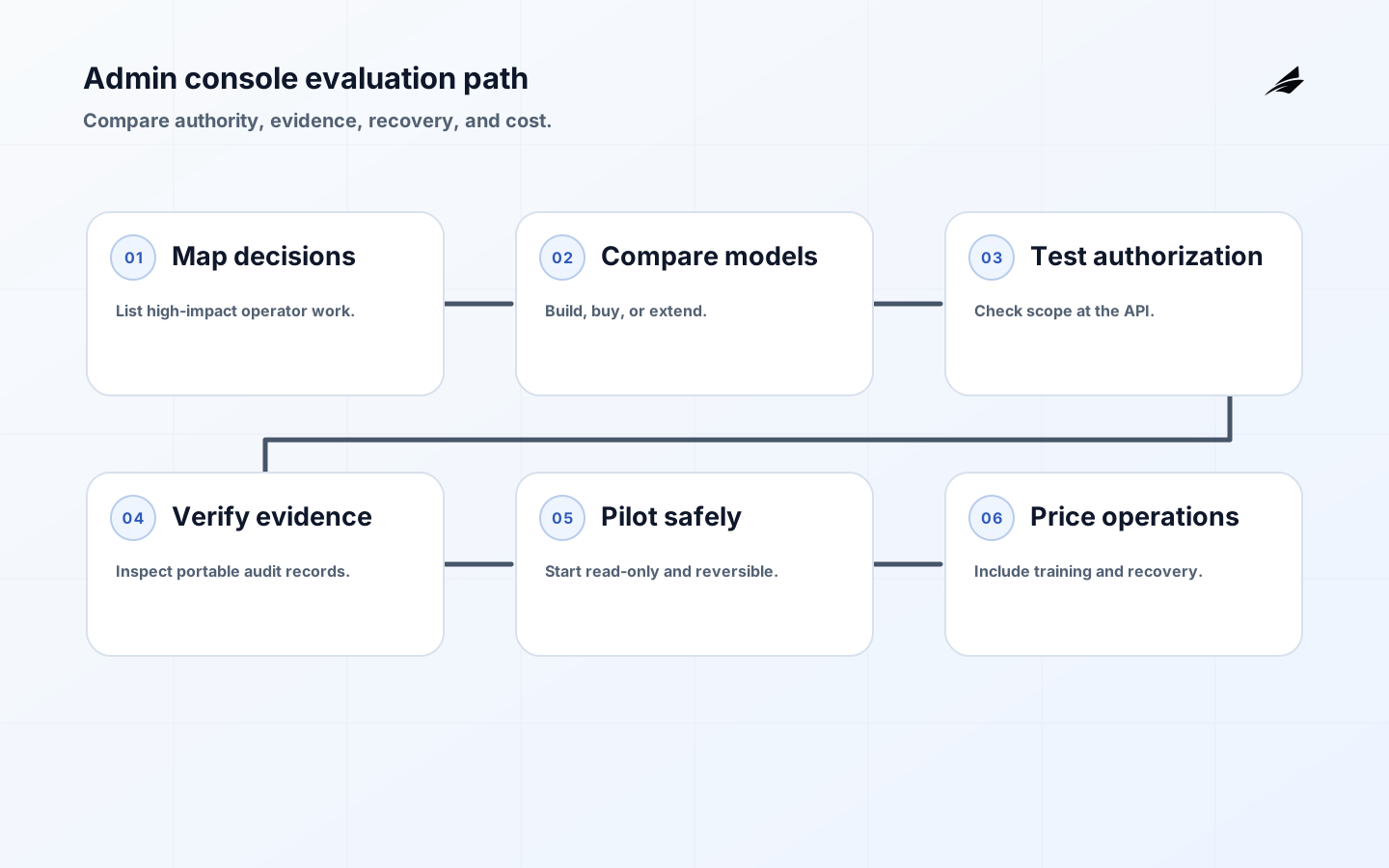
Buying or building admin consoles is a decision about operational authority, not a decision about navigation and tables. A console can shorten a support case, expose a dangerous shortcut, or become the only place where a company understands its own customer state. Buyers and CTOs should therefore compare the control model, the evidence, the integration surface, and the recovery path alongside the feature list. The right choice is the smallest system that lets named operators perform necessary work without creating a second, invisible product.
Use multi-tenant architecture guidance, workspace implementation checklists and support tooling checklists to define the resources the console must understand. Then compare vendors or an internal build against those actual boundaries rather than against a generic promise of “admin capability.”
Write the buying boundary before the shortlist
List the operational decisions that consume the most time or carry the most customer impact. Separate read-only investigation, reversible repair, approval, and irreversible change. For each, name the actor, tenant scope, expected frequency, data sensitivity, authorization basis, evidence, and recovery target. A vendor that offers a polished user interface but cannot enforce tenant scope on the API is not a fit. A custom build that satisfies today’s actions but has no audit retention, ownership, or upgrade plan is also incomplete. The boundary keeps the evaluation anchored to work rather than screens.
| Evaluation area | Questions to ask | Evidence required |
|---|---|---|
| Authorization | Can the server check actor, tenant, resource, action, and state? | Policy tests and denied-request examples. |
| Audit | Can reviewers reconstruct a change and its reason? | Sample immutable action records. |
| Workflow | Can approval, execution, and verification be separated? | State diagram and retry behavior. |
| Recovery | Can an operator stop or reverse a mistake? | Runbook, permissions, and exercise result. |
Compare build, buy, and extend honestly
Buying can provide mature identity integration, audit export, and a faster first release, but it may impose a permission model that does not match tenant relationships or business states. Building gives control over the domain model and operator experience, but the team owns security testing, evidence integrity, migrations, accessibility, support, and long-term maintenance. Extending an existing support tool can be practical when the data model and ownership already align; it becomes risky when operators must switch between tools to see the true state. Ask which capabilities are core differentiators and which are expensive, reusable controls that the team would rather not recreate.
Evaluate authorization beyond role names
A vendor’s “administrator” role is not a security model. Review whether permissions are resource-scoped, tenant-aware, time-bounded, and testable. OWASP emphasizes that authorization must be validated on every request; the console should not be an exception. Check whether a user can call the same action directly, whether an approval can be replayed after state changes, and whether a support user can inspect one tenant while repairing another. Prefer explicit policy inputs and a deny behavior for missing context. Record the provider’s limits as decisions, not as footnotes that operators are expected to remember.
- Require a named owner for every privileged action and permission set.
- Test the API independently from the console’s visible controls.
- Ask how tenant context is derived, validated, and logged.
- Confirm that temporary access has expiry and review rather than manual removal.
- Reject vendor claims that cannot be demonstrated with a realistic workflow.
Make audit evidence portable and useful
An audit export should be more than a CSV of clicks. It should include actor identity, target resource, tenant, action, authorization basis, before and after values where appropriate, time, correlation ID, outcome, and links to the request or incident that justified the work. Ask who can read, delete, or alter the records and how retention is configured. If evidence cannot be correlated with product events and support cases, it will not help an incident responder. NIST’s control families provide a useful lens for checking that access, audit, accountability, and separation are treated as one operational system.
| Choice | Good fit | Watch for |
|---|---|---|
| Buy a platform | Common resource types and mature audit needs. | Vendor lock-in, coarse permissions, and API gaps. |
| Build a domain console | Unique workflow and strong internal product ownership. | Security, accessibility, and maintenance becoming invisible work. |
| Extend support tooling | Existing ownership and incident context already align. | A generic tool becoming a privileged write surface. |
| Keep engineering-only | Rare or irreversible migrations. | Slow customer recovery and undocumented manual steps. |
Review integration and change ownership
A console becomes part of the production path when it can change identity, billing, tenant state, feature flags, or integrations. Map every system it calls, the credentials it uses, and the state it assumes. Ask who owns a failed action when the external provider returns late or partially succeeds. Require idempotency, version checks, and clear status for queued work. Changes to the console itself should use the same release discipline as other customer-facing features: review the permission diff, test the failure path, observe a bounded cohort, and keep a return action that does not discard audit evidence.
Price the operating model, not just the license
Total cost includes integration work, permission design, audit storage, access reviews, training, on-call support, vendor escalation, data export, and the engineering time spent maintaining exceptions. Quantify the customer impact of a slow or unavailable admin path as well. A cheap tool that makes a common repair impossible can increase incident duration. A costly system may be justified if it reduces broad access, standardizes evidence, and supports safe recovery. Set a review date for the decision because tenant count, plan complexity, and regulatory requirements can change the right trade-off.
Pilot with read-only truth before write authority
Start by reconciling the console’s read model with the source systems. Operators need to trust what they see before they use it to change state. Then pilot one reversible write with a small group, explicit permissions, and a support owner. Measure action completion, denial, stale-data confusion, escalation, and recovery time. Include direct API tests, expired sessions, duplicate submissions, provider timeouts, and a tenant mismatch. Do not cut over because a demo succeeded; cut over when the audit trail and return path have survived the awkward cases.
Use operating signals to revisit the choice
Track the time from request to verified completion, permission denials, manual escalations, support rework, audit export success, and the number of actions performed through emergency paths. Segment by workflow and operator group so a good average does not hide one unsafe path. Review temporary access, unused permissions, failed integrations, and actions whose side effects are not visible. A console should reduce cognitive load over time; repeated workarounds are evidence that either the tool or the underlying product model needs attention.
- Run a tabletop exercise for a mistaken bulk action and its recovery.
- Compare the UI record with the source-of-truth event log.
- Revoke an operator during a queued action and inspect the result.
- Export evidence and ask an independent reviewer to reconstruct the decision.
- Reprice the build-versus-buy choice after a material change in tenant scale or risk.
A useful evaluation workshop should include an operator who did not design the console. Give that person a realistic repair, a wrong-tenant request, a stale approval, and a partially completed downstream action. Observe whether the interface makes scope and consequences clear, whether permissions are sufficient but narrow, and whether the evidence explains what happened. The exercise turns abstract vendor promises into a decision about operator cognition, authorization quality, and recovery effort. Record gaps as acceptance criteria or explicitly accept them as risk owners and follow-up work.
Key takeaways for buyers and CTOs for Admin Consoles
- Evaluate operational authority, not just the console’s feature list.
- Require resource- and tenant-aware authorization at the API boundary.
- Compare evidence, recovery, integration ownership, and total operating cost.
- Pilot read-only truth before granting write authority.
- Treat recurring workarounds and emergency paths as design feedback.
Admin console buyer FAQ
A purchase decision is strongest when the evaluation team can demonstrate the control model with real resources and realistic failure cases. These questions are useful prompts for vendor reviews and architecture reviews.
When should a team buy an admin console?
Buy when the tool covers the needed resources, authorization model, audit evidence, and integration boundaries without forcing unsafe workarounds. Confirm the fit through a representative workflow.
What is the most important vendor question?
Ask how every privileged action is authorized, recorded, tested, and recovered, including direct API and provider outage cases. Request evidence rather than a product tour answer.
Is a read-only console enough for the first release?
Often yes. A reliable diagnostic view can reduce support time while the team designs safe write workflows. It also tests whether the read model is trustworthy.
How should total cost be compared?
Include integration, permissions, audit retention, operator training, incident response, migration, and the cost of unsupported exceptions. Include customer-impact cost when the tool is unavailable.
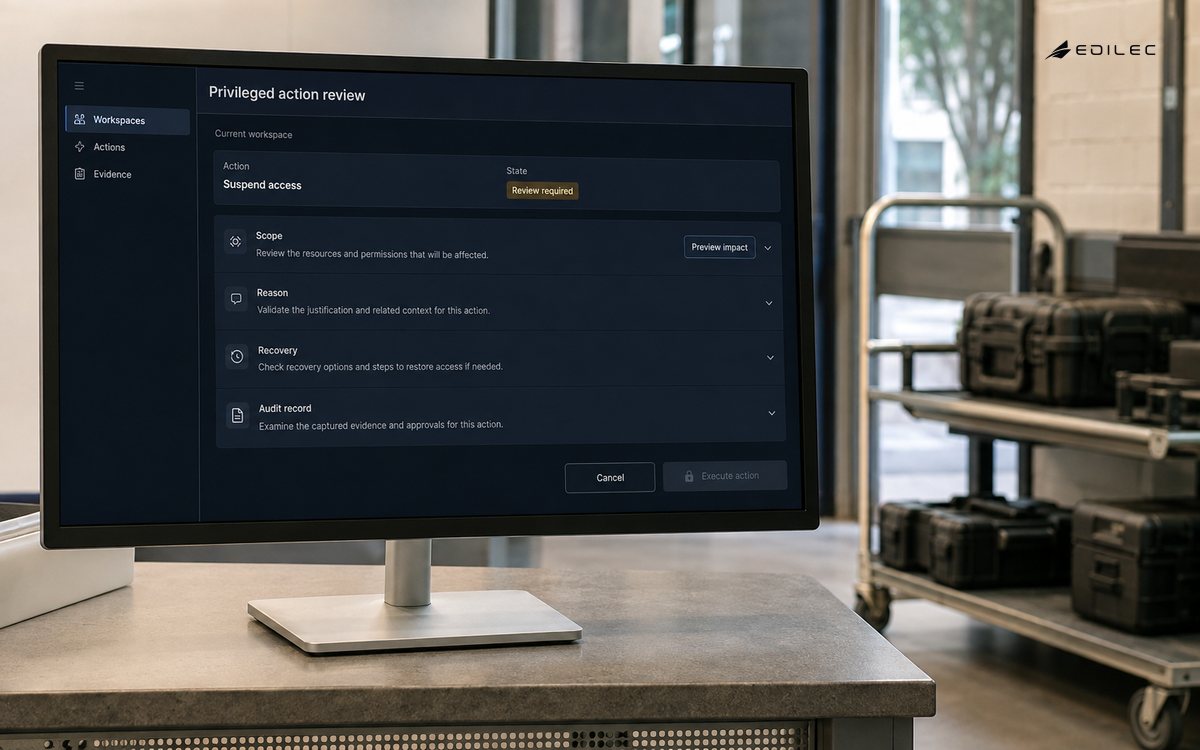
The buyer and CTO decision is ultimately about control under pressure. A console should make high-impact actions explicit, scoped to a workspace or tenant, and reversible where possible. Buyers should ask how approval, audit history, and support access are handled; CTOs should ask how permissions, APIs, background jobs, and exports enforce the same policy. A useful pilot starts with one operational journey and measures time to resolution, mistaken actions, escalation quality, and evidence completeness. Those measures reveal whether the console reduces risk or merely moves complexity into a privileged screen. Review the results with support and security before expanding the action set.
Conclusion: buy confidence, not just buttons
A strong admin-console decision is visible in the details: a narrow action model, a defensible authorization check, a portable audit record, a recoverable workflow, and an owner who can operate it. Whether the console is bought, built, or extended matters less than whether those properties survive a real tenant, a partial failure, and a tired operator. Make the pilot prove those conditions, then revisit the choice as the product’s authority and scale change.
Ownership is clearer when admin consoles separates the promise from the mechanism. For admin consoles, review control during normal handling.
Before widening admin consoles, run a small rehearsal with normal, denied, delayed and corrected cases. Give admin consoles a named owner and a review date.
A durable operating note for admin consoles records the assumptions that made the decision safe: the authoritative source, effective time, permitted actor, protected resource, and recovery route. Review admin consoles evidence with product, engineering and support before expanding scope.
For Admin Consoles, OWASP Authorization Cheat Sheet defines scope; OWASP Transaction Authorization Cheat Sheet supports the control; OWASP Business Logic Security Cheat Sheet clarifies evidence; NIST SP 800-53 Rev. 5 Security and Privacy Controls guides recovery.
For admin consoles, review evidence during normal handling. For admin consoles, review recovery during a reconciliation pass. For admin consoles, review scope during normal handling.
For admin consoles, review the buyer and cto guide scope during a release check.
For admin consoles, review measurement during a reconciliation pass and confirm ownership during a delayed handoff.
Compare a normal administrative action with a changed-permission case, then verify authorization, audit evidence, and recovery ownership.
The review discipline for admin consoles is simple but specific: name the protected outcome, set an owner, preserve the reason behind each exception and measure the cost of correction. For a late event, ask what must remain true when data is late, duplicated, incomplete or disputed. Review recovery during a policy change.
A concrete operating test for admin consoles is to rehearse a recovery drill. Review measurement during a release check and confirm that the result is recorded once.
Evidence for “Admin Consoles: A Buyer and CTO Decision Guide” is grounded in OWASP Authorization Cheat Sheet, OWASP Transaction Authorization Cheat Sheet, OWASP Business Logic Security Cheat Sheet, NIST SP 800-53 Rev. 5 Security and Privacy Controls; each source informs a specific decision, test, or operating trade-off described in this guide.