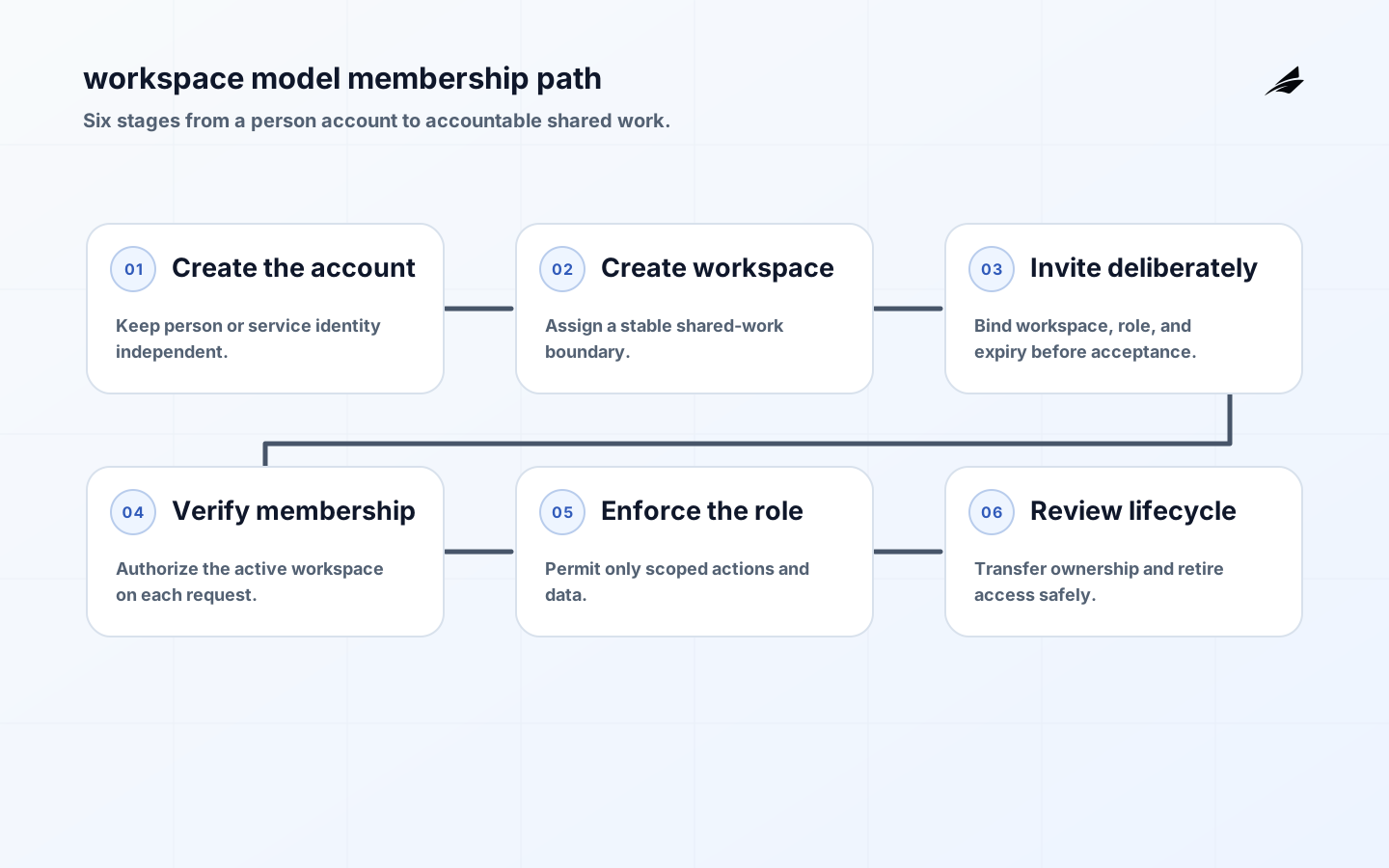
Workspace models determine how people understand the place where their work, permissions, and records belong. In a B2B SaaS product, a workspace is often treated as a convenient label around a user account. That becomes fragile as customers invite colleagues, switch organizations, create subsidiaries, use service accounts, or need a separate environment for a new project. The model needs to answer what is shared, who belongs, who owns the workspace, and what happens when membership changes.
Why Workspace Models Matter
A weak workspace model produces confusing access and irreversible cleanup work. Users see a project from a previous employer, an invitation grants more than intended, or a deleted owner leaves the team without an administrator. These failures are product failures as well as authorization failures. People need clear language for the current workspace and a predictable way to change it. Services need a stable identifier and policy rules that do not depend on display names or email domains.
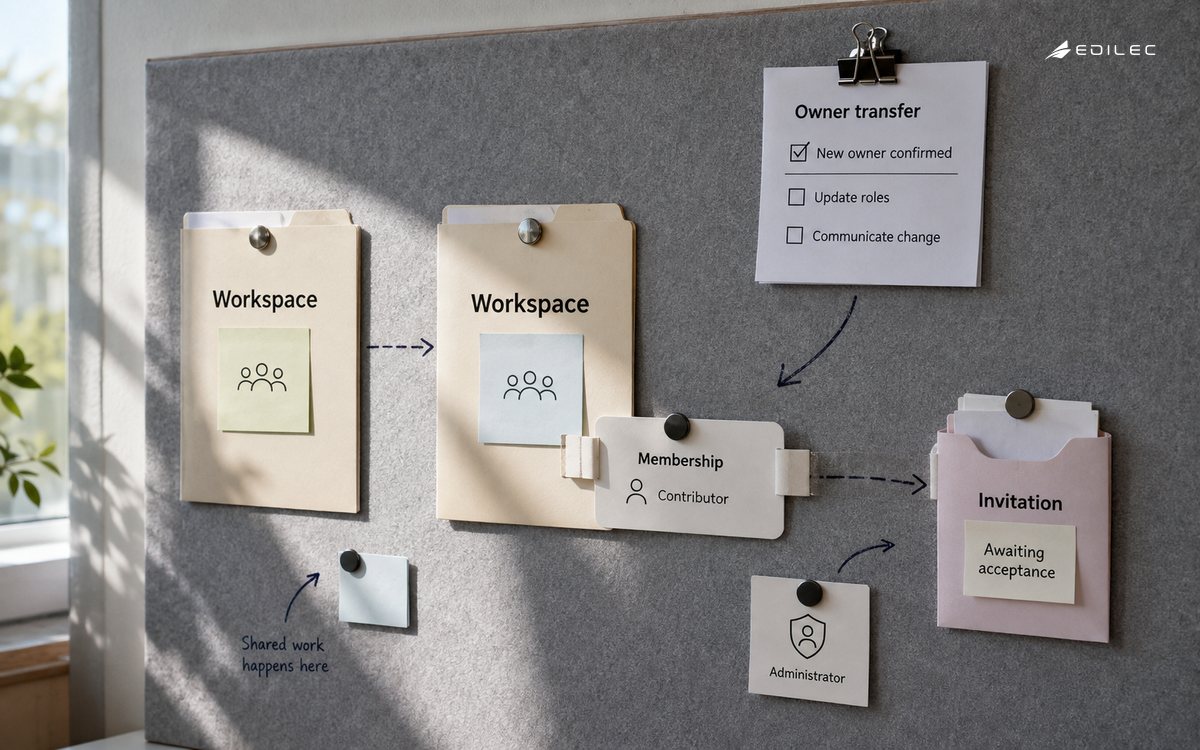
Separate the human account from the workspace. An account represents a person or machine identity; a workspace represents a customer-controlled collaboration boundary; membership joins the two with a role and lifecycle. This structure accommodates a consultant who works in several customer workspaces without duplicating their identity, and it gives the product a place to record invitations, suspension, ownership transfer, and audit events. Avoid making the first user's account an implicit permanent owner.
Model Membership and Ownership
Give every workspace a stable non-meaningful ID, a current state, at least one accountable owner, and a policy for the last owner. A membership should specify role, status, creation source, and effective dates when temporary access matters. Invitations should bind to the intended workspace and role before acceptance, then verify the authenticated account at acceptance. Treat a role change as a recorded authorization event, not just an update to a profile screen.
| Entity | Purpose | Rule worth documenting |
|---|---|---|
| Account | Authenticates a person or service. | One account may join several workspaces. |
| Workspace | Owns shared records and settings. | IDs are stable even if the name changes. |
| Membership | Links account to workspace and role. | Inactive membership cannot authorize requests. |
| Invitation | Requests future membership. | It expires and cannot silently widen a role. |
Workspace switching deserves a deliberate interaction design. Show the selected workspace in a consistent location, announce the change to assistive technology, and ensure deep links resolve against authorization rather than silently opening a similarly named workspace. When there is only one workspace, do not hide the concept so completely that later expansion becomes surprising. The best interface removes unnecessary steps while preserving a visible answer to the question, 'Where am I working now?'
Make Scope Explicit in Services
The client may request a workspace, but the server establishes it from authenticated membership. Each resource-owning service should evaluate the actor, current workspace, action, and target record. A role such as administrator is meaningful only inside that workspace; it is not a global superpower. This also applies to API tokens. Bind machine credentials to a workspace or use a consciously designed cross-workspace service role with a narrow purpose and strong audit trail.
Complicated customer structures need an explicit hierarchy policy. A parent organization might pay the bill while projects live in child workspaces, but that does not automatically mean parent administrators can read every project. Write inheritance rules in product language before coding them. If a customer needs aggregation, expose a separately authorized portfolio view. This prevents a billing relationship from accidentally becoming a broad data-access relationship.
Build the Workspace Lifecycle
Map the lifecycle from creation to closure: initial owner, team invitation, accepted and pending membership, role adjustment, offboarding, ownership transfer, suspension, export, and deletion. Decide who can perform each action and which actions require confirmation or a second owner. For example, deleting the final owner should be impossible; transferring ownership should notify both parties; suspending an account should invalidate active sessions or force a fresh membership check on consequential requests.
| Lifecycle event | Required evidence | Safe product response |
|---|---|---|
| Invite sent | Workspace, role, inviter, expiry. | Show pending access without granting it. |
| Owner departs | Remaining eligible owner or transfer recipient. | Block removal until ownership is resolved. |
| Workspace renamed | Stable ID and audit record. | Update label without changing resource scope. |
| Workspace closed | Retention and export decision. | Disable access and preserve required records. |
Test the lifecycle with realistic edge cases. Try an invite accepted after a role was changed, a member removed while a browser tab remains open, a person who belongs to two workspaces with the same project name, and a workspace with an owner on leave. Exercise API calls directly and include automated jobs that operate on behalf of a workspace. These tests expose scope assumptions that a happy-path invitation demo will never reveal.
Operate the Model
Useful operational signals include active workspaces with no owner, invitations nearing expiry, role changes by privileged actors, access denials caused by stale membership, and support requests caused by workspace confusion. Review these with product and support, because repeated manual fixes indicate a missing state or unclear language. Also record tenant and workspace identifiers separately in logs: a customer may have several workspaces, and a support investigation must retain that distinction.
Example Membership Decision
Consider a procurement product where one buyer belongs to a main company workspace and a confidential acquisition workspace. The navigation can let the buyer choose either one, but the purchase-order service receives only the active workspace derived from their authenticated membership. A search request, export job, and notification all carry that same scope. A platform administrator cannot casually join the confidential workspace; a documented emergency process is needed. The model makes the sensitive boundary visible instead of relying on a naming convention.
For a complementary view of tenant-level boundaries, read the customer workspace models guide. Use it to decide whether your product's workspace is truly the customer boundary or one layer inside it. That distinction determines where billing, retention, reporting, and administrative authority should attach.
Review Workspace Governance
Schedule a periodic review of workspace ownership and privileged membership. Look for inactive owners, invitations that never expire, dormant machine credentials, roles that no longer match a person's job, and workspaces created by automated tests or migrations. This is not a reason to remove access indiscriminately. It is a way to make ownership visible before a departure, acquisition, or incident forces the team to reconstruct it under pressure. The review should result in specific transfers, removals, or documented exceptions with an accountable owner.
As the product adds cross-workspace reporting or organization-level administration, resist turning every new customer request into implicit inheritance. Define a new relationship, subject, and policy for the aggregated view, then test both directions: the authorized parent can see exactly the intended summary, and a regular workspace member cannot infer neighboring workspace data. This preserves the useful simplicity of the original model while giving the business a controlled route for more complex structures.
Treat workspace changes as events that other services may need to consume. A role revocation should invalidate decisions that depend on membership; a closure may require data retention processing; an ownership transfer may update notification and billing contacts. Publish a minimal, versioned event with stable IDs instead of asking each service to infer state from a profile record. Consumers should remain safe when delivery is delayed or duplicated. This keeps the workspace model consistent as integrations and product modules multiply.
Make workspace language consistent across navigation, emails, billing, support, and API documentation. A customer should not have to wonder whether an 'account,' 'team,' and 'organization' are the same scope. If different layers exist, explain their relationship and show the selected layer before a consequential action. This is more than copy editing: inconsistent language leads people to invite the wrong group, request the wrong access, or interpret an aggregate report incorrectly. Clear names reduce operational risk while making a growing product easier to learn.
When migrating an older product, inventory every place where a workspace is inferred rather than stated. Common examples include email-domain matching, default accounts chosen from recency, imported records without an owner, and links that embed a mutable name. Replace these assumptions gradually with stable identifiers and explicit membership checks. During the transition, show operators when legacy resolution was used and measure how often it disagrees with the new model. Those disagreements are a productive backlog: each one describes a customer relationship the product needs to model clearly.
Key Takeaways
- Model accounts, workspaces, memberships, and invitations as different things.
- Use a stable workspace identifier and re-check membership at protected services.
- Give ownership transfer and the last-owner case explicit rules.
- Treat workspace switching as both an accessibility and authorization decision.
Frequently Asked Questions
Can one person belong to multiple workspaces? Yes, and that is a strong reason to separate identity from membership. Each request still needs one active, authorized workspace. Should administrators see all workspaces? Only if the product defines that authority and customers understand it. Support or platform access should be narrowly scoped, attributable, and time-limited rather than assumed from an admin title.
Conclusion
A good workspace model gives customers a credible collaboration boundary and gives engineers a dependable authorization context. When membership states, ownership, switching, and lifecycle rules are clear, teams can add reporting, automation, and integrations without re-litigating who is allowed to see or change shared work.
Sources
Use AWS tenant isolation guidance, NIST SP 800-207, the OWASP ASVS, and WCAG 2.2 when adapting this model to a product's identity, access, and interface requirements.