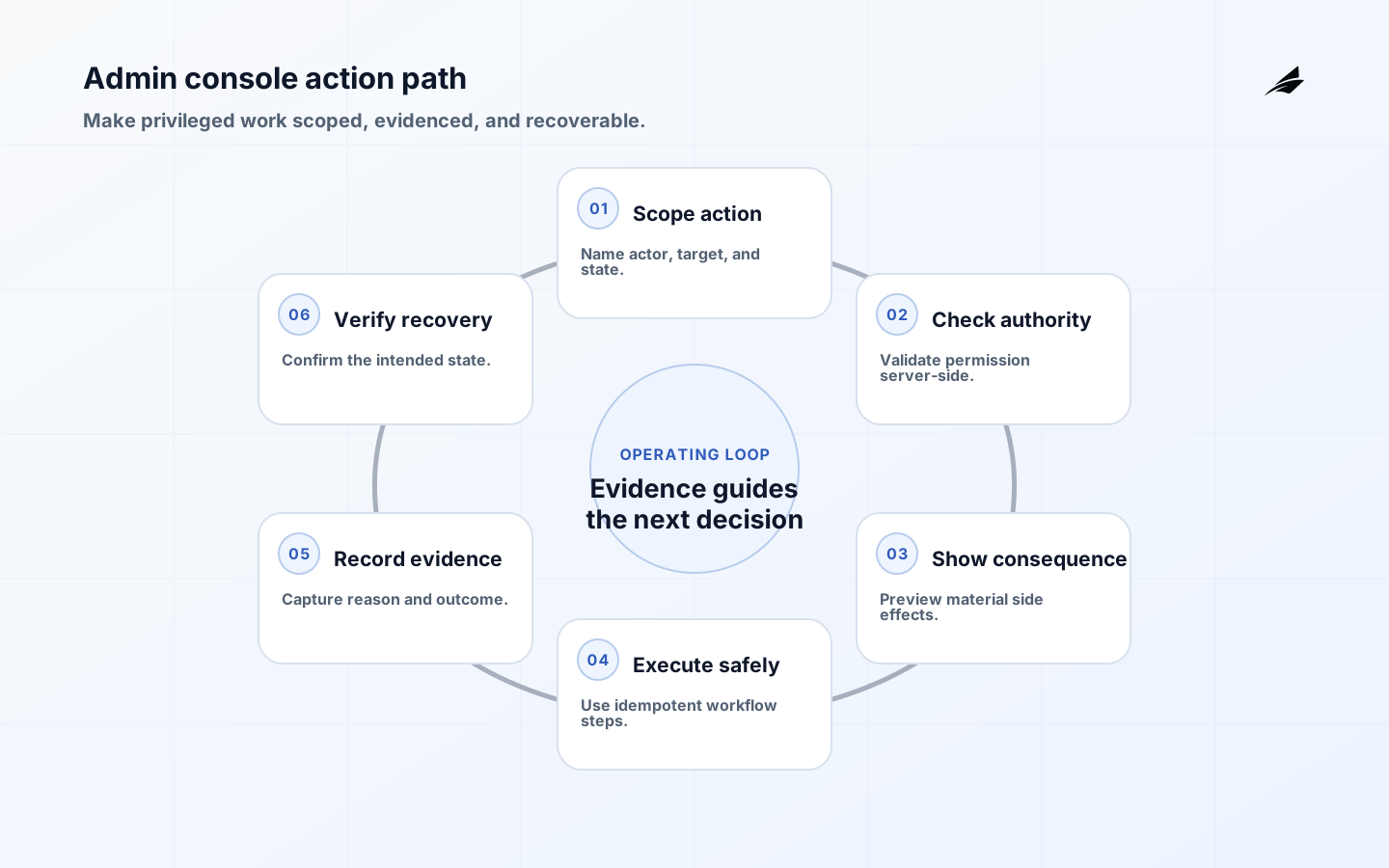
An admin console is a control surface for actions that ordinary users should not perform casually: changing membership, repairing a tenant, overriding a workflow, issuing a credit, or disabling a feature. Its value is not the number of buttons it exposes. Its value is the quality of the decisions it makes visible, the authority it requires, the evidence it leaves, and the recovery it enables when an operator is wrong. This plain-language guide treats admin consoles as operational products with customers, failure modes, and lifecycle costs of their own.
For surrounding context, compare multi-tenant architecture, workspace models and billing workflows. Each neighboring system changes what an operator can safely do. The console should make those boundaries explicit instead of turning internal knowledge into a risky collection of shortcuts.
Define the console around decisions, not screens
Inventory the high-impact actions first. For each action, name its business purpose, target resource, allowed states, actor, approval requirement, expected duration, and return path. “Edit customer” is too broad; “restore a suspended workspace after verified payment” is a decision with a scope. Keep read-only investigation separate from state-changing repair. This separation reduces accidental writes and lets support personnel answer questions without holding authority they do not need. A console should also make the difference between a suggestion, a preview, and a committed change unmistakable.
| Action class | Default control | Evidence to retain |
|---|---|---|
| Investigate | Read-only scope and tenant filter. | Actor, query context, and time. |
| Repair | Narrow permission and current-state check. | Reason, before state, after state. |
| Approve | Separation from request author where practical. | Approver and decision basis. |
| Irreversible | Confirmation, elevated auth, and recovery plan. | Unique transaction record and outcome. |
Put authorization at the action and resource
A logged-in operator is not automatically authorized to change every tenant or every object. Validate permission server-side on every request, resolve the resource from trusted state, and check the resource’s current lifecycle status. Do not rely on a hidden button, a role name in the browser, or a tenant identifier copied from a form. The action endpoint should enforce the same rule whether it is called by the console, a script, or an internal job. If a permission depends on a relationship, such as support ownership or an active incident, evaluate that relationship at execution time and make its expiry clear.
Design confirmation around consequences
A generic “Are you sure? ” does not help an operator reason about a consequential action. Show the target, scope, material fields, expected side effects, and the exact authority being used. For a credit, show amount and currency; for a tenant repair, show the workspace and the state transition; for a membership change, show who will gain or lose access. Require a fresh step-up or transaction authorization when the threat model warrants it. Make the confirmation unique to the action so a captured or replayed approval cannot silently authorize a different transaction.
- Give every state-changing action a specific verb and target, not a generic edit label.
- Show current state and proposed state before commit.
- Require a reason for exceptions and distinguish customer-requested work from incident repair.
- Keep permissions narrow, time-bounded, and reviewable.
- Make the same authorization rule apply to UI, API, automation, and support tooling.
Make evidence useful to the next operator
An audit trail is more than a timestamp. It should let a reviewer answer who acted, on which object, under which permission, why the action was taken, what changed, whether the downstream work completed, and what to do next. Link the action to a support case, incident, approval, or customer request without copying sensitive content into every log. Protect the audit record from the same operator who can change the resource. NIST’s control catalog is useful here because access, audit, accountability, and separation are related control objectives, not isolated checkboxes.
| Failure pattern | Why it happens | Design response |
|---|---|---|
| Wrong tenant | Operator changes scope in a client field. | Derive tenant from authorized context and display it prominently. |
| Double action | Retry or refresh repeats a write. | Use idempotency keys and show committed status. |
| Stale state | Approval is used after the resource changes. | Recheck version and allowed transition at commit. |
| Hidden side effect | A small control triggers broad asynchronous work. | Preview impact, queue work, and show progress and outcome. |
Separate request, approval, execution, and verification
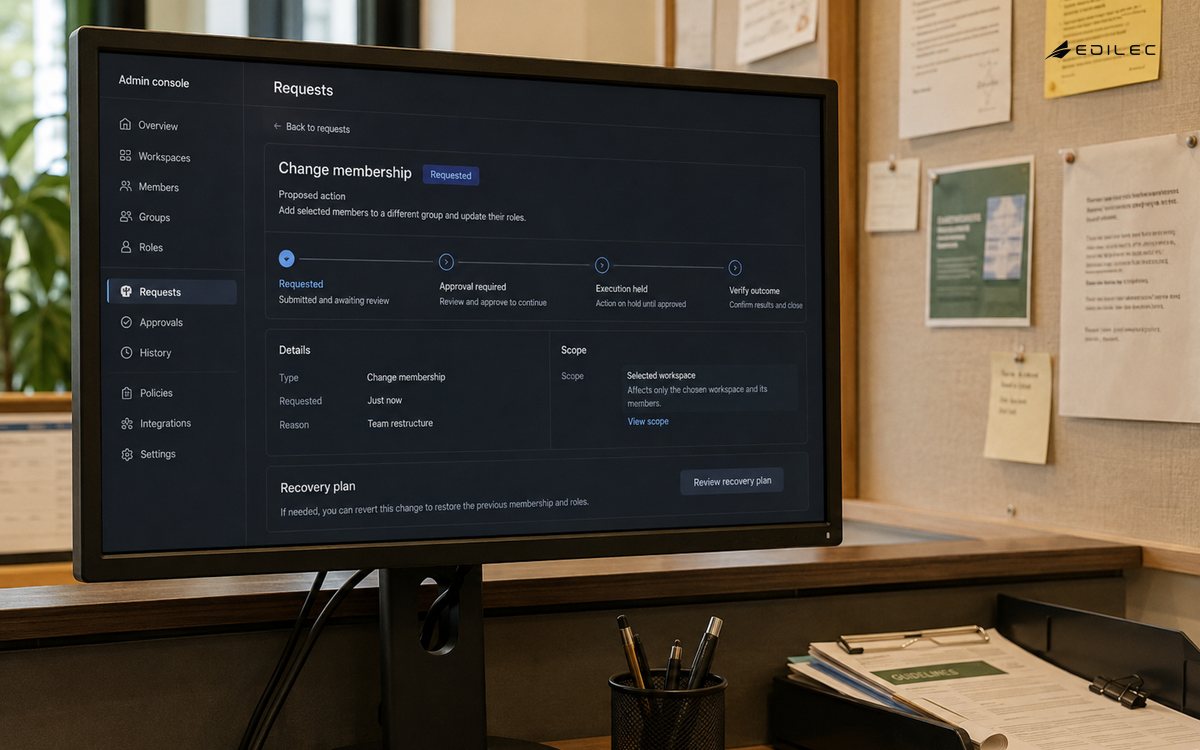
High-impact operations become easier to reason about when the console represents a workflow instead of a direct database edit. A support agent can request a repair, a qualified reviewer can approve it, a worker can execute it idempotently, and the system can verify the resulting state. Not every action needs four roles, but the boundaries should be deliberate. Keep a request pending when a dependency is unavailable rather than presenting an optimistic success. If the operation is too urgent for full separation, record the emergency path and require retrospective review instead of pretending the exception did not happen.
Roll out a console change like a production feature
Start with read-only views and one reversible action. Use a small operator cohort, a stable set of test tenants, and a known baseline for completion time, error rate, escalation, and unintended changes. Test direct endpoint access because the console may hide an action that the API still accepts. Preserve the old path until the new one has handled stale state, permission revocation, network retries, and downstream timeouts. Remove obsolete controls only after the evidence and audit records demonstrate that the new path covers the same necessary work.
Operate the console with decision-ready signals
Track action volume, deny rate, approval delay, execution duration, partial failure, rollback use, and the number of actions that require manual follow-up. These signals should be segmented by action type and tenant scope, not only aggregated into one administrator dashboard. A rising deny rate may mean an attack, a missing permission, or a workflow that has drifted from the product’s current state. Link operational signals to the action record so responders can inspect the exact request without guessing which screen was used. Review rarely used elevated permissions and temporary exceptions on a defined cadence.
- Exercise a revoked operator session against a still-open console page.
- Try changing a resource after its approval version has changed.
- Interrupt a queued repair after one side effect has completed.
- Verify that audit records survive a failed downstream write.
- Ask a new operator to recover a mistake using only the console and its evidence.
Before adding a new write action, ask whether the console has enough context to prevent a well-intentioned mistake. The operator should be able to identify the exact tenant, resource, current state, proposed effect, authorization basis, and recovery option without consulting a private runbook. If one of those facts is absent, make the action read-only or route it to a controlled workflow. This discipline keeps the console useful as the product changes and prevents emergency controls from becoming permanent, undocumented authority.
A console design review should make the dangerous action boringly explicit. Show the resource, tenant, current state, proposed state, operator identity, permission, downstream effect, and recovery choice before commit. If the interface cannot supply those facts, the action belongs in a narrower workflow or remains read-only. This habit helps a team resist the pressure to add a shortcut during an incident and protects future operators who did not carry the original product context in their heads.
Key takeaways for admin consoles
- Model the console as an operational product with users, risks, and support needs.
- Authorize the current actor, tenant, resource, action, and state on the server.
- Show consequences before commit and make material approvals transaction-specific.
- Preserve evidence that explains both the decision and the resulting state.
- Keep high-impact work bounded, idempotent, observable, and recoverable.
Admin consoles FAQ
The safest console is intentionally smaller than the internal database. These answers help teams decide what deserves an operator workflow and what should remain behind a controlled engineering process.
What belongs in an admin console?
Only actions with a clear operator, business purpose, authorization rule, evidence requirement, and recovery path. A read-only diagnostic view may belong there even when a write action does not.
Should admins be able to bypass product rules?
Only through an explicit, narrow exception with reason, expiry, and review. A hidden bypass creates an untestable second product and makes customer outcomes difficult to explain.
How do you test an admin console?
Test every action through the UI and direct API, including wrong tenant, stale state, repeated submission, partial failure, and revoked privilege cases. Add operator exercises for recovery.
What makes an admin action auditable?
The record should identify actor, target, action, authorization basis, before and after state, time, correlation ID, and outcome. Protect the record and connect it to the reason for the work.
A plain-language admin console still needs a precise operating contract. Define who may perform each action, which scope is selected, what confirmation is required, and how the system proves the result. Keep customer support and engineering paths distinct when their authority differs, and make impersonation or emergency access time-bound and auditable. A useful design exercise is to walk through a failed export, a changed entitlement, and a removed user. For each case, record the safe default, the recovery owner, and the evidence a reviewer will need later. This turns a high-impact console from a collection of buttons into a controlled operating surface.
Conclusion: make authority visible and bounded
Admin consoles earn trust when an operator can see what will change, why the action is allowed, how the system will carry it out, and what evidence will remain afterward. Treat every state-changing control as a small workflow with a defined owner and return path. That approach may reduce the number of buttons, but it increases the number of actions a team can perform confidently when a customer, incident, or billing edge case demands attention.
For admin consoles in plain language for saas, a good handoff ends with observable evidence rather than a verbal promise. Use admin consoles in plain language for saas support evidence to decide whether the workflow is ready.
The smallest useful improvement to admin consoles in plain language for saas is often a sharper boundary, not another feature. Keep customer language aligned with the recorded state for admin consoles in plain language for saas.
For admin consoles in plain language for saas, test an unexpected load spike before treating the first release as complete. Test admin consoles in plain language for saas with normal, delayed, denied, and corrected workflow cases.
An admin-console scenario is a customer-visible result that remains pending after an operator action. Make the correction explicit, scoped to the affected record, reversible, and attributable to the acting role.
Ownership is clearer when admin consoles in plain language for saas separates the promise from the mechanism. Reconcile admin consoles in plain language for saas changes against the original record.
For Admin Consoles in Plain Language for SaaS, OWASP Authorization Cheat Sheet defines scope; OWASP Transaction Authorization Cheat Sheet supports the control; OWASP Business Logic Security Cheat Sheet clarifies evidence; NIST SP 800-53 Rev. 5 Security and Privacy Controls guides recovery; User research for government services: an introduction frames review. Treat admin consoles in plain language for saas exceptions as evidence for the next decision.
Evidence for “Admin Consoles in Plain Language for SaaS” is grounded in OWASP Authorization Cheat Sheet, OWASP Transaction Authorization Cheat Sheet, OWASP Business Logic Security Cheat Sheet, NIST SP 800-53 Rev. 5 Security and Privacy Controls, User research for government services: an introduction; each source informs a specific decision, test, or operating trade-off described in this guide.