CRM email automation for support teams sits between customer service and a global messaging ecosystem. A password reset, case acknowledgment, outage update, troubleshooting reply, satisfaction survey, and product promotion are not interchangeable message classes. Each needs a lawful purpose, verified recipient, accurate sender identity, deliverability controls, and a clear owner when automation is wrong. This plan separates those obligations before templates and campaigns are built. The primary planning lens is CRM email automation for support teams, with decisions expressed in language that product users and operating teams can verify.
Nearby planning resources include CRM Email Automation for Support Teams: Implementation Checklist, CRM Email Automation for Support Teams FAQ, CRM Email Automation Implementation: Scope, Cost, Risks and Delivery Plan, AI Workflow Automation for Support Teams: Scope, Cost, Risks and Delivery Plan. Those pages provide companion scope and checklist views; this article develops the technical and operating evidence for the topic here.
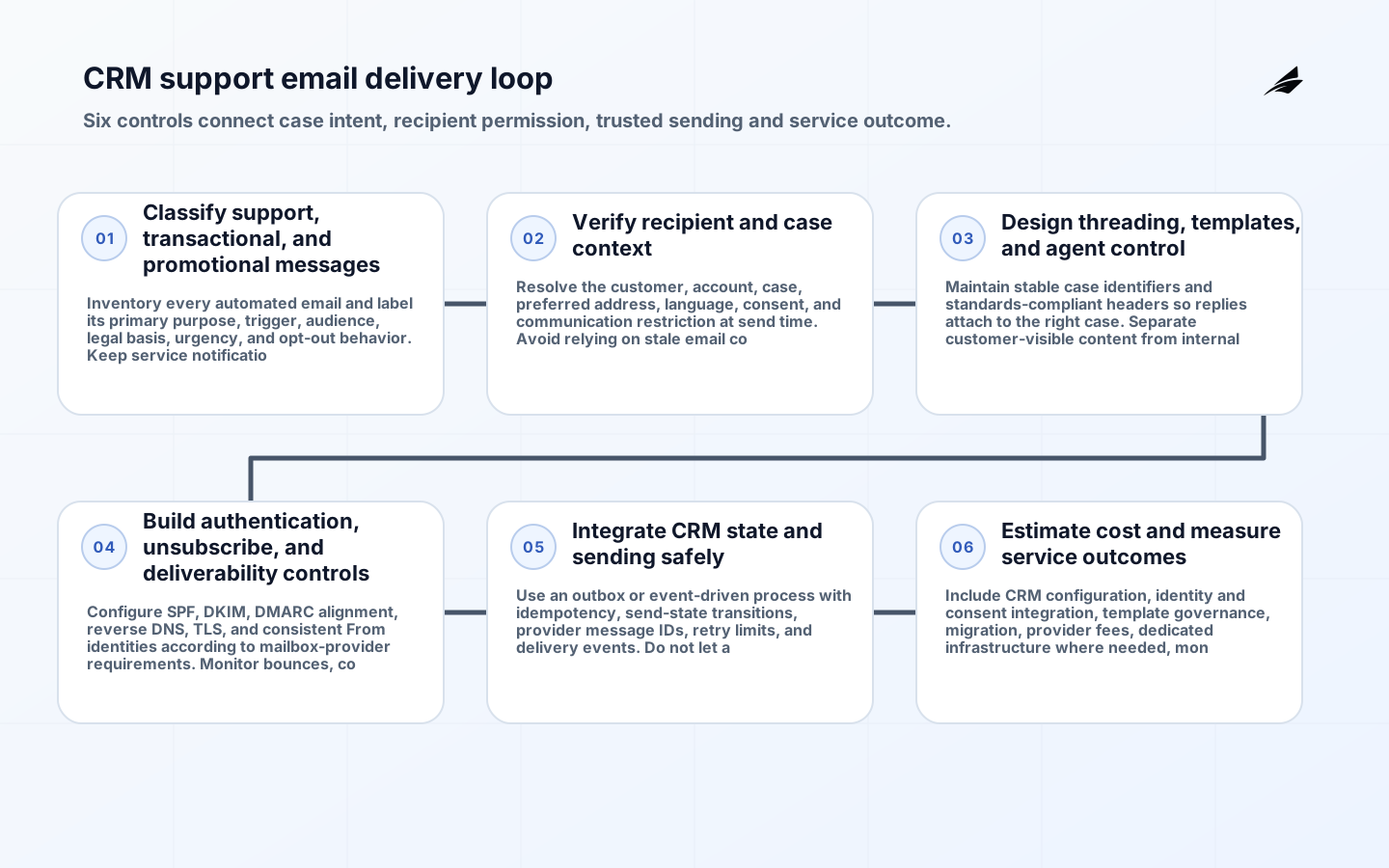
Classify support, transactional, and promotional messages
Inventory every automated email and label its primary purpose, trigger, audience, legal basis, urgency, and opt-out behavior. Keep service notifications and subscription marketing on distinct policies and preferably distinct sending identities.
Define when an agent must approve a reply, when a system may send automatically, and which messages must never include promotional content. Map jurisdiction and contractual requirements with counsel. Treating a support relationship as blanket marketing permission creates compliance, trust, and deliverability risk.
Verify recipient and case context
Resolve the customer, account, case, preferred address, language, consent, and communication restriction at send time. Avoid relying on stale email copied into a case record.
Protect against account takeover and misdirected sensitive content. Use secure links rather than placing confidential diagnostics or personal data in the message body. A correct template sent to the wrong address is still a serious support and privacy failure.
| Decision area | Required decision | Acceptance evidence |
|---|---|---|
| Classify support, transactional, and promotional messages | Inventory every automated email and label its primary purpose, trigger, audience, legal basis, urgency, and opt-out behavior. Keep service notifications and subscription marketing on distinct policies and preferably distinct sending identities. | Define when an agent must approve a reply, when a system may send automatically, and which messages must never include promotional content. Map jurisdiction and contractual requirements with counsel. |
| Verify recipient and case context | Resolve the customer, account, case, preferred address, language, consent, and communication restriction at send time. Avoid relying on stale email copied into a case record. | Protect against account takeover and misdirected sensitive content. Use secure links rather than placing confidential diagnostics or personal data in the message body. |
| Design threading, templates, and agent control | Maintain stable case identifiers and standards-compliant headers so replies attach to the right case. Separate customer-visible content from internal notes and sanitize quoted history. | Version templates, localization, variables, and approved claims. Preview the final subject, sender, recipients, substitutions, attachments, and reply route before agent-approved sends. |
Design threading, templates, and agent control
Maintain stable case identifiers and standards-compliant headers so replies attach to the right case. Separate customer-visible content from internal notes and sanitize quoted history.
Version templates, localization, variables, and approved claims. Preview the final subject, sender, recipients, substitutions, attachments, and reply route before agent-approved sends. Broken threading and unescaped CRM fields can create duplicate cases, expose internal content, or produce misleading messages.
Build authentication, unsubscribe, and deliverability controls
Configure SPF, DKIM, DMARC alignment, reverse DNS, TLS, and consistent From identities according to mailbox-provider requirements. Monitor bounces, complaints, reputation, and authentication results.
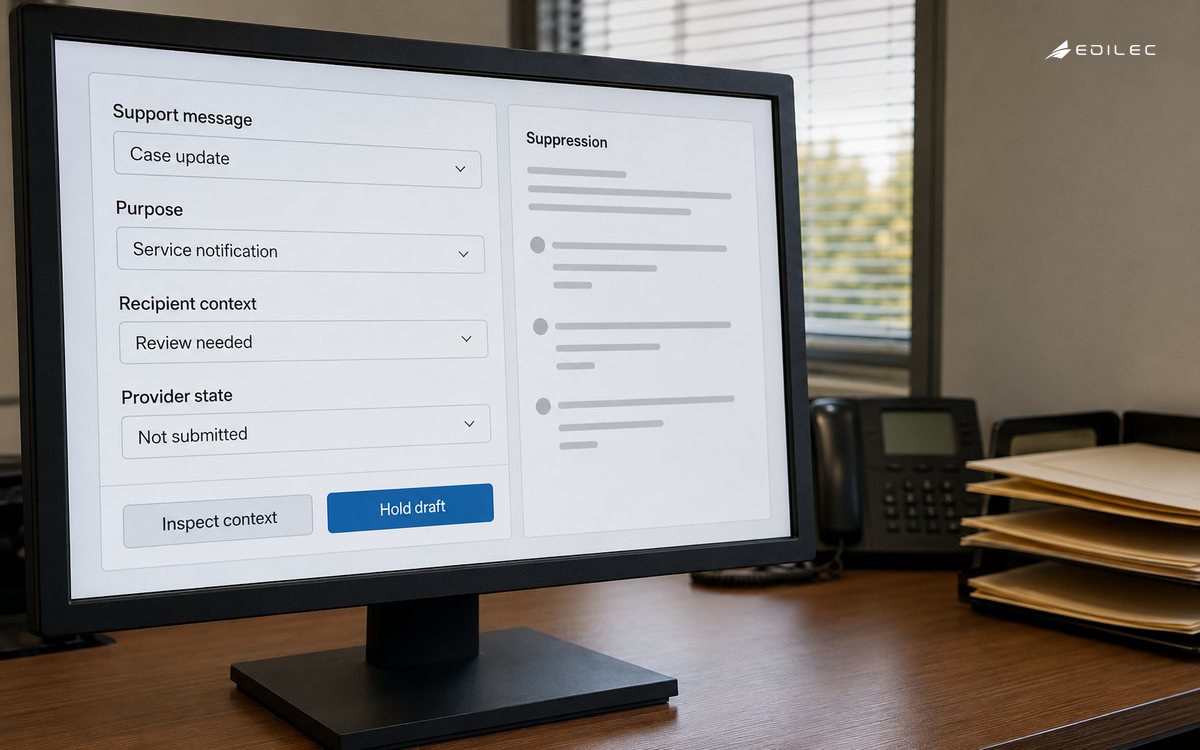
For subscription messages, implement one-click unsubscribe using RFC 8058 where required and process suppression quickly. The FTC also requires accurate headers, nondeceptive subjects, identification and opt-out behavior for covered commercial email. A high delivery rate is not healthy when complaints rise or promotional traffic damages password reset and support notification delivery.
| Control area | Failure to prevent | Production proof |
|---|---|---|
| Build authentication, unsubscribe, and deliverability controls | A high delivery rate is not healthy when complaints rise or promotional traffic damages password reset and support notification delivery. | For subscription messages, implement one-click unsubscribe using RFC 8058 where required and process suppression quickly. The FTC also requires accurate headers, nondeceptive subjects, identification and opt-out behavior for covered commercial email. |
| Integrate CRM state and sending safely | Blind retries, stale consent, and bidirectional updates can trigger duplicate sends or re-enable suppressed recipients. | Define ownership when CRM, case system, consent store, and email provider disagree. Record requested, queued, accepted, delivered, bounced, complained, unsubscribed, and replied states without treating acceptance as inbox delivery. |
| Estimate cost and measure service outcomes | Automation that sends more messages can increase provider cost and customer effort while reducing neither resolution time nor queue pressure. | Measure correct routing, first useful response, resolution, reopen, unsubscribe, complaint, bounce, delivery latency, agent correction, and support effort by message class. Avoid open-rate dependence because privacy features distort it. |
Integrate CRM state and sending safely
Use an outbox or event-driven process with idempotency, send-state transitions, provider message IDs, retry limits, and delivery events. Do not let a provider timeout create a duplicate customer response.
Define ownership when CRM, case system, consent store, and email provider disagree. Record requested, queued, accepted, delivered, bounced, complained, unsubscribed, and replied states without treating acceptance as inbox delivery. Blind retries, stale consent, and bidirectional updates can trigger duplicate sends or re-enable suppressed recipients.
Estimate cost and measure service outcomes
Include CRM configuration, identity and consent integration, template governance, migration, provider fees, dedicated infrastructure where needed, monitoring, localization, legal review, and agent training.
Measure correct routing, first useful response, resolution, reopen, unsubscribe, complaint, bounce, delivery latency, agent correction, and support effort by message class. Avoid open-rate dependence because privacy features distort it. Automation that sends more messages can increase provider cost and customer effort while reducing neither resolution time nor queue pressure.
Controls to test before automated support email is enabled
The launch record should list message classes, triggers, sender domains, authentication results, consent and suppression sources, case-thread rules, template versions, allowed variables, secure-link policy, retry behavior, localization, and accountable owners. Support approves service language; privacy and legal approve use; security approves sensitive-content handling; and messaging operations own authentication, reputation, provider events, and emergency suspension.
Test a changed customer address, compromised account, duplicate trigger, provider timeout, hard bounce, complaint, one-click unsubscribe, delayed suppression, malformed variable, internal-note leak, language fallback, and reply from an alias. Confirm that promotional suppression does not block essential transactional service and that marketing content cannot be inserted into a message class that follows different consent rules.
Taken together, the decision for CRM email automation for support teams must connect classify support, transactional, and promotional messages, verify recipient and case context, design threading, templates, and agent control, build authentication, unsubscribe, and deliverability controls, integrate crm state and sending safely, estimate cost and measure service outcomes. The release review should show which owner accepts each decision, where its source evidence is stored, which threshold blocks production, and how a failed dependency or incorrect result is contained. It should also explain how changes to data, policy, integrations, identities, customer scope, or software versions trigger renewed testing. That linkage matters because controls assessed independently can still conflict in operation: a secure interface may carry stale data, a reliable service may enforce the wrong authority, and a useful workflow may become uneconomic when review or support demand rises. Record these dependencies as maintained product artifacts, not one-time project notes, so later operators can distinguish an approved constraint from an accidental behavior.
The control chain starts with classify support, transactional, and promotional messages: Inventory every automated email and label its primary purpose, trigger, audience, legal basis, urgency, and opt-out behavior. Keep service notifications and subscription marketing on distinct policies and preferably distinct sending identities. Evidence must explicitly guard against Treating a support relationship as blanket marketing permission creates compliance, trust, and deliverability risk. Next, verify recipient and case context: Resolve the customer, account, case, preferred address, language, consent, and communication restriction at send time. Avoid relying on stale email copied into a case record. Evidence must explicitly guard against A correct template sent to the wrong address is still a serious support and privacy failure. Next, design threading, templates, and agent control: Maintain stable case identifiers and standards-compliant headers so replies attach to the right case. Separate customer-visible content from internal notes and sanitize quoted history. Evidence must explicitly guard against Broken threading and unescaped CRM fields can create duplicate cases, expose internal content, or produce misleading messages. Next, build authentication, unsubscribe, and deliverability controls: Configure SPF, DKIM, DMARC alignment, reverse DNS, TLS, and consistent From identities according to mailbox-provider requirements. Monitor bounces, complaints, reputation, and authentication results. Evidence must explicitly guard against A high delivery rate is not healthy when complaints rise or promotional traffic damages password reset and support notification delivery. Next, integrate crm state and sending safely: Use an outbox or event-driven process with idempotency, send-state transitions, provider message IDs, retry limits, and delivery events. Do not let a provider timeout create a duplicate customer response. Evidence must explicitly guard against Blind retries, stale consent, and bidirectional updates can trigger duplicate sends or re-enable suppressed recipients. Next, estimate cost and measure service outcomes: Include CRM configuration, identity and consent integration, template governance, migration, provider fees, dedicated infrastructure where needed, monitoring, localization, legal review, and agent training. Evidence must explicitly guard against Automation that sends more messages can increase provider cost and customer effort while reducing neither resolution time nor queue pressure. Reading these checks as one chain prevents a local pass from hiding an end-to-end failure. The accountable owners should review the chain after any material incident or change and record whether the original assumptions, thresholds, and fallback remain valid.
Implementation takeaways
- Classify message purpose before designing automation.
- Resolve recipient, case, consent, and restrictions at send time.
- Protect transactional support traffic from promotional reputation.
- Make retries idempotent and delivery state explicit.
- Measure resolution and customer effort, not message volume.
Frequently asked questions
| Question | Answer |
|---|---|
| Do support emails need unsubscribe links? | It depends on the message's primary purpose and applicable rules. Promotional subscription messages require appropriate opt-out handling; genuine transactional messages are treated differently. |
| Is provider acceptance the same as delivery? | No. Acceptance, delivery, bounce, complaint, and reply are distinct states. |
| Should AI send replies automatically? | Only for bounded low-risk cases after evaluation, with protected data, validated claims, and escalation when context is uncertain. |
| How are duplicate emails prevented? | Use a unique business event key, transactional outbox, idempotent send creation, and reconciled provider message IDs. |
Conclusion
Support email automation should make communication more dependable, not simply faster. Correct recipient resolution, message classification, threading, authentication, suppression, and retry behavior are the foundations on which templates and AI assistance sit.
A measured rollout protects both customer trust and domain reputation. When service outcomes, complaints, correction, and provider events are reviewed by message class, the support team can improve automation without allowing promotional pressure or integration faults to compromise essential communication.