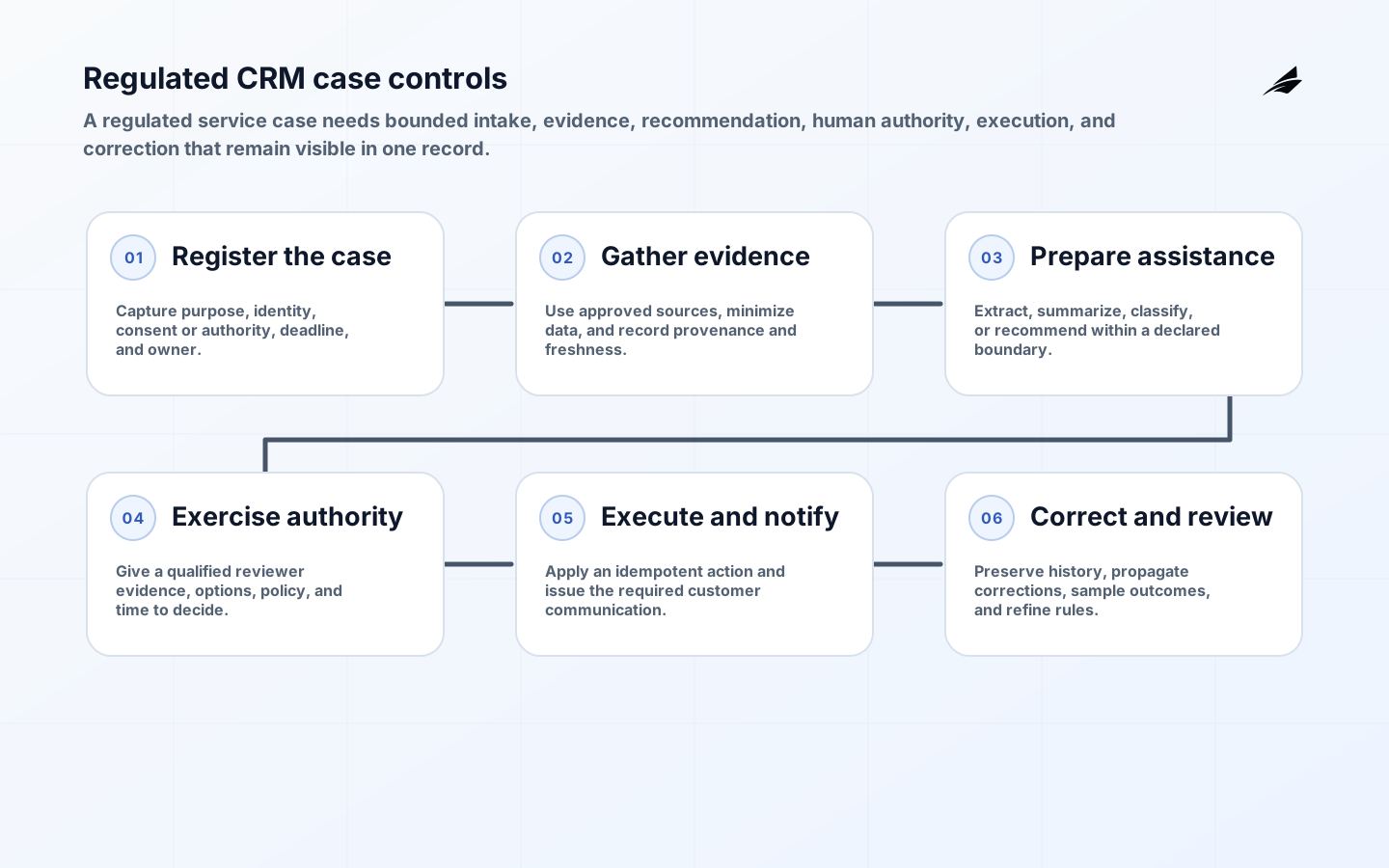
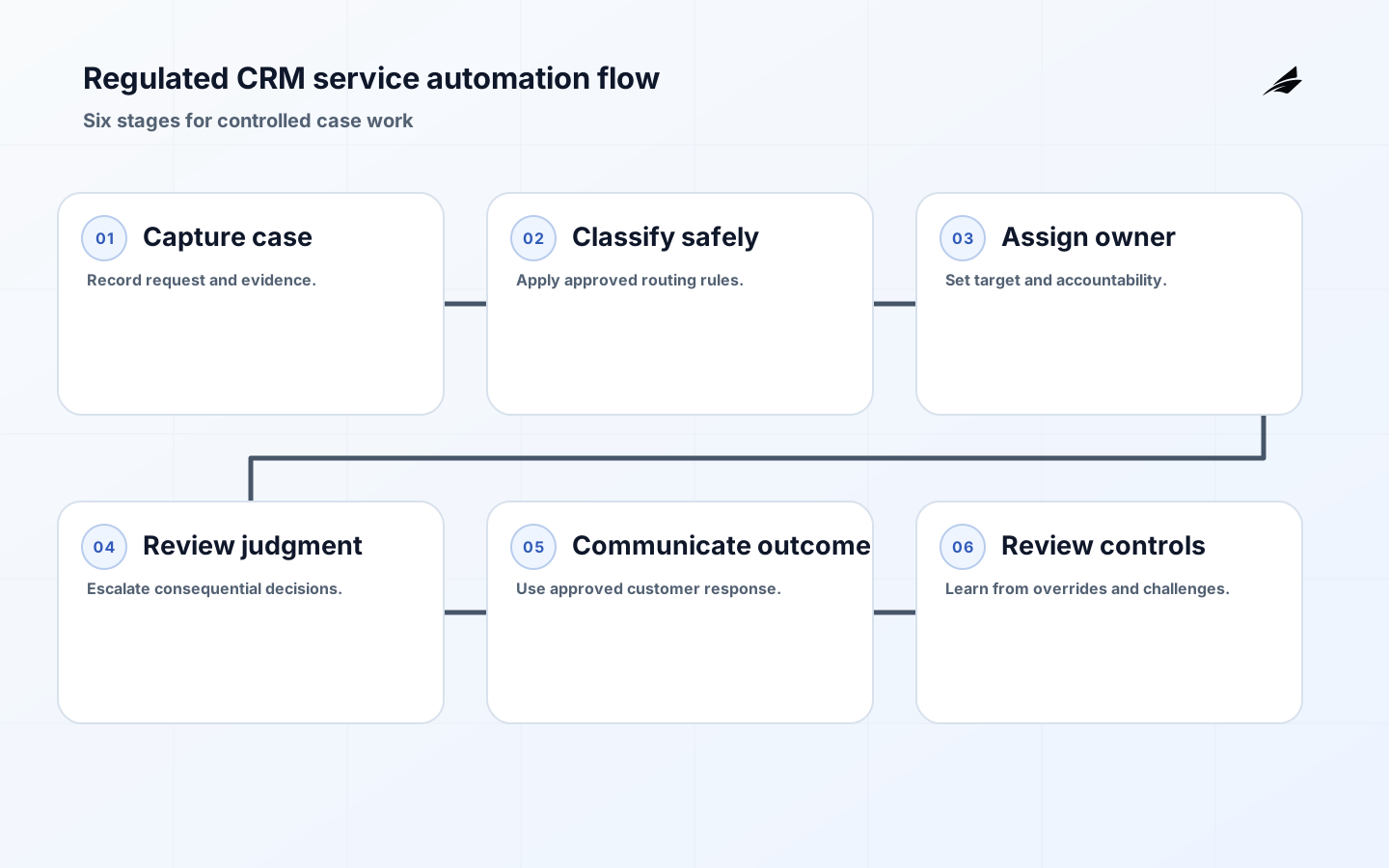
A CRM automation for service teams checklist for regulated business processes should make responsible service easier, not make decisions disappear inside a rule. Start with a case that has a material customer, financial, safety, or compliance consequence. Follow the intake, identity check, classification, assignment, investigation, customer communication, decision, and close. Identify where staff rely on private notes, shared inboxes, or memory to satisfy a rule. Automation can reduce repeated administrative work, but the operating model must still show who is allowed to decide, what evidence they considered, how a customer can challenge an outcome, and how an error is corrected.
Map the regulated case before automating it
Write a case model with a stable identifier, customer relationship, request type, risk category, state, owner, target time, evidence links, and disposition. Distinguish a fact supplied by a customer from a verified fact, a recommendation from an authorized decision, and a resolved case from a closed administrative record. Bring compliance, legal, service, privacy, and operational owners into the mapping session. Their purpose is not to make a flow diagram elaborate; it is to decide which judgments are repeatable, which require qualified review, and what must remain visible for a future inquiry.
| Case decision | Automation role | Human accountability |
|---|---|---|
| Identity or entitlement check | Collect and validate known attributes. | Review uncertain or conflicting evidence. |
| Classification | Suggest queue and priority using approved rules. | Approve changes to a sensitive category. |
| Customer response | Offer approved templates and status updates. | Authorize advice, remedy, or adverse outcome. |
| Closure | Check required evidence and tasks. | Confirm disposition when policy requires. |
Design automation rules with boundaries and evidence
For each rule, state its purpose, inputs, allowed outputs, owner, version, test cases, exceptions, and stop condition. Do not let a convenient field become a proxy for a protected or nuanced judgment. A rule that routes an incomplete request may be useful; a rule that silently denies a consequential service outcome may need an authorized reviewer. Store the rule version and the inputs that produced a material recommendation or action. When a process changes, rehearse historical and edge cases before release. A clear boundary protects staff from improvised policy and customers from unexplained automation.
Preserve case evidence without over-collecting data
Capture the minimum evidence needed to perform the service and demonstrate the decision, then apply retention and access rules deliberately. Separate internal investigation notes, customer-visible communications, and restricted evidence. Log who viewed, changed, exported, or approved material case information. Use role and relationship checks at the protected action, not merely at sign-in. When a customer corrects information or disputes a conclusion, preserve the original context and the later correction rather than overwriting the trail. This produces an audit-ready case history while reducing the temptation to collect data 'just in case.'

| Exception | Required response | Evidence |
|---|---|---|
| Rule lacks input | Hold or route with a specific reason. | Missing-field detail and assigned owner. |
| Sensitive escalation | Restrict queue and notify qualified reviewer. | Access decision and escalation time. |
| Automation error | Pause rule where needed and correct affected cases. | Rule version, impact list, and remedy. |
| Customer challenge | Provide a review path independent of the initial action. | Challenge, reviewer, and final rationale. |
Run quality and control reviews
Measure more than closure speed. Track transfers, reopen rates, missed targets, overrides, rule failures, documentation gaps, customer challenges, and the age of sensitive escalations. Sample cases across queues to assess whether the recorded evidence supports the outcome. Review patterns with the business owner and qualified control functions, then decide whether to change the rule, training, capacity, or policy. Keep the review focused on improving outcomes, not pushing staff to close cases faster. A rising override rate may reveal a broken classification rule rather than an underperforming team.
Implementation checklist
- Model the case, evidence, state, owner, and customer outcome before automation.
- Document every rule's purpose, inputs, limits, owner, version, and stop condition.
- Keep qualified review for consequential or ambiguous decisions.
- Use task-based access and preserve material case and rule history.
- Test rule changes against routine, edge, and adverse scenarios.
- Review quality, overrides, challenges, and automation failures together.
Frequently asked questions
Can a regulated service use automated case closure? It can automate completeness checks and close routine administrative work when policy permits, but the organization should define which dispositions require human confirmation. The test is whether the automated action has an understandable basis, a valid authority, and a correction path.
How should teams handle a rule that behaves unexpectedly? Stop or constrain it according to the pre-agreed condition, identify affected cases, preserve the version and inputs, correct customer-impacting outcomes, and review the release process. Quietly editing a rule destroys the evidence needed to learn from the incident.
Implementation evidence worksheet
- Regulated CRM automation checkpoint 1: Write the business outcome in one sentence and name the person who can accept that outcome on behalf of the organization.
- Regulated CRM automation checkpoint 2: List every material state, its entry condition, its permitted next states, and the evidence that proves a change is legitimate.
- Regulated CRM automation checkpoint 3: Create a field register for identifiers, effective dates, owner, sensitivity, source, consumer, and correction route before configuring automation.
- Regulated CRM automation checkpoint 4: Run a normal case and a deliberately incomplete case with the people who will operate the process; capture every manual step and undocumented decision.
- Regulated CRM automation checkpoint 5: For every handoff, state what the sender guarantees, what the receiver validates, how duplicate delivery is handled, and who owns a rejection.
- Regulated CRM automation checkpoint 6: Define a customer-safe or requester-safe status for each delay so frontline staff can explain progress without exposing internal notes or speculation.
- Regulated CRM automation checkpoint 7: Prepare a reconciliation that compares counts, material values, state, and age between the initiating record and the resulting operational record.
- Regulated CRM automation checkpoint 8: Choose thresholds that open owned work rather than merely sending alerts; record the queue, service target, escalation point, and recovery authority.
- Regulated CRM automation checkpoint 9: Test a failed dependency, an out-of-order update, an unauthorized action, and a correction after downstream work has begun; retain the resulting evidence.
- Regulated CRM automation checkpoint 10: Document which roles may read, change, approve, export, administer, or override the process, including temporary access and delegated authority.
- Regulated CRM automation checkpoint 11: Keep original context when a fact is corrected: prior value, source, time, actor or process, reason, approving authority, and correlation identifier.
- Regulated CRM automation checkpoint 12: Publish the smallest useful contract for each interface or report: purpose, scope, required inputs, freshness expectation, limits, owner, and support route.
- Regulated CRM automation checkpoint 13: Rehearse a support conversation around a confusing or delayed case so the communication path is as deliberate as the technical recovery path.
- Regulated CRM automation checkpoint 14: Inspect a sample of completed cases for evidence quality, not only elapsed time; a quick result that cannot be explained is not an operational success.
- Regulated CRM automation checkpoint 15: Set a release decision with explicit go, hold, and rollback criteria, and identify who can make each decision when information is incomplete.
- Regulated CRM automation checkpoint 16: Use a short post-release review cadence that pairs operational measures with a few real cases and records a single accountable improvement for each finding.
- Regulated CRM automation checkpoint 17: Version rules, definitions, mappings, and approval thresholds. Explain historical comparison breaks rather than silently replacing prior meaning.
- Regulated CRM automation checkpoint 18: Minimize the data carried into the workflow or view, and review access, retention, sharing, and export behavior against the stated business purpose.
- Regulated CRM automation checkpoint 19: Identify the workaround that experienced staff use today, then decide whether the target design should formalize, retire, or replace it with an owned exception.
- Regulated CRM automation checkpoint 20: Give every exception a stable identifier, severity, current state, next action, accountable owner, and a link to the business record it affects.
- Regulated CRM automation checkpoint 21: Confirm training with hands-on completion of a real task and an exception, rather than attendance alone; update the runbook from what the exercise reveals.
- Regulated CRM automation checkpoint 22: Review recurring overrides and repeated corrections as design evidence. They often signal unclear policy, bad data, missing capacity, or a brittle integration.
- Regulated CRM automation checkpoint 23: Protect audit and operating evidence from routine cleanup. Retention and retrieval instructions should let a future reviewer reconstruct a material decision.
- Regulated CRM automation checkpoint 24: End the implementation review by deciding what evidence would prove the next expansion is safe, useful, and supportable for the people doing the work.
Separate assistance, recommendation, and decision authority
Regulated service teams should label what each automation actually does. Extracting a field, proposing a classification, prioritizing a queue, sending a notice, and making a binding decision carry different authority and evidence requirements. Put the distinction in the case history and user interface. A reviewer needs the source record, rule or model output, uncertainty, previous actions, and permitted choices; a generic approve button invites rubber-stamping. The NIST Privacy Framework helps teams connect data processing to organizational and individual risk, while PROV-O provides a useful model for relating an outcome to entities, activities, and responsible agents.
| Automation role | Permitted outcome | Required control evidence |
|---|---|---|
| Assist | Extract, summarize, or prepare a draft | Source references, user edit, and final human action |
| Recommend | Suggest route, priority, or resolution | Inputs, rule or model version, confidence limits, and reviewer choice |
| Execute | Perform an approved, reversible update | Verified authority, idempotent action, confirmation, and repair path |
| Decide | Create a binding or consequential outcome | Explicit policy basis, qualified decision maker, notice, appeal, and audit trail |
Design corrections as first-class case events. A corrected address, consent withdrawal, policy exception, or overturned determination should not erase the original sequence. Retain the minimum history needed to explain what was known, what changed, who had authority, and which downstream systems were notified. Define retention by record type and purpose rather than keeping every prompt or intermediate payload indefinitely. Quality review should sample approvals, denials, overrides, reopened cases, missed deadlines, and customer challenges. That mix reveals whether automation is creating consistent service or merely moving unresolved work to a less visible queue.
The CRM control model becomes stronger when it is connected to CRM Automation for Service Teams: A Practical Guide, CRM Automation for Service Teams: Keep Cases Moving With Human Control, and Service Delivery Management Systems: New Product Launch Checklist.
Key takeaways
- Automation should assist repeatable work while preserving accountable judgment.
- Rules need documented boundaries, versions, tests, and stop conditions.
- A case history must explain both the fact and the decision.
- Quality review should include customer impact, not only throughput.
Conclusion
CRM automation for service teams becomes dependable in regulated processes when it makes decisions more visible and recoverable. Design the case model, rule boundaries, evidence, access, and review rhythm together. Then automation can remove friction without removing the human responsibility that customers and regulators rightly expect.