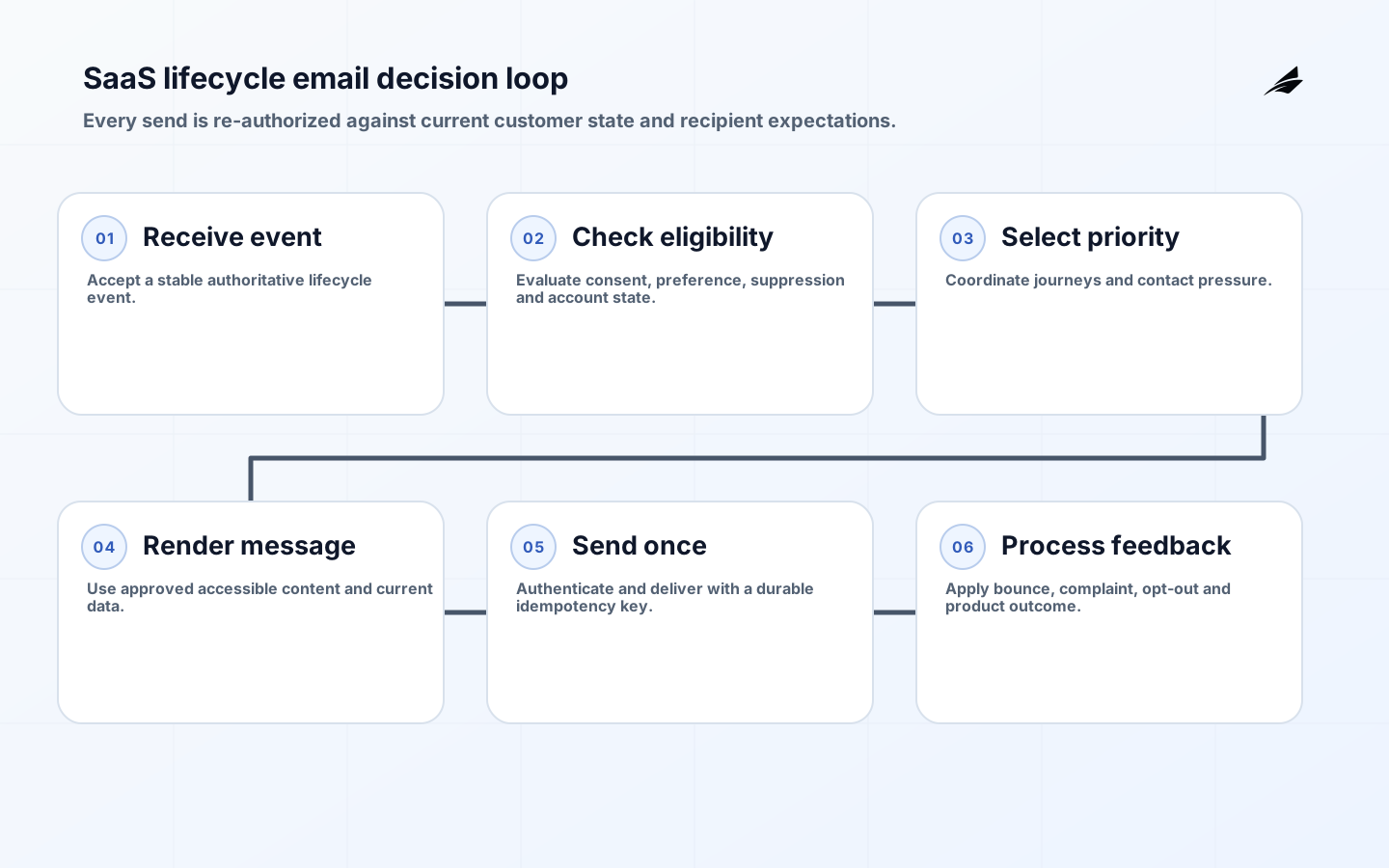
CRM email automation for SaaS companies should send a useful message because an accountable business event occurred, not because a contact happened to match a broad list. Effective automation joins lifecycle state, recipient expectation, message purpose, consent or other lawful basis, product context and frequency policy. It also distinguishes security and service notices from promotional campaigns so an unsubscribe, bounce or provider incident is handled correctly.
Use the companion SaaS implementation checklist, the architecture and deliverability FAQ and the broader CRM email automation FAQ. Legal requirements vary by location and relationship; confirm them with qualified counsel. The operating design below remains useful across CRM and email-service vendors.
Define message purpose and authority
Create a message catalog before building journeys. For each message, state the recipient, trigger, purpose, content owner, legal classification, required data, channel, sender identity, expiry, suppression policy and success outcome. Transactional or relationship messages should remain focused on the service event. Mixing promotions into a password reset or invoice notice can change recipient expectation and complicate legal classification.
Assign one system as authority for each trigger. Billing owns successful payment or failed renewal; identity owns security events; product telemetry may own completion of an onboarding step; CRM may own sales stage. Do not infer a consequential state from an email open. Events need stable IDs, business time and schema versions so replays do not send duplicate messages.
| Message class | Typical trigger | Primary control |
|---|---|---|
| Security | Account or authentication event | Fast, verified destination and no promotion |
| Service | Requested workflow state change | Authoritative event and current account context |
| Lifecycle guidance | Product milestone or inactivity | Frequency, relevance and suppression |
| Marketing | Campaign eligibility | Consent or applicable basis and easy opt-out |
Model consent, preferences and suppression explicitly
Store when, where and what a person agreed to receive, together with policy or notice version and source. Preferences should support meaningful categories, not one opaque boolean. Keep a global suppression capability for legal requests, hard bounces, complaints and abuse. A CRM list is not evidence of permission. Imports and enrichment need provenance and a documented basis before they enter an automated journey.
Process unsubscribe promptly and make it durable across tools. RFC 8058 defines one-click list unsubscribe using signed headers; Google requires it for relevant bulk promotional traffic and also expects a visible body link. The FTC requires truthful headers and subjects, identification and an effective opt-out for covered U.S. commercial messages. Other jurisdictions can require prior consent or additional rights, so location and audience matter.
Use events, eligibility decisions and idempotent sends
Separate event ingestion, eligibility, content rendering and delivery. The eligibility service checks current account state, recipient preference, frequency, experiment assignment and suppression immediately before enqueueing. The send request receives an idempotency key derived from message purpose, recipient and business event. A durable queue absorbs provider delay; retry only transient failures and quarantine malformed or permanently rejected requests.
Render from versioned templates with approved variables and safe defaults. Never let CRM text become executable template logic. Store template version, decision inputs, provider message ID and final disposition without retaining unnecessary content. Webhooks are untrusted input: authenticate where supported, validate signatures and event IDs, handle duplicates and reconcile provider events with the original send.
| Stage | Evidence | Failure behavior |
|---|---|---|
| Trigger | Authoritative event ID and schema | Reject or quarantine invalid event |
| Eligibility | Preference, state and policy version | Suppress with reason |
| Enqueue | Stable idempotency key | Retry without duplicate intent |
| Delivery | Provider ID and response | Backoff, bounce or alternate service path |
| Feedback | Signed event and correlation | Deduplicate and update suppression |
Treat deliverability as identity and reputation management
Authenticate sending domains with SPF, DKIM and DMARC according to provider requirements and align visible From domains. Google requires stronger controls for bulk senders, including authentication, DMARC, one-click unsubscribe for marketing and subscribed messages, and low user-reported spam. Yahoo publishes comparable sender practices. Separate streams where security notices, service mail and promotion need different reputation and operational treatment.
Warm volume gradually, maintain valid DNS, use TLS and monitor bounce, deferral, complaint, authentication and block events. Do not chase open rates with deceptive subjects or sender names. Privacy features make opens an unreliable success signal. Protect domain reputation by sending expected, useful mail to current recipients and removing invalid or disengaged addresses under an approved retention policy.
Design lifecycle journeys around customer state
Map acquisition, activation, adoption, expansion, renewal and offboarding, then identify where a message helps the customer complete a task. A trial reminder should reflect actual trial state; onboarding guidance should stop when the step is complete; renewal communication should use the authoritative contract and billing date. Set journey exit criteria before entry criteria so customers do not continue receiving stale instructions.
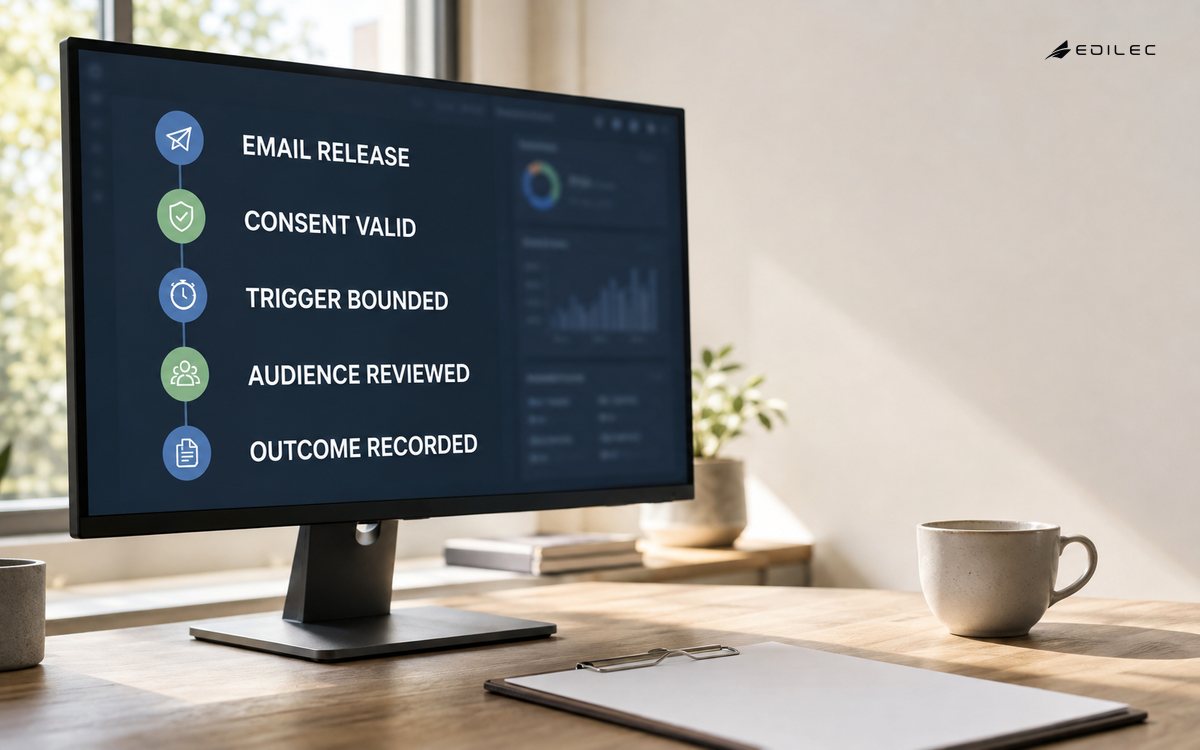
Coordinate channels and teams. Sales outreach, in-product prompts, support cases and lifecycle email can collide. Apply contact pressure across journeys and define priority when a security or support issue is active. Test timezone, locale, accessibility, account roles, shared inboxes and multi-workspace users. Provide text alternatives, meaningful links and usable focus and contrast in the preference center.
- Confirm authoritative lifecycle event.
- Evaluate current recipient eligibility and suppression.
- Select the highest-priority useful message.
- Render localized accessible content.
- Send once with durable correlation.
- Process feedback and update customer state.
Measure business outcomes without hiding harm
Measure task completion, activation, retained usage, renewal or support deflection where the message can plausibly contribute. Use controlled experiments when possible and define guardrails for unsubscribe, complaint, bounce, support contacts and accessibility failure. Clicks are intermediate behavior, not proof of customer value. Segment by journey, cohort, locale and mailbox provider.
Maintain dashboards for event lag, eligibility suppression, queue age, delivery outcomes and webhook delay. Review recurring bounces, unexpected volume and stale journeys. Pause automatically when trigger quality, spam feedback or duplicate sends cross thresholds. Keep an incident path for a wrong-recipient or sensitive-content event and rehearse disabling a journey without blocking essential service mail.
Roll out with seed accounts and bounded cohorts
Test templates and headers across major clients, but also test business behavior with seed accounts in every lifecycle state. Simulate duplicate events, late webhooks, unsubscribe immediately before send, account closure and provider outage. Verify that support can explain why a message was sent and stop future messages. Release to a bounded cohort and compare outcomes and complaints with the baseline.
After launch, review every active journey on a schedule. Remove expired campaigns, rotate credentials, update provider requirements and revalidate consent sources. Changes to product states, pricing or billing can make old automation inaccurate even when the email platform remains healthy. Treat the message catalog as production configuration under review and version control.
Use a production journey acceptance record
For each lifecycle journey, retain the approved trigger contract, message classification, consent rule, suppression and frequency logic, template versions, test accounts, authentication results, provider configuration, accessibility review and stop procedure. Reconstruct at least one test message from source event to provider feedback and confirm that support can explain the send without exposing private internal data.
Release approval should include current volume forecast, domain warm-up plan, spam and bounce guardrails, cohort size and the business outcome to review. After the first full cycle, compare actual exits, complaints and completed product actions with assumptions. Remove or redesign a journey that creates contact without measurable customer benefit, even if its delivery rate looks healthy.
Include negative acceptance cases: a suppressed address, an expired trial, a customer in an active support incident, a duplicated source event, a locale without an approved template and a provider timeout. Verify that each case produces a visible reason and no accidental send. These tests protect customer trust more directly than another screenshot of the happy path and should run whenever journey logic or CRM fields change.
Review who can publish templates, edit segments, override suppression and rotate domain settings. Separate routine content work from high-impact administrative access, and retain an audit trail for each published version. A marketer should be able to improve copy without gaining unrestricted control over identity, consent records or service notifications.
Maintain a deliverability change log for DNS, signing keys, providers, sending IPs, From addresses and major volume shifts. Correlate those changes with authentication, bounce and complaint trends. During incident review, this timeline separates a content or audience problem from an infrastructure change and helps teams reverse the right component without disrupting essential account messages.
Key takeaways
- Catalog each message by purpose, authority, classification and exit condition.
- Model preferences and suppression with provenance across all tools.
- Use durable events, last-moment eligibility and idempotent send requests.
- Authenticate domains and monitor reputation by message stream.
- Optimize customer outcomes with complaint and opt-out guardrails.
Frequently asked questions
Can transactional email ignore unsubscribe preferences?
Some service messages may be necessary to perform an agreed transaction or protect an account, but classification depends on content and law. Keep service messages focused and honor preferences for promotional content.
Should SaaS companies use one sending domain?
Separate domains or subdomains can isolate streams, but they do not excuse poor practice. Maintain alignment, authentication, ownership and monitoring for every domain and IP.
Are open rates still useful?
They are noisy because clients and privacy features can load tracking pixels automatically or suppress them. Use them cautiously and prioritize clicks, completed product actions, replies, complaints and retention outcomes.
How are duplicate emails prevented?
Use stable business event IDs and a uniqueness rule for recipient, message purpose and event. Persist the send decision before calling the provider and make retries reuse the same idempotency key.
Conclusion
SaaS CRM email automation is dependable when every message has a legitimate purpose, current customer context and an auditable path from event to feedback. Consent and suppression, authenticated sender identity, idempotent delivery and lifecycle-aware exits protect both customers and domain reputation. The result is fewer messages that do more useful work.