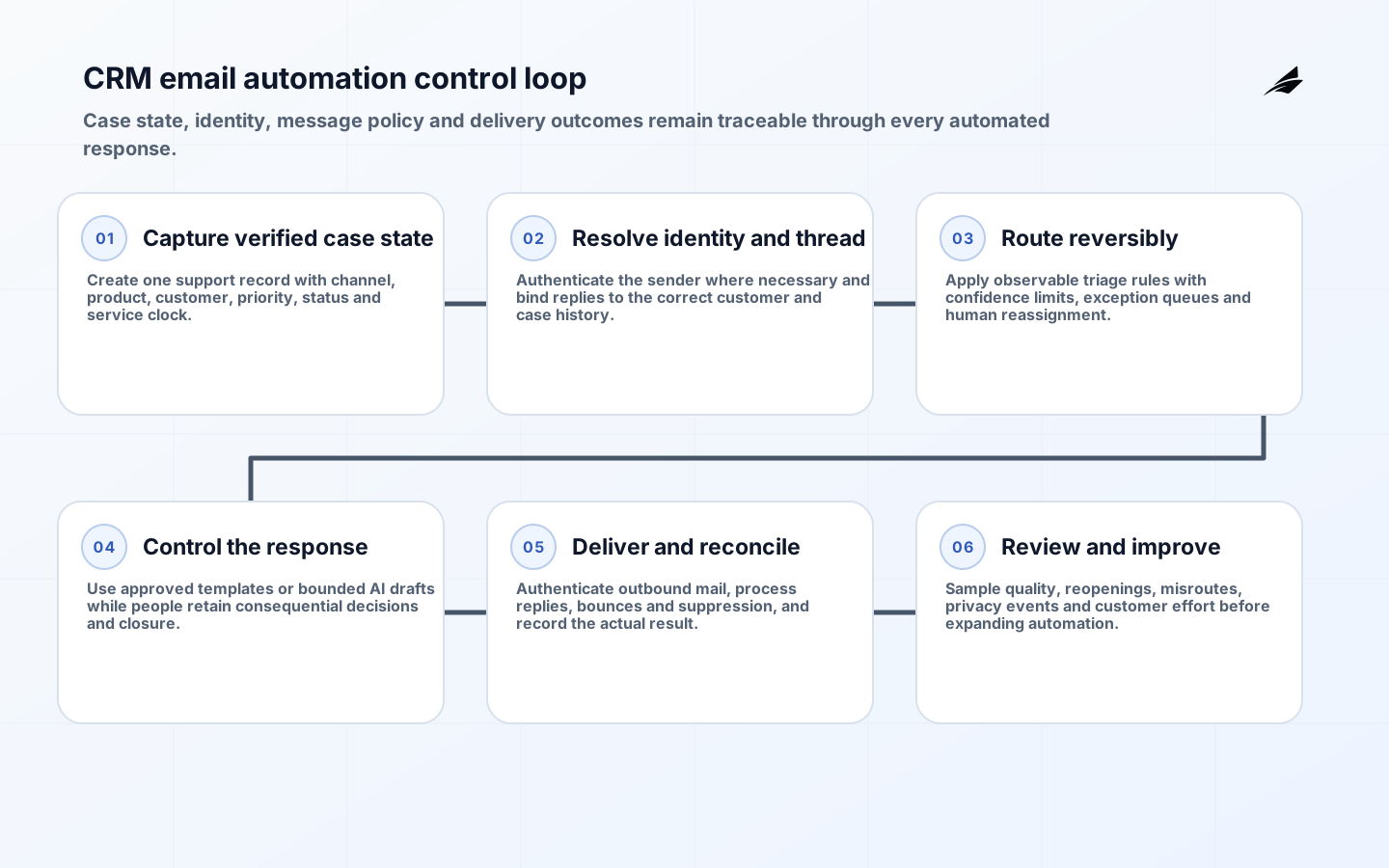
CRM email automation for support teams should reduce waiting and repetitive handling without separating a message from the customer case it belongs to. The core design problem is not how to send email; it is how to preserve identity, account context, case state, ownership and the next promised action as messages move between a mailbox, CRM, product systems and people. An automated acknowledgement that creates a duplicate ticket or promises an impossible response time makes the service worse even if it sends instantly.
This checklist turns support email into an inspectable workflow. It can be used with the support email scope and cost guide, the support automation FAQ and the broader CRM email readiness checklist. Start with one queue and one case type, then expand only when routing, replies and exceptions remain reliable.
Define the case state before automating messages
List the states that matter to customers and operators: new, acknowledged, waiting for customer, waiting for internal team, scheduled, resolved and reopened. Define who may move a case into each state and which event proves the move occurred. An outbound email is not itself a resolution. The case should close only when the required action is complete and the customer has received an accurate explanation or confirmation.

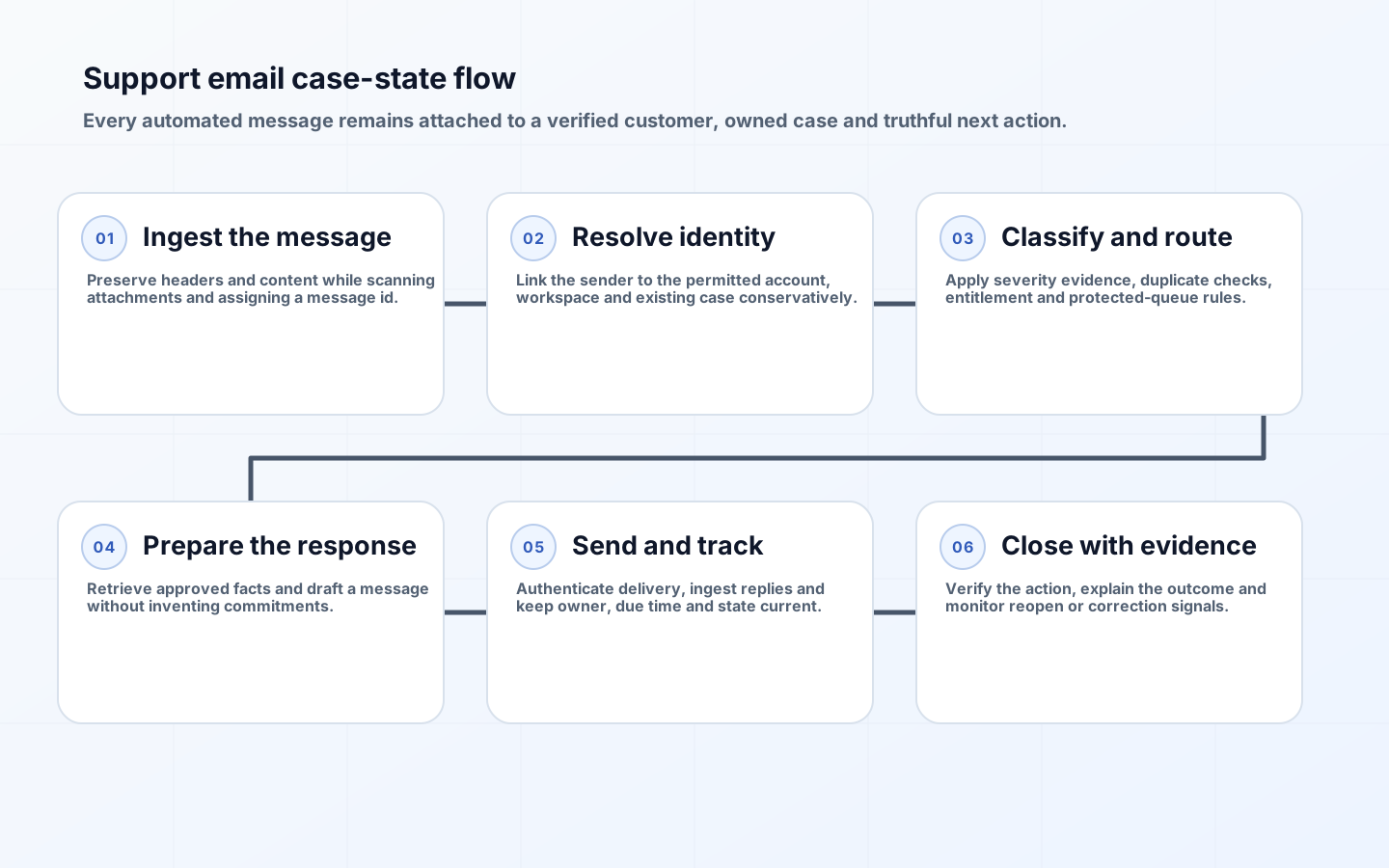
Specify the service clock for each state. If the team is waiting for logs from a customer, show that pause rather than silently stopping the timer. If engineering owns a defect, support still needs a visible follow-up commitment. Keep the next action, owner and due time as structured fields. The email can explain them, but prose should not be the only place the promise exists.
| Case state | Required record | Automation allowed |
|---|---|---|
| New | Sender identity, account, channel, received time and raw message reference | Acknowledge and classify; do not claim resolution. |
| In triage | Category, severity evidence, duplicate check and routing reason | Suggest priority and queue with confidence limits. |
| Waiting | Named dependency, owner and follow-up date | Send a clear request or reminder under frequency rules. |
| Resolved | Action taken, evidence, customer explanation and resolver | Send approved summary after completion is verified. |
| Reopened | Customer reply or failed outcome linked to prior case | Restore ownership and preserve earlier decision history. |
Resolve identity and thread messages safely
Map the sender to a person, account and workspace using verified identifiers. Do not expose account details because an address resembles a customer domain. For sensitive actions, require authenticated in-product confirmation or another approved verification step. Forwarded messages, aliases and shared mailboxes need explicit rules. Preserve the original message and headers according to retention policy while storing normalized text for search and automation.
Threading should use stable case identifiers and message references, not subject text alone. Subjects change, customers start new threads, and automated systems add prefixes. When a reply arrives, verify that the case is still open and that the sender may see the referenced information. If matching is uncertain, route to review instead of attaching the reply to the most similar account.
Design triage and routing as reversible decisions
Define a taxonomy small enough for agents to use consistently. Categories should change ownership, workflow or reporting; otherwise they are decorative labels. Severity should combine customer impact, scope, security or safety consequence, workaround and time sensitivity. Automations may extract product, language and intent, but deterministic rules should enforce priority ceilings, protected queues and customer entitlements.
Store the routing reason, model or rule version and confidence. Give agents a one-step correction that updates the case and produces training evidence without automatically treating every correction as ground truth. Review false urgent classifications, missed incidents and repeated transfers. A good routing system reduces time to the correct owner, not merely time to the first queue.
| Decision | Safe automation | Human checkpoint |
|---|---|---|
| Spam or abuse | Apply high-confidence rules and quarantine | Review ambiguous security reports or customer mail. |
| Duplicate | Suggest an existing case using account and event evidence | Confirm merge when histories or requesters differ. |
| Priority | Calculate from approved impact fields | Authorize exceptional escalation or downgrade. |
| Queue | Route by product, region, skill and entitlement | Resolve conflicts and protected-account handling. |
| Response | Retrieve approved facts and prepare a draft | Approve commitments, refunds, security or legal content. |
Control acknowledgements, templates and AI-assisted drafts
An acknowledgement should confirm receipt, provide a case reference and set a truthful expectation. It should not imply a person has reviewed the issue or promise a resolution time the queue cannot meet. Version templates and localize approved service terms. Before sending a delayed update, re-read case state so the system does not ask for information already supplied or send a reminder after resolution.
If AI prepares a response, restrict retrieval to records the requester and assigned agent may access. Separate quoted customer text from instructions, require citations to internal sources for factual claims, and block unsupported account changes. The NIST AI RMF emphasizes context, measurement and governance; apply those principles by defining allowed use cases, evaluation sets, review thresholds and an accountable owner. High-impact decisions and uncertain answers should remain drafts.
Operate email authentication, replies and suppression
Publish SPF, DKIM and DMARC for sending domains, use TLS and monitor receiver responses. Follow current Gmail sender requirements, including alignment and complaint expectations. Format messages and threading headers consistently with RFC 5322. Keep support traffic separate enough from marketing that a campaign reputation problem does not block case updates.
Every Reply-To address must be monitored or ingested. Detect loops between automated responders and cap retries. Hard bounces should update the contact channel and raise an operational task when the message is material. Marketing suppression does not necessarily block a requested support reply, but support content should not carry promotions as a workaround. The FTC's CAN-SPAM guidance distinguishes message purposes; obtain legal advice for the jurisdictions served.
Protect customer data in every automation step
Minimize copied message content. Email often contains logs, credentials, personal data and attachments that were never intended for broad CRM access. Scan attachments, restrict previews, redact secrets where practical and define who can export conversations. Apply retention by case and obligation rather than keeping all mailbox data forever. The NIST Privacy Framework provides a useful structure for identifying processing, governing purpose and protecting individuals.
Log access to sensitive cases and privileged actions. Separate support permissions from billing, production administration and identity recovery. When a workflow calls a product tool, use a scoped service identity and require a case-bound authorization. Never let generated email text directly invoke an action. The action service should validate actor, account, parameters, policy and idempotency independently.
Pilot, measure and prepare recovery
Build a test set from representative historical cases, including long threads, several languages, angry customers, vague subjects, account ambiguity, security reports, attachments and reopened issues. Remove unnecessary personal data from the test environment. Measure routing accuracy by business consequence, draft acceptance with edit distance, time to correct owner, first useful response, reopen rate and customer effort. Average response time alone rewards shallow acknowledgements.
Provide controls to pause a rule, model, queue or template independently. Preserve pending work during an outage and make backlog age visible. Run drills for a bad routing rule, exposed data, compromised sender, blocked domain and CRM outage. After an incident, reconcile every affected case and communication rather than assuming a replay succeeded.
Put every automation change through a support-aware release review. A new category, routing threshold, template, model or CRM field can alter ownership and customer promises even when no application code changes. Record the proposed behavior, affected queues, test cases, approver, rollout cohort and rollback condition. Compare case outcomes before and after release, including transfers, reopened cases and messages corrected by agents. Keep a searchable history of which rule and template handled each case so a complaint can be investigated without reconstructing configuration from memory. Retire obsolete rules and temporary overrides promptly; overlapping automations are a common source of duplicate replies and contradictory state. This change discipline keeps the workflow understandable as products, teams and service policies evolve.
Key takeaways
- Model customer-visible case states, owners and promises before automating email.
- Resolve identity and threading conservatively, especially for shared addresses and sensitive accounts.
- Keep AI-generated content as a bounded, evaluated draft where consequences are material.
- Operate sender authentication, reply ingestion and bounce handling as part of support reliability.
- Measure correct ownership and useful resolution, not only speed or message volume.
Frequently asked questions
Should automated email ever close a support case?
Only when a deterministic event proves the requested outcome and the closure rule is transparent. A delivery confirmation may close a simple document request; a generated answer should not close a complex incident merely because it was sent. Allow customers to reopen easily, and monitor reopen patterns as evidence that the closure rule is too aggressive.
How should an AI draft assistant be evaluated?
Use cases sampled by product, language, severity and customer segment. Review factual support, policy compliance, permission boundaries, tone, missing caveats and harmful actions. Track whether agents accept, edit or discard the draft and whether the final response resolves the case. Re-evaluate after model, prompt, retrieval or policy changes.
Conclusion
Support email automation earns trust when every message remains attached to an owned case, a verified customer context and a truthful next action. Design state and identity first, constrain routing and drafting, operate email infrastructure, and keep recovery visible. The result is faster service without turning customer conversations into an ungoverned message factory.