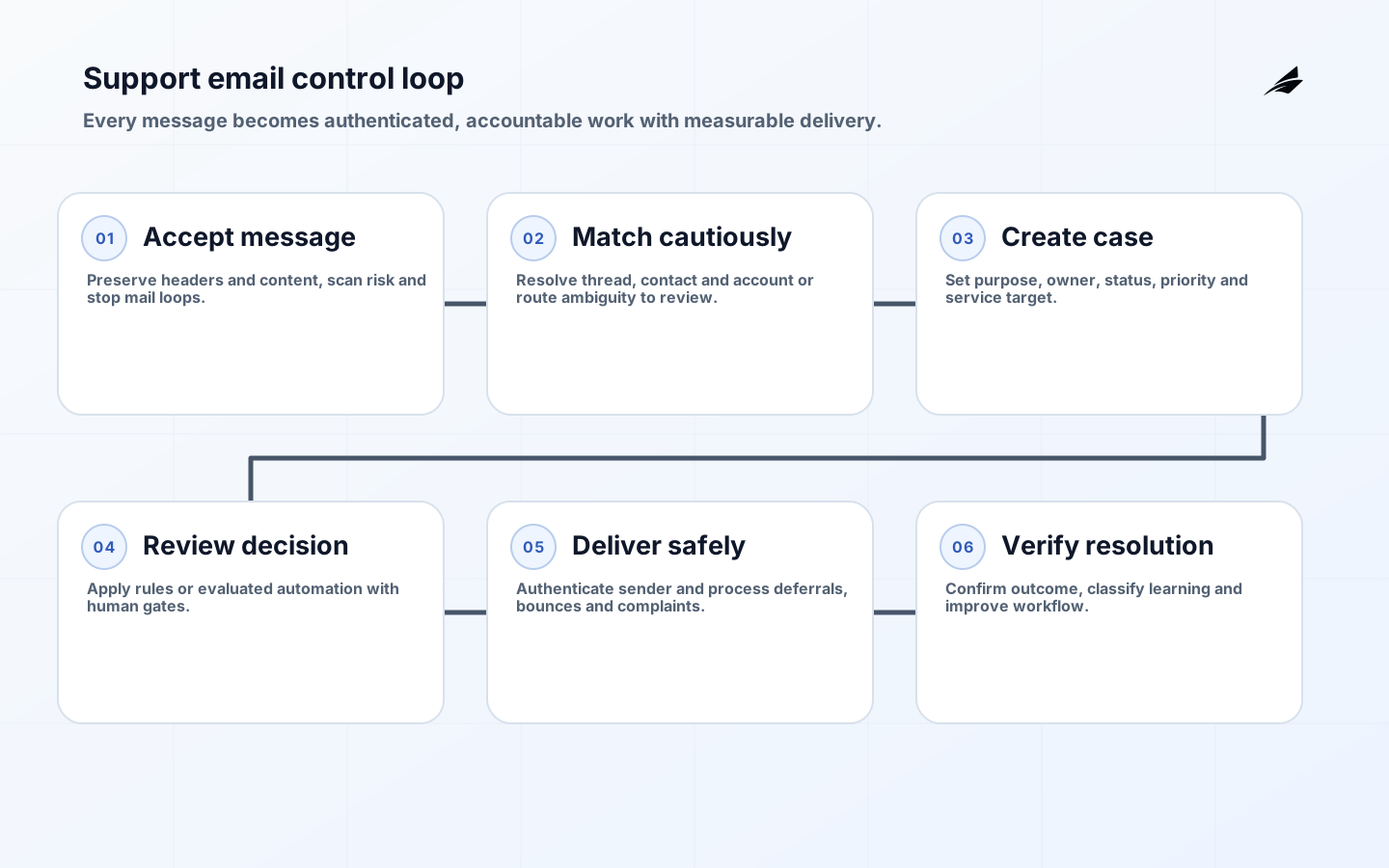
CRM email automation for support teams should convert an inbound or system-triggered message into accountable work without losing the customer, thread, entitlement, urgency or consent context. Automation can acknowledge receipt, classify intent, associate an account, route a queue, request missing information and draft a response. It should not invent resolution, merge unrelated customers or send consequential advice without review. The design target is reliable progression from message to verified outcome, with a human able to understand and correct every automated decision.
Use the scope and delivery plan to define the project and the implementation checklist before launch. The broader CRM email automation plan covers cross-team campaigns and operational messages. This FAQ focuses on support, where identity, continuity and accurate service matter more than sending volume.
What records should the automation create?
Keep the raw message, normalized message, conversation, contact, account, case and delivery events distinct. Preserve original headers and attachments under controlled retention. A conversation groups related messages; a case represents work with owner, status, priority, service target and resolution. Do not use the subject line as the sole thread key. Use provider message identifiers, References and In-Reply-To headers, known addresses, authenticated portal context and cautious matching rules. Ambiguous association should enter a review queue rather than attach private content to the wrong account.
| Record | Purpose | Critical control |
|---|---|---|
| Message | Preserve received or sent communication | Immutable source, malware checks and retention |
| Conversation | Maintain communication continuity | Standards-aware threading and participant scope |
| Contact/account | Link identity and service relationship | Verified match with merge safeguards |
| Case | Own work, status, priority and outcome | Explicit lifecycle and audit history |
| Delivery event | Explain accepted, deferred, bounced or complained | Provider correlation and suppression update |
How should classification and routing work?
Start with deterministic rules for addresses, product, language, customer tier and known incident identifiers. Add statistical or language-model classification only with representative evaluation, confidence thresholds and an “unknown” route. Separate intent from priority: angry wording is not always high impact, while a calm report of data exposure may be critical. Routing should consider skill, region, availability and ownership continuity. Log the rule or model version, material inputs, confidence and final queue without storing unnecessary message content in analytics.
When must a person review the message?
Require review for identity recovery, refunds above a limit, legal threats, security reports, regulated advice, account closure, sensitive-data disclosure and low-confidence classification. Automatic acknowledgements should say what happened and what the customer can expect, not claim that a person has investigated. Generated drafts need source context and visible uncertainty. A human must remain accountable for final content where an error could change rights, money, access or safety. Capture edits to improve templates without treating every agent change as model truth.
What protects support email deliverability?
Authenticate sending domains with SPF and DKIM and publish DMARC according to a staged policy. RFC 9989, published in June 2026, is the current DMARC specification. Alignment connects the visible From domain with authenticated identity. Configure valid DNS, TLS and stable sending infrastructure. Separate transactional support traffic from promotional campaigns where possible so reputation and consent behavior do not mix. Process bounces, complaints and provider deferrals; repeated retries to an invalid address harm both customer experience and sender reputation.
Google requires SPF or DKIM for all senders to personal Gmail accounts and SPF, DKIM and DMARC for bulk senders, along with additional requirements such as aligned authentication and one-click unsubscribe for marketing or subscribed messages. Support replies and marketing have different purposes, but adding promotions to a service thread can change legal and deliverability treatment. Monitor authentication pass rates, complaint rates, rejection codes and domain reputation. Warm new infrastructure gradually and avoid sudden volume spikes.
| Failure | What the CRM should do | Operator evidence |
|---|---|---|
| Temporary deferral | Retry with bounded backoff | SMTP code, next attempt and expiry |
| Hard bounce | Stop delivery and request corrected address | Recipient, provider reason and suppression |
| Complaint | Suppress optional traffic and review source | Campaign or workflow, consent and complaint event |
| DMARC failure | Quarantine workflow and investigate alignment | SPF, DKIM, From domain and forwarding path |
| Duplicate send | Deduplicate by message/workflow key | Original attempt and replay cause |
How do consent and purpose affect support messages?
Classify messages as service, transactional, relationship or promotional according to applicable law and actual content. In the United States, the FTC explains that CAN-SPAM covers commercial messages and requires accurate headers and subjects, identification, a postal address, an opt-out method and timely honoring of requests; transactional or relationship messages receive different treatment. The GDPR requires a lawful basis, transparency, minimization, security and retention discipline for personal data. Obtain jurisdiction-specific legal advice instead of encoding one global assumption.
Maintain a purpose-aware preference and suppression model. A customer who opts out of marketing may still need password-reset or active-case communications, while an account closure changes future service contact. Do not overwrite evidence when preferences change; retain the event, source, policy and effective time. Synchronize suppression across providers and queues. Limit attachments and quoted history because long threads accumulate personal information. Redact sensitive content before forwarding internally and provide a secure upload route for documents.
How should inbound email be secured?
Treat headers, bodies, links and attachments as untrusted. Scan attachments, restrict types and size, render active content safely and prevent automatic fetching that leaks operator information. Protect parser and webhook endpoints with authentication, rate limits and replay controls. Do not execute commands merely because an email appears to come from an executive or customer domain. High-impact requests require verification through an established channel. Mask credentials and payment data; never train or prompt an AI system with unrestricted mailbox content by default.
What is a safe implementation sequence?
- Map support addresses, purposes, case states, queues, service targets and sensitive decisions.
- Implement message preservation, standards-aware threading, cautious identity matching and review queues.
- Configure sending authentication, delivery events, suppression and purpose-aware templates.
- Add deterministic routing and measure misroutes before introducing probabilistic classification.
- Pilot acknowledgements and drafting with human approval, accessibility and security testing.
- Expand automation only when resolution, delivery, complaint and correction evidence remains within thresholds.
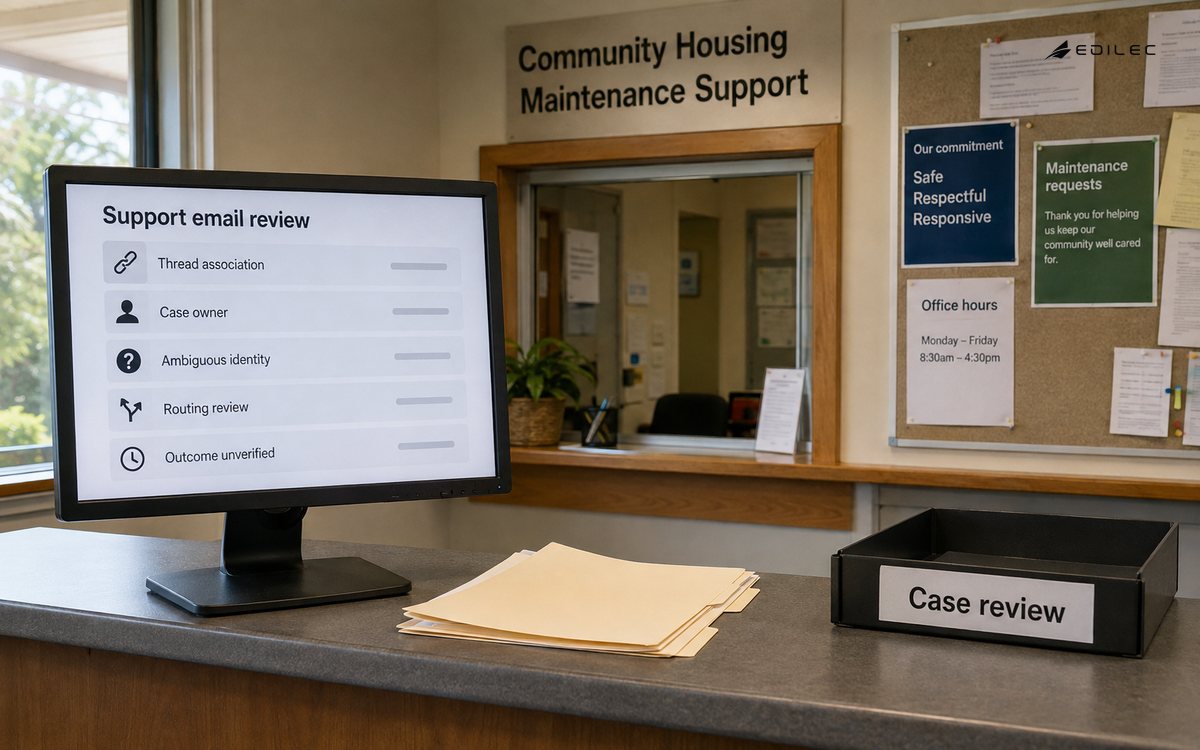
Test with replies, forwards, aliases, changed subjects, auto-responders, out-of-office messages, malformed MIME, large attachments, multilingual content, duplicate webhooks and provider delays. Include keyboard and screen-reader checks for the agent console and accessible HTML or plain-text alternatives for customers. Rehearse provider outage and DNS mistakes. A launch is not complete until operators can see pending delivery, correct a bad association, stop a workflow and explain why a message was routed or sent.
Which metrics show useful automation?
Measure verified resolution, time to meaningful response, handoffs, reopened cases, customer effort and backlog age. For automation, track classification coverage, precision by class, low-confidence volume, agent corrections, unsafe draft rejection and duplicate prevention. For delivery, track accepted, deferred, bounced, complained and authenticated traffic. Segment by workflow and provider without creating unfair individual productivity targets. Faster first replies are not useful when customers must repeat information or wait longer for the actual outcome.
How should the automation be operated after launch?
Assign owners for domain authentication, provider configuration, routing rules, templates, suppression, models and incident response. Review delivery and classification evidence on different cadences: urgent authentication failures require immediate action, while taxonomy quality may be reviewed weekly. Version every rule and template, stage changes to a small traffic cohort and retain the previous version for rollback. A provider status page is context, not a substitute for measuring accepted and deferred messages in the organization’s own stream.
Reconcile mailbox, provider and CRM records so accepted inbound messages cannot disappear between webhook and case creation. Monitor oldest unprocessed message, duplicate case rate, thread split or merge corrections, unassigned age and outbound messages awaiting final delivery. Exercise mailbox failover, DNS change, provider credential rotation and suppression export. Keep a manual intake route for a bounded outage and define how messages received there will be imported without sending duplicate acknowledgements.
Key takeaways
- Separate messages, conversations, accounts, cases and delivery evidence.
- Use cautious identity matching and route ambiguity to review.
- Authenticate domains and operate bounces, complaints and suppressions.
- Keep service and promotional purposes distinct and legally reviewed.
- Measure durable resolution and correction, not sending volume alone.
Frequently asked questions
Should every inbound email receive an automatic reply?
No. Suppress loops, bounces, automated reports and messages that fail basic safety checks. A useful acknowledgement confirms receipt, provides a case reference and sets an honest expectation. It should not reveal account data to an unverified sender or claim resolution. Rate-limit responses so malicious mail cannot turn the system into an outbound amplifier.
Can AI send support replies automatically?
Only for bounded, low-consequence cases after evaluation and with monitoring, approved knowledge, permission controls and a clear escalation path. Start with drafting. Do not let generated text make refund, access, legal or security decisions. Preserve the sources and policy used, and allow agents to reject or edit without friction.
Does DMARC guarantee inbox placement?
No. DMARC evaluates authenticated domain alignment and policy. Providers also consider reputation, complaint behavior, content, volume, infrastructure and recipient engagement. Implement SPF, DKIM and DMARC correctly, then monitor provider feedback and delivery outcomes. Authentication is necessary trust infrastructure, not a promise that every message will be accepted or displayed.
Conclusion
CRM email automation is dependable when it preserves message evidence, associates identity cautiously, routes accountable work, protects sending trust and keeps consequential judgment with authorized people. Build the record model and delivery controls first, then add classification and drafting behind measurable gates. The result should reduce repetition and waiting while making every message, decision and exception easier to explain.