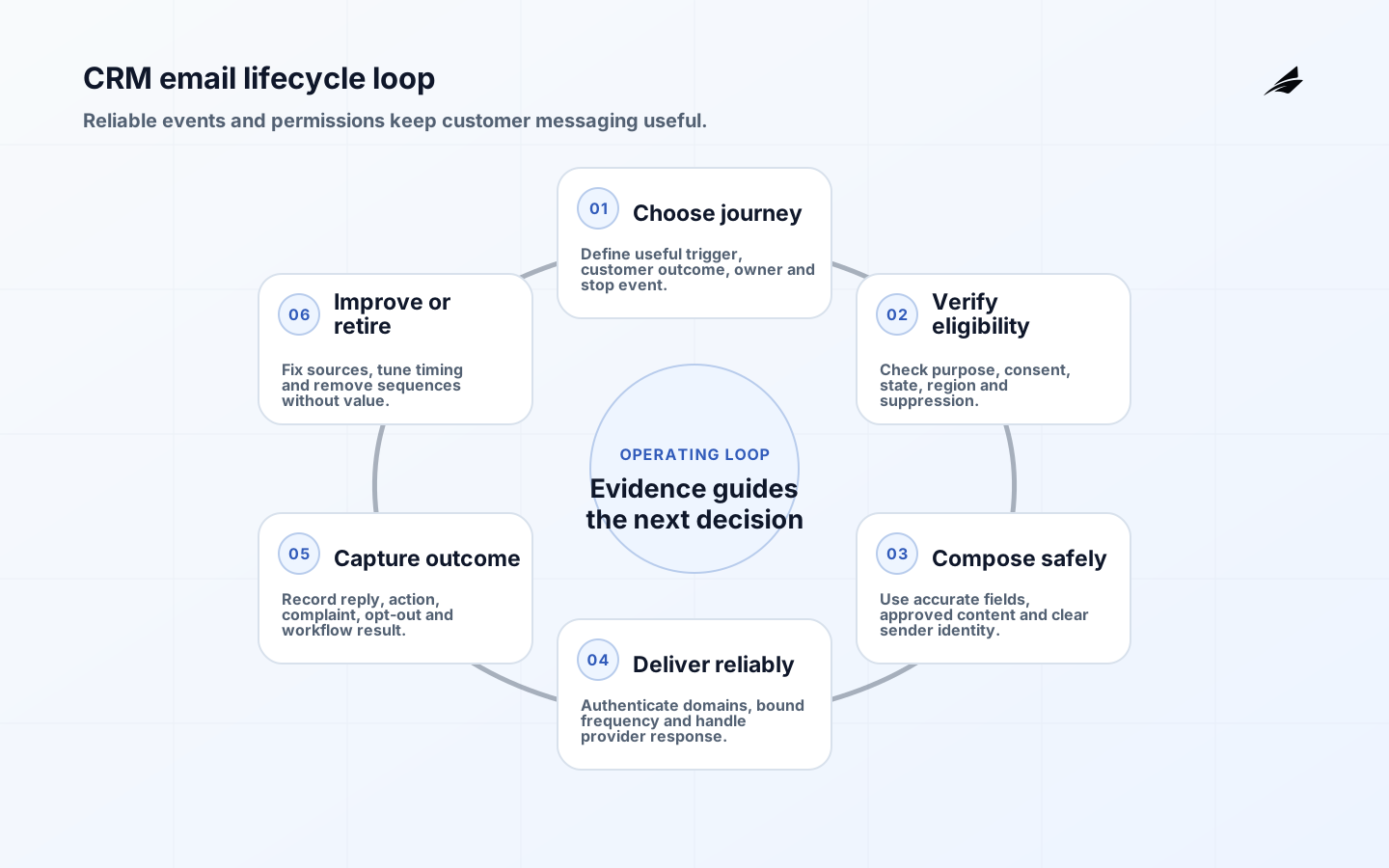
CRM email automation for small business should send a relevant message because a trustworthy customer event occurred, not because a platform can fill a campaign calendar. Useful workflows include confirming a request, reminding a customer about an unfinished step, following up after service, renewing consented subscriptions and alerting an owner when a person needs help. The design must keep transactional and marketing purposes clear, honor consent and suppression, authenticate the sending domain, prevent duplicate triggers and show whether the message improved a customer or business outcome. More email is not the objective.
Use the small-business implementation checklist during configuration and the CRM email FAQ for narrower questions. Rules vary by recipient, jurisdiction, purpose and relationship, so obtain qualified advice for the business. The FTC's CAN-SPAM guide explains U.S. requirements for commercial messages, while the ICO's electronic-mail marketing guidance explains UK PECR concepts including consent and soft opt-in.
Choose lifecycle goals before tools
Map the customer lifecycle from inquiry through purchase, delivery, support, renewal and departure. Identify places where a timely message removes uncertainty or prompts a useful next step. Define the trigger, audience, purpose, evidence, delay, frequency, sender, call to action, stop condition and owner. Prefer a few high-value journeys over dozens of loosely monitored sequences. Baseline response time, missed follow-up, no-show, abandoned process, renewal or repeat purchase so value can be measured.
Separate service messages from promotional messages in policy, templates and reporting. A receipt or security alert should not be delayed because a person opted out of offers. Conversely, adding an advertisement to an operational message can alter how rules apply. Keep purpose explicit and review mixed-content templates. State when a salesperson or support person takes over and ensure automation stops when a live conversation, complaint, dispute or sensitive case begins.
Build a trustworthy contact and consent record
Define the contact identity, primary address, source, collection time, permitted purposes, consent evidence, customer status, region, preferences, suppression state, legal basis where applicable and last verification. Decide how duplicates merge and which system is authoritative. Never infer permission merely because an address appears on a business card, public page or purchased list. The NIST Privacy Framework can help teams consider how collection, use and retention affect people, even when a small business has no formal privacy department.
Use explicit states such as unknown, subscribed, transaction-only, unsubscribed, bounced, complained and legally suppressed. Preserve suppression records with minimal necessary data so deleted contacts are not accidentally reimported. Sync preference changes across forms, CRM, commerce, support and email provider. Restrict bulk export and make ownership clear when agencies or contractors access the list. Set retention for dormant records and evidence rather than keeping every interaction indefinitely.
| Record element | Why it matters | Control | Owner |
|---|---|---|---|
| Address source | Shows how the relationship began | Store form, import or transaction reference | Marketing owner |
| Purpose and consent | Limits eligible messages | Timestamp, wording and channel | Privacy or business owner |
| Customer state | Prevents wrong lifecycle triggers | Authoritative status and transition rules | CRM owner |
| Suppression | Honors unsubscribe, complaint and bounce | Global check before every send | Email operations |
| Region | Supports applicable policy | Documented collection or verified profile | Data owner |
| History | Explains why a message was sent | Trigger, workflow version and result | Workflow owner |
Design deterministic and interruptible workflows
Create one state diagram per workflow. For an inquiry follow-up, the states might be new, acknowledged, qualified, waiting, converted and closed. Define exactly which event enters and exits each state. Require event identifiers and idempotency so a retried integration does not send two messages. Add quiet hours, maximum messages per period, conflict rules and a global hold. A customer should not receive a win-back offer while an unresolved complaint is open.
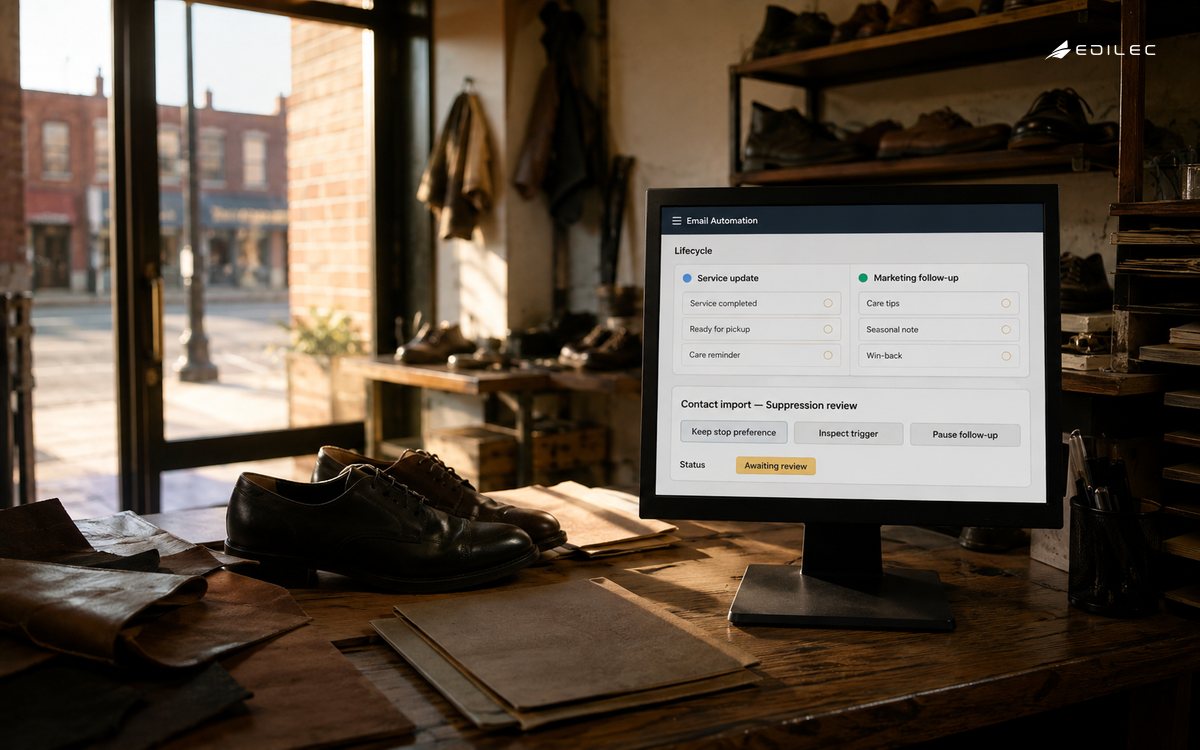
Personalize only with fields that are accurate and useful. Validate fallback values so missing names or product data do not appear in copy. Do not expose sensitive account details in subject lines or previews. Generative drafting can help a human prepare variants, but customer claims, prices, eligibility and promises should come from controlled records and approved templates. The support-team CRM automation guide is useful when email is connected to a case queue.
Translate policy into send-time controls
Maintain a jurisdiction and purpose matrix with review by appropriate counsel. In the United States, CAN-SPAM applies to commercial email, including business-to-business messages; the FTC guide highlights accurate headers and subjects, identification, postal address and a working opt-out. Other regimes can require prior consent or impose different conditions. Build eligibility from evidence, not from campaign-manager judgment. Keep the exact form wording and policy version associated with consent.
Run a final gate immediately before sending: valid address, permitted purpose, consent or other approved basis, no applicable suppression, frequency allowed, required identity and address present, accurate subject, approved template and working unsubscribe. Process opt-outs promptly across systems. Test that a recipient can unsubscribe without logging in or navigating a maze. Do not darken the interface with confusing labels, preselected boxes or repeated pressure.
Protect sender identity and deliverability
Authenticate sending domains with SPF, DKIM and DMARC, use TLS and maintain valid DNS. Google's current email sender guidelines require SPF or DKIM for all senders to personal Gmail accounts and additional controls for senders above its bulk threshold, including SPF, DKIM, DMARC and one-click unsubscribe for subscribed or marketing messages. Its sender FAQ says enforcement increased in November 2025. Check provider requirements directly because thresholds and enforcement can change.
Separate promotional and transactional traffic where reputation and operating needs justify it, while keeping domains aligned and recognizable. Warm volume gradually, monitor delivery responses, spam complaints, authentication and domain reputation, and pause on unexplained changes. Remove persistent invalid addresses and investigate source quality. Open rate is unreliable as a sole measure because privacy features and filtering affect it; use replies, completed actions, conversions and negative signals.
Configure, test and release
Connect CRM, forms, commerce and email through documented fields and service identities. Limit each integration to required records and actions. Validate event timestamps, time zones, currency, locale and customer state. Test duplicates, delayed events, deleted records, changed addresses, opt-out during a sequence, provider outage and retry. Keep a dead-letter queue or visible exception list so missing messages can be investigated without uncontrolled replay.
Release to internal and test contacts, then a small eligible customer cohort. Verify rendering, links, accessibility, sender identity, reply handling, unsubscribe, CRM history and suppression sync. Train the person who owns replies and escalations. Use the support implementation checklist where case routing is involved. Roll back a workflow independently through feature flags or provider controls.
| Signal | Healthy interpretation | Warning | Response |
|---|---|---|---|
| Eligible audience | Derived from current evidence | Manual list bypasses rules | Stop and reconcile source |
| Delivery | Stable accepted-message pattern | Deferrals or rejection spike | Reduce volume and inspect authentication |
| Complaint rate | Low and understood by source | Growth in one acquisition cohort | Suppress cohort and review consent |
| Unsubscribe | Expected preference feedback | Link or sync failures | Pause marketing until fixed |
| Customer action | Useful completed next step | Clicks without downstream completion | Fix journey, offer or measurement |
| Revenue contribution | Incremental and net of cost | Attribution only counts last email | Use holdout or broader evidence |
Measure customer and business outcomes
Define success by workflow. An appointment reminder may reduce no-shows; a lead response may shorten time to qualified conversation; onboarding may increase completion; renewal may reduce avoidable lapse. Measure by cohort against a baseline or holdout where feasible. Include email cost, CRM cost, design, list cleaning, staff replies, discounts and complaints. Attribute conservatively: a message associated with a purchase did not necessarily cause it.
Review send volume, eligibility, delivery, complaints, unsubscribe, reply quality, downstream completion, duplicate incidents and manual workload. Segment by source, workflow and lifecycle state. Retire sequences that no longer help or whose consent basis is unclear. Recheck templates and policy after product, jurisdiction, provider or acquisition-channel changes.
Give every workflow a short service record containing its business owner, eligible audience, source fields, templates, provider, sending domain, daily ceiling, suppression dependencies, reply route, metrics and last review date. This is especially useful for a small team where one person may configure several systems. When that person is absent, another owner should be able to pause the sequence, explain why a recipient was included and process an urgent preference change. Review the record before seasonal volume increases and whenever an agency, acquisition source or sending platform changes.
Key takeaways
- Automate a customer lifecycle outcome, not a sending quota.
- Keep purpose, consent evidence, customer state and suppression explicit and synchronized.
- Authenticate domains and follow current recipient-provider requirements.
- Make triggers idempotent, frequency-bounded and interruptible by human cases.
- Measure completed customer actions, negative signals and full operating cost.
- Test unsubscribe, retries, duplicate events and reply ownership before scaling.
CRM email automation for small business FAQ
Can a small business email every CRM contact? No. Eligibility depends on purpose, relationship, evidence, applicable rules and provider policies. A CRM record by itself is not permission.
Should transactional and marketing email share one workflow? Usually they should remain distinguishable in purpose, eligibility and operations. Mixing them can confuse recipients and complicate compliance and reliability.
Is an email platform responsible for compliance? The platform supplies features, but the sender remains responsible for configuration, audience, content and applicable obligations. Verify contract roles and controls.
How many automated sequences should launch first? Start with one or two journeys that have clear triggers, owners and measurable outcomes. Operational quality matters more than sequence count.
Conclusion
CRM email automation for small business works when every message can be explained: a reliable event occurred, the recipient was eligible, the purpose was useful, the sender was authenticated and the result was measured. Build clean states and suppressions first, then add a small number of interruptible workflows. That foundation improves customer experience and protects the reputation the business needs for email to remain a viable channel.