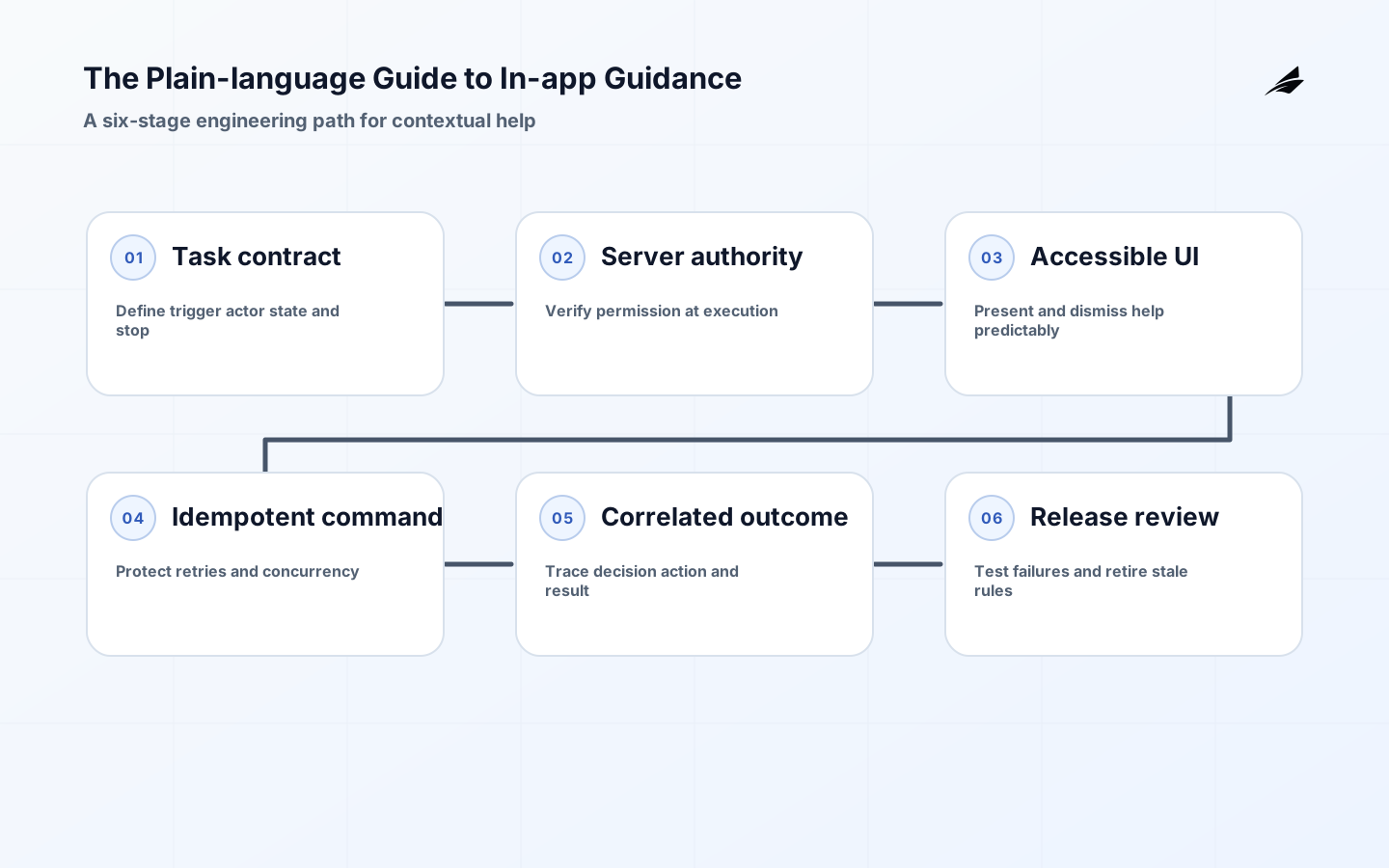
The Plain-language Guide to In-app Guidance
In-app guidance is the product's way of helping someone make a good decision at the moment a task needs it. It can be a short explanation beside a field, a status message after a background job, a permission-aware prompt, or a sequence that helps a new user complete a real workflow. The engineering challenge is not adding more text to the interface. It is deciding what the user is allowed to know and do, which system state makes the message true, and how the product recovers when that state changes. This guide treats in-app guidance as a small decision system with an explicit contract, accessible presentation, server-side authorization, observable outcomes, and a retirement date.
Start with the operating model
A useful operating model begins with a user task rather than a guidance format. Name the task, the point of hesitation, the actor who is trying to proceed, and the durable result that should follow. Then identify the source of truth for each fact shown in the guidance. A prompt that says an integration is ready may depend on an account record, a provider health check, and a policy decision. Those inputs can disagree or arrive at different times. The message needs a rule for that disagreement, not just a polished sentence.
Write the engineering contract
Treat each guidance unit as a bounded decision around a user task. The contract should state the trigger, eligible actor, required state, presentation, action, completion event, and stop condition. This keeps product copy connected to implementation. It also gives design, frontend, API, background jobs, support, and QA a shared description of what must remain true. A message is not complete when it renders; it is complete when the intended task reaches a durable outcome or gives the user a clear, recoverable next step.
Define the decision boundary
| Contract field | Question | Example evidence |
|---|---|---|
| Eligibility | Which actor, tenant, route, and state qualify? | Role, workspace, feature version, and state revision |
| Presentation | What should the user see, hear, or be able to dismiss? | Focus order, status message, copy, and preference state |
| Action | What may the user do next, and what must the server check? | Command, policy result, validation, and idempotency key |
| Completion | What durable outcome proves the task succeeded? | Committed record, event, timestamp, and actor |
| Failure | What happens when an input is late, denied, or unavailable? | Waiting state, safe retry, explanation, and owner |
| Stop | When must guidance stay silent or be retired? | Missing context, denied scope, completed task, or expired rule |
Build accessibility and authorization in
Accessible contextual help is part of the behavior contract, not a visual polish pass. The Web Content Accessibility Guidelines (WCAG) 2.2 provide testable criteria for focus, keyboard operation, status messages, predictable help, error prevention, and accessible authentication. Translate those criteria into acceptance tests for the guidance state: a keyboard user can reach the message and its action, a screen reader receives a meaningful status update, focus does not jump unexpectedly, and dismissal does not make the only explanation disappear forever.
Make help perceivable and usable
- Give every guidance control a visible name and a programmatic name that describe its action.
- Associate instructions and errors with the field or task they explain instead of relying on position or color.
- Announce meaningful state changes without turning every hover or animation into an interruption.
- Preserve a predictable focus order and make dismissal reversible through a stable help path.
- Test zoom, reflow, reduced motion, contrast, keyboard navigation, and touch targets with the actual workflow.
The W3C Forms Tutorial is especially useful when guidance appears around form inputs. Labels, instructions, grouped controls, validation messages, and error recovery should tell the user what is required, what went wrong, and how to correct it. Avoid a tooltip that contains the only explanation for a required value. If the user dismisses help, the task should remain understandable through labels, inline instructions, or a durable support link.
Keep authorization on the server
A guidance message may be personalized, but personalization is not authorization. The client can hide or show a prompt for convenience; it cannot decide whether a protected action is allowed. The OWASP Authorization Cheat Sheet supports a defense-in-depth approach in which the server enforces policy for every protected request. Recheck the actor, tenant, resource, action, and current state when the command is executed. This matters when a role is revoked, a workspace changes, a session expires, or the message was rendered from stale data.
| Surface | Required check | Evidence to retain |
|---|---|---|
| Guidance evaluation | Is the actor eligible to receive this context? | Tenant, role, rule version, and evaluation result |
| Action endpoint | Is this actor allowed to perform this action now? | Policy decision, resource, request id, and reason code |
| Background worker | Does the queued operation still have valid scope? | Original actor, tenant, authorization revision, and outcome |
| Support tooling | Can an operator act without bypassing the customer boundary? | Impersonation or delegated scope, approval, and audit event |
Design for distributed state and failure
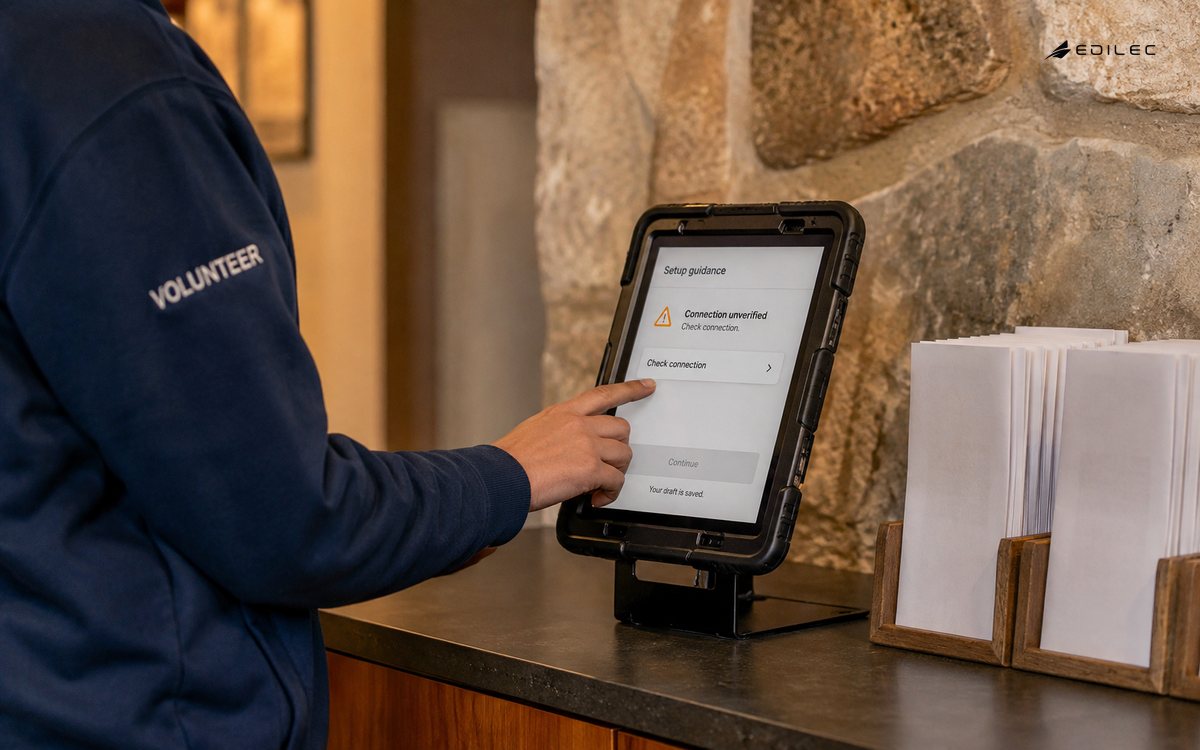
When guidance depends on several services, define freshness and partial-failure behavior before writing the copy. A setup prompt may read an account record, an integration status, and a policy result; each input can have a different clock. A trustworthy interface distinguishes ready, waiting, unavailable, and denied. It should not turn an unknown state into an optimistic invitation to click. If the system cannot establish a safe result, pause the action, explain what is being checked, and provide a recovery route that does not require the user to guess.
Make failure behavior explicit
| Condition | Guidance behavior | Engineering control |
|---|---|---|
| Stale input | Show that the state changed and ask for a safe refresh. | Revision check, conditional write, and conflict event |
| Delayed provider | Show waiting status with a useful next step and owner. | Timeout, bounded retry, queue state, and alert |
| Duplicate command | Confirm one result instead of creating repeated work. | Idempotency key, deduplication record, and replay-safe handler |
| Denied action | Explain the boundary without revealing sensitive policy detail. | Server policy check, reason code, and support escalation |
| Missing context | Stay quiet or request the minimum context needed to proceed. | Eligibility guard, safe default, and no irreversible action |
Retries must be safe. Use idempotent commands where a network timeout could make the client uncertain whether work committed. Carry a correlation identifier through the request, queue, worker, and durable event so the product can explain what happened. Keep the UI state separate from the command result: a spinner is not evidence of completion, and a successful HTTP response is not always proof that a downstream operation finished.
Instrument outcomes, not noise
The OpenTelemetry observability primer distinguishes the roles of traces, metrics, and logs. Apply that distinction to decisions. Trace the evaluation and command across service boundaries; count meaningful outcomes; and log bounded diagnostic details that help explain a denial, delay, or correction. Useful attributes include guidance rule version, tenant-safe cohort, task name, state revision, policy result, dependency, and completion status. Do not put private form values or unrestricted customer text into telemetry simply because the message was visible in the browser.
- Guidance evaluation rate by rule version and eligible cohort.
- Task completion and abandonment by workflow step.
- Denied, delayed, retried, duplicated, and corrected actions.
- Time from prompt display to durable completion or support handoff.
- Accessibility defects, keyboard failures, and repeated confusion signals.
- Guidance incidents linked to a release, policy change, or dependency.
Metrics need a question and an owner. The Google SRE monitoring guidance connects monitoring to service health and diagnosis. Define what an unusual denial, rising retry rate, or growing support handoff should cause someone to inspect, then link the aggregate signal to a trace and customer-safe explanation.
Roll out carefully and retire deliberately
Release guidance in increments that preserve a fallback. Start with one task, one audience, and a rule that can be disabled without taking the underlying workflow offline. Compare the guided path with the existing path, review denied and delayed cases, and expand only when the team understands the new support load. A feature flag can control exposure, but it does not replace authorization, data validation, or an incident plan.
A practical rollout sequence
- Write the contract and failure table before implementation is considered complete.
- Test normal, delayed, denied, stale, duplicated, revoked, keyboard-only, and dismissed-help cases.
- Enable the smallest cohort and monitor outcomes, support questions, policy denials, and dependency health.
- Review traces and durable records with product, design, engineering, support, and security.
- Expand by explicit criteria, keeping the rule version and copy version together.
Retirement is part of the design
Remove guidance when the task is consistently understood, the prompt interrupts more than it helps, or a navigation, policy, or data change makes its instruction inaccurate. Version targeting rules and copy together so one coherent unit can be disabled. Preserve a durable support path for customers who still need help, and delete stale experiments, event names, and dashboards after their retention requirements are met. A prompt that remains visible after its action disappears is a product defect, not harmless clutter.
Concrete example: connecting an integration
Consider a multi-tenant analytics product that asks a workspace administrator to connect a billing provider. The guidance appears on the integrations page only when the workspace lacks a valid connection, the actor has the required role, and the product has not already recorded a pending attempt. The message says what the connection enables, names the next action, and provides a link to the required permissions. It does not promise success before the provider confirms the connection.
Normal path
The client requests an evaluation with the workspace and current account revision. The server checks tenant membership, role, feature availability, and connection state, then returns an instruction version and an allowed action. The user starts the flow, the service creates an idempotent attempt, and the provider callback moves the connection to active. The durable completion event includes the workspace, attempt identifier, state revision, and timestamp. The interface replaces the prompt with a status that explains what the new connection enables.
Delayed and denied paths
If the provider callback is late, the interface shows pending rather than ready and offers a safe refresh or support route. If the actor loses the administrator role after the prompt renders, the action endpoint rejects the command and returns a customer-safe explanation; the client removes the action without treating the denial as a system crash. If the user clicks twice, the same idempotency key returns the existing attempt. These cases are where engineering in-app guidance proves its value: the product remains understandable when the happy path is interrupted.
What to review
Review the rate at which eligible administrators start and complete the connection, how often attempts are denied or delayed, how long pending states last, and how many cases reach support. Pair those outcome signals with traces that show the evaluated rule version and provider response. If completion improves but denials or support handoffs rise, the next change may belong in permissions or recovery copy rather than in another prompt.
Key takeaways
- Start from a real task and name the durable result, not just the interface pattern.
- Write eligibility, action, completion, failure, and stop conditions as an engineering contract.
- Make labels, focus, status messages, form errors, and dismissal behavior accessible by design.
- Treat client guidance as presentation and enforce authorization again on the server.
- Model stale, delayed, denied, duplicated, and missing states with safe recovery paths.
- Instrument decisions and retire guidance when the task or policy no longer matches the message.
FAQ
Conclusion
In-app guidance becomes dependable when its decision boundary, evidence, authorization, failure behavior, and owner are explicit. Start with one valuable task, make the normal and recovery paths equally clear, and observe durable outcomes rather than clicks alone. The same thinking supports multi-tenant architecture, MVP delivery, and SaaS product development. Give each guidance unit a named owner, a version, a review date, and a clear reason it should remain in the product.