SEO-ready website development for support teams makes accurate answers discoverable, understandable and maintainable in both site search and public search. The work is not a plugin setting or a promise that every article will rank. It is a publishing system with stable URLs, crawlable HTML, clear information architecture, accessible templates, trustworthy ownership and feedback from real support demand.
This FAQ helps support operations, content designers and web engineers make implementation decisions. For a broader project plan, see the support-team SEO delivery guide and support website implementation checklist. The search-ready website launch checklist adds cross-site release controls.
What makes a support website search-ready?
A search-ready support site exposes useful, current answers in text that users and search engines can access, gives each answer a stable canonical URL, and connects related steps through meaningful links. Titles and headings match the language customers use, while article content identifies product, version, prerequisites, procedure, expected result and recovery. Public indexability should be an intentional policy, not an accidental consequence of the CMS.
Google's SEO guidance emphasizes useful organization and content for people. For support teams, that means resolving the task efficiently instead of stretching an answer to target a phrase. Search readiness also depends on HTTP status, rendering, metadata, canonical signals, mobile behavior and performance. A correct article hidden behind client-side failure or inconsistent URLs is still difficult to discover.
| Layer | Support-site requirement | Acceptance check |
|---|---|---|
| Content | One task or question with current ownership | User can identify applicability and complete the task |
| Template | Semantic headings, links, metadata and accessible controls | Keyboard and rendered HTML review |
| URL | Stable path, canonical and correct status | Canonical resolves with indexable response |
| Discovery | Internal links and current sitemap | New article reachable without site search |
| Governance | Review, expiry and retirement workflow | Owner acts on stale-content queue |
How should support information architecture work?
Organize around customer goals and product concepts rather than internal departments. Use a shallow hierarchy where categories provide orientation and articles answer a specific question or procedure. Establish content types such as concept, task, troubleshooting, reference and release note, with required fields for each. Avoid publishing near-duplicate answers for every navigation path; link one authoritative answer from multiple relevant contexts.
Navigation labels, breadcrumbs and contextual links should use clear destination language. Link prerequisite concepts before a procedure and recovery guidance at the failure point. Orphan pages are hard for both customers and crawlers to find. Generate inventories by product area, owner, last review, traffic and support demand so the team can identify gaps and duplicates. Site search terms with poor results often reveal vocabulary mismatches worth correcting.
How should rendering and index control be implemented?
Return the substantive article and links in server-rendered or reliably rendered HTML. Important content should not depend on a user interaction or authenticated API call when the page is intended to be public. Use accurate HTTP status codes: removed content should not return a branded 200 page, and temporary outages should not look like permanent deletion. Test raw HTML and rendered output after template or framework changes.
Define index policy by route family. Public evergreen help can be indexable; customer-specific, internal, duplicate, faceted or low-value pages may need authentication, exclusion or consolidation. Robots.txt controls crawling, not guaranteed removal from search. A noindex directive must be crawlable to be observed. Do not expose sensitive support data and then rely on search directives as access control.
How do canonicals, redirects and sitemaps fit together?
Choose one canonical URL for each answer and make internal links, redirects and sitemap entries agree with it. Google's canonical documentation describes canonicalization as a signal for duplicate URLs, not a substitute for consistent architecture. Use permanent redirects when a page has genuinely moved and map old URLs to the closest equivalent, not automatically to the help-center home page. Preserve useful inbound links during migrations.
Include only canonical, indexable URLs in XML sitemaps and update last-modified values when substantive content changes, not on every build. Segment large support estates by product or locale to simplify diagnosis. A sitemap helps discovery but does not guarantee indexing. Pages still need accessible content, correct responses and internal links. Monitor submitted versus discovered URLs and investigate by template family.
What should teams do about structured data and accessibility?
Use structured data only when it accurately describes visible page content and follows the applicable search feature guidance. Select the most specific valid Schema.org type supported by the implementation, keep values synchronized with the article and validate rendered markup. Structured data can aid machine understanding but does not guarantee a rich result. Never mark up hidden questions, ratings or authorship that the reader cannot verify.
Adopt WCAG 2.2 as a current accessibility reference target. Ensure keyboard access, visible focus, semantic headings, descriptive links, sufficient contrast, labeled controls, useful errors and alternatives for non-text content. Search and accessibility reinforce each other when meaning is expressed in proper HTML. Test support widgets, code samples, accordions, tables, language selectors and feedback forms with assistive technologies used by the audience.
| Common defect | User and search effect | Better implementation |
|---|---|---|
| Duplicate locale or filter URLs | Competing signals and confusing results | Canonical architecture plus locale-specific linking |
| Client-only article body | Blank or partial output on failure | Useful HTML response with progressive enhancement |
| Generic link text | Poor scanning and weak context | Describe the destination or next task |
| Stale procedure remains live | Failed tasks and lost trust | Owner, review date and retirement workflow |
| Redirect chain | Slower navigation and diluted migration signals | Single hop to the final relevant URL |
| Markup differs from page | Misleading machine interpretation | Generate both from the same content record |
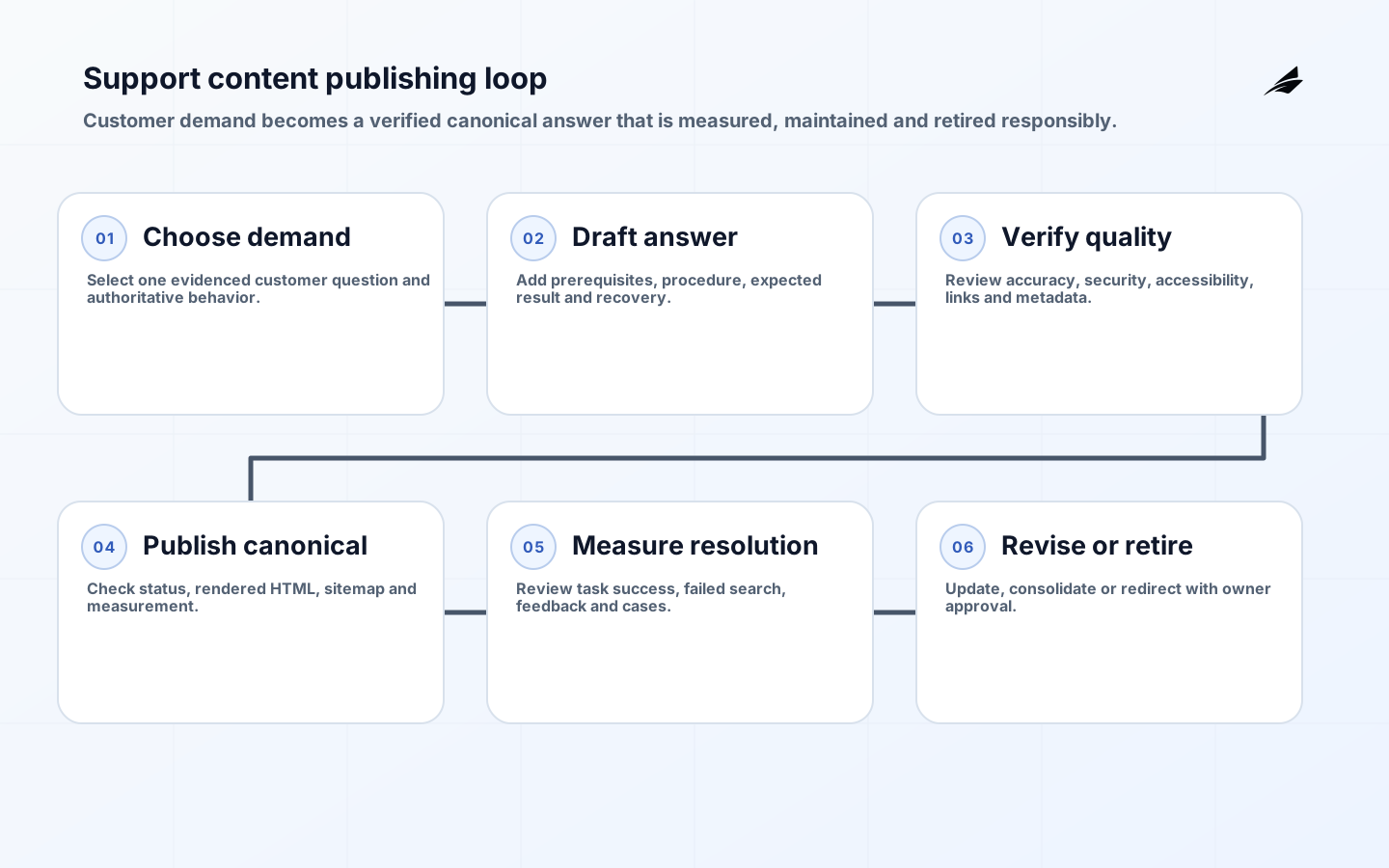
How should the support publishing loop operate?
- Capture demand from cases, site search, product changes and incident reviews.
- Choose one customer task and confirm the authoritative product behavior.
- Draft with prerequisites, steps, expected result and recovery guidance.
- Review accuracy, security, accessibility, metadata and link context.
- Publish one canonical URL and verify response, rendering, sitemap and analytics.
- Measure task success, failed searches, case deflection and feedback quality.
- Revise, consolidate or retire the article with redirects and owner approval.
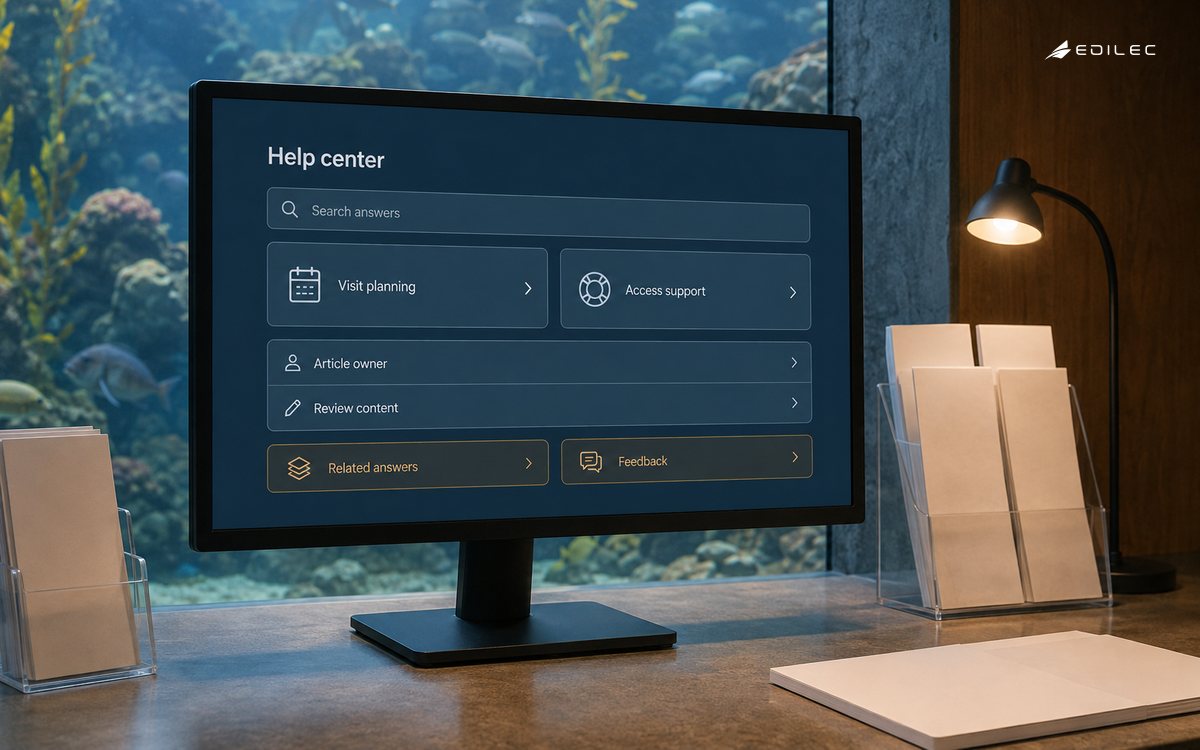
Publishing authority should match risk. Routine wording changes may use peer review; security, billing, legal or destructive procedures require subject-matter approval. Store review history and product version. Give every article an owner and a review trigger tied to release changes, not only a calendar date. During incidents, use an expedited path with later review so urgent guidance does not become permanent unverified content.
How should support SEO be measured?
Measure whether qualified visitors reach the right answer and complete the task. Combine search impressions and clicks with article success, return-to-search behavior, case creation, feedback reason, freshness and known-error recurrence. Do not claim that an article caused ticket reduction without accounting for product, seasonality and channel changes. Segment by query intent and content type; a troubleshooting page and a conceptual guide have different success patterns.
Technical monitoring should cover indexable URL count, status errors, selected canonicals, sitemap health, render failures, broken links and performance by template. Review changes after releases and migrations, then allow for recrawl before drawing conclusions. Rankings alone are unstable and can reward the wrong answer. The durable goal is discoverable, accurate support that reduces customer effort and feeds product improvement.
How should localization and security-sensitive guidance be handled?
Treat each locale as a maintained experience, not a machine-translated copy with no owner. Use stable locale URLs, correct language declarations and locale-aware internal links. Implement hreflang only when pages are genuine equivalents and validate reciprocal references. Preserve product names, commands and jurisdictional differences accurately. When a translation falls behind, expose its version status or route users to a maintained alternative instead of presenting stale instructions as current.
Security-sensitive articles need threat-aware review. Do not publish secrets, internal hostnames, bypass instructions or diagnostic data that would increase risk. Separate public troubleshooting from authenticated customer-specific detail. Coordinate vulnerability and incident guidance with the security response owner, and retire emergency workarounds promptly after a durable fix. Search visibility never overrides access control or responsible disclosure. Record who approved publication, when it was reviewed, its next review trigger and which product versions the guidance covers.
Key takeaways
- Build support architecture around customer tasks and one authoritative answer.
- Make rendering, statuses, canonicals, links and sitemap signals consistent.
- Treat accessibility and semantic HTML as publishing requirements.
- Connect every article to an owner, review trigger and retirement path.
- Measure successful resolution and content quality, not traffic in isolation.
Frequently asked questions
Should every support page use FAQ structured data?
No. Use markup that accurately matches the visible content and current search feature rules. Adding FAQ markup does not guarantee a search enhancement and should not drive the page format. A procedural answer may be better expressed as a task article without forced questions.
Can AI generate support articles automatically?
AI can assist drafting, classification and gap analysis, but the product behavior, security boundaries and recovery steps need accountable verification. Keep source evidence, protect customer data and require human approval before publication. Measure correction rate and harmful omissions, not only writing speed.
How should a help-center migration preserve search visibility?
Inventory old URLs, map each valuable page to a relevant destination, preserve content and metadata where appropriate, use direct permanent redirects, update internal links and submit current sitemaps. Test representative route families before launch and monitor errors and canonical selection after recrawl.
Conclusion
An SEO-ready support site is a governed answer system. Stable canonical pages, accessible HTML, coherent links and accurate index signals help customers find guidance, while ownership and measurement keep it trustworthy. Build those properties into the template and publishing loop so search readiness survives product change rather than depending on one cleanup project.