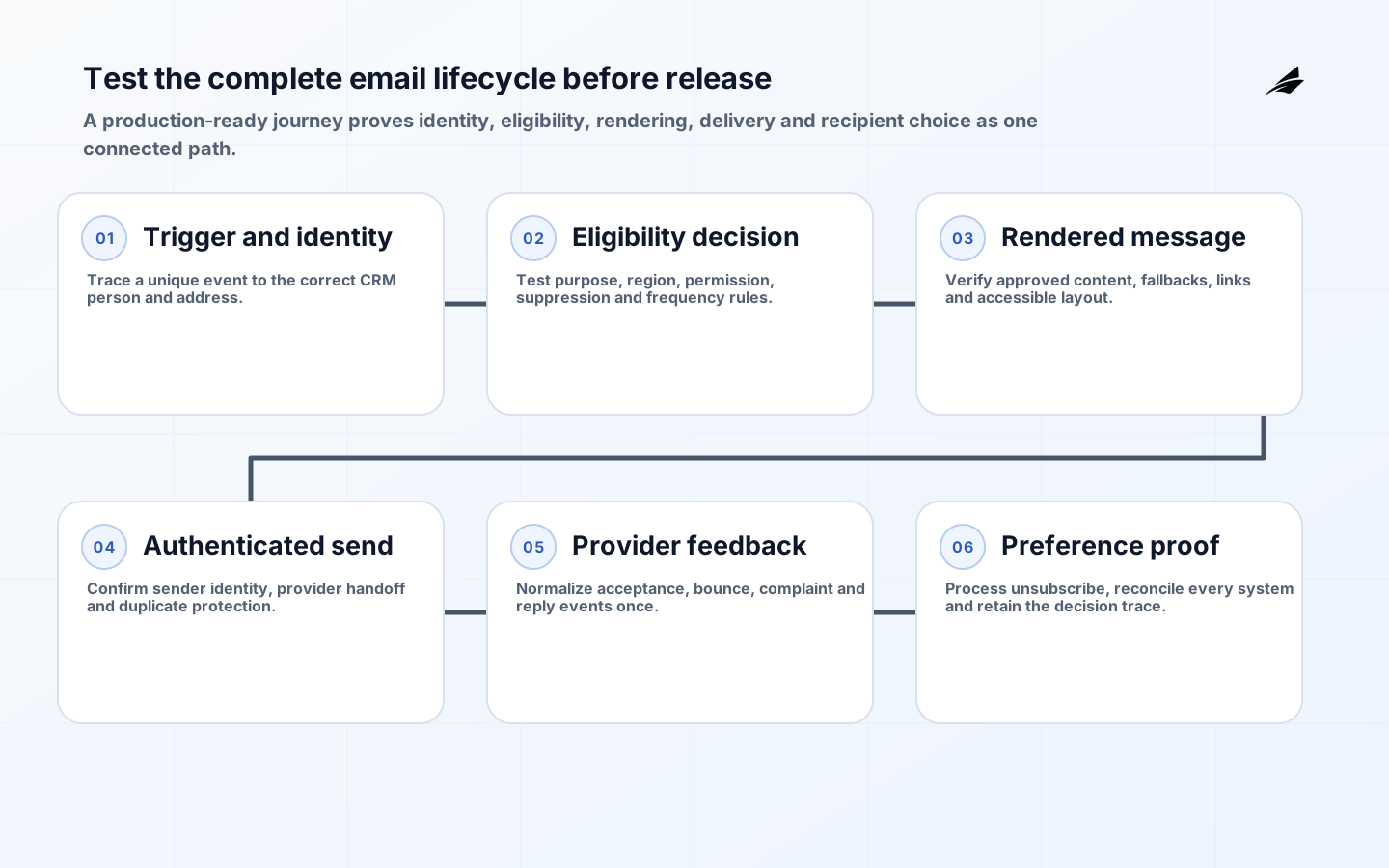
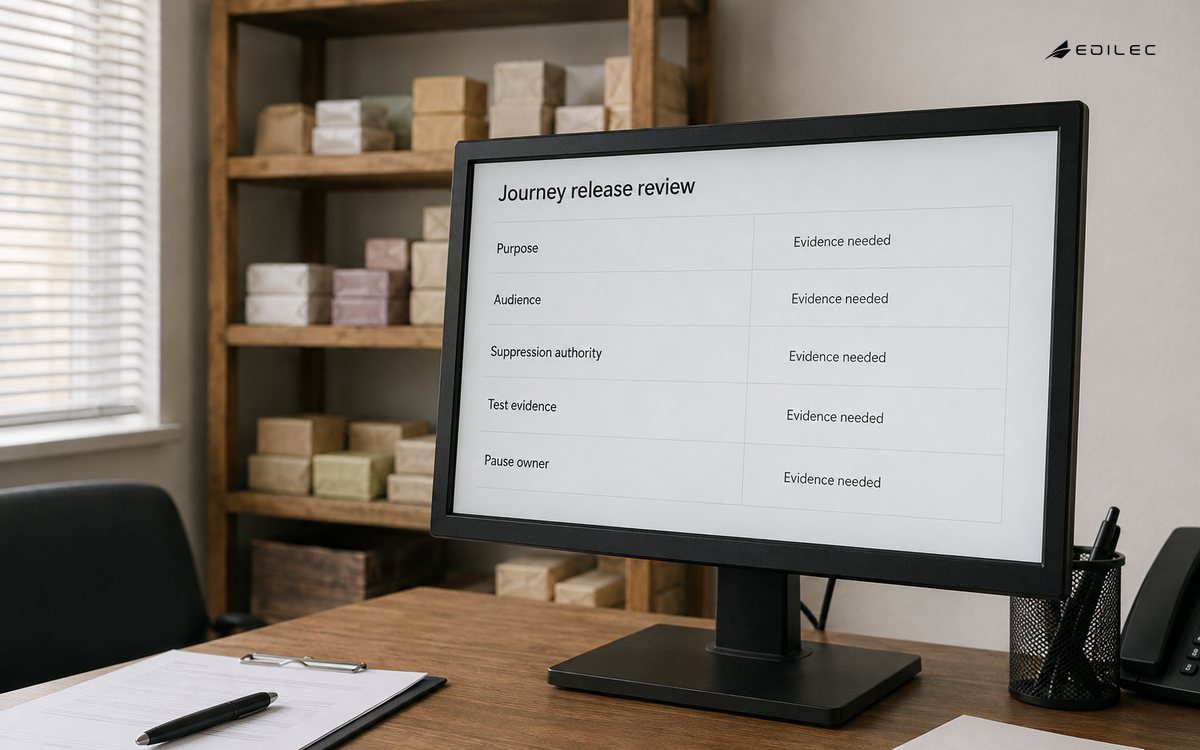
Use this checklist to prepare a CRM-driven email journey for production. It covers the operating chain from customer record to provider feedback, not just campaign configuration. Each checked item should point to evidence: an approved policy, named owner, test result, configuration record, monitoring view or rollback procedure. A checkbox without evidence can hide an unresolved decision.
Adapt the list to applicable law, internal policy, recipient type and message purpose. Legal and privacy teams must interpret obligations; technical and operational teams must turn those decisions into consistent controls. The companion CRM email automation FAQ explains the reasoning behind consent, suppression, deliverability and measurement choices.
Gate 0: establish scope and accountable ownership
- Name the business owner who accepts the journey outcome and recipient impact.
- Assign CRM data, privacy, legal, security, content, deliverability and operational owners.
- Classify the message purpose: promotional, service, transactional or another approved class.
- List recipient types and jurisdictions in scope; explicitly record exclusions.
- Define the trigger, exit conditions, frequency policy, service target and pause authority.
- Record the baseline for volume, manual effort, bounces, complaints, unsubscribes and intended business outcome.
- Approve success and stop criteria before configuring production sends.
Gate 1: map customer data and identity
Document the path from source event to resolved person and address. Identify where duplicates arise, how account and contact records relate, how shared addresses are treated and which timestamps are trustworthy. Define field types, allowed values, freshness and null behavior. Minimize the fields copied into the journey platform and document retention for event and message data.
| Data check | Evidence | Failure action |
|---|---|---|
| Identity resolution | Test cases for duplicate, merged and shared records | Suppress or review ambiguous identities |
| Address quality | Syntax, domain and prior hard-bounce checks | Do not send; preserve reason |
| Trigger integrity | Source event ID, time, schema and replay test | Quarantine invalid or duplicate events |
| Personalization | Field owner, fallback and rendered examples | Block send when a required field is invalid |
| Data minimization | Approved field inventory and retention schedule | Remove unnecessary copies |
| Lineage | Trace from message back to source record and policy decision | Alert on untraceable sends |
Gate 2: implement eligibility, consent and suppression
Translate approved policy into a versioned decision table. Inputs may include purpose, channel, brand, topic, region, recipient relationship, consent or other approved basis, objection and message class. Store evidence with source, timestamp and notice version. Keep an unknown state; missing evidence must not silently become permission. Test withdrawal and policy changes as carefully as initial capture.
- Declare one authoritative preference and suppression source, plus allowed replicas.
- Make global objection outrank lead score, campaign membership and manual enrollment.
- Define topic-level preference precedence without obscuring a stop-all choice.
- Ingest unsubscribe, complaint and hard-bounce events idempotently.
- Set processing targets based on approved policy and applicable requirements.
- Restrict suppression reversal, require a reason and audit every override.
- Reconcile CRM decisions with every provider suppression list on a schedule.
- Test bulk imports and API-triggered sends through the same policy service.
Gate 3: prepare domains, authentication and providers
Inventory every system authorized to send for the domain. Configure SPF without uncontrolled include chains, enable DKIM with managed key rotation and establish DMARC alignment, policy and report ownership. Use distinct streams where purpose and reputation need isolation, while preserving recognizable brand identity. Follow each destination provider's current official guidance; Google maintains specific sender requirements and clarifications.
- Verify visible From, envelope sender, DKIM signing domain and reply handling.
- Confirm TLS expectations and provider account access controls.
- Protect API keys and SMTP credentials; rotate and monitor them.
- Create seed addresses across relevant mailbox providers and clients.
- Define a controlled ramp for a new domain, IP or provider.
- Route DMARC aggregate reports and authentication failures to an owner.
- Set alert and pause thresholds for complaints, hard bounces and unusual volume.
Gate 4: govern templates, personalization and accessibility
Assign each template an owner, purpose, approved audience, review date and version. Validate sender identity, subject accuracy, required address and preference controls according to the approved policy. Use plain-language calls to action and a text alternative. Do not hide unsubscribe controls. Check contrast, link labels, reading order, responsive behavior and meaningful image alternatives.
| Test case | Expected result | Evidence retained |
|---|---|---|
| Every optional field missing | Readable fallback with no empty punctuation | Rendered sample |
| Longest approved field values | No clipped layout or broken subject | Client screenshots |
| Unsafe or malformed URL | Send blocked by validation | Validation log |
| Unsubscribed recipient | Excluded before provider handoff | Decision trace |
| Concurrent journey enrollment | Frequency and exclusion rules applied | Person-level send ledger |
| Provider event replay | One normalized state change | Idempotency test |
| Expired template approval | Journey cannot launch | Release-gate result |
Gate 5: test the complete lifecycle
Test in a production-like path using synthetic or approved test records. Cover event ingestion, identity matching, eligibility, template rendering, dispatch, provider response, CRM activity, unsubscribe, complaint, bounce, reply and reporting. Confirm that retries cannot duplicate a send and that delayed events do not revive a completed journey. Exercise the emergency pause without deleting evidence or losing incoming feedback.
- Run happy-path tests for every message class and supported region.
- Run negative tests for missing consent evidence, active suppression and policy uncertainty.
- Inject duplicate, late, out-of-order and malformed events.
- Render major client and mobile combinations with realistic data extremes.
- Verify links, tracking parameters, redirect domains and preference pages.
- Confirm a recipient can exercise choices without signing in unless policy requires it.
- Reconcile CRM send records, provider accepts and terminal delivery events.
- Complete a security and privacy review of roles, exports, secrets and retention.
Gate 6: pilot with an explicit rollback path
Start with a small, clearly eligible audience and one controlled message class. Require pre-send count review and content approval. Staff monitoring while the send is active and for the feedback window afterward. The rollback plan should stop new sends, preserve feedback ingestion, prevent queued retries and provide a manual communication path if the message is operationally necessary.
| Pilot measure | Decision use | Owner |
|---|---|---|
| Eligible versus excluded counts | Detect policy or query surprises before send | CRM data owner |
| Queue age and send latency | Find integration or provider delay | Operations |
| Hard bounce and complaint signals | Pause and investigate audience or reputation issues | Deliverability owner |
| Unsubscribe processing time | Verify the complete suppression loop | Privacy and operations |
| Duplicate and frequency violations | Stop journey and repair state | Journey owner |
| Downstream completion | Assess intended outcome without relying on opens alone | Business owner |
Gate 7: operate, review and retire
After launch, review journeys as live production services. Monitor provider policy changes, domain authentication, credential use, event delay, template age, audience drift and suppression reconciliation. Reapprove journeys after material policy, purpose, data-source or provider changes. Maintain a register of active automations and retire those without an owner or valid outcome. Deleting the campaign UI is not enough; stop triggers, revoke credentials and preserve required records.
Schedule a post-launch review after enough complete feedback cycles have arrived. Compare actual audience composition, exclusions and message frequency with the approved design. Trace a sample of sends and suppressions end to end, review support tickets and replies, and confirm dashboards use the same definitions as provider reconciliation. Record corrective work with owners and dates. A journey should remain paused when evidence cannot explain a material discrepancy.
Minimum risk register
| Risk | Control | Response |
|---|---|---|
| Wrong audience | Versioned eligibility plus pre-send sampling | Pause, suppress affected logic and investigate lineage |
| Preference sync failure | Durable events and reconciliation | Stop impacted senders until state converges |
| Credential compromise | Least privilege, secret storage and anomaly alerts | Revoke, rotate and inspect send history |
| Reputation damage | Controlled volume and complaint monitoring | Pause stream and remediate source and content |
| Stale journey | Owner and approval expiry | Disable automatically pending review |
| Misleading measurement | Outcome metric plus control and experience measures | Correct reporting and reassess continuation |
Key takeaways
- Require evidence for ownership, eligibility, suppression and every release gate.
- Test the whole lifecycle, including provider feedback and preference reconciliation.
- Treat sender identity and reputation as ongoing operational responsibilities.
- Pilot one audience and message class with pause, fallback and staffed monitoring.
- Reapprove or retire journeys when purpose, policy, data or ownership changes.
Frequently asked questions
When is the checklist complete?
When every applicable item has evidence and an accountable approver, remaining risks are accepted by the right owner, and the pilot can be stopped safely. Completion is release-specific; later material changes require renewed checks.
Should open rate be a release gate?
No. Opens are affected by mailbox privacy and image handling. Use them cautiously, if at all, alongside delivery, complaints, unsubscribes, replies, downstream completion and control-health measures. A business outcome should match the journey's purpose.
Does a compliant vendor make the journey compliant?
A vendor may provide useful features, but the organization still owns audience, purpose, configuration, data quality, content and operations. Assess contractual terms, data locations, subprocessors, controls, event access and exit procedures, then verify configuration in practice.
How long should implementation take?
Duration depends on data quality, jurisdictions, identity complexity, existing domains, integrations and approval readiness. Plan from dependencies and evidence, not a universal calendar estimate. A narrow pilot can expose unknowns before the team commits to a broad migration.
Conclusion
A release-ready email journey can prove who may be contacted, why, with which content and through which authenticated sender. It can stop promptly, ingest recipient feedback and reconcile that decision everywhere. Treat this checklist as an operating contract among business, legal, data and technical owners. The result is not merely an activated campaign; it is a controlled communication service that remains trustworthy after launch.