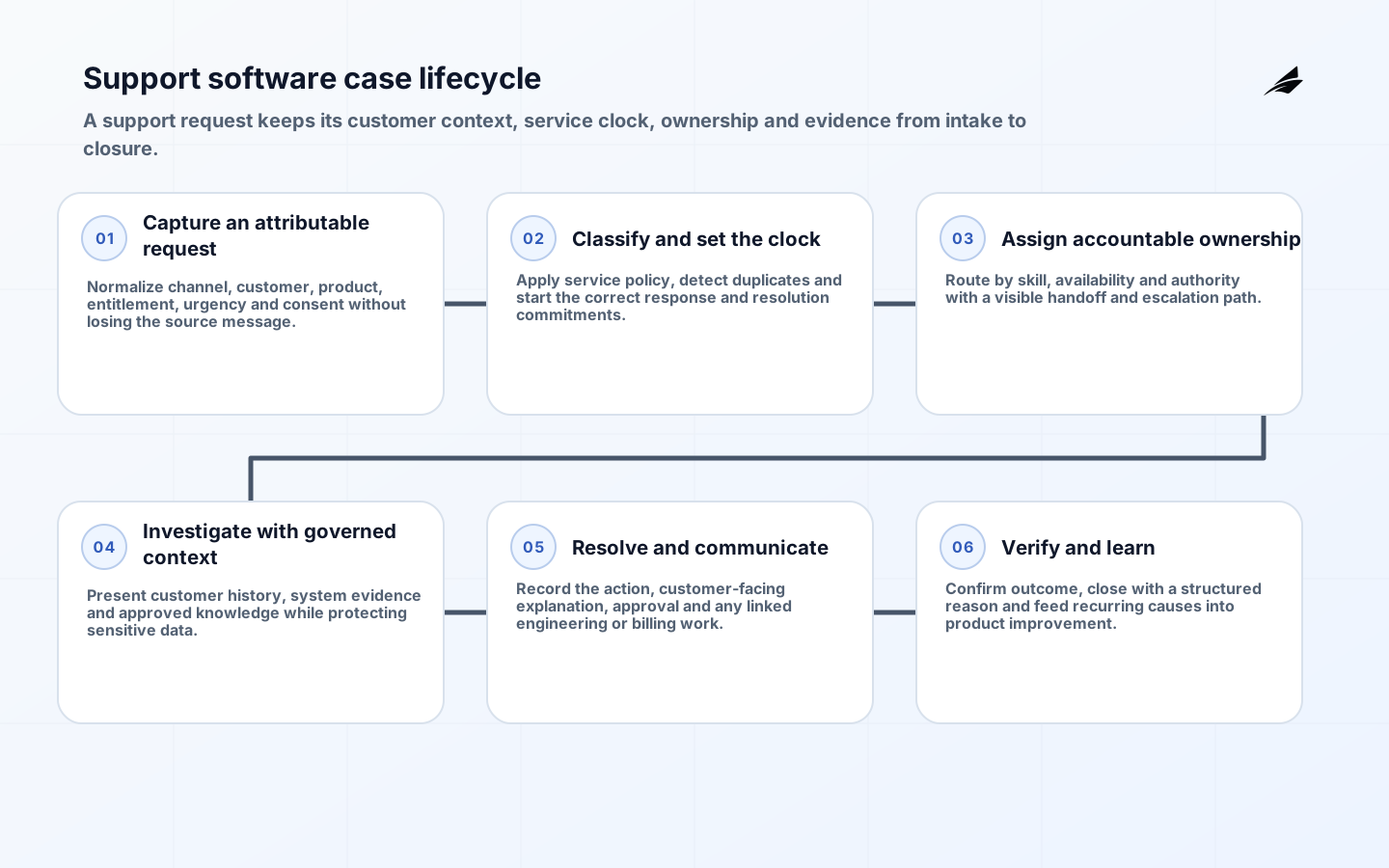
Custom software development for support teams works when it improves resolution without stripping agents of context or customers of a reliable path to help. A new case system changes routing, ownership, communication, permissions, reporting and escalation. Treating it as a collection of screens usually recreates old queues with newer technology and leaves the most important rules hidden in macros and individual memory.
This checklist covers the path from workflow evidence to controlled rollout. Use it alongside the support-team scope and risk plan and the support software FAQ. The goal is a service that makes responsibility visible, preserves customer history and gives operations a safe way to change policy.
1. Define custom software development for support teams through service outcomes
Map several real cases from arrival to closure, including transfers, waiting for the customer, engineering escalation, refund approval and reopened work. Record where agents search, copy, wait or correct. Segment demand by intent and consequence. Average handle time alone can reward premature closure; pair efficiency with first-contact resolution, repeat contact, queue age, customer effort and the accuracy of promised next steps.
Write a service contract for each initial journey: supported channels, intake fields, owner, response objective, escalation, closure evidence and customer communication. Resolve policy ambiguity before encoding it. If regions or plans have different entitlements, represent those differences as versioned policy rather than scattered conditionals. Name which decisions remain with an agent or specialist.
| Support moment | Required system behavior | Failure to prevent |
|---|---|---|
| Case intake | Preserve channel, customer, consent and original message | Duplicate or orphaned cases |
| Assignment | Show owner, queue clock and reason for route | Silent transfer with no accountability |
| Escalation | Package evidence and keep customer-facing owner | Repeated discovery by every team |
| Closure | Record resolution and reopen path | Closing to improve a dashboard |
2. Design the case, customer and knowledge model
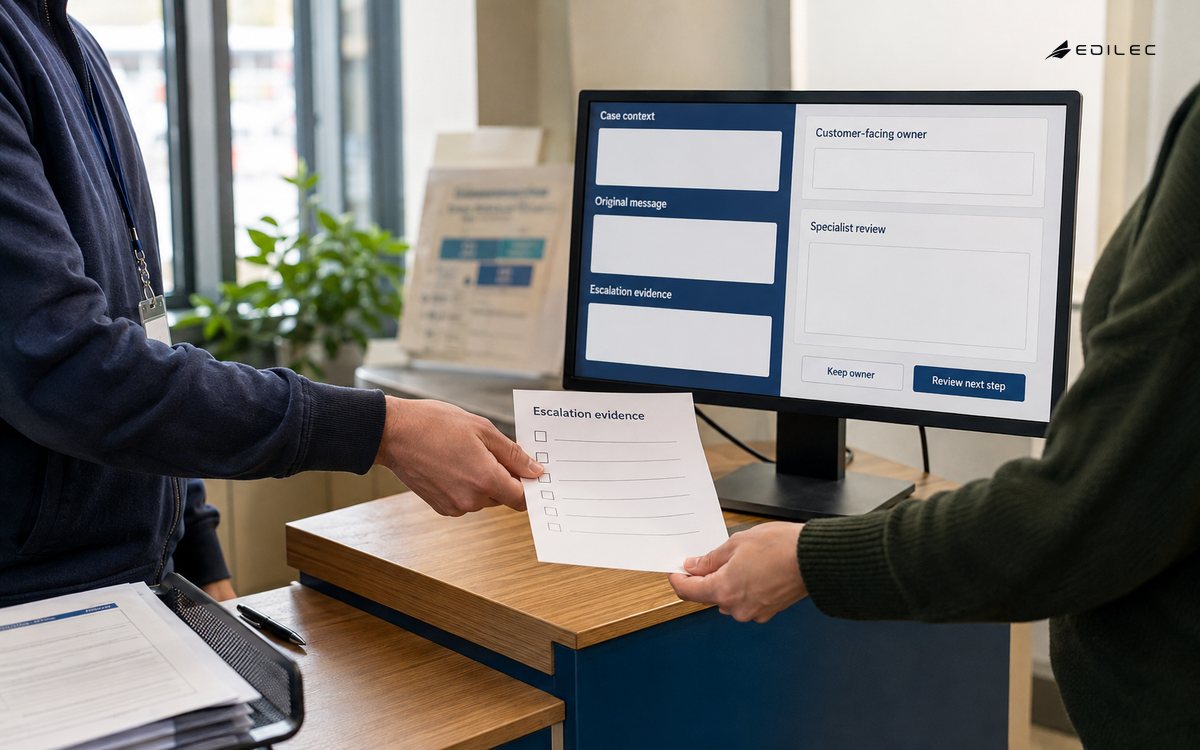
Define stable identifiers for customer, organization, conversation, case, product, order and entitlement. Keep channel messages as immutable events where feasible, with separate state for case status and assignment. Specify merge, split, duplicate detection and correction. A timeline should distinguish what the customer said, what an agent observed, what an integration returned and what the system inferred.
Treat knowledge as governed content with owner, audience, effective date, review date and source. Suggestions should cite the approved article or policy version. Do not let an AI summary replace the underlying record. Store only needed customer data, set retention by class and make sensitive-note visibility explicit. Search indexes, exports and analytics copies need the same lifecycle decisions as the primary database.
3. Enforce access and make integrations resilient
Support staff often have broad visibility, which makes least privilege especially important. Model access by tenant, team, role, case relationship, data sensitivity and action. NIST Zero Trust Architecture frames access around identities, resources and policy rather than network position. Apply server-side decisions to searches, attachments, exports, impersonation and administrative tools, and review exceptional access.
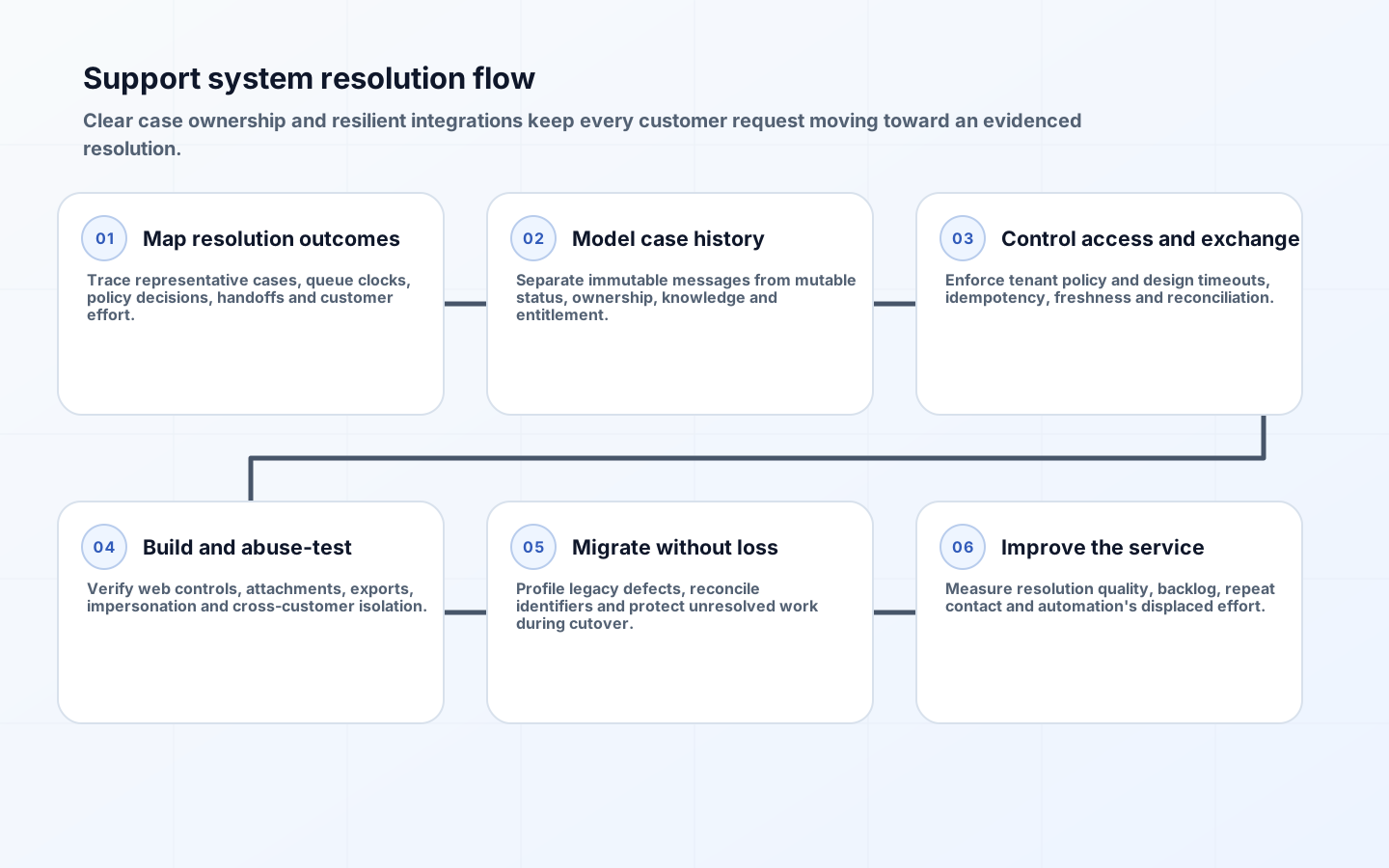
Integrations with identity, billing, order, product and engineering systems should have explicit contracts. Define timeouts, retries, rate limits, idempotency and stale-data display. A support screen must not claim an order is current when the lookup failed. Queue outbound work, keep correlation identifiers and offer reconciliation. Mask secrets and sensitive fields in diagnostics while retaining enough evidence to trace a failed transaction.
| Integration condition | Customer-safe response | Operational evidence |
|---|---|---|
| Timeout | Show last verified state and retry option | Latency, dependency and correlation ID |
| Duplicate event | Process once and retain duplicate marker | Idempotency key and prior outcome |
| Partial update | Mark case for reconciliation | Completed and failed step states |
| Permission denial | Do not broaden access; route appropriately | Policy decision and actor context |
4. Build and verify the system securely
Translate service and security rules into acceptance tests. NIST’s SSDF supports protected development environments, tracked requirements and components, secure production practices and vulnerability response. Use reviewed source, reproducible deployment, isolated secrets, dependency monitoring, code review and artifact provenance. Seed test environments with synthetic cases rather than uncontrolled customer conversations.
Use the OWASP ASVS to select verifiable controls for authentication, sessions, authorization, validation, files, APIs and logging. Add domain-specific abuse tests: guessing case IDs, exporting another organization’s data, malicious attachments, stored script in a message, forged webhooks, unsafe agent impersonation and formula injection in reports. Include accessibility and keyboard workflows because speed and correctness depend on them.
5. Migrate history and roll out without losing work
Profile legacy data before mapping it. Quantify missing owners, invalid states, duplicated customers, broken attachments, inconsistent timestamps and obsolete categories. Define what will migrate, archive or remain read-only. Run transformations repeatedly, reconcile record and attachment counts, sample high-risk cases and preserve a crosswalk from old identifiers. Never make agents discover migration defects during a live escalation.
Pilot by queue or customer segment with a staffed command channel and clear rollback. Train through scenarios, not menu tours. Give agents a way to report friction inside the workflow and triage it daily. Freeze risky configuration changes around cutover, but provide controlled urgent fixes. Confirm that inbound channels, scheduled work and unresolved cases cannot fall between old and new systems.
6. Establish ownership, measurement and continuous improvement
Assign product ownership for workflow, platform ownership for reliability, content ownership for knowledge and operational ownership for queues. Define who may change routing, permissions, service objectives and integrations. Configuration changes require testing and audit just like code when they can redirect or hide customer work. Keep a release calendar visible to support leaders and affected agents.
Monitor arrival, backlog age, transfer rate, reopen rate, repeat contact, knowledge gaps, access denials, integration errors and customer outcomes by meaningful segment. Sample cases to detect gaming or misleading aggregates. Review whether automation removes effort or merely moves it to customers and specialists. Feed incident and correction patterns into tests and the support playbook checklist.
7. Govern configuration, reporting and automation changes
Routing rules, service calendars, categories, macros and entitlement tables are executable policy even when administrators edit them without code. Give each configuration set an owner, version, effective date, test cases and rollback. Test changes against representative queues before promotion, especially around holidays, regional hours and launches. Monitor for sudden assignment imbalance or unreachable states. Emergency edits need retrospective review and documentation.
Define reporting terms in a shared metric catalog. Specify clock start and stop rules, business hours, reopened-case treatment, bot interactions, merged cases and exclusions. Preserve event history so metrics can be recomputed after definitions change. Restrict row-level exports, mask sensitive text and prevent spreadsheet formula execution. Teams should trace a dashboard number to source events without giving every analyst unrestricted conversation access.
Introduce automation one decision at a time. Compare suggested routing or replies with agent outcomes, record overrides and inspect impact across languages, products and customer tiers. Never optimize for deflection alone; customers abandoning a broken flow may appear as containment. Provide a visible route to a person, cap retries and ensure a failed automated interaction carries context into the case instead of forcing repetition.
Create a controlled improvement queue from agent feedback, customer complaints, quality sampling and incident reviews. Distinguish isolated coaching needs from a defective policy, interface or knowledge source. Prioritize changes by customer impact and repeated effort, then report back to the people who raised them. Closing this loop improves adoption and prevents employees from building unmanaged browser scripts or private spreadsheets to compensate for unresolved product gaps.
Test the service with seasonal peaks and serious incidents, not only average weekday volume. Confirm queue capacity, rate limits, notification behavior, on-call access and prioritization when several channels surge. Build load tests from realistic message size and attachments. During an incident, preserve one customer-facing owner even while engineering investigates; internal escalation must not make accountability disappear.
Define how quality review selects cases and protects staff. Combine random sampling with risk triggers, publish the rubric, allow contextual explanation and separate learning from punitive surveillance. Aggregate themes can identify policy or product defects. Restrict access to reviewer notes and set retention. Transparent review produces better improvement evidence than opaque scoring that encourages agents to optimize a metric.
Prepare a decommission plan for the replaced tooling. Remove old channel connectors only after inbound traffic is verified, archive required history, revoke integration credentials and update customer contact information. Cancel duplicate licenses and monitoring, but retain a documented route to legally required records. An old mailbox or form left active after cutover creates an invisible queue, so test every published contact path and forwarding rule before closure.
Key takeaways
- Map responsibility and escalation before designing case screens.
- Separate immutable communication history from mutable workflow state.
- Enforce tenant and action permissions on the server and in exports.
- Reconcile migrated records and in-flight work, not only database counts.
- Measure resolution quality and customer effort beside speed.
Frequently asked questions
Should a support team customize a platform or build a system?
Use a platform when standard case, channel and reporting behavior fits the operating model. Build differentiated workflow, integration or product-embedded support where it creates durable value. Compare lifetime configuration complexity, data portability and upgrade burden rather than license cost alone.
Where can AI assist safely?
Useful assistance includes summarization, categorization and grounded draft replies with agent confirmation. Keep entitlements, refunds and account changes under deterministic authorization. Show evidence, collect corrections and prevent customer text from changing tool permissions.
How long should old support data remain available?
Retention follows legal, contractual and operational needs. Keep migrated history accessible for active journeys, archive only what has a defined purpose, and delete according to approved schedules. Make the policy apply to attachments, search copies, analytics and backups.
Conclusion
Support software succeeds when it clarifies who acts next and preserves the evidence needed to resolve the customer’s problem. By combining a deliberate case model, resilient integrations, least privilege and careful migration, teams can improve service without turning operational complexity into hidden technical debt.