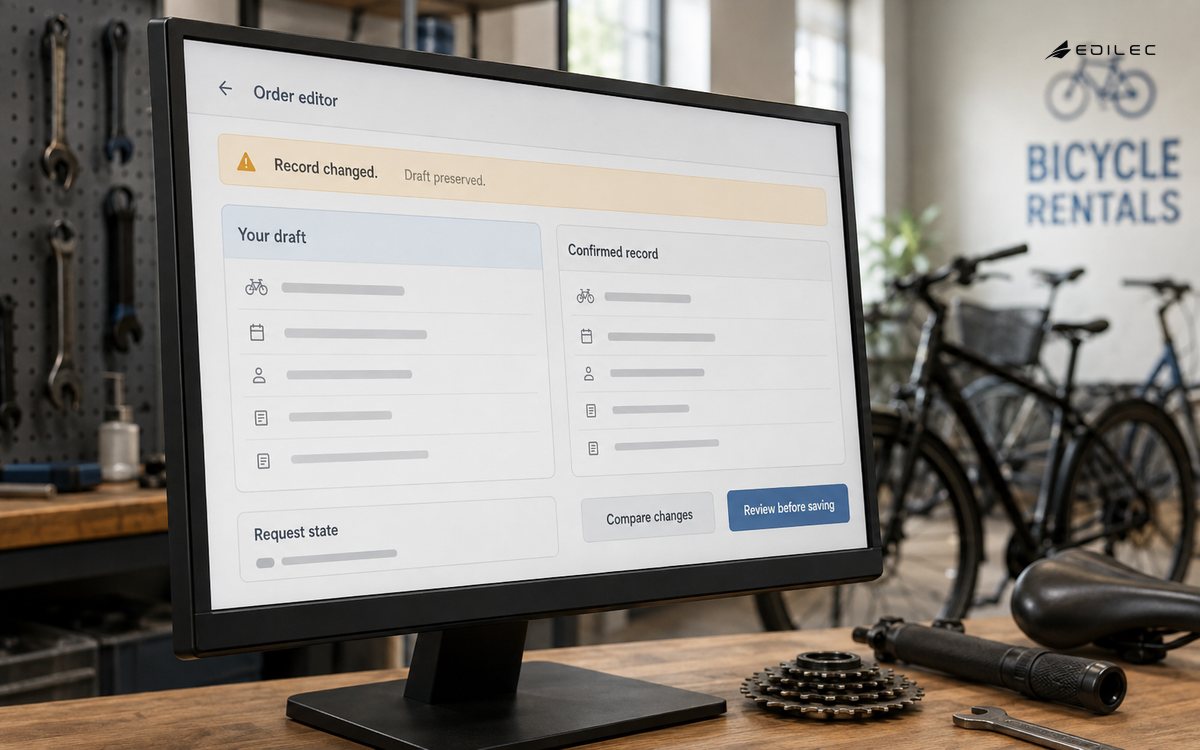
Consider an order editor with a server record, a local draft, a URL-selected order, and a save request. Those are four related facts, not one object. The URL identifies the view, the query cache represents the confirmed record, the draft represents user intent, and the request state describes an operation in flight. Keeping them distinct makes a conflict visible instead of silently overwriting either the customer’s change or the user’s work.
Separate facts by owner and lifetime The React guidance on choosing state structure is a useful check before introducing another state owner.
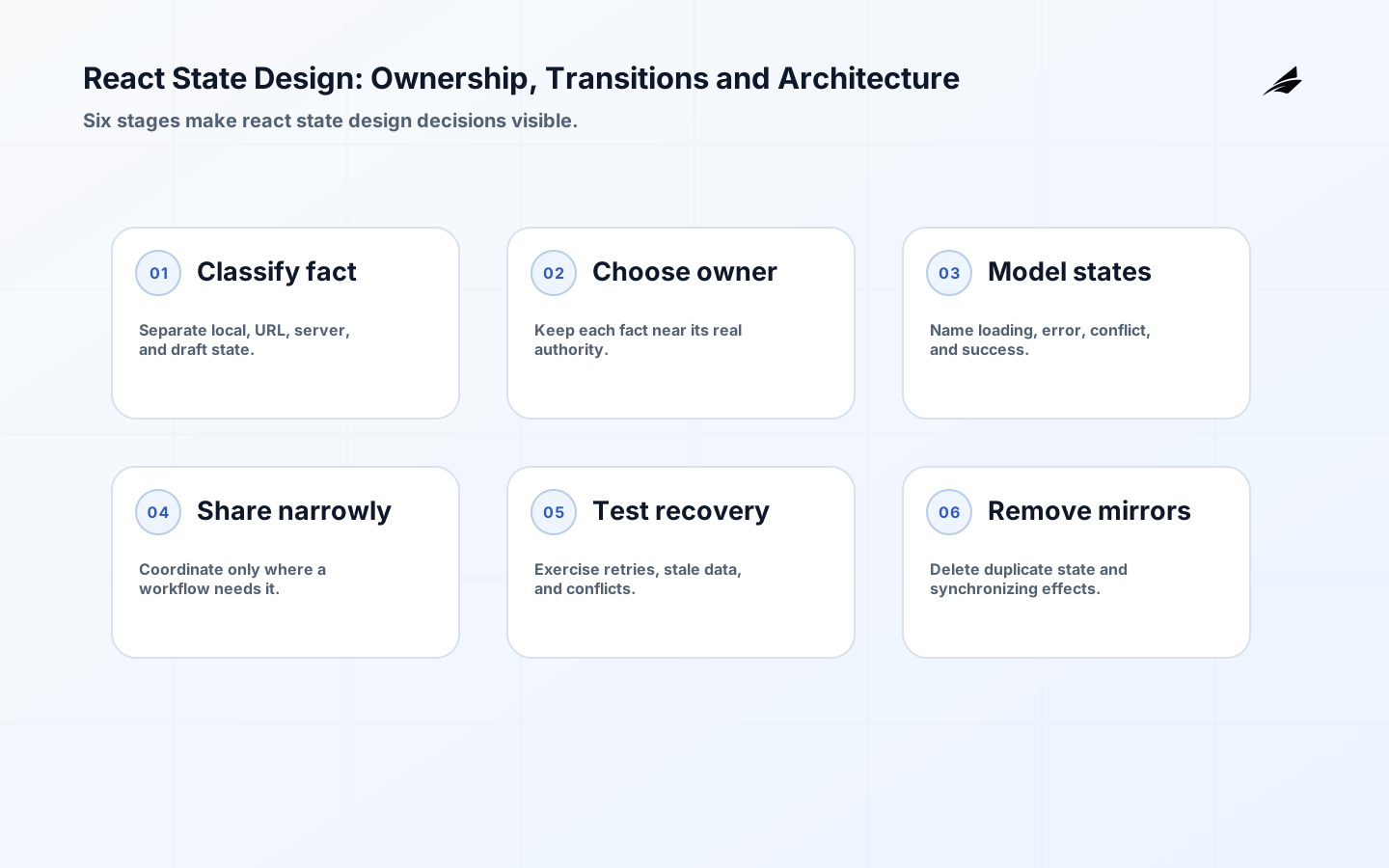
Classify state before selecting a library. Local interaction state belongs to the component that owns the interaction: a menu's open state or a text field being edited. Shared client state belongs above the components that must coordinate, but not necessarily in a global store. Server state is a cached view of data owned elsewhere and needs freshness, invalidation, and error semantics. URL state represents a navigable, shareable view. Form state is often provisional until submission succeeds. This classification prevents a common failure: treating a fetched customer record and an unsaved editing draft as one object. Connect the UI to explicit application contracts from Node.js APIs so server responses, errors, and authorization outcomes have stable meanings before state is distributed through the component tree.
| State kind | Best default home | Key design question |
|---|---|---|
| Local interaction | The nearest component or a focused custom hook. | Will another component genuinely need to coordinate this fact? |
| Shared client state | The nearest common owner, context, or focused store. | Can this be derived from props, URL, or server data instead? |
| Server state | A query/cache layer with an explicit key and freshness policy. | Who is authoritative and when is a cached value no longer trustworthy? |
| URL state | Route parameters and search parameters. | Should a refresh, bookmark, or shared link recreate this view? |
| Draft state | A form controller or reducer near the editing boundary. | What is unsaved, what is validated, and what happens on conflict? |
Model transitions, not only values
A value alone rarely describes the user experience. A request can be idle, loading, refreshing with stale data visible, rejected with a recoverable error, or successful with a confirmation. An editor can be clean, dirty, submitting, conflicted, or saved. Make those transitions explicit so the interface does not accidentally present 'no data' as 'loading' or discard a user's work after a retry. The React reducer guidance is especially useful once several events change the same state: a reducer names legal actions and centralizes the transition logic. That does not require a global state framework. It means complex workflow state deserves a small state machine-like model rather than scattered booleans whose combinations were never designed.
- Prefer derived values over a second stored copy when the value can be calculated from current facts.
- Name asynchronous outcomes separately: loading, empty, unauthorized, unavailable, validation error, and success are not interchangeable.
- Keep a submitted snapshot when the user needs to see what was actually sent, rather than relying on a live editable form.
- Use stable keys to define when an editor should preserve state and when a changed entity should reset it.
- Treat optimistic updates as provisional contracts with a rollback and conflict policy, not a cosmetic speed trick.
Choose a sharing boundary
Lift state only to the closest owner that must coordinate it. The React explanation of sharing state frames this as finding a common parent; that remains a useful default even in a large application. Context is appropriate for stable, broadly needed dependencies such as theme, localization, or authenticated session context. It is less appropriate for rapidly changing, unrelated page state that would cause broad rerenders and unclear ownership. A store can be justified when independently placed areas need the same client-side workflow state, but it should still expose domain operations rather than a bag of setters. Design selectors and actions around user-visible intent: 'dismiss notification' or 'set active account,' not 'mutate object.'
| Approach | Use it when | Watch for |
|---|---|---|
| Component state | The fact is local and short-lived. | Prop drilling only becomes a problem when it obscures genuine ownership. |
| Lifted state | Sibling components must stay coordinated. | A parent becoming a dumping ground for unrelated page concerns. |
| Context | Many descendants need a stable cross-cutting value. | Using context as a universal event bus or mutable global bag. |
| Focused store | Distant surfaces share a cohesive client workflow. | Exposing internal state shape and allowing arbitrary mutation. |
| Query cache | The fact is owned by a server and benefits from caching. | Mistaking a cache entry for the user's editable draft. |
Keep server and client truth distinct
A query result is not the source of truth; it is a time-bound representation of a source owned by a server. Give every request a meaningful key, define which parameters affect it, and decide how a successful mutation changes or invalidates related views. Show stale information honestly where it is safe to do so, and provide a recovery action when it is not. Avoid copying whole query results into a global store merely to make them available everywhere; components can subscribe to the query they need. The React state-management overview helps distinguish ways to scale coordination, but it cannot define your business conflict policy. For sensitive operations, the server must still authorize, validate, and resolve concurrent writes; the UI should make the resulting outcome intelligible.
Accessibility and performance benefit from the same discipline. A loading state should preserve enough context for assistive technology and keyboard users to understand what changed; an error should identify the affected operation without moving focus unpredictably. Avoid global spinners that hide which action is pending, and avoid disabling unrelated work because one query is refreshing. Keep rendering performance work evidence-led: profile a noticeable interaction, identify which state change causes unnecessary work, then change the ownership or memoization boundary deliberately. A state store that reduces rerenders but obscures a workflow is rarely a net gain. The right model keeps both the rendered result and the transition understandable.
Test the workflow, not the store
State design is successful when the user can complete and recover from a workflow. Test the transitions they see: opening an existing record, editing two fields, receiving a validation error, retrying a failed request, navigating away with unsaved work, and resolving a concurrent change. At the component level, assert visible outcomes rather than private hook implementation. At the integration level, simulate delayed and reordered responses because real networks do not preserve tutorial timing. Review analytics and support reports for repeated abandonment, conflict, and retry patterns. Those signals may reveal that a state model is wrong even when unit tests pass. This is the same operational discipline needed for background jobs, where asynchronous outcomes must be visible to people, not only to code. For neighboring workflow concerns, compare the plain-language React state guide with the Node.js API implementation checklist and background jobs planning guide.
- Write the state diagram for one high-value flow before adding a general-purpose store.
- Include slow, failed, unauthorized, stale, and conflict states in interface review.
- Keep form drafts separate from confirmed server values until an explicit save outcome.
- Measure retries, validation failures, abandoned drafts, and support contacts around the workflow.
- Delete obsolete state and effects after moving ownership; duplicate paths make future bugs harder to diagnose.
Key takeaways
- React state design assigns every fact a clear owner, lifetime, and transition model.
- Local, shared, server, URL, and draft state have different jobs and should not be collapsed casually.
- Reducers are valuable when several events change one workflow state; they do not require global state.
- Query caches represent remote facts and need freshness and mutation policies.
- Test user-visible transitions and failure recovery, not only a store's internal setters.
React state design FAQ
When choosing a state library, begin with the transition that is hard to explain. If the problem is remote freshness, use a query cache; if it is a multi-step local workflow, a reducer may be enough; if distant surfaces coordinate one client-owned fact, a focused store can help. The library should follow the ownership model. A larger store cannot repair a state model that has no clear authority or recovery rule. Do we need a global state library? Often no. Start with component state, lifted state, and a query layer; add a store only for a coherent cross-screen workflow. Should every URL filter be state? Put it in the URL when it should survive refresh, support sharing, or define the current view. Is context slow? Context is a useful dependency mechanism, but frequently changing values can cause broad updates and hide ownership. How should optimistic updates work? Define the temporary outcome, the server confirmation, the rollback behavior, and what happens when another user changes the same record.
State ownership should be reviewed when a workflow gains a new screen, persistence layer, or recovery path. Ask which component can answer what the value means, how long it remains valid, and what event replaces it. If two stores can both claim authority, write the conflict rule before adding synchronization. Prefer a derived selector when the value can be calculated from confirmed facts, and keep drafts explicit when they represent unfinished user intent. These checks make later refactors safer because the team can move an owner without changing the meaning of the workflow.
Conclusion
Good React state design makes an interface truthful under ordinary and difficult conditions. Classify the fact, give it one authority, model its transitions, and keep remote confirmation distinct from local intent. That is enough structure to make a complex interface calmer to build and safer to use.