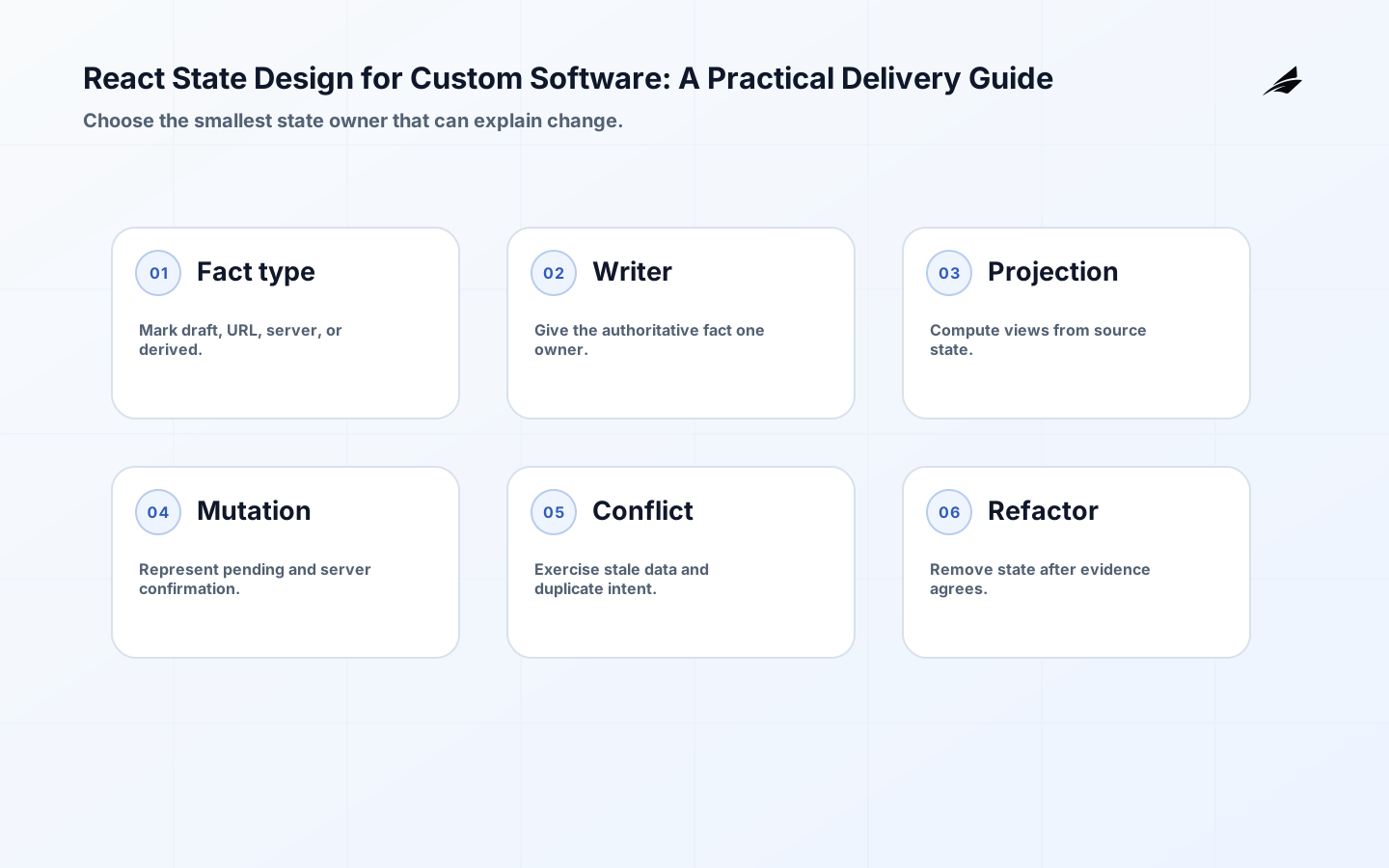
React state design matters to operations leaders because confusing state becomes confusing work: a user sees a saved status that was only local, a stale screen approves an already changed record, or a retry creates a second action. The design question is not which state library wins a feature comparison. It is who owns each fact, how long it remains valid, and how a user can recover when the screen and server disagree. This practical guide frames React state design as a production decision: make the boundary visible, choose controls that fit the risk, and keep enough evidence to revise the approach when real use contradicts the plan.
Set the React state design boundary
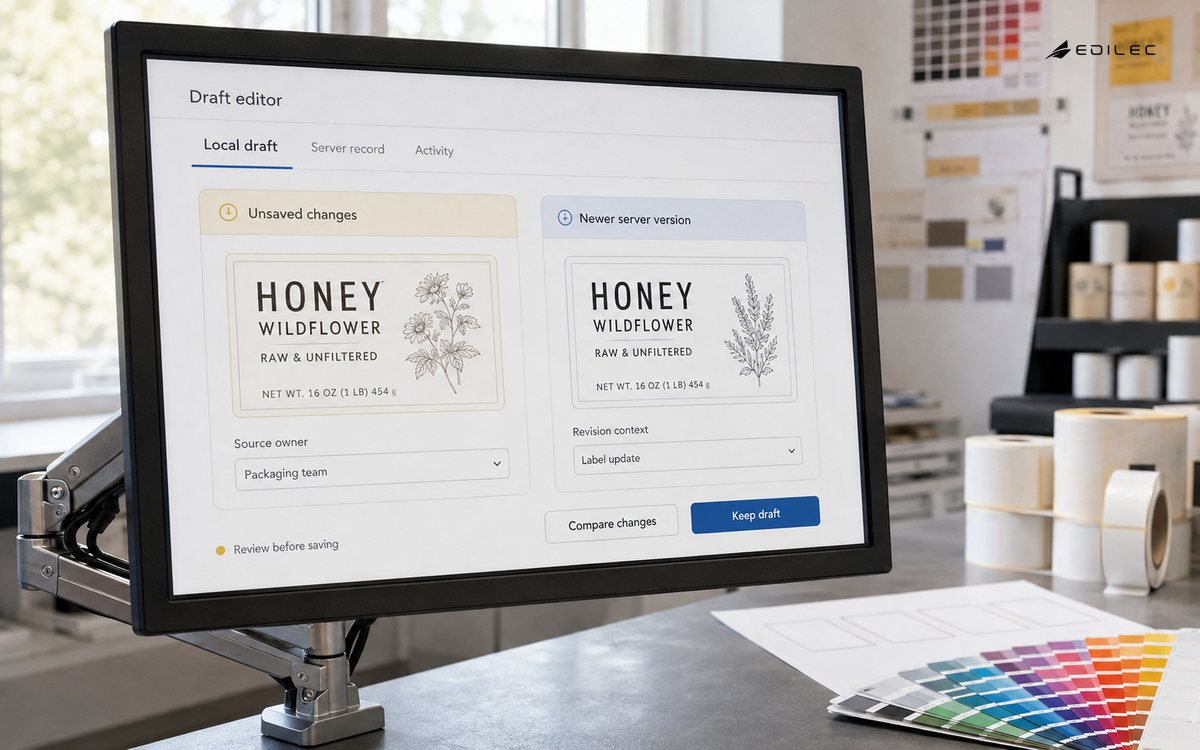
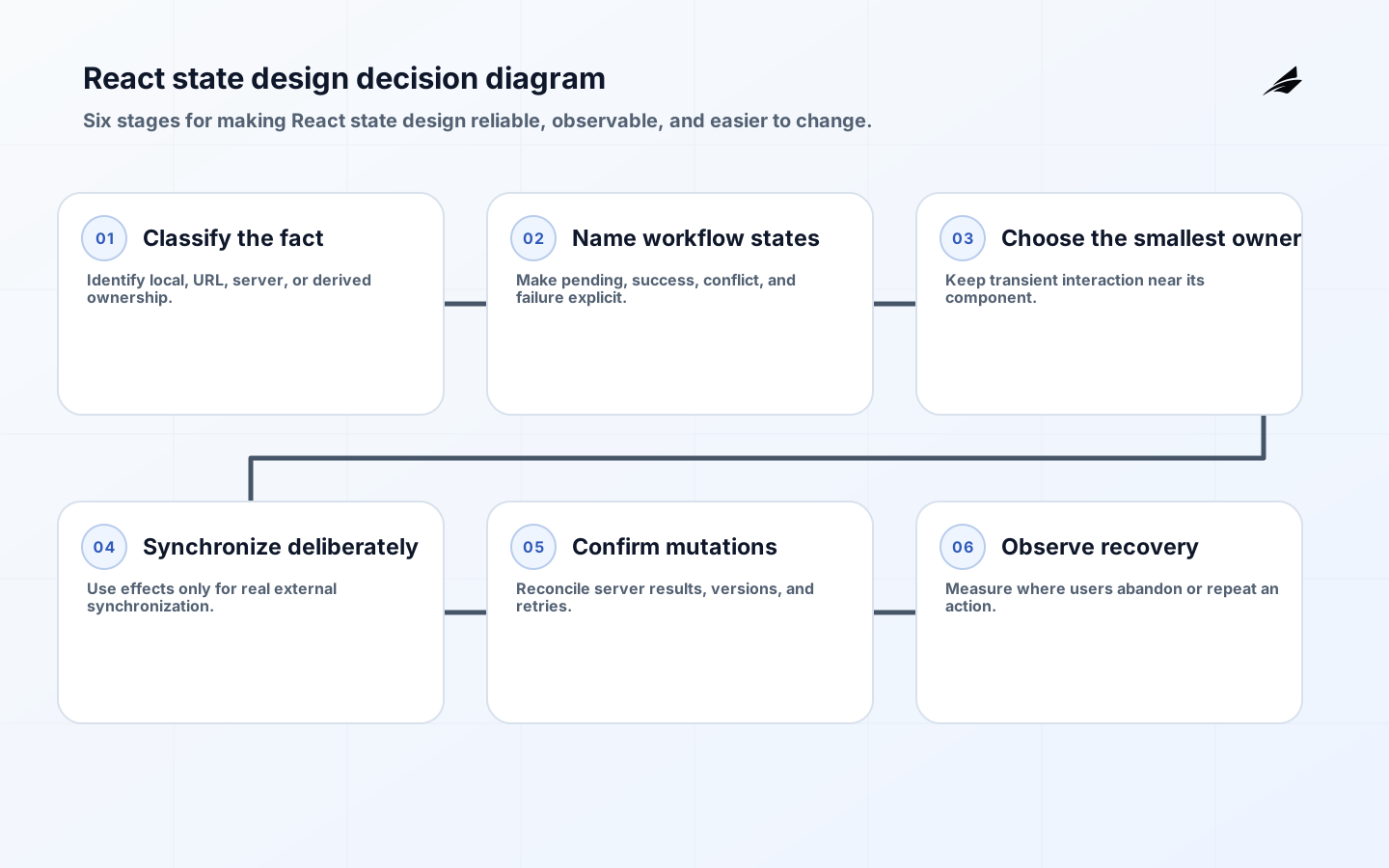
Classify state before choosing a store. Local interaction state, such as an open menu or a partially typed filter, belongs close to the component that uses it. URL state should describe shareable navigation. Server state belongs to the service that authoritatively owns the record, while derived values should be calculated from their inputs rather than stored again. The React guide to choosing state structure gives a useful bias: remove redundant state so there are fewer ways for the interface to contradict itself. The React guide to managing state adds the practical distinction between local and shared ownership.
| Situation | Decision to make | Evidence to keep |
|---|---|---|
| Draft filter | One screen owns an unsaved value | Use local state and serialize only if shareable |
| Record detail | The server owns the business fact | Fetch, cache, and reconcile with returned versions |
| Approval action | A repeat could cause customer harm | Show a pending state and require confirmed result |
| Cross-screen preference | Several views need the same client setting | Use a focused shared context or store |
Make the critical React state design decisions explicit
Use a reducer or state machine when a workflow has meaningful transitions, permissions, or recovery states; use plain local state when the value has one short-lived owner. A global client store is appropriate for truly cross-cutting client concerns, not as a replacement database. Decide which action needs optimistic feedback and which must wait for a confirmed server outcome. For financial, access, or irreversible actions, clarity about pending and failed states is often more valuable than speed theater.
- Which user or business outcome is React state design expected to improve, and how will the team recognize success?
- For custom-software state, ask which system, module, or role owns each material decision and its authoritative data in the design boundary?
- For custom-software state, ask what does a normal outcome, a delayed outcome, and an exception look like to a user in the design boundary?
- For custom-software state, ask which action must be idempotent, auditable, or subject to a higher level of review in the design boundary?
- For custom-software state, ask what change can be released independently without weakening an existing customer path in the design boundary?
- For custom-software state, ask which metric and real support example will be reviewed after the release in the design boundary?
Deliver a small, testable React state design slice
Build one operational flow with real loading, empty, unauthorized, stale, and failed cases. Give mutations an idempotency key when the backend supports it, disable or explain repeated submission, and surface the server’s returned version or timestamp after success. Test navigation away and back, a second browser session changing the same record, and a slow request completing after the user has made another choice.
| Failure pattern | Why it harms the workflow | Control to introduce |
|---|---|---|
| Duplicated source of truth | Effects overwrite a newer response | Derive or refetch instead of copying server data |
| Invisible pending state | Users repeat an action | Make in-flight and recovery feedback explicit |
| Global store sprawl | Transient state outlives its screen | Constrain shared state ownership |
| Stale conflict | Two users edit one record | Return versions and explain the resolution path |
Operate React state design as a living capability
Keep effects for synchronizing with an external system, not for deriving a value that can be calculated during rendering. The React documentation on Effects explains that discipline well. The React guidance on avoiding unnecessary Effects helps teams keep derived values out of synchronization code. Instrument client errors, mutation retries, stale-data conflicts, and abandonment at each workflow state; those signals tell product and support teams where the interface is hiding uncertainty.
Review stale-state and duplicate-mutation risks
The common failure is duplicating server data in local state and then adding effects to keep copies synchronized. That creates timing bugs and makes every new feature another chance to overwrite a newer fact with an older one. Another is using a global store to make wiring feel easy, then losing the ability to see which screen owns a transient decision.
- Exercise a real state sequence: draft, pending save, stale response, and confirmed recovery.
- Verify that the state owner, server version, and user-visible result remain discoverable after a refresh.
- For custom-software state, test the most likely retry, timeout, stale-data, or concurrent-change behavior in the operating review.
- For custom-software state, confirm that monitoring names the affected capability rather than only the infrastructure component in the operating review.
- Give support a state-specific explanation and an escalation route for a rejected or conflicting mutation.
- Document the rollback or correction path before traffic is expanded.
Measure whether React state design reduces friction
Track failed mutation rate, time spent in pending or recovery states, conflict frequency, and repeated submissions. Qualitative review matters too: ask a support colleague to reproduce a real error using only the UI and recorded correlation information. If the UI cannot show what it believes happened, the flow needs a clearer state model.
Prepare a production rollout for React state design
State-design discovery works best when the team draws one screen as a sequence of user-observable facts. Write down what is known before the request, what the user can change while it is pending, which response becomes authoritative, and what happens after a conflict. This exercise often finds accidental state that was introduced to make a component convenient. Removing it is not aesthetic cleanup; it is a way to prevent a user from seeing a confirmation that the backend never accepted.
Use acceptance cases that include time, not only values. Simulate a slow mutation followed by navigation, an expired session returned during save, a record changed in another tab, and a retry after an ambiguous network error. The UI should preserve the user intent where it safely can, explain the current record state, and prevent an irreversible duplicate action. Product acceptance should include that recovery experience because it is the moment operators decide whether they trust the system.
Keep state boundaries visible in component APIs. A component that owns a transient interaction should receive data and callbacks rather than reaching into a broad global store. A feature that needs server data should have a named query or loader boundary. These small choices make later performance work safer as well, because an engineer can see which update should re-render which part of the workflow.
Key takeaways for operations leaders
- React State Design should be owned as a business and operational decision, not an isolated framework task.
- Define authority, failure behavior, and acceptance evidence before expanding the implementation.
- For custom-software state, release one meaningful path with observability and recovery instead of several unconnected features in the operating review.
- For custom-software state, use standards and official documentation to guide contracts, security controls, and maintenance choices in the operating review.
- For custom-software state, review production evidence regularly and retire assumptions that real use has disproved in the operating review.
React State Design FAQ
What should the first React state design review decide? For custom-software state, it should decide the valuable workflow, the authoritative owner for its critical facts, the failure that would cause real harm, and the smallest release that can prove a safer or faster result in the takeaway. How much design is enough? For custom-software state, enough to make normal outcomes, exceptions, permissions, and rollback understandable to the people who will run the system; details can grow with evidence rather than speculation in the takeaway.
- When should a team revisit React state design? For custom-software state, revisit it after an incident, a material workflow change, a security finding, or a metric that shows rising manual recovery in the takeaway.
- Should every edge case block the first release? No. For custom-software state, classify it, make the safe handling visible, and provide an accountable recovery route in the takeaway.
- Who owns the decision? For custom-software state, the business capability owner and technical owner share it; support, security, and client teams contribute the evidence that keeps the decision grounded in the takeaway.
Classify every value before sharing it
Custom software often begins with a single screen and grows into several workflows. Before adding a context or store, classify each value as local draft state, server state, URL state, session state, or derived display data. The classification changes the owner, persistence rule, invalidation policy, and test strategy. A filter encoded in the URL should survive navigation; a password confirmation should not leak into a global store; a server record should not be treated as fresh merely because a component still has an object reference.
Prefer transitions that explain themselves
When a workflow can be submitting, rejected, partially saved, or waiting for confirmation, model those transitions directly. A reducer can make allowed actions visible and can centralize recovery, while a small component can keep local interaction state simple. The decision is not about choosing the largest state tool. It is about making an invalid combination difficult to represent and making the next user action obvious when something goes wrong.
Deliver custom-software state safely
A custom-software state decision example
Review a draft-to-save workflow with one state owner, one server acknowledgement, one rejected mutation, and a correction step. For custom-software state, for React state design, the review is complete only when a teammate can explain what happened from the evidence without relying on memory in the delivery example. Record the state classification, owner, review date, and conflict signal that would trigger a refactor. For custom-software React state, keep the implementation tied to a named mutation and its evidence so a maintainer can trace a stale view to the responsible boundary. For custom-software React state, preserve the state map, server acknowledgement, rejected mutation, and recovery action beside the delivery decision so the decision remains reviewable.
| Check | Example question | Evidence |
|---|---|---|
| Boundary | What is deliberately out of scope? | Decision record |
| Ownership | Who can change the behavior? | Named owner |
| Failure | What happens after rejection or timeout? | Test and runbook |
| Review | What signal changes the decision? | Metric or audit |
Frequently asked questions about React state design
What should a team decide first about React state design?
Classify the value before choosing a shared store. A form draft, URL filter, server record, session identity, and derived total have different owners and freshness rules. Naming those distinctions early prevents a custom application from turning every convenient object into global state.
How should React state design be introduced safely?
Ship the operational flow with explicit draft, loading, rejected, stale, and confirmed states, then exercise duplicate intent against the real endpoint. Widen the state boundary only after the first workflow demonstrates predictable refresh, retry, authorization, and conflict behavior. For custom-software React state, preserve the state map, server acknowledgement, rejected mutation, and recovery action beside the safe-introduction check so the decision remains reviewable.
What is a useful review signal for React state design?
Use a state signal tied to the promise: stale-data exposure, duplicate mutation rate, recovery completion, or time spent waiting for confirmation. Read mutation traces with support cases so a faster happy path does not hide repeated retries or ambiguous confirmation. For custom-software React state, preserve the state map, server acknowledgement, rejected mutation, and recovery action beside the review-signal check so the decision remains reviewable.
Custom-software state references
Continue with React State Design: Architecture Guide, Event-driven Systems: Security Review, Frontend Performance: Explained from First Principles. Use the linked guides to compare state delivery with modernization, event-driven security, and frontend production practice.
Conclusion: make React state design easier to change and trust
React State Design becomes durable when it is tied to a real workflow, an explicit owner, and feedback from production. For custom-software state, start with a narrow capability, protect the behavior people already depend on, and expand only after the operating evidence is clear in the FAQ. For custom-software state, compare this boundary with modernization roadmaps, quality assurance for custom systems, and software support playbooks.