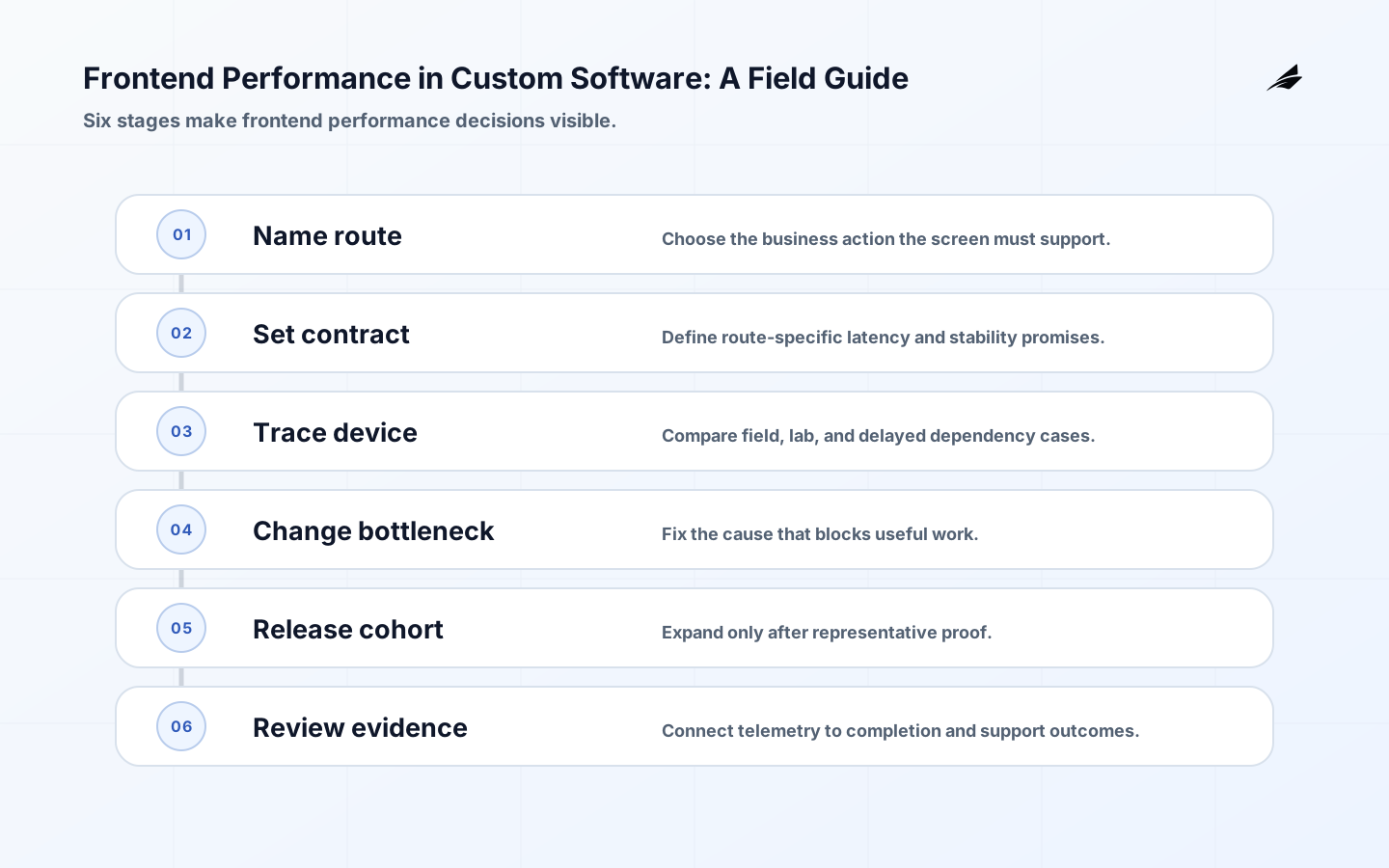
For a bespoke application, performance acceptance belongs in the product contract. A warehouse scan screen may tolerate a modest first paint but cannot leave the confirm action unresponsive after a barcode event. A public catalogue has the opposite pressure: discoverability and largest content visibility may dominate. Write those differences into route-level budgets, test fixtures, and release checks instead of applying one global threshold to every screen.
Define the frontend performance boundary
Frontend performance is the time and stability a person experiences while trying to complete work, not just a synthetic page score. Choose a meaningful journey such as viewing a case, searching stock, or submitting an approval. Segment measurements by device class, network, region, and page state, because an internal desktop tool and a public mobile storefront can have entirely different constraints.

| Decision area | Question to settle | Evidence to keep |
|---|---|---|
| User outcome | Which decision or task does frontend performance improve? | A concrete journey and success measure. |
| Authority | Which system or policy is the source of truth? | Owner and reference for the rule. |
| Boundary | What is promised and what is deliberately outside scope? | A contract with examples. |
| Failure | What can retry, wait, or require review? | Recovery rule and escalation owner. |
Make frontend performance behavior explicit
Use field data for the lived experience and lab tooling to reproduce and diagnose it. Largest Contentful Paint helps describe when main content becomes visible, Interaction to Next Paint describes interaction responsiveness, and Cumulative Layout Shift describes unexpected movement. These are useful signals, but each should be tied back to a page element and a user action rather than chased as an abstract score. The relevant primary documentation, including Web Vitals, should inform the implementation choice, but a team still needs its own written decision about the data, users, and failure consequences in this product.
A case-management page may load a small shell quickly but block an approval button while a large audit timeline renders. Split noncritical modules, reserve space for images and asynchronous panels, and fetch the minimum data needed for the first decision. Lazy loading a module that a user needs immediately can increase delay, so defer based on the journey rather than a blanket rule.
Design frontend performance for failure and recovery
Performance regressions commonly enter through third-party scripts, oversized images, client-side data waterfalls, long main-thread tasks, and layout changes after initial paint. Establish a performance budget for the critical route and review changes that add script weight or request chains. Avoid treating a cache or compression setting as proof that the interface remains usable on a lower-powered device. Use Largest Contentful Paint as a reference for the protocol or platform semantics involved, then document the local behavior in terms that support, operations, and engineering can all use.
| Condition | Safe system behavior | Owner response |
|---|---|---|
| Invalid input | Reject before a durable side effect where possible. | Show a correctable explanation or review route. |
| Duplicate request | Recognize the same business intent safely. | Return or reconcile the existing outcome. |
| Temporary dependency loss | Bound retries and preserve the work state. | Observe delay and escalate by consequence. |
| Ambiguous completion | Do not imply success or failure without evidence. | Reconcile against the authoritative record. |
Deliver frontend performance in controlled steps
Set a baseline using production telemetry and a controlled lab run, then change one bottleneck at a time. Test authenticated and empty states as well as the most polished demo route. Deploy to a small audience when possible, compare field metrics and error rates to baseline, and retain a rollback route if a code split, rendering change, or third-party dependency harms the critical path.
Observe the frontend performance outcome
Monitor page-level core web vitals, long tasks, JavaScript errors, API timing, resource size, and completion of the business action. Tie every alert to an owner and a concrete route. A lighter page that makes a search result unreliable or hides loading feedback is not an improvement; speed and trustworthy state must travel together. The browser Performance API can connect route milestones to the business action being measured.
Operational evidence should be usable during a live decision. Keep a correlation identifier or business reference that connects the interface, service logs, dependency trace, and remediation record without exposing sensitive detail. Review a small set of thresholds with named owners and state what happens when each threshold is crossed. That discipline is more valuable than a large dashboard whose signals do not change anyone's next action. For frontend performance, keep route, device class, network segment, vital measurement, resource size, and completion event together in the investigation path so the evidence survives a handoff.
Common frontend performance traps
The recurring mistake is to optimize the implementation in isolation: a fast local solution can still fail when a different user, delayed dependency, older client, or unusual data shape reaches it. Another is to turn an exception into an undocumented permanent rule. Keep decisions close to their evidence, make exceptions time-bound, and schedule review when a workaround changes the reliability, security, or support burden of the product. In frontend performance, that usually appears as a long main-thread task, a third-party script, or an image and font decision that blocks interaction; make the guardrail explicit before it becomes a production habit.
Frontend performance takeaways
- Start frontend performance from a user outcome and a named source of authority.
- Write normal, denied, delayed, duplicate, and partial-completion behavior before broad rollout.
- Keep a durable business reference that lets an operator trace and reconcile the result.
- Release a narrow slice, measure the resulting behavior, and expand only with evidence.
- Use standards as anchors, then state the local product decision in plain language.
Frontend performance FAQ
A practical review compares three traces: a normal user, a constrained device, and a dependency under delay. If all three point to the same bottleneck, the team has a strong candidate for change. If only the lab trace fails, inspect the test setup; if only field users fail, segment by browser, route, or network. This triangulation prevents a custom build from accumulating optimizations that improve tooling while leaving the real workflow unchanged. Where should a team start with frontend performance?
Start with one high-value journey and a failure mode that would be costly or confusing. Map the people, authoritative records, integrations, permissions, and current manual workaround. Then write one testable promise for the normal result and one for recovery. This creates a useful boundary for design and prevents a broad platform ambition from hiding the first operational decision. For frontend performance, begin by proving a cold route on a constrained device, an authenticated state, and a real-user comparison after release.
What counts as enough proof before expansion?
Enough proof means the team can show representative behavior, explain ownership, detect a failed outcome, and execute the recovery route without inventing it during an incident. Automated checks help, but include observed use, support feedback, and reconciliation where a side effect matters. The appropriate evidence depends on consequence; it should become stronger as the cost of a wrong result increases. For this capability, expansion is justified when the critical action remains responsive for the intended audience, a regression is attributable to a change, and a rollback can protect the route.
Implementation checkpoints for frontend performance
Choose rendering based on the first useful decision, not a framework default. Use responsive images, reserved dimensions, restrained font loading, and only purposeful preload. Review the critical journey at design, pull-request, and release stages so product, design, and engineering share the outcome. For a broader delivery context, pair this field guide with frontend performance for founders, test strategy for custom software, and React state design in production.
Turn frontend performance decisions into reviewable delivery evidence. Before a broader release, name the accountable owner, identify the authoritative record or policy, list the protected inputs and outputs, and state the signal that proves the intended result occurred. Exercise the route when a dependency is slow, a request is repeated, an older client or unusual data arrives, and an operator must intervene. This does not add ceremony for its own sake; it replaces an assumption with a concrete recovery decision that a team can maintain as the product changes.
Keep this evidence close to the change: implementation notes, automated checks, rollout observation, and a short decision record should point to the same business reference. The relevant standard, such as Interaction to Next Paint, can anchor a technical choice, but it cannot choose a product's acceptable delay, access boundary, or support response. Review those local choices after real use, retire temporary exceptions, and make the next frontend performance change easier to explain than the previous one.
Custom software also needs a performance contract that survives unusual data and permissions. An empty dashboard can look fast while a real account with years of history triggers expensive filtering, access checks, and chart rendering. Exercise representative records, restricted roles, slow integrations, and interrupted sessions before declaring a route healthy. Keep the result understandable to the client team: name the protected task, the tolerated wait, the evidence collected, and the recovery action. This turns frontend performance from a tuning exercise into an accountable part of the bespoke product’s operating agreement.
Conclusion: make frontend performance an accountable capability
Good frontend performance work makes the route from intent to outcome visible. It gives clients and operators a clear promise, keeps authority and error behavior explicit, and leaves enough evidence for the next change to be safer than the last. Use the standards and references above to ground the technical choices, then keep the implementation focused on the actual work users need to complete.