The Plain-language Guide to Product Support Tooling
Product support tooling is where a product explains itself to the people responsible for helping customers. It gathers the right context, shows the current state, and offers controlled ways to investigate or recover. The design challenge is to be useful without becoming an ungoverned back door into production. A good support tool does not hide complexity behind a large search screen; it exposes the small set of facts and decisions that matter for a defined customer journey. This guide covers the operating model, architecture, accessibility, controls, rollout, and review practices that make support tooling durable.
Start with an operating model, not a console
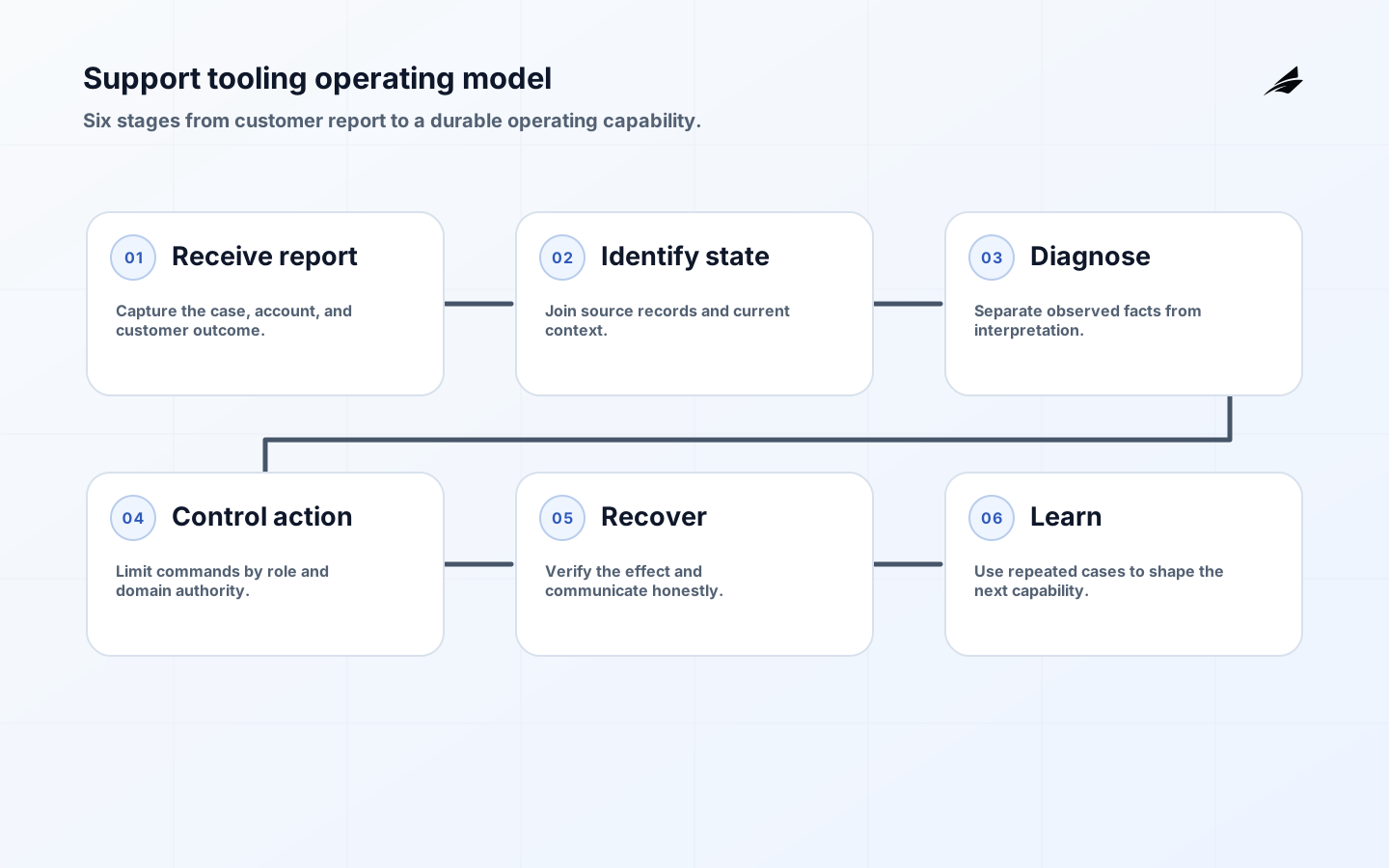
Name who receives the problem, who owns the relevant product state, who may act, and who reviews recurring failure. Define a support case as a sequence: report, identify, diagnose, communicate, act, verify, and learn. Each stage should have an owner and a handoff condition. If “engineering escalation” is the only recovery route, the product has not yet specified what support can safely establish on its own. The AWS SaaS Lens foundations provide useful prompts about tenant-aware operations and shared responsibility; adapt them to the actual users, data, and consequences of the product.
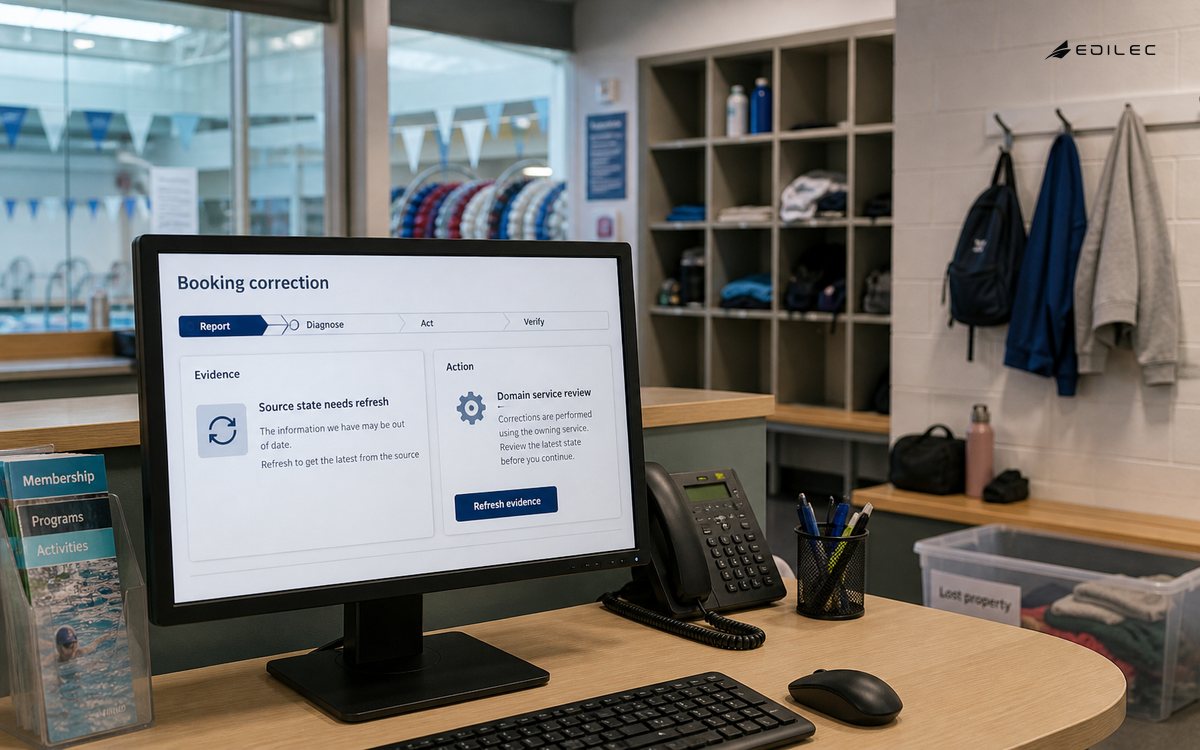
| Operating stage | Question | Minimum artifact |
|---|---|---|
| Report | What customer outcome is affected? | Case and account identifiers |
| Diagnose | Which facts explain the state? | Timeline, source, and correlation |
| Act | What is authorized now? | Command, preconditions, and actor |
| Verify | How do we know recovery worked? | New state and customer confirmation |
Build a thin architecture over authoritative systems
Keep transaction ownership in the service that owns the transaction. The support layer may read a composed view, but it should call a domain command for a retry, cancellation, entitlement change, or data correction. That arrangement avoids a support-only mutation that bypasses validation and business rules. Carry account or workspace context through every request, background job, and audit event. Cache carefully: stale evidence can be labelled as stale, but it should not be presented as current merely because it is convenient. Store a support case reference beside the command outcome so another operator can follow the same path without reconstructing it from memory.
| Layer | Owns | Design test |
|---|---|---|
| Source service | Product fact and domain mutation | Can it reject an invalid command itself? |
| Evidence assembler | Case timeline and safe summaries | Can it show source and freshness? |
| Operator interface | Explanation and permitted actions | Can a user understand state without hidden context? |
| Audit and telemetry | Actor, target, result, and timing | Can an investigation follow one correlation ID? |
Make the investigation usable under pressure
Support work often happens during a busy incident, on a smaller screen, or with assistive technology. Apply the WCAG 2.2 guidance to labels, focus order, keyboard operation, contrast, error identification, and status announcements. A table of events should have meaningful headers; a destructive action should explain its scope before confirmation; a long-running retry should expose pending state rather than appearing frozen. Accessibility is also an operational control: clear state names and predictable focus reduce the chance that an operator clicks the wrong account or repeats a command because the result was not announced.
Control sensitive actions and information
Use least privilege by job and by action. A person who can view a payment failure may not be able to refund it; a person who can retry a job may not be able to change an account’s access. Recheck authorization at execution, confirm the current version of the target state, and add idempotency keys to retryable commands. Redact secrets and unnecessary personal fields from the composed view. When an action is denied, explain the safe reason and escalation route without leaking policy internals. Review access logs, temporary elevation, and command failure as product data rather than as a separate security project.
Connect cases to traces, events, and outcomes
OpenTelemetry’s observability primer describes the value of shared signals across a system. For support, the practical requirement is that a case, request, job, service event, and command result can be joined without exposing more data than the operator needs. Record event time separately from processing time, include the tenant or account scope, and classify outcomes such as completed, rejected, pending, or quarantined. Track time to useful diagnosis, percentage of cases with complete evidence, repeat contacts, operator overrides, and correction age. Review examples beside charts so measurement reflects customer outcomes rather than dashboard activity.
Roll out by journey and capability
Begin with a journey whose evidence is available and whose recovery action can be bounded. A failed import, delayed invitation, or stuck report is often a better first slice than a universal account editor. Build the read path first, test normal and interrupted states, then add one command with a preview and verification step. Invite support operators into the acceptance review; they know which language customers use and which missing context creates rework. Expand when the path remains understandable during a dependency outage, a role change, and a duplicated request, not simply when the happy path looks polished.
- One named owner for the customer outcome and one for the technical evidence path.
- A documented scope for every operator role and command.
- Representative cases with sensitive fields removed or controlled.
- A rehearsal of stale state, duplicate action, dependency failure, and rollback.
- A review date for metrics, access, and the recovery runbook.
Review the tool from the operator’s point of view
Choose three difficult cases from the last month and ask an operator to solve them using the proposed view. Watch where they leave the tool to search for account state, event history, or ownership. Those exits are not automatically failures; they identify the boundaries that the first version should make explicit. Record whether the missing information was unavailable, hidden by role, or merely hard to find.
Ask a support lead to read the customer-facing explanation aloud. Does it distinguish a completed action from a request that is still pending? Does it give a useful next step without promising a time the product cannot control? Short, accurate explanations reduce repeat contacts and prevent operators from inventing a private vocabulary for the system’s states.
Test the same investigation with keyboard-only navigation and a narrow viewport. A command that is visually obvious may be unreachable, and a long timeline may hide the reason for a denial. Accessibility findings should be translated into implementation work with the same owner and priority as a missing audit field or incorrect role check.
Use the review to decide what not to build. If a field has no clear source, owner, or action, remove it from the first console rather than presenting an attractive guess. A smaller surface makes permissions, telemetry, and training easier to keep aligned. Expand only when a repeated case proves that another capability is needed.
When prioritizing the next capability, prefer repeated operator evidence over a request for a more powerful console. If ten cases need the same safe lookup, improve the evidence view. If three cases need a high-impact correction, first clarify authority, approval, and verification. This keeps the command surface proportional to the product’s actual operating needs.
Document the boundary between support tooling and the underlying service. Support can request a domain action, but the service remains responsible for invariants, authorization, and durable state. That separation makes later service changes safer because the operator workflow is not coupled to private storage details.
A support tooling roadmap should distinguish evidence improvements from intervention improvements. Better correlation, freshness labels, and state explanations often create more value than a new privileged command. When a command is justified, define its customer consequence, approval, rollback, and verification before placing it on the roadmap. That keeps the tool aligned with safe operations as case volume grows.
Keep the support tool’s data model modest. A case identifier, safe context, source-labelled state, timeline, actor, action, and outcome are more durable than a copy of every underlying object. This makes retention, privacy review, access testing, and training easier while leaving the authoritative services responsible for domain truth.
Key takeaways
- Treat support tooling as a product capability with a defined operating model.
- Keep mutations inside domain services and make the evidence layer transparent about source and freshness.
- Accessibility, least privilege, idempotency, and auditability belong in the first useful slice.
- Connect support cases to system signals and customer outcomes.
- For related delivery decisions, See multi-tenant SaaS architecture, SaaS MVP delivery planning, and release notes.
Frequently asked questions
What is the core job of support tooling?
Its core job is to connect a customer’s report to authoritative product evidence and a safe next step. It should help a person determine whether the state is expected, delayed, failed, or unsafe to change. If the tool only records a conversation, it may be useful for coordination, but it has not yet solved diagnosis or recovery.
What architecture should a small team start with?
Start with a read-through evidence view over existing services, a durable case identifier, and one narrow domain command. Avoid copying every record into a new support database before the team knows which decisions require a composed view. Add storage where it improves case history, not where it creates a competing source of truth.
How can an internal support tool be accessible?
Use semantic headings and tables, visible focus, keyboard-operable commands, clear labels, sufficient contrast, and status messages that announce completion or failure. Test the entire investigation path, including dialogs, error recovery, and long-running actions. An internal tool still affects the quality and safety of customer work.
Conclusion: explain before you automate
Product support tooling earns trust by making the product’s operating state visible and its interventions accountable. Build the evidence path before expanding the command surface, design for the people who investigate under pressure, and treat accessibility, authorization, and recovery as part of the product contract. When a team can explain one difficult case end to end, it has a foundation worth extending.
A practical example for the plain-language guide to product support tooling is support and engineering initially read different evidence. Use a concrete support or failure case to test the control and its owner.
Ownership is clearer when the plain-language guide to product support tooling separates the promise from the mechanism. Treat product support tooling exceptions as evidence for the next decision.
Before widening the plain-language guide to product support tooling, run a small rehearsal with normal, denied, delayed, and corrected cases. Give product, engineering, and support teams a shared evidence record to review.
The support-tooling measure should connect an outcome to an investigative signal. Test a failed export or entitlement change with a named control owner and documented recovery result.
This decision also connects to The Plain-language Guide to Release Notes, SaaS Reliability Explained: The Operating Model Behind Trust, Subscription Access Control: Architecture Guide. Review those boundaries together when the plain-language guide to product support tooling shares identity, data, billing, or support evidence with another workflow.
Measure the outcome alongside correction effort and unresolved exceptions.
Evidence for “The Plain-language Guide to Product Support Tooling” is grounded in Secure Software Development Framework (SSDF) Version 1.1, OpenTelemetry Observability Primer, Web Content Accessibility Guidelines 2.2, Foundations - SaaS Lens, Set up and manage user support; each source informs a specific decision, test, or operating trade-off described in this guide.