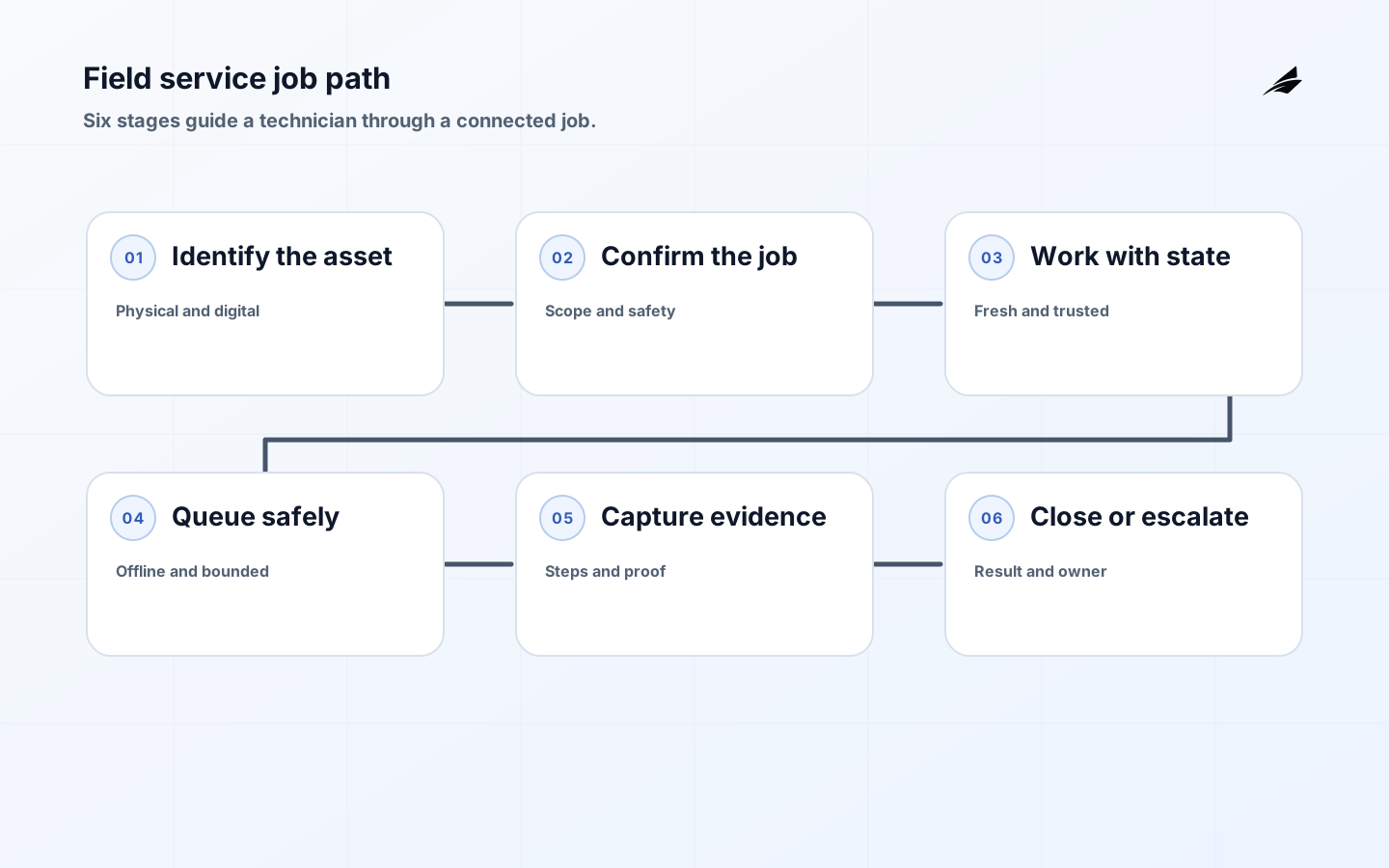
A field service portal for connected systems should help a technician complete a safe job with the right asset context, even when the network is slow or unavailable. The portal is not merely a work-order list. It is a boundary between dispatch policy, device state, customer commitments, physical work, and evidence. The central design question is what a technician must know and what the technician is allowed to change at each step. AWS IoT documentation describes device and cloud connectivity, while AWS IoT Jobs provides a useful model for tracking bounded remote work. A field portal adds human judgement, local conditions, and an accountable completion record.
Define the job before the screen
Write the job as a sequence of decisions: identify the asset, confirm access and safety constraints, inspect the reported symptom, perform an approved action, capture evidence, and close or escalate. Include what happens if the asset identifier is uncertain, a required part is missing, the customer is unavailable, or a remote command has an unknown outcome. The portal should make the next safe step obvious without hiding the option to pause. Start with one job type and one technician role. The outcome is not a full platform; it is a reliable path through the highest-value field scenario.
| Job state | Technician needs | System evidence |
|---|---|---|
| Assigned | Asset, location, urgency, access notes | Owner and assignment time |
| Ready | Safety and required parts | Checklist and acknowledgement |
| In progress | Latest trusted context and procedure | Actor, time, and step state |
| Complete or escalated | Closure rule or next owner | Evidence, reason, and customer impact |
Make asset context trustworthy
A technician cannot safely act on a pretty but ambiguous asset card. Carry a stable asset identifier, site, physical location, model, current state, last contact, warranty or service entitlement, and relevant recent measurements. Mark the source and age of each value. If two systems disagree, show the conflict and direct the technician to a reconciliation path rather than silently choosing one. AWS IoT Device Shadow documentation helps clarify how device state can be represented; your portal must connect that identity to the physical label and the customer record. Asset context is a safety control, not just a convenience.
Design offline work as a first-class state
Field work often crosses poor coverage, basements, remote sites, or shielded equipment rooms. Decide which records may be read offline, which actions may be queued, which actions require a current authorization check, and how conflict is shown when the device reconnects. A local queue needs an operation identifier, creation time, user, target, precondition, payload, and current sync state. Do not present a queued command as completed. The technician should see pending, sent, acknowledged, rejected, or unknown. The Indexed Database specification is a useful boundary for browser persistence; link the design to what changes when offline sync moves into production and offline sync decisions before the first build before promising full offline capability.
Control remote actions
Remote actions require a stricter contract than telemetry. Name the command, target, precondition, expected effect, timeout, retry rule, and reconciliation step. A technician may request a restart, but the portal should confirm the selected asset, explain the effect, and retain the request and result. MQTT message delivery does not by itself prove that a physical action occurred. AWS IoT Jobs is a useful official reference for job states and managed device operations. HTTP Semantics also provides a reference for response and retry interpretation. Make uncertainty visible and require a fresh state check before repeating an action that might already have taken effect.
Put permissions and evidence beside the task
Use role, tenant, site, asset, action, and current workflow state to authorize access. A technician may update a service note but not change a device policy; a supervisor may approve a closure but not impersonate the technician. Enforce the rule on the server and record denied attempts. Photos, readings, signatures, checklists, and parts used need retention and privacy rules. NIST Digital Identity Guidelines provides a practical reference for authentication and lifecycle controls while application authorization still owns the business boundary.
| Risk | Portal behaviour | Review measure |
|---|---|---|
| Wrong asset selected | Confirm identifier and physical location | Correction and mismatch rate |
| Queued action looks complete | Show sync state and uncertainty | Unknown-outcome age |
| Sensitive evidence overexposed | Scope by job and role | Access review and denied requests |
| Closure lacks proof | Require job-specific evidence | Reopened jobs and missing fields |
Support the technician under pressure
The portal should explain errors in field language: what happened, what is safe now, who can decide, and what evidence to keep. Provide a visible offline indicator, last synchronization time, local storage status, and a support reference that does not require guessing. Let the technician save work safely when a sync fails, then retry with bounded rules. Avoid forcing a full reload that discards context. Support teams need a search path through job ID, asset ID, operation ID, and device identity. A small amount of structured evidence is more useful than a generic error message or a long log that no one can interpret on site.
Measure field service outcomes
Track first-time completion, time to dispatch, time on site, repeat visits, unresolved sync operations, reopened jobs, evidence completeness, and time from uncertain action to confirmed state. Pair operational measures with technician confidence and customer communication quality. A shorter job is not necessarily better if the technician skips a safety check or leaves an unverified command. Segment by job type, geography, device family, and connectivity condition. Review exceptions with dispatch, support, product, and engineering together; the issue may be a confusing procedure, an unreliable source, a permission rule, or a network assumption.
Deliver one reliable field path
- Shadow one job type and capture normal and failed journeys.
- Define asset identity, permissions, evidence, and closure rules.
- Implement read-only context with honest freshness before remote action.
- Add bounded offline queues and explicit uncertain outcomes.
- Pilot with technicians who can report workarounds and unsafe ambiguity.
- Expand only after reopened jobs and sync exceptions are understood.
The same rehearsal should include a customer communication path so a technician is never left to invent an explanation for delayed work.
Field-readiness review
Have technicians rehearse the portal with weak connectivity and an incorrect asset label. They should be able to pause, preserve evidence, and see which work still needs server confirmation. Dispatch should locate the job and support should trace the operation. The offline sync production guide gives the technical companion for those states.
Field-readiness checks
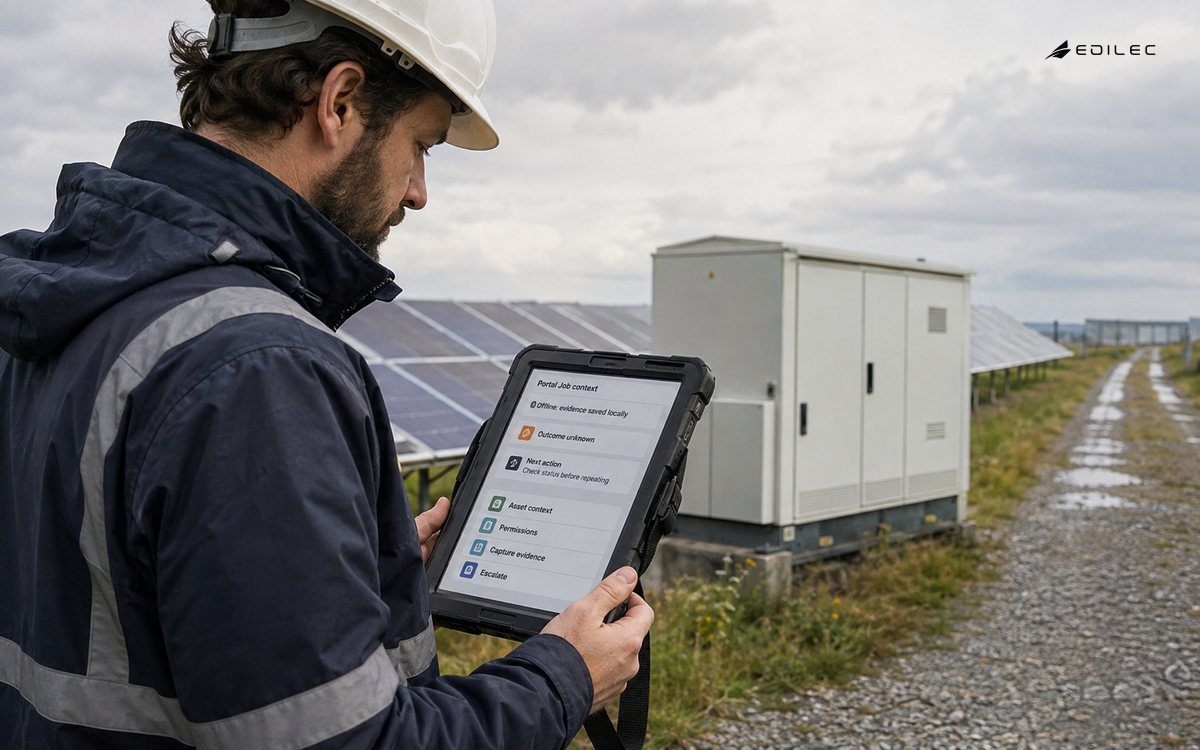
Before a field service portal is used on a real job, have technicians rehearse the full path with weak connectivity and an incorrect asset label. They should be able to pause safely, save required evidence, understand which work is local, and see what still needs server confirmation. Dispatch should be able to find the job, support should be able to trace the operation, and a supervisor should be able to review a correction without asking the technician to recreate the work.
Use the pilot to remove ambiguity from language. Replace “sync failed” with the actual state, such as “inspection note saved on this device; waiting to send.” Replace “command error” with the safe next step and a reference to the operation. These details reduce repeat visits and unnecessary retries. The offline sync production guide gives the technical companion; the portal must translate those states into field decisions.
- Confirm the technician can identify the physical asset before editing.
- Show local, sent, acknowledged, rejected, and unknown work distinctly.
- Retain evidence when the network disappears during a job.
- Review reopened jobs with dispatch and engineering together.
Field reliability review before deployment
Run a reliability review using technician journeys that justify the portal. Simulate a dispatch timeout, duplicate work order, stale asset, expired credential, partial upload, unavailable supervisor, and restore. For each case, the team should explain what the technician sees, what the portal records, who decides, and how recovery is verified. Include dispatch and support because a technically completed job can still fail through unclear communication or unsafe manual work.
Keep the first field-service path narrow and review it after real jobs. A portal measure that cannot be linked to technician safety, first-time completion, evidence quality, or customer communication should not drive architecture. Use device provisioning for connected systems to inspect how asset identity affects field recovery. The objective is a service that can recover in the field, not a portal that only reports green status.
- Trace one critical request across tenant, dependency, release, and outcome.
- Verify retries cannot create a second business effect.
- Restore a representative backup and reconcile business state.
- Test rollback limits and customer communication before launch.
Key takeaways
- Design the portal around the technician’s decision sequence.
- Make asset identity, data age, and conflict state visible.
- Never confuse queued, delivered, and completed actions.
- Keep permissions and evidence close to the work item.
- Measure safe completion and recovery, not only speed.
Frequently asked questions
Should every field-service feature work offline?
No. Decide per record and action. Reading a cached procedure may be safe, while approving a sensitive command may require current authorization and state. Label each capability clearly.
How should a portal show a remote command that may have succeeded?
Use an explicit unknown state, retain the operation identifier, and guide the user to reconcile current device state before retrying. Unknown should never look like failure or success.
What evidence should technicians capture?
Capture only what the job and policy require: asset confirmation, readings, checklist results, work performed, parts, customer acknowledgement, and escalation reason. Tie each item to the job and actor.
Conclusion
A field service portal becomes dependable when it respects the technician’s environment: incomplete connectivity, physical risk, time pressure, and the need to prove work. Build around a bounded job, make state and uncertainty honest, protect remote actions, and give every exception an owner and recovery path.