A field service portal is useful when it reduces uncertainty at the point of work. A technician needs the right asset, history, instructions, parts, safety context, and a way to record evidence. A planner needs current status and dependable completion data. A customer needs an understandable account of what happened and what comes next. The portal is therefore more than a mobile form. It is a shared workflow boundary that must handle identity, intermittent connectivity, conflicting edits, state, attachments, and audit. AWS’s Device Shadow documentation offers a useful model for desired and reported state; CouchDB’s conflict guidance helps frame offline edits as a normal reconciliation concern.
Start with the Work to Be Completed
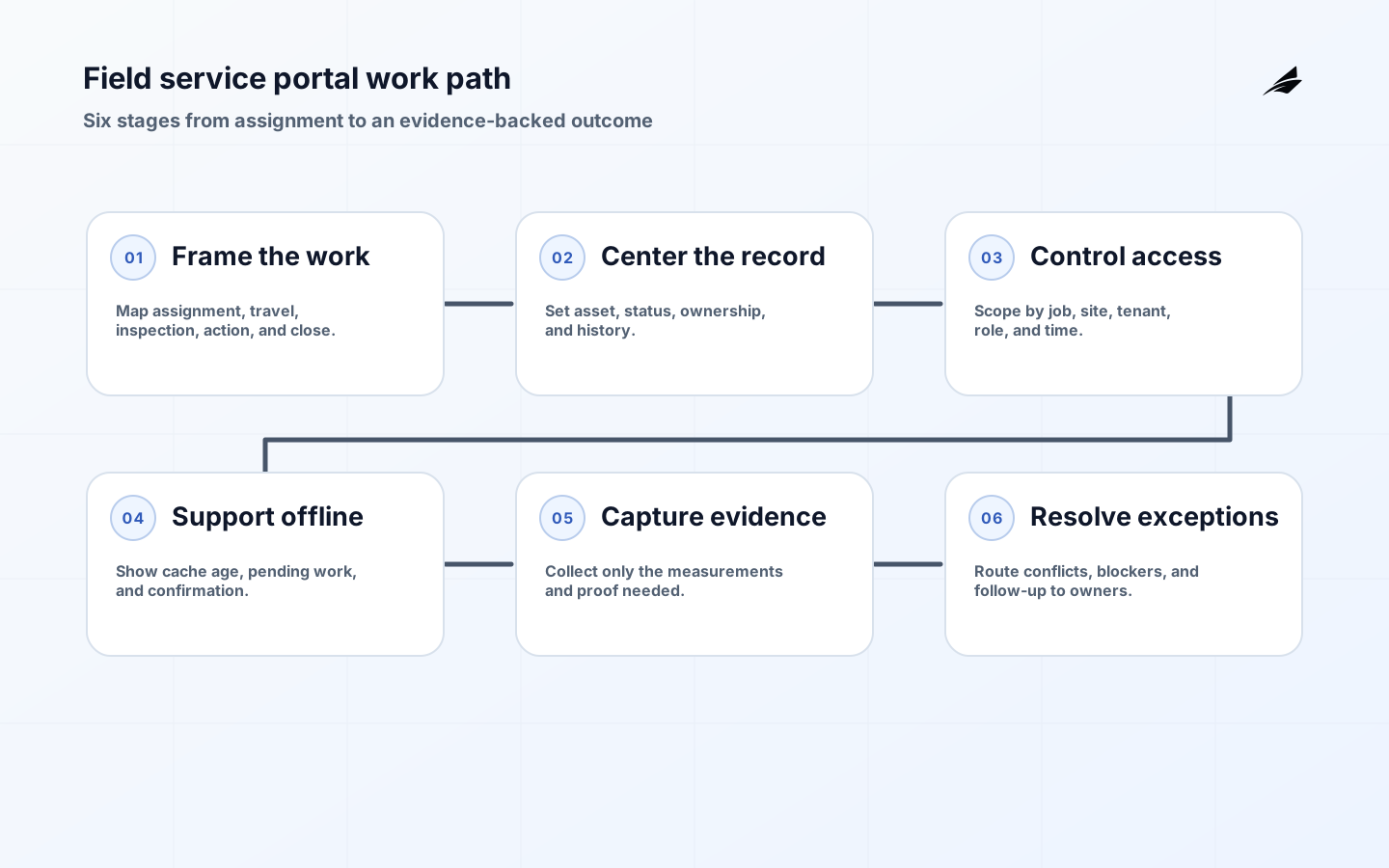
Map the technician’s real journey: accept assignment, travel, identify asset, review context, diagnose, perform work, capture evidence, obtain approval, and close or escalate. Separate required steps from optional notes and make the reason for each field visible. Link to field service portals for connected systems for a related architecture perspective. The primary design question is not how many screens the portal has; it is whether a person can finish the work safely with the available context and whether the organization can trust the resulting record.
| Role | Needs to know | Needs to do |
|---|---|---|
| Technician | Asset, risk, history, instructions, current assignment. | Inspect, record, act, attach evidence, escalate. |
| Planner | Status, capacity, parts, dependency, SLA. | Assign, reschedule, approve, communicate. |
| Customer | Work scope, timing, result, next action. | Confirm access, review outcome, request follow-up. |
| Supervisor | Exceptions, quality, policy, audit trail. | Review, resolve, coach, approve closure. |
Make the Work Record the Center
The work record should have a stable identifier, asset relationship, assignment, status, priority, owner, timestamps, location or site context, measurements, notes, attachments, and change history. Define which fields are authoritative and which can be edited by whom. Avoid copying the same status into multiple systems without a reconciliation rule. If a device reports a value, preserve the observation and the technician’s interpretation separately. A record that stores only the final “complete” state cannot explain whether the work was performed, postponed, or closed by automation.
Design Access Around the Job
Field access should follow assignment, site, tenant, role, and current operational need. Make offline authorization explicit: a technician may need a bounded cache for assigned work, while an administrator should not automatically receive every customer’s asset history on a phone. NIST’s IoT Device Cybersecurity Capability Core Baseline includes logical access, data protection, and cybersecurity state awareness; translate those capabilities into portal controls, device session policy, audit, and support workflows. Review access after reassignment, departure, device loss, and customer contract change.
Make Offline Work Honest
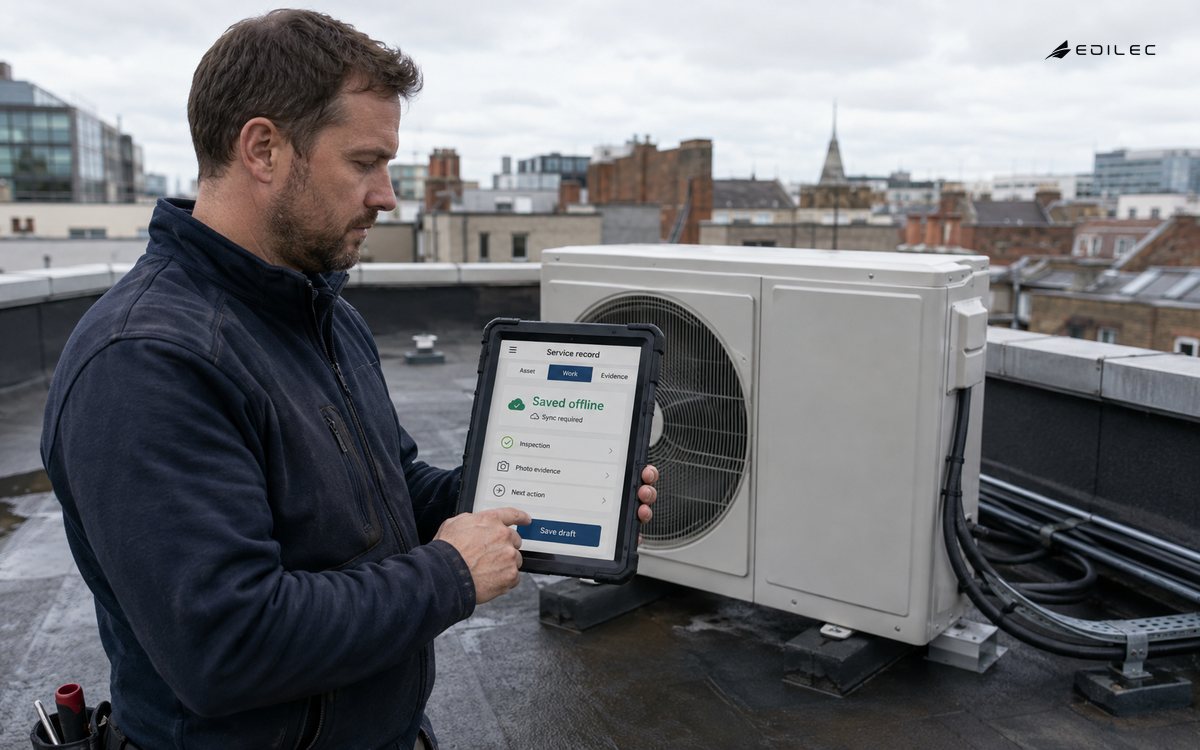
Tell the technician what is cached, how old it is, and which actions are allowed offline. Queue observations and notes with local identifiers, event time, author, and sync status. Do not show a queued action as confirmed until the server or target device acknowledges it. The companion offline sync guide covers conflict and retry behavior in depth. In this portal, the practical requirement is clear visibility: a technician should know whether a part request, inspection result, or closure is pending, accepted, rejected, or needs review.
| State | Meaning | Portal treatment |
|---|---|---|
| Assigned | Work is available to the technician. | Show context and permitted actions. |
| In progress | Work has started but is not complete. | Capture notes, measurements, and blockers. |
| Pending sync | Local work is saved but not yet accepted centrally. | Show queue age and no false confirmation. |
| Needs review | Conflict, exception, or approval remains. | Route to named reviewer with evidence. |
Capture Evidence without Creating Burden
Evidence can include readings, photos, signatures, parts, timestamps, checklists, and structured observations. Ask for the smallest set that supports safety, billing, warranty, compliance, or learning. Make units and acceptable ranges visible; prevent a technician from entering a value without knowing whether it is expected. Attachments need size, type, upload, retention, and privacy rules. Store the device or app version that captured a measurement when it affects interpretation. Excessive forms invite shortcuts, while vague notes make remote review expensive. Design the record around the decisions people must make after the visit.
Represent Device and Work State Separately
A work order may be closed while an asset remains in a degraded state, and an asset may be healthy while a visit is still pending. Keep work status, asset status, device-reported state, desired maintenance state, and approval state separate. AWS shadow concepts help show how a desired state can differ from a reported state while disconnected. Apply expiry to old instructions and require confirmation for high-impact changes. This prevents a portal button from implying that a remote system has completed an action merely because the user submitted a request.
Integrate through Explicit Contracts
A portal commonly connects scheduling, asset management, inventory, customer records, telemetry, identity, and billing. Define record authority, idempotency, event timing, and failure handling for each integration. Do not make the technician wait for every downstream system if the local workflow can continue safely, but do not hide a failed dependency behind a green status. The OpenTelemetry Collector pattern of receiving, processing, and exporting is a useful way to make integration stages observable. Preserve correlation IDs so support can trace a work record from portal action to device or back-office result.
Design Exception Paths First
The portal should make it easy to record no access, wrong asset, unsafe condition, missing part, failed measurement, duplicate assignment, customer dispute, and unresolved sync conflict. Give each exception an owner, next action, and expiry or review date. Avoid a generic “other” field that turns operational learning into unsearchable prose. Let the technician continue when safe, but require a reason when a required step is skipped. Supervisors need an exception queue that shows age, impact, evidence, and current responsibility rather than another list of incomplete forms.
Measure Work, Not Clicks
Useful measures include first-time fix rate, time to assignment, time on site, time to close, reopen rate, exception age, sync queue age, failed uploads, missing evidence, customer confirmation time, and technician correction effort. Segment by work type and device family before blaming the portal. A high close rate can be bad if records reopen or customers cannot verify the result. Track application and integration failures with correlation identifiers and protect sensitive data in logs. Review measures with technicians and planners; they can tell you whether a “slow” step reflects a real control or an unnecessary burden.
Pilot with a Real Route
Select one service type, one region, and a small group of technicians. Include a dead zone, a replacement device, an unavailable part, a duplicate edit, a rejected measurement, and a customer who needs a follow-up. Observe the work rather than relying on a demo script. Confirm that the technician can identify the asset, understand offline state, finish safe work, and recover from a sync problem. Use field service portals in production as related context. Widen only when the evidence shows improved work completion and trustworthy records.
A portal design review should shadow a technician rather than inspect only wireframes. Watch how the person finds the asset, interprets stale context, records a measurement, handles a missing part, and communicates a blocked job. The gaps are often in transitions: a record is technically saved but not visible to planning, a photo is uploaded without the inspection it supports, or a closure appears confirmed before a downstream system accepts it.
Make the portal’s language part of the control. “Saved on this device,” “submitted,” “accepted by service,” and “confirmed by asset” are different states. Use labels, timestamps, and next actions that match the user’s mental model. Clear wording reduces duplicate work and discourages technicians from bypassing the portal when connectivity or integration behavior is confusing.
A portal should make the next safe action obvious when the work cannot proceed. That may be a part request, a supervisor review, a reconnection prompt, or a customer follow-up. Record why the work stopped and keep the assignment visible until the exception has an owner. This keeps operational truth in the workflow instead of scattering it across messages and personal notes.
Use the portal to explain operational dependencies. If a work record cannot close because a device acknowledgement or inventory reservation is missing, show that dependency and its owner. This is more useful than presenting a generic error and helps planners decide whether to wait, reassign, or escalate.
Use one shared vocabulary for queued, accepted, rejected, conflicted, expired, and confirmed records across the client, service, and support tools.
Practical Takeaways
- Design around the work journey and the decisions each role must make.
- Make the work record authoritative, traceable, and explicit about editable fields.
- Bound offline data and show pending, confirmed, rejected, and review states honestly.
- Capture evidence that supports safety, billing, warranty, or learning without form overload.
- Represent work, asset, device, desired, and approval state separately.
- Pilot with real field conditions, exceptions, and the people who do the work.
FAQ: Field Service Portals
Can a field service portal work fully offline?
It can support a bounded set of tasks offline, but not every action should be allowed without current authority. Define cached data, expiry, permitted actions, durable local writes, and reconciliation. Show users which work remains pending until the connection returns.
Should technicians see raw IoT telemetry?
Show the interpretation and context needed for the task, with raw evidence available when it helps investigation. Include units, freshness, quality, and source so a technician does not treat a stale or uncalibrated value as current fact.
Conclusion
A field service portal succeeds when it gives each role enough trusted context to complete work and enough evidence to explain the result. Keep records, state, access, offline behavior, exceptions, and integrations explicit. The outcome is a calmer field workflow and a service organization that can learn from every visit instead of merely closing tickets.