How Operations Leaders Should Think About Firmware Updates
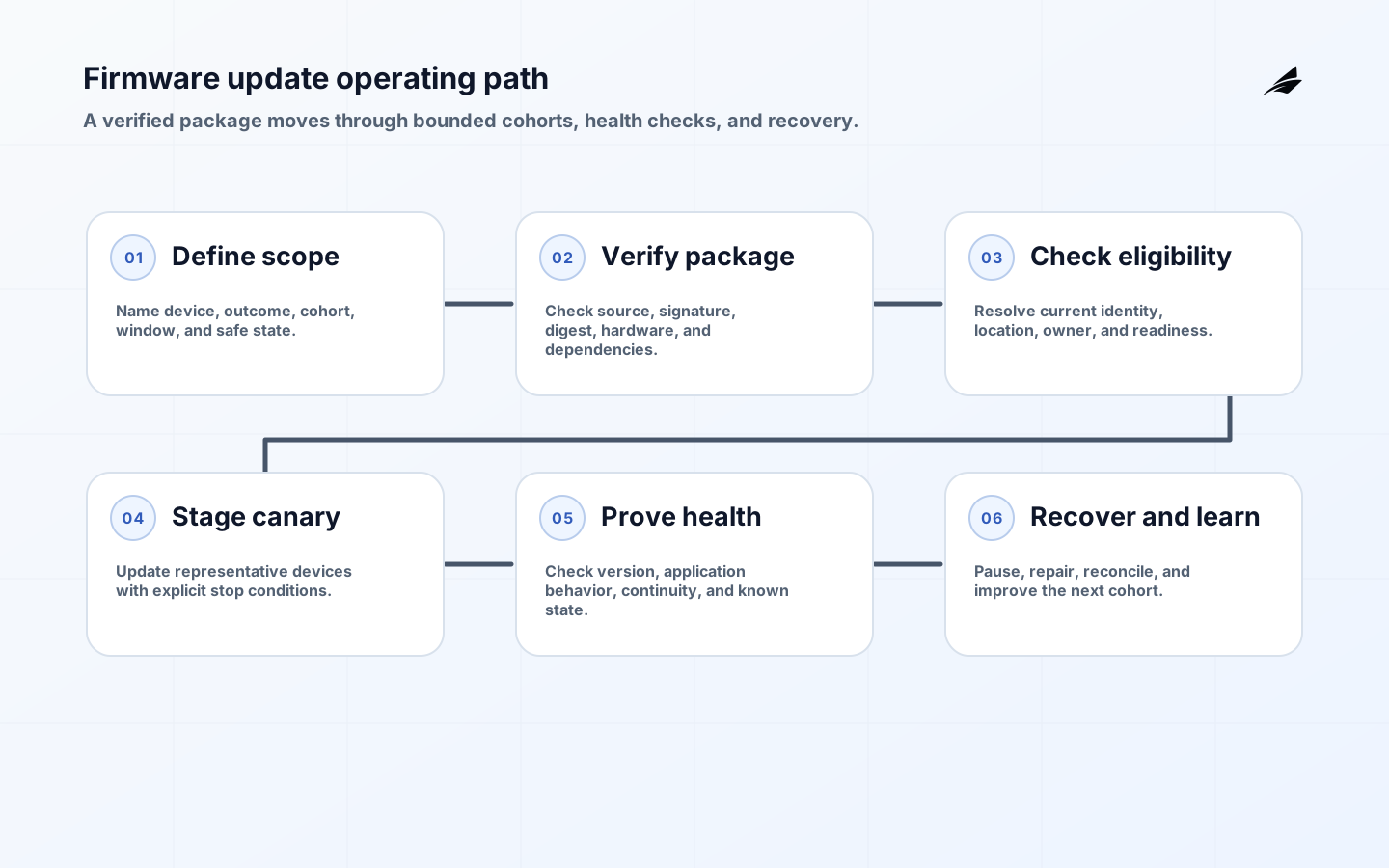
Firmware updates are an operating capability, not a maintenance button. Once a device is installed in a plant, vehicle, store, or building, changing its software can affect safety, data quality, connectivity, warranty obligations, and the work of people nearby. The operations leader's job is to make the change predictable: identify the exact device population, prove that the package is authentic and compatible, stage the risk, and retain enough evidence to explain what happened. A useful firmware update program can pause safely, resume after an interruption, and leave a known manual path when a device cannot update.
Scope the fleet by consequence
Start with one device family and one business outcome. Write down whether the first release is correcting a vulnerability, enabling a capability, improving reliability, or meeting a compliance requirement. Then name the device identity, hardware revision, current software version, location, owner, connectivity path, maintenance window, and safe state. A fleet dashboard that says 96 percent complete is not useful if the remaining four percent includes the only devices controlling a critical process. Make cohorts meaningful by consequence, not just by geography or serial-number order.
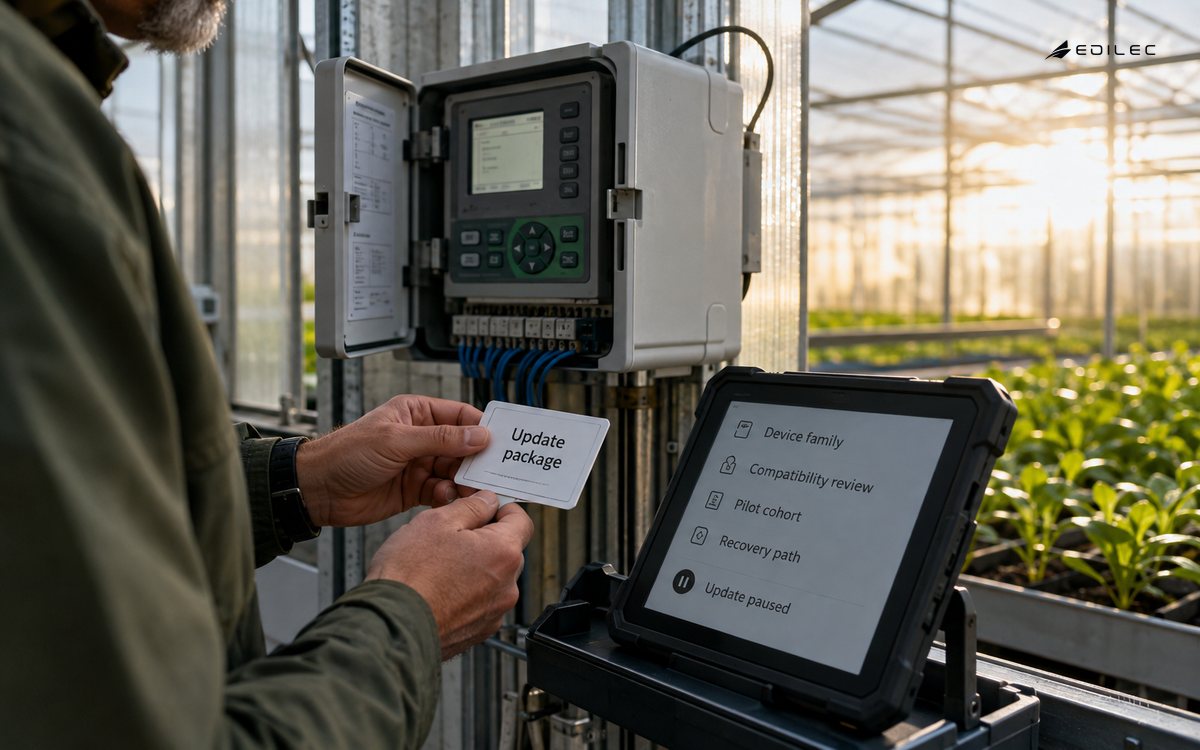
NIST's IoT guidance treats device requirements as part of system risk management, which is a useful correction to the idea that the vendor alone owns the update problem. Operations should agree with engineering and procurement on support duration, update delivery options, maintenance windows, recovery behavior, and the evidence a supplier must provide. The NIST IoT device guidance is a useful reference when turning those expectations into acceptance criteria.
| Decision | Good operating question | Evidence |
|---|---|---|
| Purpose | What risk or capability does this update address? | Change record, affected version, success measure |
| Population | Which hardware, location, customer, or safety groups are included? | Inventory snapshot and cohort rule |
| Window | When can the device restart without disrupting work? | Approved window and local owner |
| Exit | What makes the update complete or stopped? | Health checks, rollback rule, and exception queue |
Make package identity and compatibility explicit
An update package needs more than a version number. Record the target hardware, minimum current version, dependencies, expected size, signature or verification method, configuration migration, restart behavior, and the health signal that proves the new software is running. If the device can report only a coarse online status, do not pretend that status proves application health. Define what the platform does with a late, duplicate, partially downloaded, or locally interrupted job. An idempotent update request should not turn a retry into a second unsafe action.
The NIST software-update capability catalog calls for authorized update mechanisms, restricted installation, and a way to verify that software came from a valid source. Apply those requirements at every hop: package repository, fleet service, gateway, local installer, and device boot process. A signed package does not solve a confused target selector. Bind the authorization to the device identity and intended cohort, and keep the manifest that explains why the device was eligible.
Constrain authority and blast radius
Use least privilege for the service that schedules updates, separate approval from execution, and require a fresh eligibility check near the time of installation. Protect against stale inventory: a device may have changed owner, location, or criticality since the rollout was planned. Rate-limit the blast radius by site, gateway, or process. For devices with no reliable rollback, a small canary is not optional; it is the only practical way to learn whether the package behaves in the field before more devices inherit the risk.
Prepare the recovery path while the device is healthy. It may be a dual-bank image, a known-good previous package, a local maintenance procedure, a replacement unit, or a controlled freeze that keeps the process safe. Decide which actions require a person with local authority. The NIST SSDF helps place secure preparation and vulnerability response inside the development lifecycle, but the operations runbook still needs concrete owners, timers, and stop conditions.
| Failure mode | Preventive control | Recovery evidence |
|---|---|---|
| Wrong target | Recheck device identity, hardware, location, and cohort before install. | Eligibility decision and denied-target log |
| Tampered package | Verify signature, digest, certificate, and trusted source. | Manifest and verification result |
| Power or network loss | Use resumable transfer and a safe interrupted state. | Last durable state and retry outcome |
| Bad behavior after restart | Stage a canary and define health signals plus timeout. | Device health, operator check, and stop decision |
| Fleet overload | Throttle by site and monitor gateway capacity. | Queue age, throughput, and rejected jobs |
Expand cohorts only on field evidence
A practical sequence is inventory, lab verification, shadow eligibility, canary, controlled expansion, and fleet completion. Inventory should identify devices that are offline, unsupported, or missing trustworthy version data; silently excluding them creates a false completion rate. Lab verification should include configuration variants and the oldest supported hardware. Shadow eligibility lets operators inspect who would be updated before an action is possible. The canary should run long enough to cover the relevant operating cycle, not merely until devices reconnect.
Set a gate for each expansion: no unexplained boot failures, no increase in critical alerts, acceptable data continuity, and a reviewer who can stop the next cohort. Keep package, policy, inventory, and service versions together in the change record. If a cohort is paused, record whether the cause is package quality, fleet data, capacity, local scheduling, or an external dependency. Those categories lead to different fixes and prevent every pause from becoming a vague incident.
Measure known state and operating continuity
Give the control plane a state vocabulary that operators can trust: eligible, approved, queued, transferring, signature-checked, applying, restarting, healthy, blocked, deferred, and recovered. Attach a timestamp, device identity, package digest, attempt number, actor, and reason to every transition. Pair that record with a business signal such as uninterrupted production, valid sensor readings, successful transactions, or a completed local inspection. OpenTelemetry can standardize control-plane correlation, but a state and trace identifier are usually safer than copying sensitive device payloads.
Report rates by cohort and consequence. A 99 percent success rate can hide a cluster of failures behind one gateway or a total outage in a small but important site. Review time to detect, time to pause, time to recover, manual hours, and the number of devices whose state remains unknown. Sample successful updates as well as failures because a device that reports healthy may still have stale configuration or degraded application behavior.
Give every exception a named owner
The supplier owns package information and support commitments; engineering owns compatibility and release quality; security owns vulnerability priorities and trust controls; operations owns timing, local impact, and the stop decision; site teams own physical recovery where remote control is insufficient. Write these boundaries into the runbook. A shared queue without a named decision maker is not an escalation path. Review exceptions after every rollout and update the inventory or support policy when the same exception repeats.
For a deeper implementation sequence, connect this guide to Edilec's firmware updates for connected systems practical guide, the firmware updates operations playbook, and the device provisioning security review. Together they cover update design, fleet operation, and the identity foundation that makes a target trustworthy.
Plan the human work around the technical states. A deferred device is not an error if a site owner chose a safe window, but it is an exception if nobody owns the next attempt. Give operators a queue filtered by site, device family, due time, and consequence. Let them record a local check without changing the package or silently marking the device healthy. This separation protects the evidence while respecting the reality that some connected systems require hands-on work.
Review supplier promises against field evidence. Ask how long each hardware revision receives updates, how vulnerability notices are communicated, how configuration migrations are supported, and what happens when a cloud endpoint changes. Keep those answers with the fleet record rather than in a procurement document that operations cannot find. A support commitment is part of the update architecture because an unmaintained device creates a growing exception population.
Use a release scorecard that combines security urgency, compatibility confidence, business timing, cohort readiness, and recovery confidence. Urgency can shorten the calendar, but it cannot answer which devices qualify or who handles a failed installation. If evidence is weak, narrow the cohort and increase local support. Put that tradeoff in front of the person accountable for risk.
After the rollout, reconcile inventory, package registry, device reports, and operating outcomes. Investigate devices that report an unexpected version, a healthy state without a recent update, or no state at all. Close the loop by updating support rules, compatibility tests, and the next release's cohort logic. The quality of this reconciliation is what keeps a successful rollout from becoming a future blind spot.
Keep the change record useful after the release window. Store the package digest, eligibility query, approval, cohort, operator decision, health evidence, and unresolved exceptions together. When a later security notice or customer question arrives, the team should be able to identify which devices were exposed, which received the package, and which require a new action. This record also prevents a future operator from treating an old success as proof that a different hardware revision is safe.
A mature update program makes the safe path the easy path. Inventory is current, packages are signed, cohorts are explainable, local teams know the window, and dashboards distinguish healthy from unknown. That takes investment, but it reduces emergency work and makes vulnerability response faster because the organization already knows how to move a controlled change through the fleet.
Key takeaways
- Define the device, outcome, cohort, window, and safe state before selecting an updater.
- Verify package origin and target eligibility at the point of installation.
- Use canaries and explicit stop conditions; completion percentage is not a health measure.
- Keep a recovery path for devices that cannot roll back remotely.
- Measure business continuity and known-state coverage alongside technical progress.
- Treat recurring exceptions as evidence that the inventory, package, or operating model needs repair.
Frequently asked questions
Should firmware updates be automatic?
Automatic installation is appropriate only when the device can authenticate the package, verify compatibility, enter a safe state, and recover from interruption. Even then, automatic does not mean unbounded. Limit the cohort, define maintenance windows, and preserve a way to pause or disable the mechanism. Critical environments may need automatic download with human-authorized installation.
What is a useful firmware update success metric?
Use a balanced measure: the eligible devices that reached the intended software version, passed an application or process health check, and remained stable through the relevant operating cycle. Add the share with known state, recovery time, manual effort, and business interruptions. Do not count a device as successful merely because it downloaded a file or reconnected.
What should we do with unsupported devices?
Make the exception explicit. Isolate or restrict the device, increase monitoring, replace it, or accept a documented risk for a bounded period with an owner and review date. An unsupported device should not quietly remain in the same cohort as devices with a maintained update path.
Conclusion
Operations leaders make firmware updates dependable by turning a technical package into a controlled change: known targets, verified artifacts, staged authority, observable health, and a rehearsed recovery path. The strongest program is not the one that updates fastest. It is the one that can explain every decision, stop before the blast radius grows, and return the fleet to a known operating state.