How IT Managers Should Think About Firmware Updates
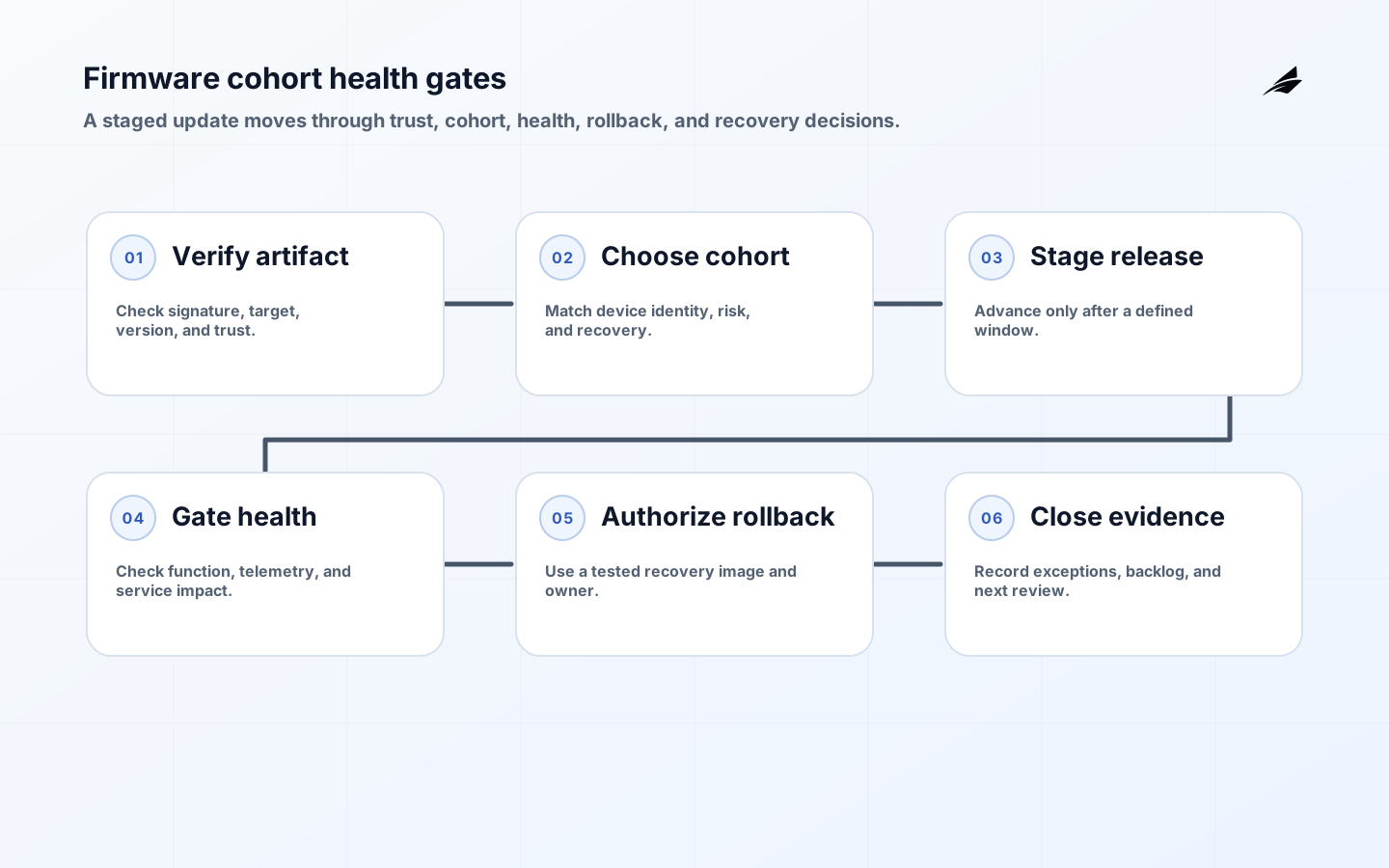
Firmware update planning is a release discipline for physical devices, not a file-transfer task. Firmware updates are controlled changes to a physical fleet. The package must be authentic, the device must be eligible, the rollout must be observable, and a failed update must leave an operator with a safe recovery option. “The download succeeded” is only one transport fact. This guide gives IT managers a practical contract for trust anchors, cohorts, health gates, rollback authority, and evidence. Related operating patterns appear in the connected operations playbook, the inventory guide, and the document routing guide.
Define the update promise
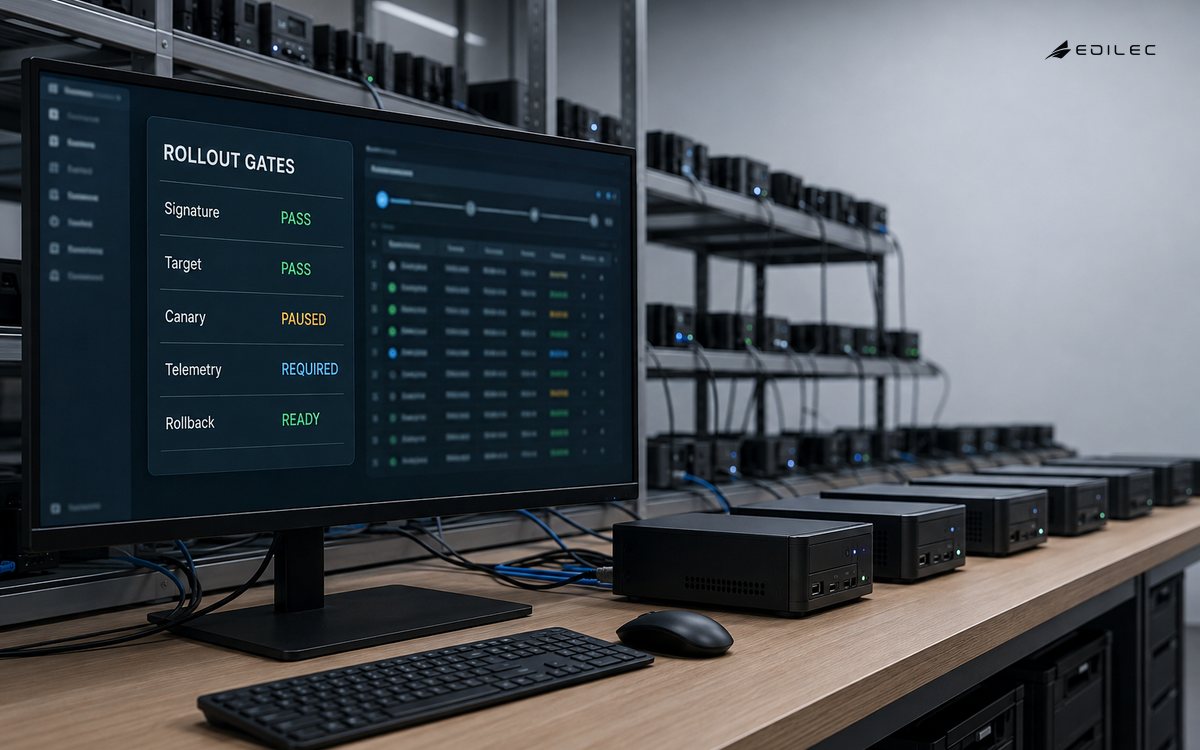
State why the update is needed, which defects or capabilities it addresses, which device classes are eligible, and what service interruption is acceptable. Separate mandatory security remediation from optional feature delivery. Name the fleet owner, release authority, support path, and success condition.
A promise should include a stop condition. If devices stop checking in, health falls below the agreed threshold, or the package cannot be verified, the rollout pauses. The CISA Secure by Design material supports designing safety and resilience into the product lifecycle rather than relying on an emergency operator workaround.
Establish trust in artifacts
Verify package signature, metadata, version, target hardware, dependencies, and rollback compatibility before a device receives the update. Keep signing roles separate from rollout approval and protect keys with an explicit rotation and compromise plan. The The Update Framework security model is a useful reference for delegated metadata, role separation, and key compromise reasoning.
Do not treat a filename or checksum alone as proof of provenance. Record which trust metadata was verified, by which service, at what time, and against which device identity. Reject downgrade or cross-model installation unless a named recovery process explicitly permits it.
Build an honest device inventory
A rollout cohort needs device identity, hardware revision, current firmware, site, connectivity, maintenance window, criticality, and recovery capability. Remove decommissioned or unknown devices from automatic targeting. The NIST IoT Device Cybersecurity Capability Core Baseline offers useful capability questions for identification, configuration, software update, and lifecycle support.
Inventory quality determines rollout safety. Reconcile the control plane with a field or gateway source before selecting the cohort. If a device has stale identity, unsupported hardware, or unknown local control, place it in a review group instead of assuming that a broad tag is accurate.
Stage releases by risk
Use a cohort sequence that reflects device criticality, site diversity, network path, and rollback capability. A small canary can reveal package or hardware incompatibility, but it should not be the only evidence; include a second cohort with different conditions before wide deployment. Define the observation window and the owner who may advance or pause.
Do not use percentage complete as the primary health signal. Track verified install, reboot, check-in, application health, telemetry continuity, service impact, and rollback attempts. A device that reports “installed” but cannot perform its operating function has not passed the gate.
Set health gates before launch
Choose signals that map to the reason for the update: security state, service availability, error rate, battery or power behavior, connectivity, and application response. Define a baseline and acceptable deviation for each device class. Make the gate conservative for critical equipment and account for normal maintenance windows.
A gate should specify what happens when evidence is missing. Pause the cohort, keep devices on the known-good version, or route to field support. Avoid auto-advancing because the monitoring system is silent. The result of a health check belongs in the release record with the cohort and firmware version.
Make rollback a real authority
Rollback requires a compatible image or recovery mode, a trusted path to deliver it, a person authorized to stop or reverse the release, and a decision about data or configuration changes. A package that changes a persistent format may not be reversible by reinstalling the old binary. The Uptane Security Architecture gives useful examples of separating trust and update roles in a hostile environment.
Test recovery on representative hardware before the production window. Record whether local access, console recovery, spare devices, or vendor support is required. A rollback plan that exists only in a runbook but has never been exercised is an assumption, not a control.
Operate connectivity and power failures
Devices can lose network, power, storage, time, or gateway availability during an update. Define whether the agent resumes, retries, pauses, or returns to a boot-safe state. Use bounded retry and durable update state so a restart does not apply the same effect unpredictably.
Notify the owner with device identity, last trusted state, package, attempt, and safe next action. Avoid exposing secret material in the diagnostic path. Test a failed download, interrupted write, reboot loop, stale certificate, and a device that returns after the cohort has moved on.
Pilot the support experience
Run a pilot across a few device types and locations with support staff present. Have them find a failed device, determine whether it is safe to retry, perform or authorize recovery, and record the final outcome. Measure time to detect, time to decide, recovery success, field visits, and devices left in an unknown state.
The pilot should include a package rejection and a healthy device that misses its maintenance window. A successful fleet update is not enough if support cannot explain why a device was skipped or how to bring it back into policy.
Review release evidence after rollout
Close the release with package digest, signing and verification results, target cohort, health observations, exceptions, rollback actions, and unresolved devices. Compare incidents and support work with the update objective. Keep a follow-up owner for devices that remain on the old version and a date for requalification.
Review keys, trust metadata, cohort rules, monitoring, and recovery evidence after material changes. The safe cadence is tied to fleet and threat change, not a ritual calendar alone. Update the release contract when a field incident reveals a hidden dependency.
| Gate | Evidence | Decision |
|---|---|---|
| Trust | Signature, metadata, target, version | Reject or quarantine |
| Eligibility | Device identity, hardware, current state | Include, defer, or review |
| Health | Check-in, service, telemetry, baseline | Advance or pause cohort |
| Recovery | Compatible image, authority, tested path | Rollback, repair, or escalate |
Key takeaways
- Define the service promise and stop conditions before selecting a package.
- Verify artifact trust, device eligibility, and rollback compatibility.
- Stage across risk-diverse cohorts with explicit health gates.
- Treat unknown state and missing telemetry as reasons to pause.
- Exercise recovery on representative hardware and retain release evidence.
| Signal | Meaning | Owner response |
|---|---|---|
| Verification failure | Artifact or trust path is wrong | Stop cohort and inspect provenance |
| Unknown device state | Control plane lacks reliable evidence | Remove from automation and investigate |
| Health regression | Update affects function or environment | Pause, compare baseline, consider rollback |
| Recovery backlog | Support path cannot close exceptions | Add capacity or narrow next cohort |
Frequently asked questions
How small should the first firmware cohort be? Small enough to observe different hardware, sites, and support paths before wider deployment. Size should reflect risk and recovery capacity rather than a universal percentage.
What proves a firmware update succeeded? Verified installation plus healthy device function, expected telemetry, stable connectivity, and no unacceptable service regression during the observation window.
Can every firmware update be rolled back? No. Persistent data, bootloader, hardware, or format changes may constrain reversal. Confirm compatibility and exercise the recovery path before release.
After the window, review devices that were skipped, retried, rolled back, or left unknown. Link each exception to a package version, trust result, device state, site owner, and next action. Keep a date for requalification and a reason the fleet remains on the previous version. This backlog is part of the release outcome, not an administrative footnote.
Health gates should combine technical and operational evidence. Check service behavior, telemetry continuity, user impact, power or battery behavior, and support tickets for the cohort. Compare with a baseline from the same site and maintenance window. If a device is healthy but its surrounding process is disrupted, pause advancement and investigate the broader change. A rollout can be technically successful and operationally harmful at the same time.
Fleet inventory should expose uncertainty instead of hiding it. Mark devices that have not checked in, report an unexpected hardware revision, run an unsupported bootloader, or have unknown local configuration. Exclude them from automatic targeting and give them a repair path. A clean percentage complete can be misleading when the denominator contains devices the control plane cannot actually identify.
Update ownership should span product, security, operations, field support, and the device vendor. The release record needs one authority for package approval, one for cohort advancement, one for rollback, and one for closing exceptions. These roles may sit in one team for a small fleet, but the decisions should remain distinguishable. An unclear handoff is most expensive when a device is half updated and the maintenance window has closed.
A staged rollout needs a clear decision window. Define how long the cohort remains under observation, which evidence is required to advance, and who can extend the window when a site is offline. Time pressure should not turn missing health evidence into an implicit approval.
Package provenance and device eligibility should be reviewed together. A correctly signed package can still be wrong for a hardware revision or local configuration. Keep target constraints in metadata, validate them before transfer, and record the rejection reason in a queue that support can work. Do not make operators compare opaque filenames by hand.
Conclusion
A firmware rollout is a controlled change to a physical fleet, not a file transfer. Trust the artifact, target an honest cohort, gate health, rehearse recovery, and retain enough evidence to explain every device left behind.