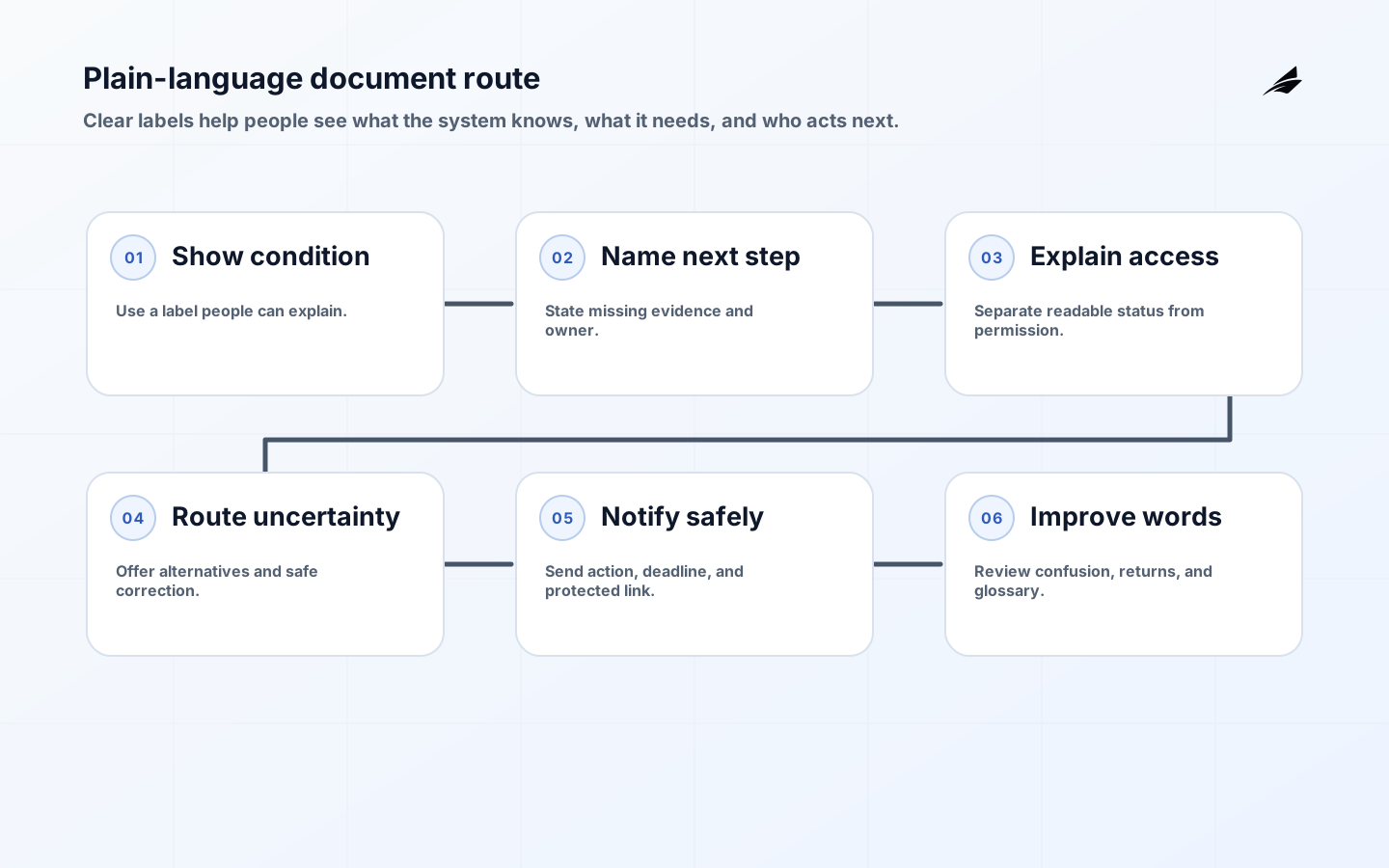
The Plain-language Guide to Document Routing
Plain-language document routing helps people act safely when a file is waiting, blocked, or uncertain. People do not experience document routing as an architecture diagram. They see a file that is waiting, moved, blocked, or missing, and they need to know what to do next. Plain language is therefore a control: clear labels reduce guessing, expose uncertainty, and make handoffs accountable. This guide focuses on the words, states, ownership, access, and evidence that help an IT manager make routing dependable. For deeper architecture, compare the CTO routing architecture guide, the classification guide, and the firmware updates guide.
Write the next action
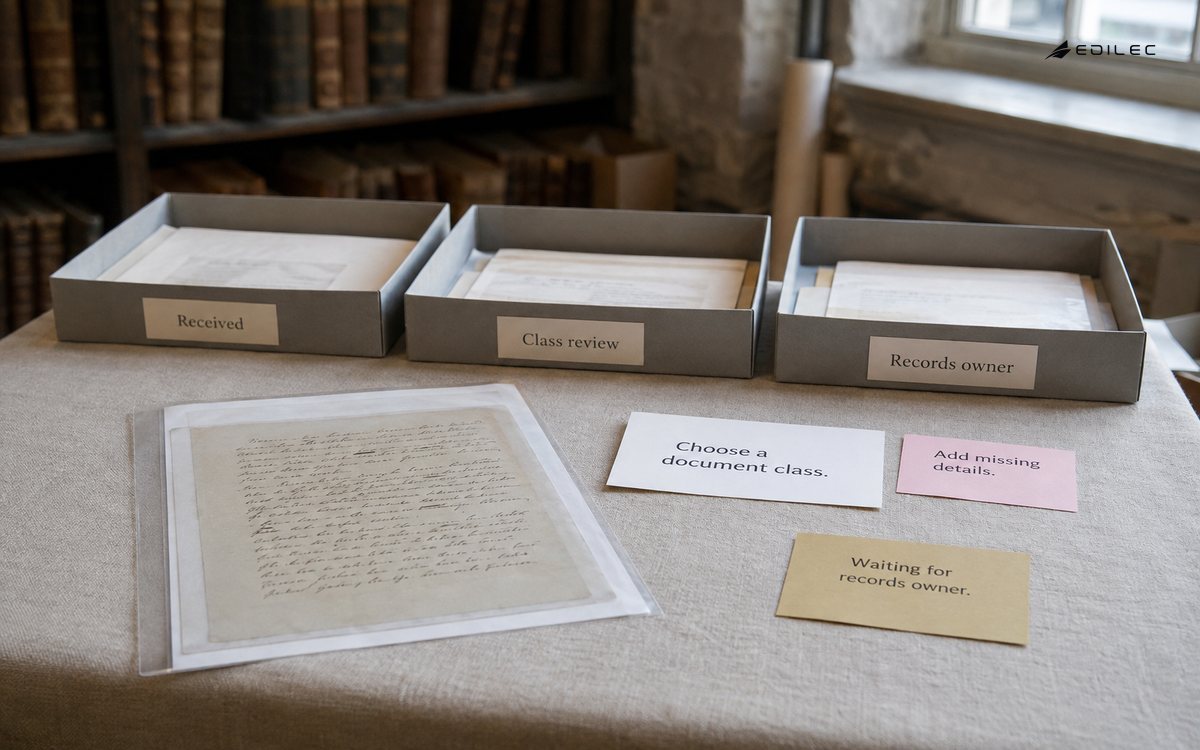
Use “Choose a document class” or “Waiting for records owner” instead of “Needs attention.” Name the item, condition, owner, and deadline. The PlainLanguage.gov words and phrases guidance supports concrete wording, but operators should test the labels against real work.
Use observable states
Received, checking details, waiting for owner, routed, returned, and closed mean different things. Define transitions and avoid “processed” when the file was only accepted. Show the time that matters and do not imply progress the system cannot prove.
Explain access honestly
Say “Request access” when access is not granted, and do not reveal protected titles in notifications. The Microsoft Graph permissions reference is useful for translating technical scopes into readable explanations. Record high-risk actions and keep an accessible alternative route.
Show uncertainty
A classifier suggestion is a claim until a required reviewer confirms it. Show alternatives, missing evidence, and a safe correction path. The W3C Verifiable Credentials Data Model helps separate a claim from issuer context and verification.
Name retention authority
A retention message should state class, trigger event, hold, and responsible role. “Archived” is not a disposition decision. When a schedule is unknown, say who must decide and by when instead of asking frontline staff to guess.
Make returns fixable
Return reasons should tell the submitter what to change: missing number, unreadable page, wrong class, or restricted content. Keep original and corrected submissions linked so a new file does not erase the history.
Send safe notifications
State the reference, action, owner, deadline, and safe link without pasting protected content. Test expired links, revoked access, duplicates, and out-of-role recipients. The NIST SP 800-53 Rev. 5 source can inform audit and access checks.
Pilot the language
Observe operators doing normal, ambiguous, late, and corrected cases. Measure correction time, unanswered items, returns, access requests, and repeat submissions. Test keyboard use and readable status so accessibility is part of the content model.
Maintain the glossary
Review labels when policy, roles, forms, or schedules change. Keep definitions, examples, prohibited synonyms, and owners together. Repeated user confusion is evidence that a state or transition needs redesign, not another tooltip.
| System condition | Clear label | Next step |
|---|---|---|
| Accepted only | Received - checking details | Wait or add information |
| Uncertain class | Choose a document class | Review suggestions |
| Access blocked | Access needs approval | Request named owner |
| Schedule unknown | Waiting for records owner | Escalate safely |
Key takeaways
- Write the next action, not an internal status code.
- Keep clarity separate from permission and certainty.
- Make returns, holds, and access requests actionable.
- Test words with operators under pressure.
- Maintain the glossary when policy changes.
| Check | Pass condition | Proof |
|---|---|---|
| State | New operator explains it | User test |
| Action | Consequence is clear | Permission test |
| Return | Person can fix or escalate | Reason and owner |
| Access | Status works for all roles | Keyboard and assistive test |
Frequently asked questions
Is plain language only a writing task? No. It depends on state modelling, permission design, accessible interaction, and consistent terminology across the workflow.
How much detail should an exception message include? Enough to identify the affected document, explain the missing or blocked condition, name the responsible role, and state the safe next action without exposing restricted content.
Can a score explain a classification decision? Only if the score is paired with understandable evidence, alternatives, thresholds, and a correction path. A number alone is not an explanation.
A mature route can be explained in one short conversation. The operator can say what arrived, what the system decided, why the item is waiting, who owns the next action, and how to correct it. The records owner can explain the retention decision, and the administrator can explain access. That shared vocabulary is a practical sign that the workflow has become operable rather than merely available.
Review the language when exceptions repeat. If users keep selecting “send” when they mean “submit for review,” the action label or state boundary is wrong. If they ask whether a file was delivered, the route needs an acknowledgement state that is visible to them. Use support questions, correction reasons, and abandonment points as evidence for rewriting the workflow, not just the help page.
Accessibility and privacy need to be considered together. A status must remain understandable through keyboard navigation and assistive technology, while a notification must not reveal a sensitive title to a recipient without access. Provide the action and reason in the protected view, and keep the public or email version minimal. Test text expansion, localization, contrast, focus order, and a role with restricted visibility.
Plain language also protects support teams. A shared glossary reduces translation between product language, policy language, and what operators say in a ticket. Include a definition, a good example, a misleading synonym, and an owner for each important term. When a new rule changes a label, update the support macro and training example at the same time. Consistency is a maintenance task, not a one-time editorial pass.
Error messages should respect the person who has to recover the work. Identify the affected document without exposing protected content, explain the condition in ordinary terms, name the responsible role, and give a safe action. “Try again later” is not a plan when a deadline is near. Say whether the user should add information, wait for a named team, request access, or stop and escalate.
Use examples that include difficult cases rather than only ideal files. Show a readable invoice, an unreadable scan, a document with two possible classes, and a restricted record. Ask users to predict the next action before revealing the answer. This exposes words that imply certainty or permission. It also helps teams decide which detail belongs in the first view and which can remain behind an accessible evidence panel.
Plain language starts with the data model. Give every visible state a definition, owner, transition, and example. If the interface says “in review,” the content model should say which review, who may complete it, what evidence is missing, and what happens when the deadline passes. A clear sentence cannot rescue a state that has no agreed meaning. Keep the same definition in the API, queue, notification, report, and support playbook.
Measure whether language changes behavior. Track abandoned actions, repeated returns, support questions, misrouted files, and access requests before and after a wording change. A label is better when it helps the right person complete the right step, not merely when a reviewer says it sounds friendly.
A useful notification can be short while the route remains rich. The message says what to do and where; the protected page explains why, what evidence exists, and which authority applies. This separation reduces accidental disclosure and keeps the email from becoming a second source of truth.
Language review should include people who handle exceptions, not only product writers. Records staff, privacy reviewers, support agents, and frontline submitters notice different ambiguities. Compare their words for the same state, then choose one term and document why. The decision should be reflected in API values and analytics so teams do not create competing translations.
A status label should have a safe empty state. If the system cannot determine the owner, say that ownership is unresolved and route it to an escalation queue. Do not display a blank field or a generic error that invites the user to guess. Missing knowledge is itself a state that deserves an owner and a deadline.
Use content hierarchy to keep the first screen calm. Put document identity, current state, next action, owner, and deadline first. Place technical details, policy version, and diagnostic references in an evidence area that remains accessible. This helps a frontline operator work quickly without removing the context a reviewer needs later.
Status wording should reflect the authority behind the action. “Approved” means an authorized person or rule accepted a defined decision; it should not be used for a file that merely passed a technical check. “Sent” should describe an outbound handoff, while “received” should require an acknowledgement from the destination. Small distinctions prevent people from making decisions on a false sense of completion.
The route should make uncertainty kind but not vague. Tell a person what the system has confirmed, what it cannot confirm, and what evidence would resolve the question. A message such as “We could not identify the document class from the available text” is more useful than “Classification failed.” Add the owner and deadline so the person can leave the screen knowing what will happen next.
A clear route also supports governance conversations. When a privacy reviewer asks who could see a file, or a records owner asks why it was retained, the answer should use the same states and terms that operators see. Keep policy references available without forcing every user to read them before acting. This makes the workflow easier to explain during an audit and easier to improve after a real exception.
Conclusion
Plain language is part of the control surface. When a person can tell what the system knows, what is missing, who may act, and how to recover a mistake, the route is easier to operate and harder to bypass.