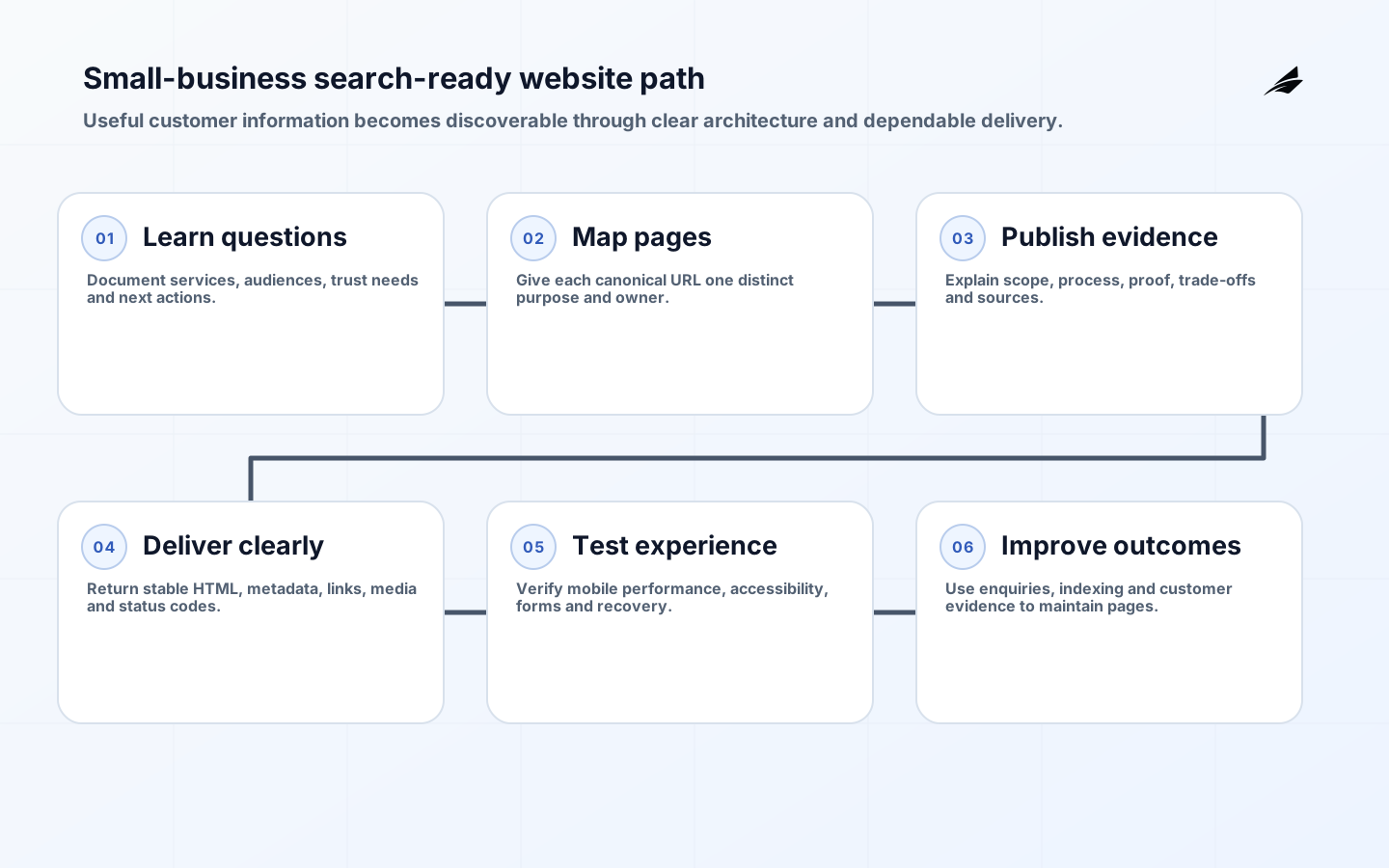
SEO-ready website development for small business means creating pages that answer real customer questions and can be crawled, rendered, understood and used without friction. It does not mean hiding lists of phrases or producing hundreds of near-duplicate location pages. A strong site explains what the business offers, who it serves, where it operates, what proof supports its claims and how a visitor can take the next step. Technical foundations then preserve that meaning in HTML, links, metadata, images, structured data and performance. Search visibility follows useful content and sound delivery; no implementation can guarantee first position.
This guide is for owners planning a new site or rebuild. The small-business implementation checklist and small-business website FAQ provide companion checks. Google describes optimization as helping search engines understand content and helping users decide whether to visit. That is a better design brief than chasing density. Build around the language customers use naturally, but require each page to serve a distinct intent and provide enough first-hand detail to deserve its URL.
Start with services, audiences and decisions
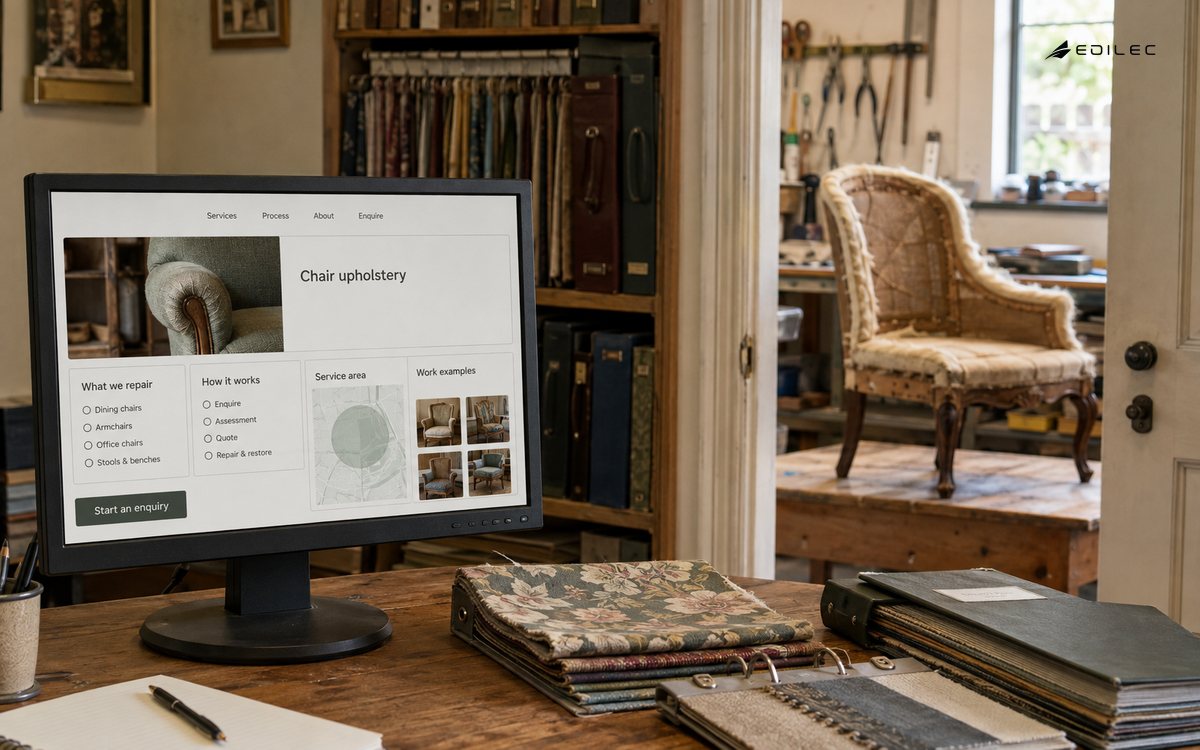
List the decisions a prospective customer makes: whether the service fits, whether the provider is credible, what the process involves, what affects price, which location or remote area is served, and how to begin. Create a primary page only when it can answer a distinct group of questions. A practical small site often needs home, service detail, relevant industries or use cases, about, contact, policies and a focused knowledge section. Avoid splitting synonyms into separate thin pages. One strong service page can cover related language naturally while internal sections answer scope, process, evidence, risks and frequently asked questions.
Give every important page a purpose, primary audience, unique title, descriptive heading and clear next action. Use stable, readable URLs. Link related pages with anchor text that describes the destination. Navigation should expose the services and trust information people need, while contextual links connect detailed questions. Breadcrumbs can help on deeper sites. If a page cannot be reached through normal links, a sitemap alone is a weak substitute for information architecture. Remove or consolidate obsolete pages and redirect only when a genuine replacement exists.
| Page | Customer question | Evidence to include |
|---|---|---|
| Service | Can you solve this problem? | Scope, process, examples, constraints and contact path |
| About | Can I trust this business? | Real team, operating approach, credentials and verifiable details |
| Location | Do you genuinely serve this area? | Local process, coverage, contact details and useful local distinctions |
| Guide | Can you help me understand a decision? | Original explanation, sources, examples and related services |
Make important content crawlable and stable
Return a successful status for real pages and a true not-found status for missing ones. Put the page's title, heading, main text and links in rendered HTML that is available without an interaction. JavaScript can provide rich behavior, but essential content should not depend on a fragile client request or browser feature. Allow crawlers to fetch required CSS, JavaScript and images. Use one canonical URL for each page and make internal links, sitemap entries and canonical tags agree. Redirect protocol, hostname and obsolete paths in a single predictable step.
Generate an XML sitemap containing canonical, indexable URLs and keep the robots file simple. A robots rule controls crawling, not guaranteed removal from results. Use a noindex directive on accessible pages that should not appear, and authentication for private content. Test launch pages with browser inspection and search-console tools. Confirm titles, descriptions, canonical tags, headings, links, status codes and mobile rendering. Preserve old high-value URLs during a redesign where possible; when a URL must change, map it to the closest relevant replacement and update internal links.
Write service content with proof and useful detail
Open with the service and outcome in direct language. Explain what is included, who it suits, the steps, dependencies, common trade-offs, typical timing factors and what the customer must provide. Use examples that reflect actual capability, not invented case studies or statistics. Name tools or standards only when they matter to delivery. Add author and update information to advice that benefits from accountability. Cite original sources for regulations, technical claims and data. A useful page should still help a reader who is not ready to contact the business.
Use headings to organize questions, not to repeat the same phrase. Write concise alt text describing an informative image's purpose and leave decorative images empty where appropriate. Compress images, provide dimensions and responsive variants. Video needs a useful title, captions or transcript and a fallback; it should not carry the only version of essential information. Structured data may help machines interpret eligible content, but it must match visible information and follow feature guidelines. Marking up nonexistent reviews, hidden FAQs or misleading business details creates risk rather than authority.
Treat performance and accessibility as business requirements
Measure real-user experience where traffic permits. Google's Core Web Vitals guidance identifies LCP for loading, INP for responsiveness and CLS for visual stability, with good reference thresholds of 2.5 seconds, 200 milliseconds and 0.1 at the 75th percentile. These are diagnostic targets, not a substitute for useful content. Improve the actual bottleneck: optimize the largest image, reserve media space, reduce blocking scripts, cache static assets and keep third-party tags accountable. Test on ordinary mobile hardware and slower connections, not only a developer laptop.
Use WCAG 2.2 as a reference for inclusive design. Ensure keyboard operation, visible focus, labels, adequate contrast, meaningful headings, understandable errors and alternatives for media. Do not make drag, hover, color or animation the only way to complete a task. Accessibility also improves clarity for search and conversion because controls have names, content has structure and errors explain recovery. Include enquiry forms, cookie controls, menus and embedded booking tools in testing. A fast landing page is not successful if a potential customer cannot submit the form.
| Release check | How to verify | Failure to avoid |
|---|---|---|
| Indexability | Status, canonical, robots and rendered HTML | Important page blocked or canonicalized elsewhere |
| Discovery | Navigation, contextual links and XML sitemap | Orphan pages and broken destinations |
| Experience | Field and lab performance plus keyboard testing | Fast paint with unusable interaction |
| Trust | Visible business details, sources and policies | Generic claims or fabricated proof |
| Conversion | Form, phone, email and confirmation tests | Lead submitted without delivery or acknowledgement |
Build local and business trust consistently
Publish an accurate business name, contact information, service area, hours and policies. Keep those details consistent on the website and major profiles the business actually maintains. Create a location page only when it represents a real office, team or service distinction and contains useful local information. Do not create doorway pages that swap a city name into identical copy. Encourage genuine customers to review the business through permitted processes, respond professionally and never manufacture reviews. For regulated or high-trust services, make qualifications and responsibility easy to verify.
Measure enquiries and quality, not rankings alone. Configure analytics with consent appropriate to the jurisdiction, minimize personal data and test event accuracy. Track organic landing pages, qualified form submissions, calls where lawful, booked appointments and assisted conversions. Use search query and page data to discover unclear content, not to create pages for every phrase. Review crawl and indexing reports after launch, but allow time for search systems to recrawl. Changes can take weeks or longer, and fluctuations should be investigated before another redesign is started.
Create a modest maintenance calendar. Check business facts and forms monthly, review priority service pages when the offer changes, inspect broken links and indexing issues, and revisit older advice when its sources change. Ownership matters more than publishing frequency. A smaller site with current, specific pages is more dependable than a large archive of unsupported drafts. Record material updates so visitors and future editors can distinguish maintained guidance from historical context.
A practical delivery plan
- Inventory current URLs, enquiries, backlinks, business facts and customer questions.
- Approve a page map with one distinct purpose and owner per URL.
- Write and substantiate core service content before visual polish.
- Build semantic, accessible, crawlable templates with stable metadata and media.
- Test redirects, status codes, links, forms, performance and mobile interaction.
- Launch with monitoring, submit sitemaps and improve from real customer and search evidence.
Key takeaways
- Give every URL a distinct customer purpose and useful evidence.
- Keep important content and links accessible in stable rendered HTML.
- Align canonical URLs, internal links, redirects and sitemaps.
- Design performance and accessibility into the template.
- Measure qualified customer outcomes and improve patiently from evidence.
Frequently asked questions
How many pages does a small-business site need?
Enough to explain distinct services, trust and customer decisions without duplicating intent. Begin with strong core pages and add guides or use cases when the business has original information to contribute. Page count is not a quality measure.
Can a developer guarantee rankings?
No. A developer can implement sound technical foundations, content structure, measurement and launch controls. Search systems decide crawling, indexing and ranking using many signals outside the developer's control. Require transparent work and evidence, not a guaranteed position.
Will a redesign improve visibility immediately?
It may improve usability and technical quality, but search impact takes time and can decline if URLs, content or internal links are mishandled. Preserve valuable content, map redirects, test the rendered result and monitor indexing after launch.
Conclusion
A search-ready small-business website is clear, useful and technically dependable. Organize it around customer decisions, publish evidence worth discovering, make pages accessible to people and crawlers, and protect performance and URL continuity through release. That foundation supports organic visibility while also producing a better website for every visitor who arrives by referral, advertisement or direct recommendation.