SEO-ready website development for small business means search accessibility is built into the website rather than patched after launch. Pages still need a useful offer and credible content; technical readiness simply ensures that users and search engines can reach, render, navigate and understand them. The implementation should never include hidden keywords or mass-produced location pages.
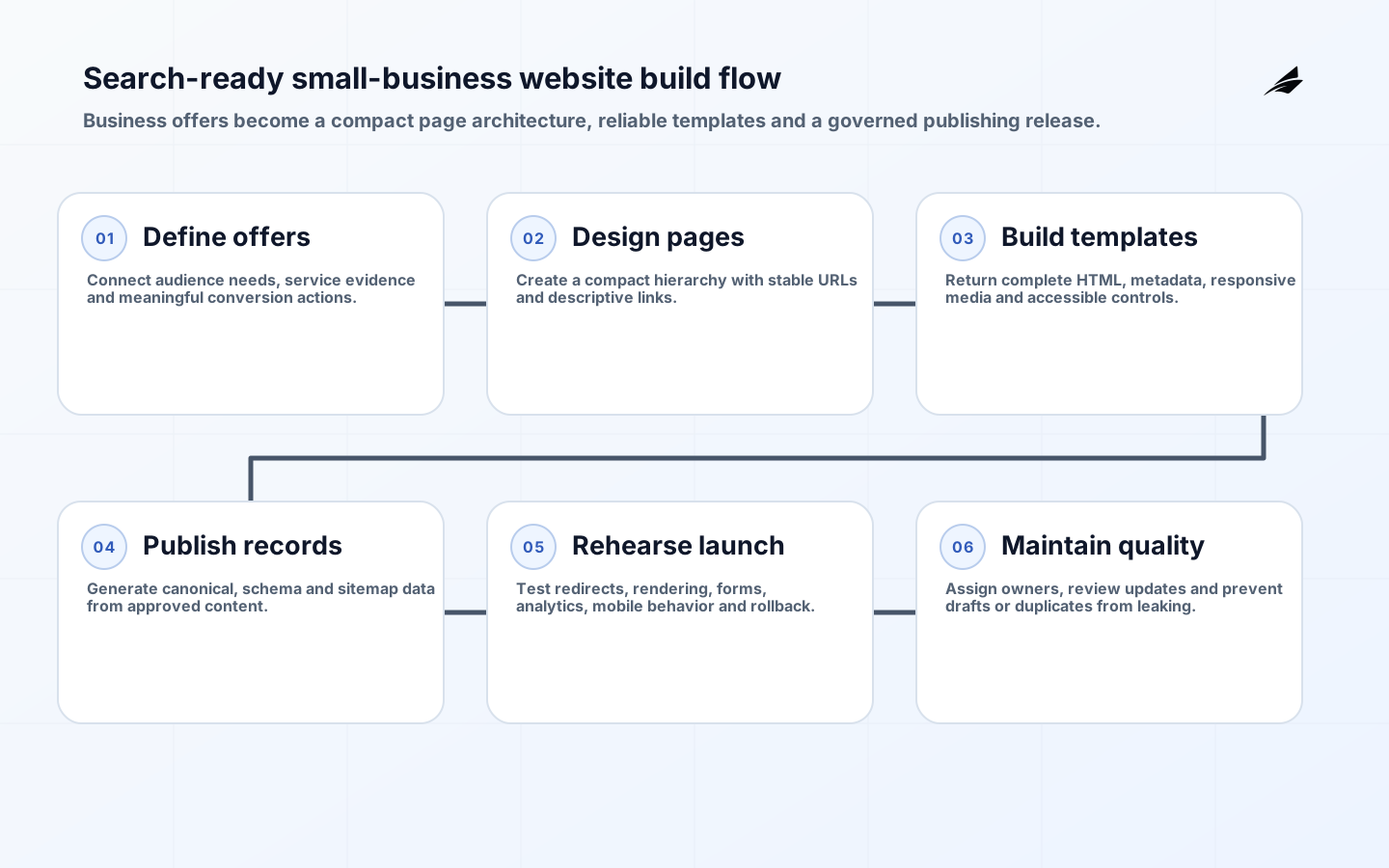
This checklist follows the build from page inventory to launch. It is intentionally practical for a service business, shop, professional practice or small SaaS company with limited maintenance capacity. The aim is a small number of strong, owned templates and a publishing system that stays correct.
1. Define audiences, offers and conversion paths
List priority audiences and what they need to decide. Connect each service or product to an owner, evidence and action such as call, quote, booking or purchase. Decide which locations are genuinely served. Gather proof—work examples, credentials, policies, team details and contact information—before page design.
Set measurable launch outcomes: successful forms, calls, bookings, indexed priority pages and usable mobile performance. Avoid ranking guarantees. Record current URLs and traffic if replacing a site. Identify legal, privacy, accessibility and industry requirements that affect forms, tracking and content.
2. Create a compact information architecture
Design a hierarchy around home, major services or products, evidence, company information, useful resources and contact. Every priority page should be reachable through descriptive links. Use one page for one coherent need; split only when the content and decision are materially different. Avoid categories that contain no useful page.

Choose short, readable, stable URLs and document hostname, HTTPS and trailing-slash policy. Do not expose staging, search results, tag permutations or parameters as indexable pages. Plan old-to-new mappings before the new site is built. Navigation labels should make sense to customers without relying on internal terminology.
| Page type | Purpose | Required proof | Primary action |
|---|---|---|---|
| Home | Explain the business and route intent | Real offer and differentiator | Choose service or contact |
| Service | Answer scope, process and fit | Examples, constraints and expertise | Request consultation |
| Location | Explain real local service | Address or truthful service-area detail | Call or visit |
| Case study | Show a verifiable result | Context, work and outcome | Explore related service |
| Contact | Provide dependable next step | Hours, method and privacy | Submit or call |
3. Render complete crawlable pages
Return meaningful HTML with title, canonical, heading and primary content. Client-side enhancement is fine, but important pages should not remain an empty shell when scripts fail or a crawler renders later. Google documents specific considerations for JavaScript sites, including status behavior, canonical handling and discoverable links.
Use real anchor elements for navigation and contextual links. Provide accurate status codes. Removed pages without replacements should return 404 or 410; failures should not return 200 with an error message. Keep authentication and personalization from hiding the public page. Test as a logged-out user.
4. Generate page-specific metadata
Write a concise unique title that names the page and business context. Use a descriptive meta description for the potential visitor; it may influence presentation but is not a hidden ranking field. Add one visible H1 and logical H2s. Generate an absolute self-canonical for the chosen final URL.
Set robots directives by publication status. Drafts and private pages should not enter public navigation or sitemaps. Add Open Graph and other sharing metadata from the same page record. Use meaningful image filenames and literal alt text for informative images; decorative images should not carry stuffed descriptions.
5. Publish service content people can verify
Explain what the service includes, who it fits, process, timing factors, constraints, evidence and next step. Use natural terminology customers use, but do not repeat phrases mechanically. Include internal links where they help the reader move between related services, examples and guides. Keep important facts as text rather than only inside graphics.
Give every page an editor and review date. Remove copied manufacturer or generic agency prose. Location pages need real local differences such as team, office, delivery conditions or examples. A page should remain useful if the city or service phrase is removed from its heading; otherwise it probably lacks substance.
6. Add accurate structured data and sitemaps
Generate JSON-LD for entities the page genuinely represents. Organization, LocalBusiness, Service, Article and BreadcrumbList may be suitable depending on visible content. Use stable identifiers and connect author, publisher and page entities. Follow current feature-specific rules; markup does not guarantee a rich result.
Generate the XML sitemap from published canonical records. Include only successful, indexable final URLs and truthful last modification dates. Host it at a stable public address and reference it from robots.txt where useful. Exclude redirects, drafts, parameters and duplicate variants.
| Area | Pass condition | Failure to catch |
|---|---|---|
| Status | Public page returns intended success code | Soft error or redirect loop |
| Canonical | Absolute self-canonical matches final URL | Staging or variant canonical |
| Rendering | Primary content and links are retrievable | Permanent loading shell |
| Schema | Facts match visible content | Invented or stale values |
| Sitemap | Only canonical published URLs appear | Draft, error or redirected URL |
| Mobile | Content and actions fit without obstruction | Overflow or covered controls |
7. Engineer fast, stable and accessible interaction
Set image dimensions, use modern formats where supported and deliver responsive sizes. Limit third-party scripts and load nonessential functions after critical content. Optimize fonts and server response. Test long headings, forms, menus and media on small and large screens. Performance work should preserve the business action.
Use semantic HTML, keyboard access, visible focus, labels, sufficient contrast and meaningful alternatives following applicable WCAG guidance. Accessibility and search readiness overlap in clear structure and usable content, but accessibility is a broader obligation. Test with automated tools and human interaction.
8. Configure analytics and lead evidence
Track only events that support decisions: form start and success, click-to-call, booking, purchase and important navigation. Confirm consent and privacy requirements. Avoid counting a button click as a lead when submission fails. Test attribution across redirects and external booking systems.
Connect Search Console and other relevant webmaster tools under business-controlled accounts. Record launch annotations and preserve the old baseline. Create a simple report for organic landing pages, qualified actions, indexing and technical errors. Data should lead to an owner and response.
9. Rehearse launch and URL migration
Crawl staging under controlled access and verify page inventory, links, status, canonicals, directives, forms, structured data and sitemap. Ensure staging noindex or authentication will not reach production incorrectly. Back up the existing site and lower DNS risk where applicable.
Implement direct permanent redirects from valuable old URLs to their closest new equivalent. Update internal links, canonical and sitemap records. Check production as a logged-out mobile client immediately after launch. Monitor errors, redirect chains, form submissions and priority page rendering.
10. Assign post-launch ownership
Name owners for domain, hosting, repository, content, analytics and business listings. Schedule updates, dependency patches, backups and restore tests. Review broken links, errors and stale facts. Give editors guardrails so new pages inherit metadata and sitemap rules without copying old values.
A small site benefits from restraint. Archive obsolete content, consolidate duplication and improve pages based on customer questions and outcomes. Review major template changes before release. Search readiness is sustained by publishing discipline, not a one-time audit.
11. Create a publishing workflow for future pages
Give editors required fields for title, excerpt, canonical slug, image, alt text, author, publication status and related links. Validate uniqueness and prevent drafts from entering public feeds. Provide structured sections for service scope, evidence and FAQs without forcing identical copy. Preview long words, empty media and unusual combinations on mobile.
Set an editorial review that checks factual ownership, customer usefulness, links, images and local claims. A technical check then verifies rendered HTML, schema and sitemap membership. Record substantive updates so modification dates remain truthful. Archive or redirect retired pages through an explicit decision.
Limit who can change global templates and URL policy. Test template releases against representative sparse and rich records. Keep a rollback path. A scalable small-business site is not one that can generate unlimited pages; it is one that lets a small team publish a necessary page without breaking every existing one.
Related reading
Use Technical SEO Services for Small Business for diagnosis, Schema and Sitemap Optimization for publishing feeds, and the SEO-Ready Website Implementation Plan for project readiness.
Frequently asked questions
Should SEO begin after design? No. URL policy, rendering, content structure, performance and migration should be designed with the site. Page copy and evidence also need early ownership.
Does every service need its own page? Create a separate page when the audience, evidence and decision are materially distinct. Do not split minor keyword variants into repetitive pages.
Can a JavaScript website rank? Yes, when important content, links, status and metadata are reliably rendered and accessible. Test the actual production output rather than assuming framework support.
What should be checked first after launch? Verify priority URLs, redirects, canonicals, robots directives, rendered content, forms, analytics and sitemap before waiting for ranking reports.
Key takeaways
- Design page architecture around real offers and customer decisions.
- Render complete crawlable pages with one stable canonical URL.
- Generate metadata, schema and sitemaps from owned publishing records.
- Treat performance, accessibility and conversion as one usable experience.
- Rehearse migration and assign ongoing technical and content ownership.
Conclusion
An SEO-ready small-business website is a well-built publishing product. It presents specific services, returns dependable HTML, maintains coherent URL signals and gives customers a fast accessible path to act. Building those qualities into templates and ownership is more durable than adding metadata after launch or multiplying pages that nobody can maintain.