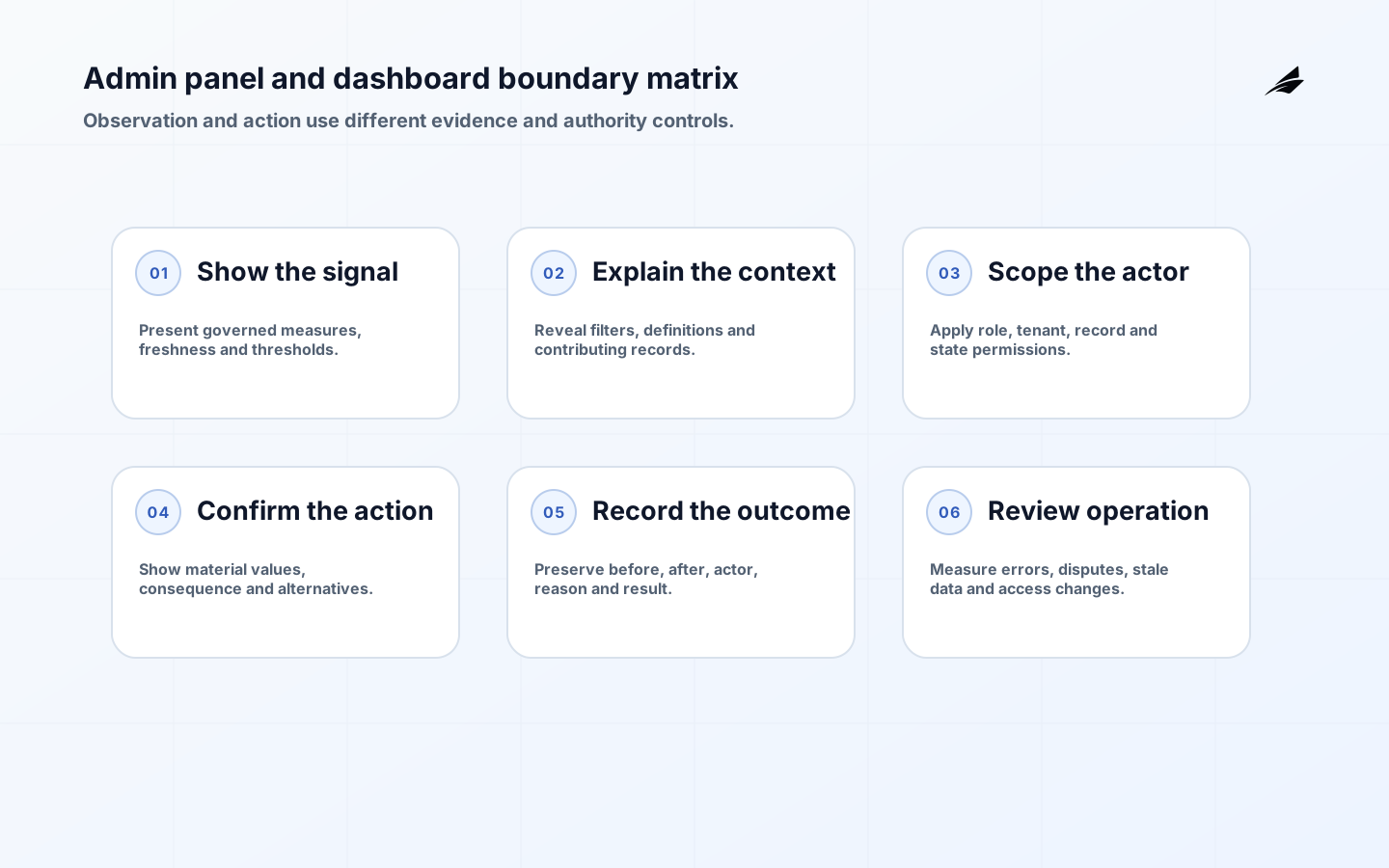
The admin panel vs dashboard decision depends on what a user must do. A dashboard summarizes signals so someone can understand status, compare performance, or decide where to investigate. An admin panel lets an authorized person change records, manage access, resolve exceptions, configure policy, or trigger operational actions. Many business products need both, but combining them without a clear boundary can turn an informational view into a dangerous control surface or bury urgent actions inside decorative charts.
For related design decisions, see Edilec’s admin dashboard architecture guide, dashboards as a source of truth, and approval workflow software guide. They address architecture, metric trust, and consequential actions in more detail.
Treat admin panel versus dashboard as an accountable path, not a feature request. Identify one role and the decision it must make. A decision-ready scope names the trigger, the authorized actor, the records in scope, and the result that a user can rely on. It also names what is deliberately out of scope. That restraint helps a team learn from genuine use before it turns a narrow improvement into an unowned layer between people and the work they are trying to complete.
What admin panel versus dashboard means in practice
The practical purpose is to support actions such as correct a record, approve a refund, assign work, inspect a queue, compare periods, or investigate an exception. The path should have a discernible starting condition, an observable state while work is in progress, and an outcome that can be checked later. A useful implementation makes the normal route easy without obscuring exceptions. It should be possible for an affected person to understand what happened and for an owner to locate the supporting evidence. That is the difference between a convenient interface and an operational commitment.
Authority belongs with the operational system for records and the approved definition for each reported metric. Other tools can display, cache, summarize, or relay that information, but they should not silently redefine it. This distinction matters whenever a new screen, service, or integration is introduced. An attractive experience does not prove that a value is current, that the actor has permission, or that a correction will reach the system where it matters. Naming authority early turns later architecture choices into reviewable trade-offs instead of assumptions.
Define the boundary before choosing a solution
Write the boundary in concrete language: when this event occurs, this role may perform this action against this scope, and this owner handles incomplete or disputed cases. That statement gives design a model, engineering a test target, and operations a service boundary. For admin panel versus dashboard, it is more helpful than a promise to make everything seamless. It also provides a fair way to assess future expansion requests, because each new source, role, or action can be tested against the same accountable terms.
| Boundary question | Decision-ready answer | Warning sign |
|---|---|---|
| Who starts the path? | A named role, event, or service identity | Any person can initiate it |
| What may change? | A defined record or approved output | The action affects whatever appears related |
| Where is authority? | A named system and business owner | Several copies are treated as final |
| What happens on failure? | A visible exception and repair route | Someone must reconstruct the event from email |
Choose controls that fit consequence
The essential controls are role separation, confirmation, approval paths, audit logs, metric definitions, filters, freshness rules, and accessible presentation. They should be designed into normal work rather than appended as a compliance ritual. A person should see the confirmation or denial when it matters, an operator should see the exception, and an owner should be able to find evidence without relying on personal memory. The right control profile depends on consequence: a read, an irreversible change, and an external disclosure are different decisions even when they appear in the same workflow.
Choosing between an admin panel and a dashboard requires a control profile tied to the actual action. Use the likely harm of an incorrect outcome to decide where identity checks, validation, approval, and durable evidence belong. Exercise the ordinary case alongside a denied, incomplete, conflicting, and corrected case; those less tidy paths show whether the capability is safe to rely on. Avoid adding friction everywhere while the few irreversible actions remain under-specified. Proportionate controls are clearer for users and easier for teams to operate.
| Design choice | Use it when | Trade-off |
|---|---|---|
| Narrow initial scope | Evidence is needed before expansion | Some requests remain manual |
| Structured approval | A decision has material impact | A named reviewer may slow the path |
| Automated execution | The rule and inputs are stable | Monitoring and rollback are required |
| Human exception route | Context changes the right result | Owners need capacity and response expectations |
Operate admin panel versus dashboard as a service
Review change error rate, audit completeness, resolution time, dashboard freshness, and user decisions with people who can change the underlying process. These signals should separate normal variation from a broken rule, missing source field, access problem, or training gap. A growing dashboard does not improve the service by itself. Each alert needs an owner and an expected response. Over time, the operational record becomes a valuable source of product insight because it exposes the conditions that users cannot resolve through the intended path.
For admin panel versus dashboard, keep a concise change record that is useful to the next operator. Capture why the change was made, the policy or contract affected, the users and records in scope, the expected signal, and the rollback or repair route. This helps a service business deciding whether staff need to act on records or understand performance evaluate a change as a decision, not merely as a technical adjustment. It also prevents a seemingly small edit from becoming an undocumented change to work another team depends on.
Make a proportionate implementation decision
The first release should usually be a constrained path with representative users and real but limited data. Test the normal outcome, invalid input, interrupted request, denied action, and correction. Measure both the work saved and the new work introduced. Identify one role and the decision it must make. Expanding only after those checks keeps the team from making a permanent commitment before it knows whether the process, data, and ownership model can support it.
Before scaling, ask whether the organization can explain a result to the person affected by it. Can staff identify the source, the rule, the owner, and the next step? Can they stop or reverse an outcome when evidence changes? If not, scale will amplify ambiguity. The first improvement is usually a clearer decision rule or repair path, not another feature. This is particularly important for admin panel versus dashboard, where an apparently small exception can have a disproportionate operational or trust cost.
Common failure modes to avoid
A recurring failure is calling every data-rich screen a dashboard when it is really an administrative control surface. Another is allowing a temporary workaround to become an invisible dependency: a manual export, shared account, spreadsheet override, or verbal approval may quietly join the production process. Surface those dependencies and decide whether to formalize, retire, or monitor them. Teams also underestimate change. A new field, role, policy, or customer segment should trigger an intentional review of the path rather than an assumption that existing behavior will stretch without consequence.
Define the surfaces in operational terms
Microsoft describes a Power BI dashboard as a single-page canvas containing the most important elements of a story. That is a useful analytical definition, but product teams often call any internal screen a dashboard. Use behavior instead of labels. If the surface primarily observes and compares governed measures, it is a dashboard. If it creates, updates, approves, deletes, impersonates, configures, or exports protected records, it is an admin panel. A screen can contain both modes, but actions should remain unmistakable and separately authorized.
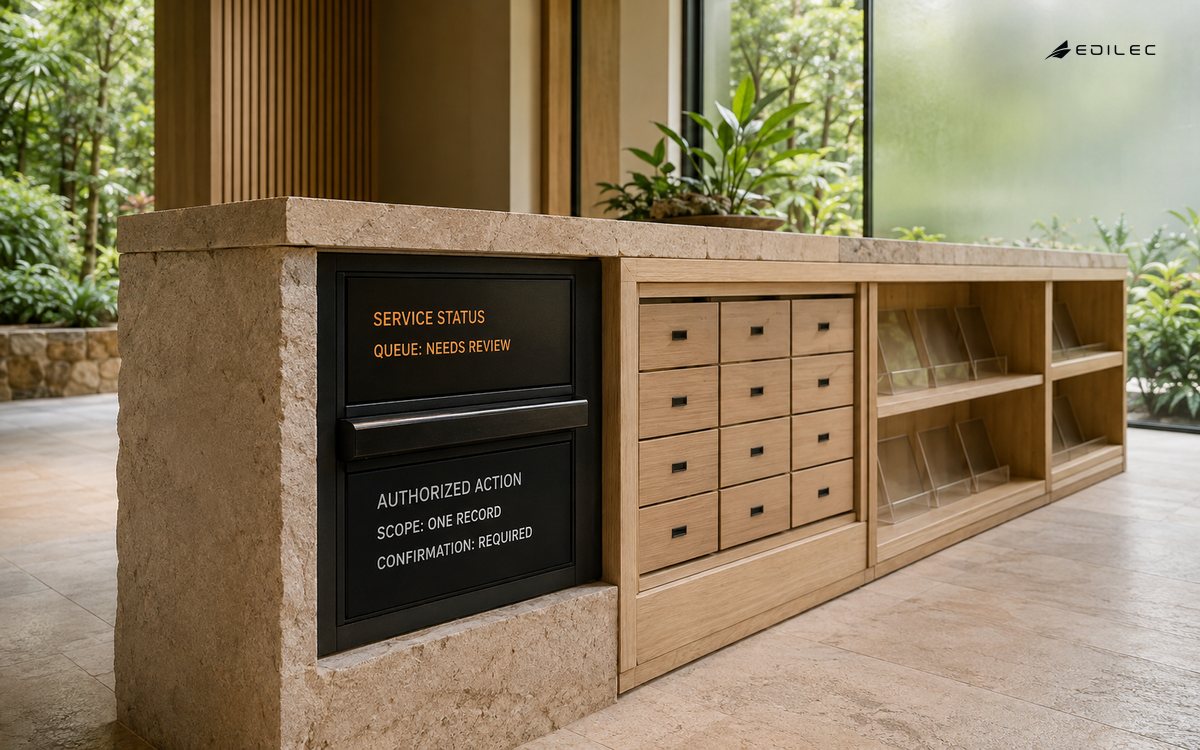
| Need | Best primary surface | Design priority |
|---|---|---|
| Monitor service health | Dashboard | Freshness, thresholds, ownership, drill path |
| Correct a customer record | Admin panel | Authorization, validation, audit, recovery |
| Prioritize an exception queue | Combined | Summary leading to scoped records |
| Manage roles or configuration | Admin panel | Least privilege and strong confirmation |
| Review business performance | Dashboard | Metric definitions and accessible comparisons |
Design admin authority from tasks and consequence
Do not start with one “admin” role. Define permissions for concrete operations and scopes, then group them into job-aligned roles. NIST’s role-based access-control overview explains user-role and permission-role relationships as well as separation-of-duty constraints. Add tenant, region, record state, amount, or support-assignment attributes where roles alone are too broad. Re-authenticate or require a second approval for especially consequential actions, and prevent support impersonation from becoming invisible access.
Make actions and metrics independently trustworthy
Admin actions need server-side authorization, input validation, concurrency control, confirmation of material values, immutable audit events, and a recovery route. Dashboard measures need governed definitions, lineage, freshness, filters, comparison periods, and drill-through to supporting records. The OWASP Application Security Verification Standard provides testable requirements for web application controls; use an appropriate verification level for the system’s risk. Never treat a disabled button or hidden menu as authorization.
Design for fast, accessible operation
Internal tools still need accessible names, keyboard order, visible focus, clear errors, sufficient contrast, and alternatives to color. Microsoft’s Power BI accessibility guidance calls out keyboard navigation, screen readers, high contrast, alt text, and avoiding color-only meaning. Admin panels also need stable layouts, explicit destructive-action language, reviewable before-and-after values, and success states that confirm what changed. Operators working under pressure should not have to infer whether a click took effect.
Key takeaways
- Admin panel versus dashboard should be defined by an accountable business decision, not by a feature label.
- Start with one bounded path and make authority, permissions, and exceptions explicit.
- Test denied, incomplete, and correction cases along with the happy path.
- Treat change error rate, audit completeness, resolution time, dashboard freshness, and user decisions as operating signals with owners, not decorative reporting.
Frequently asked questions
Is admin panel versus dashboard only for large organizations? No. Smaller teams often benefit earlier because a few people carry a great deal of process knowledge. The scope should still be narrow and consequential. Should it replace human judgment? Only where the rule is stable and the cost of error is understood. Where context changes the right answer, the design should prepare a timely human decision with the relevant evidence rather than attempting to conceal uncertainty.
Conclusion
Choose an admin panel when people must change operational state, a dashboard when they must understand governed signals, and a deliberate combination when one should lead to the other. Separate authority from visibility, protect actions on the server, make metrics explainable, and test the surface with the people who operate it. The name matters less than the boundary.