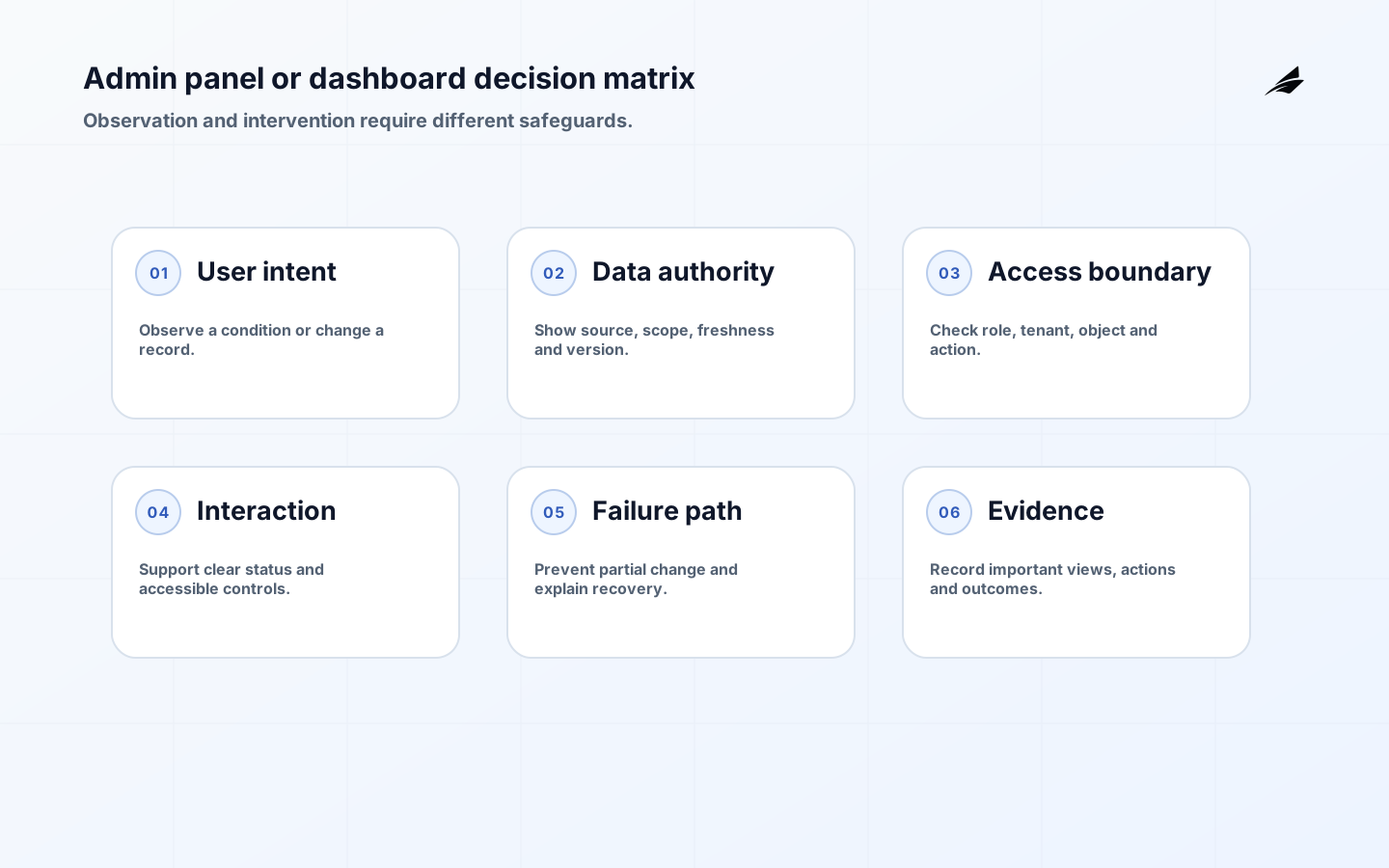
The admin panel vs dashboard decision becomes expensive when a programme treats both as a collection of charts and buttons. A dashboard helps someone notice, compare, and decide; an admin panel lets an authorised operator change a state, manage a rule, or resolve a case. A service business often needs both, but not for the same reader or at the same moment. Before commissioning screens, follow one real case from intake to completion and write down who needs a signal, who may take action, and what must be retained when something goes wrong. That small exercise reveals whether the first release needs decision support, controlled administration, or a deliberately narrow combination of the two.
What admin panel vs dashboard means in practice
A dashboard is a decision surface. It aggregates timely measures, exposes trends or exceptions, and points a manager toward a next question. It should not silently become the place where people alter permissions, financial status, customer facts, or business rules. An admin panel is a controlled work surface for those consequential changes. It needs visible state, field validation, accountability, help for unusual cases, and appropriate access checks. The distinction is not aesthetic. It sets different standards for evidence, latency, navigation, testing, and ownership. A useful brief states which decisions the dashboard supports and which protected actions the admin panel permits.
Define scope, ownership, and the authoritative boundary
Start by allocating each proposed capability to one of three lanes: observe, decide, or change. A queue count, ageing chart, and service-level warning belong in the observe lane. Choosing whether to escalate belongs in the decide lane. Reassigning a case, issuing a credit, or editing an entitlement belongs in the change lane and requires an administrative authority model. Keep the reader’s job-to-be-done visible beside the feature list. A regional manager may need a compact exception dashboard, while a service administrator needs a case record with history and repair actions. Combining those needs into one universal screen usually produces slow, over-permissioned software.
| Decision question | Decision-ready answer | Risk if omitted |
|---|---|---|
| What is the protected outcome? | A defined business result supported by admin panel vs dashboard. | The build optimises a feature instead of the operating decision. |
| Who owns the rule? | A named business owner approves policy while technical owners operate the service. | Technical configuration silently becomes business policy. |
| Where is authority? | A documented source record or policy decision is authoritative; displays and copies are not. | Teams resolve disagreement by choosing the most convenient screen. |
| What proves completion? | An observable result, record, and exception route are agreed before release. | A successful request is confused with completed business work. |
| Who repairs failure? | A named queue and response expectation handle failed, disputed, or delayed work. | Staff rely on inboxes, spreadsheets, and undocumented overrides. |
Design the operating path and evidence
Use a named authoritative record behind every action. The dashboard may query a reporting model or time-bounded aggregate, but links from a metric to a case should identify the source record and its freshness. The admin panel should submit changes through a governed service path, not mutate a reporting table or a browser-only calculation. Capture actor, reason, previous value, new value, effective time, and correlation identifier for material changes. Design for stale data honestly: show the reporting timestamp, define refresh expectations, and provide a route from a surprising measure to the underlying work. This makes a manager’s question traceable instead of turning a visualisation into an untestable source of truth.
Build controls and exception handling into the work
Control design should follow consequence. A user who views a queue may not need the authority to alter service terms; a user who changes terms may need a second review or a limit. Apply role-based permissions at the protected action, not merely by hiding a menu item. Make destructive operations deliberate, preserve a reversible path where the business allows it, and never make a free-text note the only evidence of an override. Accessibility is operational quality too: labels, keyboard paths, error messages, and colour-independent status indicators help staff make correct decisions under pressure. Test permissions with real job roles and test the interface with a slow, partial, or contradictory record.
| Condition | Required response | Operating evidence |
|---|---|---|
| Required information is missing | Hold or decline the work with an actionable reason. | Validation result, source context, and named follow-up owner. |
| An automated step fails | Preserve context, apply a safe retry rule, and route unresolved work. | Correlation identifier, attempt history, and queue status. |
| Authority is unclear | Do not infer permission; escalate to the accountable owner. | Decision request, approver, and policy reference. |
| A material correction is needed | Correct through a governed path without obscuring the original state. | Reason, actor, effective time, and before-and-after record. |
| A control is bypassed | Contain impact, record the exception, and conduct follow-up review. | Exception evidence, expiry or remediation action, and outcome. |
Deliver a thin, operable first release
Deliver one operational slice rather than a catalogue of widgets. For example, launch a dashboard that highlights unassigned cases and an admin panel that lets a supervisor reassign them with a reason and audit history. Rehearse the ordinary case, a missing owner, an unavailable dependency, and a disputed reassignment with the people who will operate it. Agree who owns metric definitions, who approves new administrative actions, and how a support team reports a screen defect that affects a customer outcome. Release gates should include workflow evidence and accessibility checks, not only visual sign-off. Expand after the team can explain why a number changed and safely repair the case behind it.
Measure the operating result, then review it
Measure whether the surfaces reduce avoidable delay and ambiguity. Watch time from exception to ownership, percentage of actions with a valid reason, failed or reversed changes, dashboard freshness, and the number of support requests caused by unclear status. Review a small sample of operational decisions alongside the charts. A metric that looks precise but cannot be traced to a known definition should be retired or corrected before it drives policy.
Use governance and procurement evidence to make the decision durable
Before selecting a component library or reporting tool, ask suppliers to demonstrate the actual operating boundary. Have them show a dashboard metric linked to its source case, a restricted administrative action attempted by the wrong role, a valid correction with its history, and an export that respects scope. The answer should include accessibility behaviour, audit evidence, data freshness, and recovery when an action is incomplete. In procurement, a promising visual prototype is evidence of neither authority nor operability. Acceptance criteria should name the job role, allowed action, source record, exception route, and measurable outcome. That gives client stakeholders a practical way to compare options without turning a user-interface preference into an unexamined control decision.
Key takeaways for admin panel vs dashboard
- Separate observation, decision, and protected change.
- Name the authoritative record behind each chart and action.
- Apply permissions where the change occurs, not only in navigation.
- Keep material before-and-after evidence and an override reason.
- Design dashboard freshness and exception handling as visible states.
- Pilot a bounded case journey with the actual operators.
Design explicitly for observation or intervention
A dashboard answers questions about state: what is happening, what changed, and where attention may be needed. An admin panel changes state: it creates, corrects, approves, disables, retries or configures. Combining both can be appropriate, but every actionable control should make the transition from observation to intervention explicit. Show the selected resource, current state, proposed change, consequence, authority and result. A chart that links to an edit form is not a sufficient control boundary if the edit can affect another customer or bypass a required workflow.
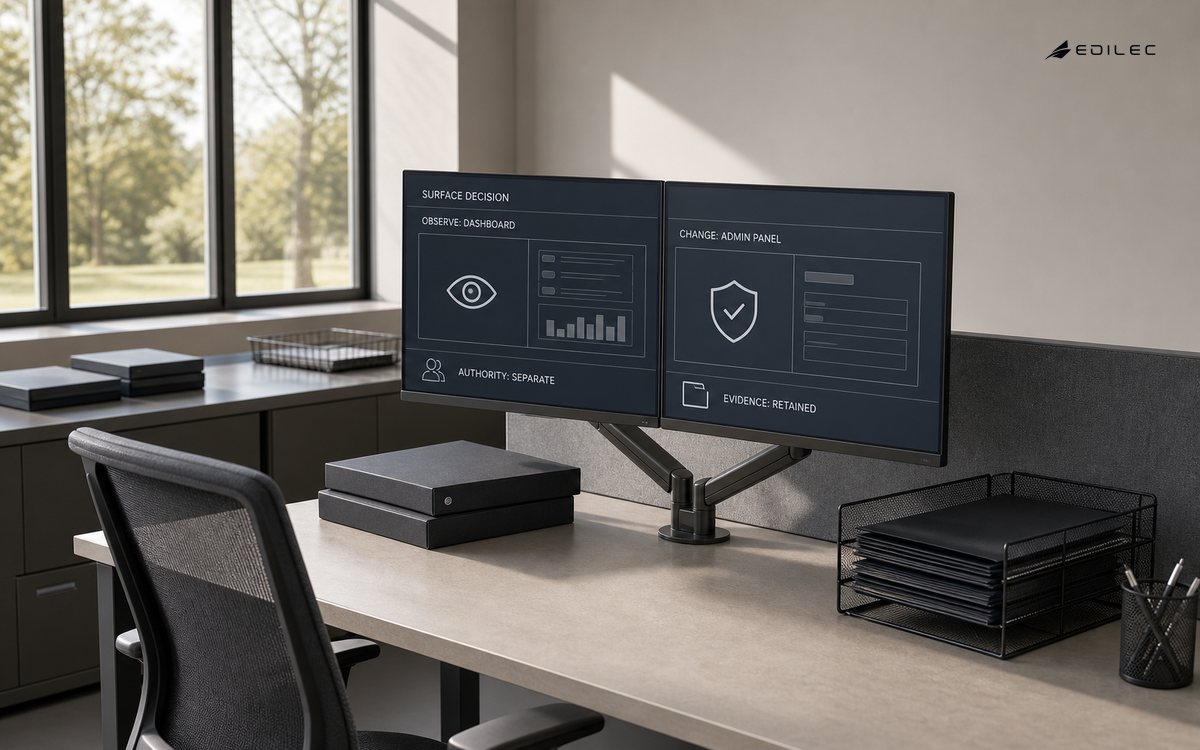
Accessibility is operational quality. WCAG 2.2 requires interfaces to expose names, roles, states and status messages in ways assistive technologies can determine. A dashboard should not rely on color alone for severity, and an admin action should communicate validation, progress, success or failure without unexpectedly moving focus. Tables need real headers and meaningful order. Dense interfaces still need keyboard navigation, visible focus and touch targets that work under pressure. These details reduce mistakes for every operator, not only users of assistive technology.
| Surface need | Dashboard design | Admin-panel design |
|---|---|---|
| Primary intent | Observe, compare and identify attention | Execute a controlled business action |
| Freshness | Show timestamp, scope and quality of displayed data | Recheck current state immediately before mutation |
| Authorization | Limit sensitive views by resource and role | Verify action and object permission on every request |
| Error handling | Explain missing, delayed or partial signals | Preserve input, prevent partial change and offer recovery |
| Audit evidence | Record important views or exports where required | Record actor, target, prior state, result and reason |
Compare the decision with the service-business admin panel guide, the system-of-record basics, and the guide to RBAC meaning in software. Prototype one read-only investigation and one consequential correction. Test keyboard use, stale data, an authorization denial, a concurrent update, a failed dependency and a reversible mistake. If the interface cannot explain the outcome, the workflow is not ready for an edit button.
Frequently asked questions
Is an admin panel just a dashboard with edit buttons?
No. An admin panel carries authority to change protected state, so it needs a clearer action model, validation, permissions, and evidence. A dashboard can link to administrative work without inheriting that authority.
When should a dashboard be real time?
Only when the decision requires it and the source can support it. For many operational reviews, a stated refresh interval and timestamp are safer than a brittle claim of real time.
Who owns definitions used on a dashboard?
The business owner of the decision should approve the metric definition; data and engineering teams should document lineage, refresh behaviour, and technical controls.
Conclusion
The distinction between an admin panel and a dashboard becomes a useful planning concept when it is connected to a real decision, an accountable owner, a protected operating path, and evidence that a reviewer can understand. Do not begin with a vendor feature list or a generic architecture diagram. Start with the outcome that must be dependable, test the awkward cases with the people who will run the work, and make the first release small enough to observe. That approach gives a client team a clearer basis for investment and a service it can improve without losing control of the business facts that matter.