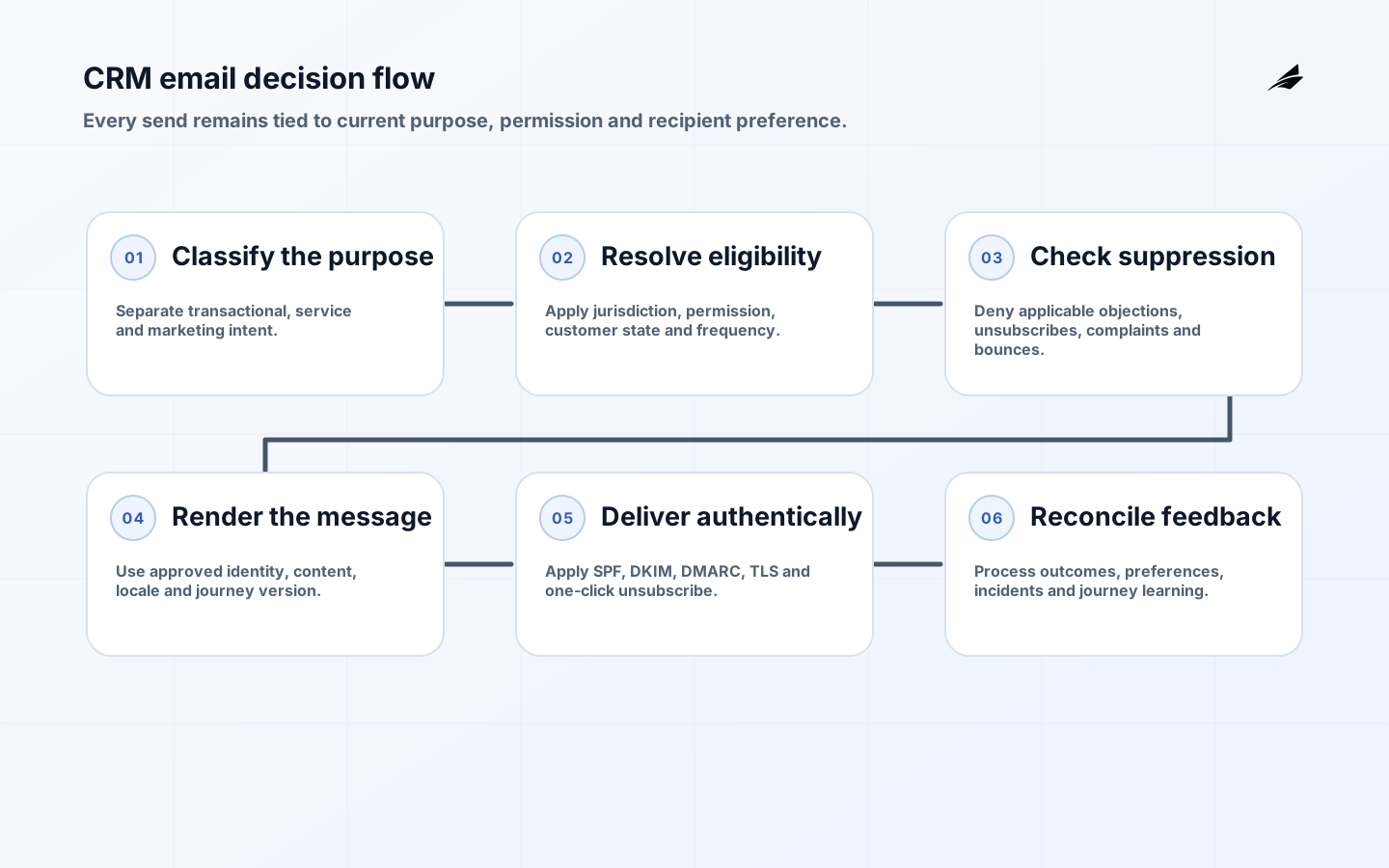
CRM email automation implementation joins personal data, business rules, message infrastructure and customer experience. A workflow that sends at the right time but ignores lawful basis, suppression or sender authentication is not successful. Nor is a compliant workflow that duplicates messages, exposes sensitive attributes or cannot explain why a person was contacted. This FAQ gives implementation teams a controlled path from audience eligibility to delivery, response and correction. Obtain jurisdiction-specific legal advice for the actual campaign.
Use the CRM email automation readiness checklist before build and the scope, cost and delivery plan for procurement. Edilec's detailed consent and deliverability implementation checklist provides further acceptance criteria.
What must be decided before automation?
Name the message purpose, sender, audience, trigger, expected recipient action and whether it is transactional, service-related or marketing. Classify mixed-content messages conservatively and keep essential service notices separate from promotion. Record the applicable jurisdiction, lawful basis or permission, collection source, notice, retention and withdrawal route. Legal and privacy owners should approve the decision rule; engineers should make it enforceable and testable.
The FTC's CAN-SPAM business guide covers commercial email, including business-to-business messages, and requires accurate headers, non-deceptive subjects, identification, a physical address, opt-out and responsibility for vendors. Other regimes can require prior consent in cases where US law does not. The ICO's current electronic-mail marketing guidance explains UK PECR and data-protection interactions. Do not generalize one country's rule across the database.
| Eligibility field | Meaning | Authoritative owner | Send-time behavior |
|---|---|---|---|
| Purpose | Transactional, service or named marketing purpose | Business and legal | Select approved template and rules |
| Jurisdiction | Rules applicable to recipient and sender | Privacy or legal | Apply regional policy |
| Permission | Consent, soft opt-in or other approved basis | CRM data owner | Require valid, current state |
| Suppression | Global or purpose-specific do-not-contact | Privacy operations | Always deny applicable marketing |
| Frequency | Contact pressure across journeys | Customer experience owner | Delay or prioritize message |
How should consent and suppression be modeled?
Store permission as an event-backed record: subject or address, purpose, status, source, notice version, jurisdiction, timestamp and evidence reference. Do not use one marketing boolean for unrelated channels, brands and purposes. Store withdrawal and objection even after deleting unnecessary profile data. A suppression list exists to prevent future contact, so protect it, minimize fields and check it at the last responsible moment before every send.
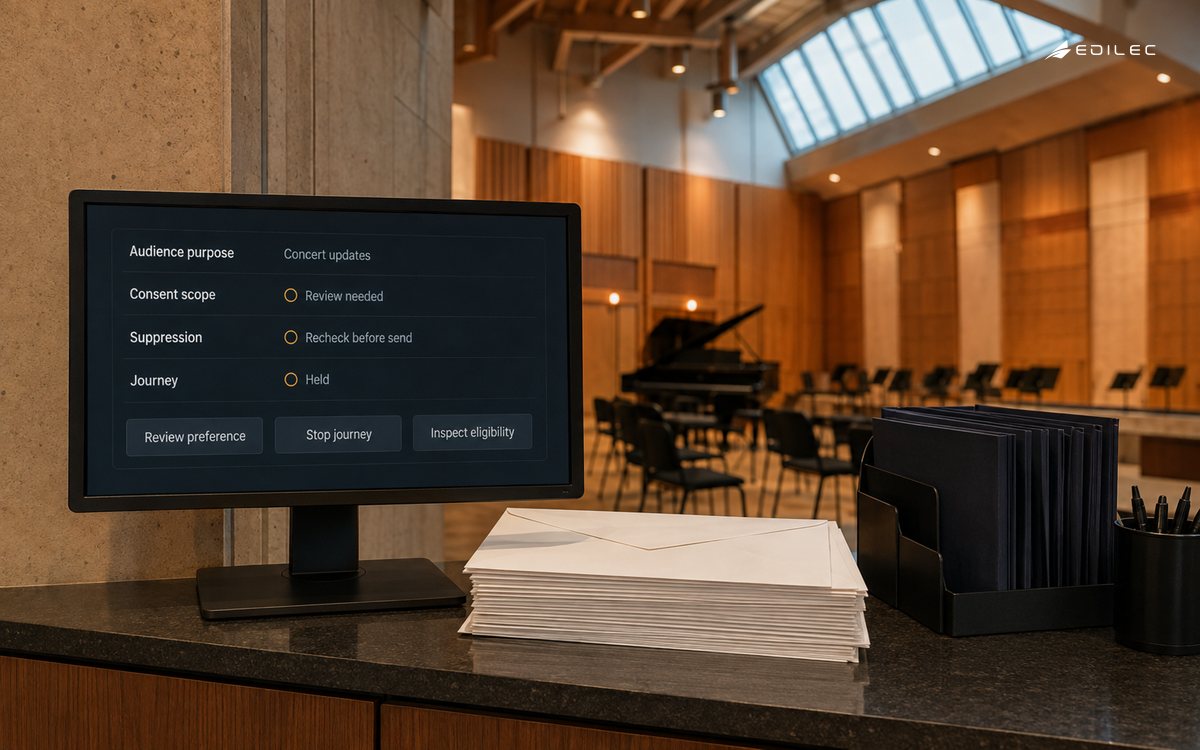
Separate CRM profile, subscription preferences, operational suppression and send history, then define precedence. A global objection should override a journey enrollment. A hard bounce may suppress delivery while preserving the underlying legal state. An address change should not automatically transfer another person's consent. Reconcile the CRM, customer portal, service desk, event platform and email provider so no downstream list silently restores an obsolete preference.
How should CRM email workflows be implemented?
Give each journey a stable identifier and version. Define entry event, eligibility query, exclusions, delays, frequency policy, content decision, exit conditions and owner. Use idempotency keys so repeated events do not create duplicate sends. Freeze or reference the decision inputs used at send time: customer, purpose, permission, template, locale and offer. Do not expose sensitive CRM attributes in URLs, event names or broad logging.
Use explicit states such as eligible, scheduled, held, sent, delivered, bounced, complained, unsubscribed and cancelled. Decide what a late purchase, account closure, consent withdrawal or corrected email address does to pending messages. For high-consequence communications, route ambiguous records for review rather than guessing. Keep deterministic business and permission rules outside generative content tools; any generated copy still needs template, claims and brand controls.
What authentication and deliverability controls are required?
Inventory every system sending as the organization. Configure SPF and DKIM, align the visible From domain under DMARC, maintain forward and reverse DNS where required, use TLS and separate transactional from marketing streams when reputation and recovery need it. RFC 9989 is the current DMARC specification as of May 2026 and supersedes RFC 7489. Stage policy enforcement after reviewing aggregate reports and correcting legitimate senders.
Google's Gmail sender guidelines require SPF or DKIM for all senders to personal Gmail accounts and additional SPF, DKIM, DMARC alignment and one-click unsubscribe requirements for bulk senders. Enforcement on noncompliant traffic increased from November 2025. Yahoo's sender requirements similarly require authentication, low complaint rates and easy unsubscribe. Treat provider thresholds as delivery constraints, not permission to contact people up to a complaint limit.
| Control | Implementation test | Operational signal | Response |
|---|---|---|---|
| SPF/DKIM | Send through every authorized route | Authentication pass by source | Repair or stop unverified route |
| DMARC | Verify From alignment and reports | Aligned pass and unexpected sources | Correct, contain, then tighten policy |
| Unsubscribe | Use body link and one-click header | Request success and processing age | Suppress immediately and investigate lag |
| Complaint | Connect feedback to address and journey | Rate by stream and campaign | Pause and review audience |
| Bounce | Classify permanent and transient failures | Bounce reason and retry age | Suppress or apply bounded retry |
How should unsubscribe and preferences work?
Provide a visible in-message link and support mailbox-level one-click unsubscribe for applicable subscribed or marketing messages. RFC 8058 defines List-Unsubscribe-Post with an HTTPS POST and requires protected headers under DKIM. Use opaque, scoped tokens; do not require login to stop marketing. Process provider and user requests promptly, preserve suppression evidence and test that retries, list exports and historical journeys cannot send again.
A preference center may offer useful purpose and frequency choices, but it cannot obscure a clear stop option. State brand and channel scope. Design the endpoint for automated receiver requests, duplicate requests and expired display sessions. Monitor response status and processing delay. A successful preference page view is not evidence of suppression; verify the CRM state and a final pre-send denial.
How should automation be tested and operated?
Create test personas for jurisdictions, permissions, objections, languages, customer states and address quality. Exercise repeated triggers, out-of-order events, delayed jobs, template failure, provider timeout, webhook replay, unsubscribe between schedule and send, and CRM-provider disagreement. Use seed accounts at major mailbox providers to inspect headers, links, rendering and placement. Rehearse pausing a journey and globally suppressing a recipient during an incident.
Monitor eligible population, suppressed population, send attempts, delivery, deferral, bounce, complaint, unsubscribe, conversion and support contact by journey and stream. Interpret opens cautiously because privacy and client behavior can distort them. Review customer outcome alongside pressure and harm indicators. Keep dashboards and event logs access-controlled. Establish incident routes for wrong audience, wrong content, excessive frequency, data exposure, authentication failure and provider block.
What should be accepted before launch?
Trace a representative contact from collection and notice through CRM state, journey eligibility, suppression check, template version, authenticated message, provider response and preference change. Prove global objection, purpose-specific unsubscribe, duplicate trigger, hard bounce, complaint, late business event and emergency pause. Review headers against mailbox requirements, reconcile counts between CRM and provider, and have privacy, marketing, operations and support owners sign the actual evidence.
Release a CRM email journey safely
Run the eligibility query without sending and review counts by jurisdiction, permission source, customer state and suppression reason. Sample records back to collection evidence and the current notice. Compare the expected audience with business owners' intuition, then investigate differences rather than adjusting a rule to match a desired campaign size. Freeze the journey version and retain the approved query, template and policy inputs.
Send first to internal and controlled external seed accounts through the actual provider and domain. Inspect visible sender, subject, authentication results, links, accessibility, localization, tracking behavior and unsubscribe. Then release a small eligible cohort at a steady rate. Monitor provider responses, complaint and unsubscribe as well as the intended customer action. Define an operator who can pause immediately without waiting for a code deployment.
After the first cycle, reconcile eligible, attempted, accepted, bounced, complained and suppressed records across CRM and provider. Investigate every contact after withdrawal and every unexplained duplicate. Review support feedback for confusion or unexpected frequency. Expand only when the team can reproduce why each sampled message was sent and show that preference changes prevent the next one.
Version the release evidence with the journey. Record audience-rule hash or query version, template and locale versions, sending domain, provider stream, approval, cohort and pause thresholds. When a workflow changes, compare old and new populations before activation and preserve the prior version for investigation. This makes a complaint or data request answerable months later without reconstructing logic from the CRM's current visual workflow, which may no longer match what ran.
Limit production workflow editing to named roles and log changes. Use separate development or test audiences, peer review for permission and suppression logic, and an emergency disable independent of the primary CRM workflow. Review dormant journeys and credentials regularly. A forgotten automation can resume after a data repair or platform update, so retirement should remove schedules, webhooks, provider templates and access as well as changing a visible status to inactive.
Key takeaways
- Classify purpose and jurisdiction before building a journey.
- Represent permission and suppression as traceable, purpose-aware records.
- Make workflows idempotent and define behavior for changing customer state.
- Authenticate every sending route and monitor current mailbox-provider requirements.
- Make unsubscribe easy, immediate and resistant to downstream reintroduction.
- Accept with end-to-end personas, reconciliation and incident exercises.
CRM email automation FAQ
Can one consent cover every email? Usually no; scope must match purpose, brand, channel and governing rules. Should transactional and marketing email share a stream? Separate them when reputation, permission and continuity require independent control. Is a preference center enough for unsubscribe? It should supplement, not obstruct, a clear stop option and one-click support where required. Can deleted contacts be re-imported? Keep a protected suppression record sufficient to prevent recontact. What is the first workflow to automate? Choose a bounded, useful journey with clear eligibility and low consequence, then prove permission, delivery, withdrawal and pause end to end.
Conclusion: make every send explainable
CRM email automation deserves scale only when the organization can explain why a person qualified, which rule allowed contact, what was sent, how the message was authenticated and how preferences changed afterward. Build that evidence path for one journey, test adverse states and expand from respectful customer outcomes.