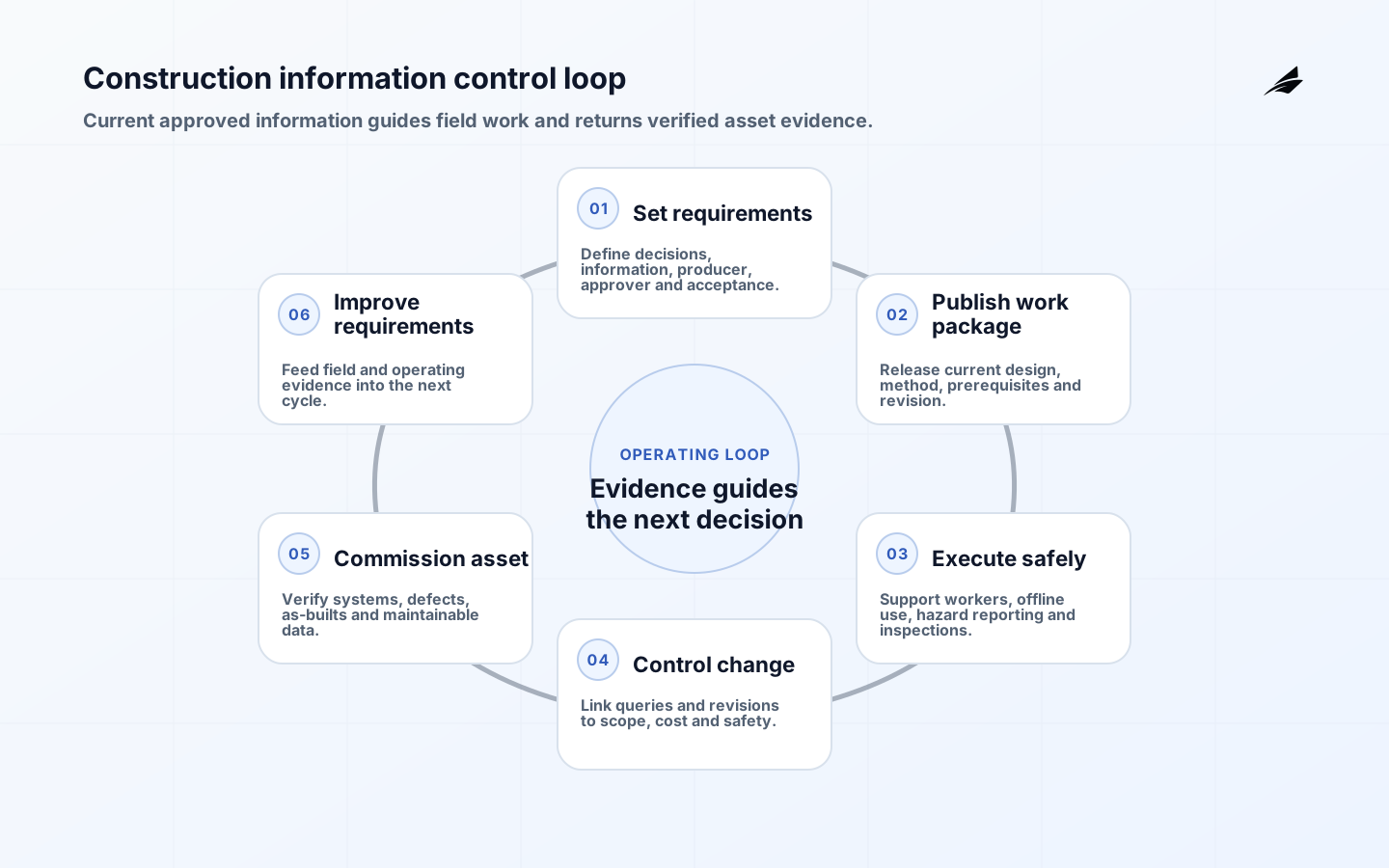
Engineering construction operations depend on timely, trusted information moving between owner, designers, main contractor, trades, field supervision, safety, quality, commercial teams and future operators. A digital platform helps only when it preserves authority, revision, location and approval state. This checklist focuses on software-enabled information and workflow. It does not replace licensed engineering judgment, contracts, permits, applicable building rules or site-specific occupational safety duties.
Use it with the construction operations planning guide, the construction operations FAQ and the automotive engineering construction guide. Configure requirements for the governing jurisdiction and project contract. OSHA sources cited here describe U.S. duties and recommended practices; they are not universal construction law.
Define information requirements and authority
Begin with decisions: design coordination, procurement, work release, inspection, payment, commissioning and asset operation. For each, define required information, producer, approver, format, classification, due date and acceptance rule. ISO 19650 principles support managed information across asset and project lifecycles. Establish a common data environment with clear work-in-progress, shared, published and archived states. A shared folder without status and revision control is not a common data environment.
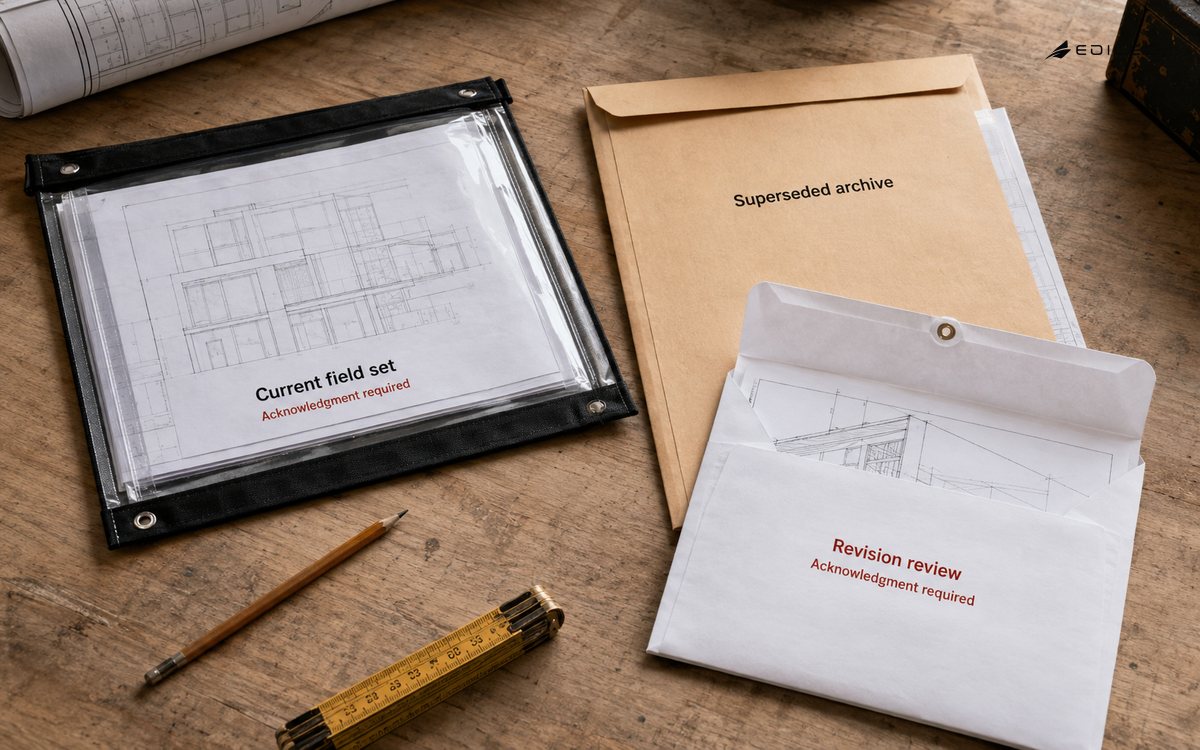
Create identifiers for project, asset, location, package, document, model, issue and change. Map contract parties to roles and permissions, including temporary staff and subcontractors. Preserve the authoritative published record while allowing field access to current information. Define offline behavior, synchronization and conflict resolution before selecting a mobile app. Archive superseded information without presenting it as current construction instruction.
| Workflow | Authoritative input | Release evidence |
|---|---|---|
| Work package | Approved design, method and prerequisites | Named release and revision |
| RFI | Location, question and affected work | Reviewed response linked to change |
| Inspection | Checklist, hold point and test result | Signed result with defect status |
| Progress | Installed quantity and location | Verified record and supporting evidence |
| Commissioning | System, test and acceptance criteria | Witnessed result and exception closure |
Design field workflows around safe work
Technology should support hazard identification, control, worker participation, training and coordination, not turn them into remote paperwork. OSHA emphasizes management leadership, worker participation and hazard prevention. Involve workers and supervisors in workflow design; they understand field conditions and reporting friction. Provide simple reporting without retaliation or punitive productivity scoring. Urgent hazards need an immediate stop-work and escalation route that does not depend on perfect connectivity.
Link permits, methods, competencies, briefings and inspections to the specific location and work, but do not infer that a completed form proves safe conditions. Require competent inspection and verification where applicable. Minimize sensitive health and worker data, separate safety learning from unrelated surveillance, and define retention. Test emergency access, offline use, device loss and multilingual instructions. The interface must not encourage people to interact with a screen while exposed to moving equipment or other hazards.
Control design queries and changes
Configure an RFI path that captures location, drawing or model revision, question, schedule impact, attachments, responder and due date. A response that changes design, scope or method must enter the formal change process. Link revised information to affected work packages, procurement, quantities, cost and safety review. Notify recipients and obtain acknowledgment where required. Never overwrite the record that workers actually used; investigations need the time-valid instruction and later correction.
Use clash and model coordination to focus review, not to declare constructability automatically. Define tolerances, disciplines, responsibility and issue closure. Field changes require as-built capture with validation, not a photo dumped into a chat. Make temporary works and interfaces visible. Escalate unanswered queries before work proceeds into concealment or irreversible installation. Measure response aging by impact as well as days.
Capture quality and progress evidence at source
Design inspection and test plans around hold points, witness points, acceptance criteria and required evidence. Record asset, location, lot, installer, time, instrument and calibration where relevant. A defect should have classification, containment, owner, target, correction evidence and verification. Prevent users from closing their own high-consequence defect without required review. Keep photos contextual and authentic; an image without location, time and subject identity is weak evidence.
Separate claimed, installed, inspected, accepted and paid progress states. Reconcile quantities to scope and location rather than relying on percent-complete opinions. Record the basis for forecasts and delay impacts. Dashboards should link totals to underlying records and show freshness. Avoid worker ranking from incomplete digital traces; crews may perform essential work outside the tracked workflow. Commercial decisions need contract-aware human review.
| Failure mode | Preventive control | Detection or recovery |
|---|---|---|
| Outdated drawing used | Published-only field view and acknowledgment | Revision audit by location |
| Unsafe offline work | Cached current package and expiry rule | Sync exception and supervisor check |
| Defect closed prematurely | Independent verification rule | Reopen history and audit alert |
| Progress overstated | State separation and quantity reconciliation | Sample field verification |
| Handover data missing | Progressive asset validation | Completeness gate before commissioning |
Integrate systems without losing control
Map authoritative records across design, document, schedule, cost, procurement, field, safety and asset systems. Integrate through stable identifiers and explicit contracts. Define retries, duplicates, rejected records and reconciliation. Do not make every system editable everywhere. Keep approval authority in the owning workflow and expose read-only context where possible. Test identity lifecycle for subcontractor onboarding, role change and prompt removal.
Protect commercially sensitive designs, personal data and critical infrastructure information through least privilege, encryption, logging and controlled exports. Separate projects and organizations appropriately. Review third-party mobile and collaboration tools, data locations and subcontractors. Maintain backups and an export route so project records survive supplier failure. Rehearse a platform outage and cyber incident while preserving safe site communication and current approved instructions.
Commission and hand over usable asset information
Build the asset information model progressively from verified equipment, location, specification, serial, warranty, test, maintenance and spare data. Validate completeness at package milestones, not at project end. During commissioning, connect test results, defects, retests and acceptance to the system and asset. Train operators using the installed configuration. Resolve differences between design intent and as-built state before operational acceptance.
Test export into the owner's operational systems and preserve open formats required by contract. Define the post-handover correction window, record ownership, access removal and archive. Operators should be able to locate a maintainable asset, view current information and trust its provenance. A large document dump is not an operational handover. Review lessons about requirements, supplier performance and field usability for the next project.
A ten-step construction workflow rollout
Pilot the digital operating model on one representative work package before project-wide rollout. Include design, trade, supervision, safety, quality, commercial and future operations representatives. The pilot should use real contractual states and field devices, while maintaining approved alternative processes until acceptance proves the digital route is safe and reliable.
- Approve project information requirements, contract obligations, authoritative systems, classification, naming and record-retention rules.
- Map design release, RFI, change, work package, permit, inspection, defect, progress, commissioning and handover states.
- Assign role-based access for every organization and test onboarding, transfer, temporary elevation, demobilization and emergency use.
- Configure the common data environment so work-in-progress, shared, published, superseded and archived information remain unmistakable.
- Design mobile and offline field journeys with workers, including stop-work, urgent hazard and non-digital emergency alternatives.
- Link design questions and approved changes to affected locations, documents, procurement, schedule, cost, safety and acknowledgments.
- Configure inspection hold points, evidence metadata, independent verification, defect containment, correction and closure authority.
- Integrate schedule, cost and asset systems through stable identifiers, rejected-record handling, reconciliation and source-of-record rules.
- Pilot under weak connectivity and realistic site pressure; inspect revision use, safety reporting, progress truth and support response.
- Validate commissioning and operational asset export, train receiving teams, remove project access and archive the complete decision history.
Key takeaways
- Start from project and asset decisions, then define authoritative information and states.
- Design field tools with workers and preserve immediate non-digital safety routes.
- Link queries, design changes, work release, cost and safety effects.
- Distinguish installed, inspected, accepted and paid progress.
- Validate asset information progressively and test operational use before handover.
Frequently asked questions
Is BIM the same as a 3D model?
No. BIM involves managed information, processes and responsibilities across the asset lifecycle. A model may be one information container within that system.
Must every field process become paperless?
No. Choose the safest and most reliable method for the work environment, then maintain controlled records and reconcile temporary paper or offline processes promptly.
Can AI approve designs or safety controls?
AI can assist search, classification and anomaly detection, but licensed and accountable professionals must make consequential approvals. Validate outputs, preserve sources and prevent automation from bypassing contract and safety authority.
Define support around site reality. Publish response targets by safety and work impact, equip field champions without making them unofficial system administrators, and give the service desk project, location and revision context. Schedule changes around shifts and critical pours, lifts or commissioning activities. A platform release that blocks field access can stop work, so test device compatibility, cached packages and rollback before mandatory updates.
Use analytics to ask operational questions, not to create false certainty. Leading indicators may include overdue high-impact RFIs, unacknowledged revisions, hold points approaching work, repeated defects, missing asset data and unresolved access. Validate definitions and investigate patterns with field teams. Do not infer safety, productivity or individual performance solely from app activity; connectivity, role and work type shape the trace.
Plan project closure for long-term readability. Preserve required software versions, export formats, model viewers, classifications, audit history and checksums with the archive. Confirm who can authorize later access and correction. Proprietary records that cannot be opened after a subscription ends may fail the owner's operational, contractual or legal need even if the project dashboard looked complete at handover.
Conclusion
Digital construction operations work when people can identify the current approved instruction, raise a safe exception, trace a change and hand over verified asset information. Govern authority and revision first, then automate field, quality, progress and commissioning workflows. The outcome is not more records; it is safer, more reviewable delivery and an asset the operator can understand.