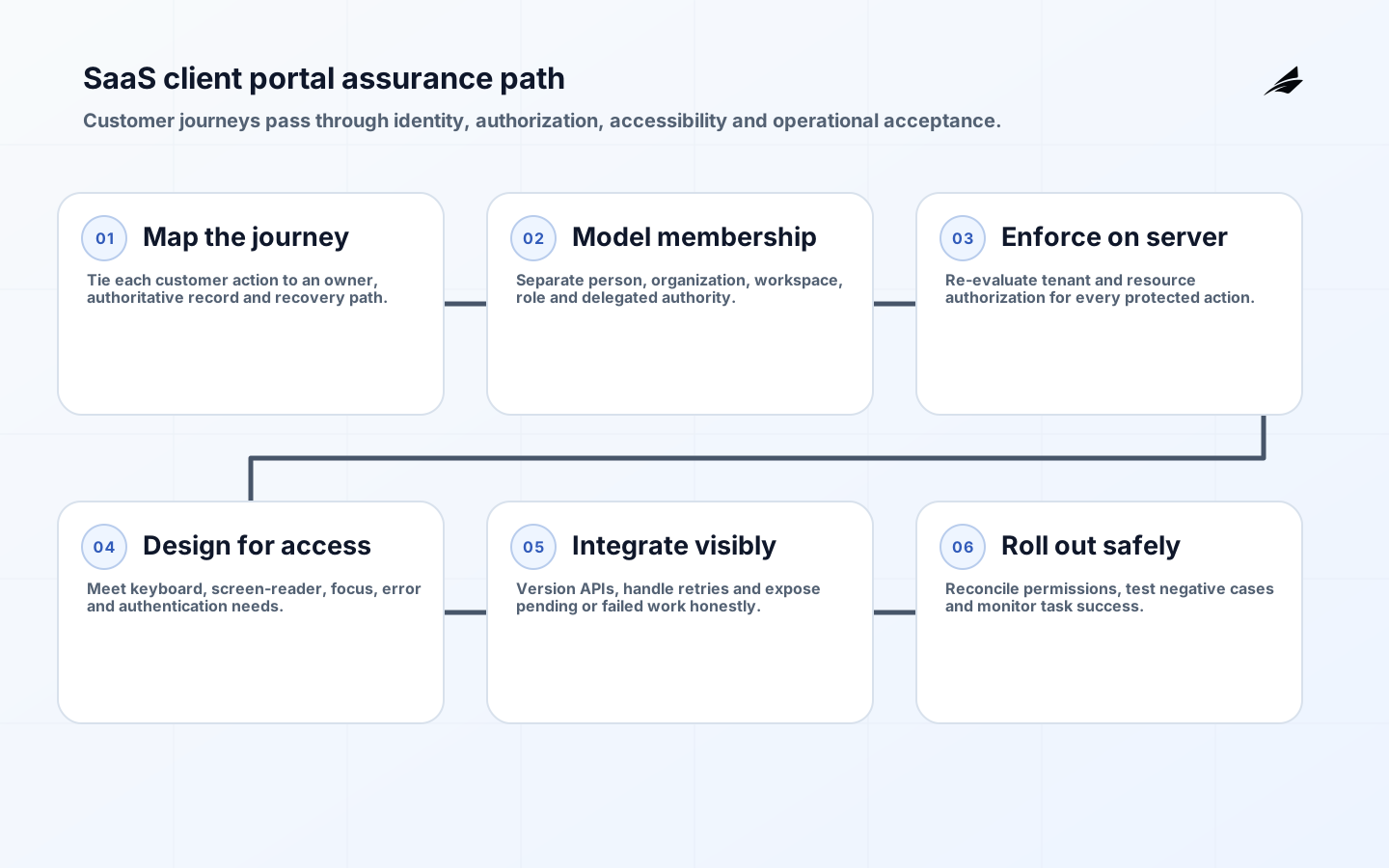
SaaS client portal development is the design of a customer operating surface, not a branded folder of links. Customers use the portal to manage people, entitlements, data, requests, billing, integrations and evidence. That puts the portal directly on the product’s identity and authorization boundary. A weak portal can expose one tenant to another, let an administrator grant excessive access, or show a reassuring status that disagrees with the underlying system. The implementation checklist must therefore join workflow design, security, accessibility and operations.
Begin with the decisions customers need to complete without support: invite a colleague, change a role, inspect usage, download an invoice, configure an integration, export data or follow an incident. Then design the account model and evidence around those journeys. NIST SP 800-63-4 provides current risk-based identity guidance, OWASP ASVS 5.0 provides verifiable application-security requirements, and WCAG 2.2 supplies testable accessibility criteria. Use them as baselines, then apply product-specific risk and contractual needs.
1. Define portal journeys and sources of truth
List the top customer jobs and the record each job reads or changes. For every journey, name the business owner, user role, prerequisite, system of record, expected completion time and recovery path. A billing address may belong to a payment platform while a legal entity belongs to CRM; displaying both as one editable profile creates conflict. Decide which values are read-only, which are requested changes and which update immediately. Show pending state and failure clearly.
Design support handoff into the journey. When a self-service action fails, preserve correlation ID, attempted action, time and safe diagnostic context so a user does not retype everything. Do not expose stack traces or sensitive identifiers. Confirm whether support staff can impersonate a user; if so, require explicit authorization, prominent indication, limited scope and audit. A portal should reduce support load by making state understandable, not by hiding contact routes.
| Portal journey | Authoritative record | High-risk test |
|---|---|---|
| Invite user | Tenant directory or identity service | Invitation cannot cross tenant or outlive policy |
| Change role | Authorization policy store | Actor cannot grant authority they do not hold |
| View invoice | Billing platform | Object lookup enforces tenant ownership |
| Create API key | Credential service | Secret shown once and scope is bounded |
| Export data | Product data service | Export honors authorization and retention |
2. Model organizations, memberships and delegated administration
Separate person identity from organization membership. One person may belong to multiple customer organizations with different roles, and one organization may contain workspaces, departments or subsidiaries. Every request should resolve the active tenant context on the server; a tenant ID supplied by the browser is not authorization. Define invitation, acceptance, suspension, transfer and offboarding. Protect the last administrator and provide a verified recovery process that does not rely on email alone for high-consequence accounts.
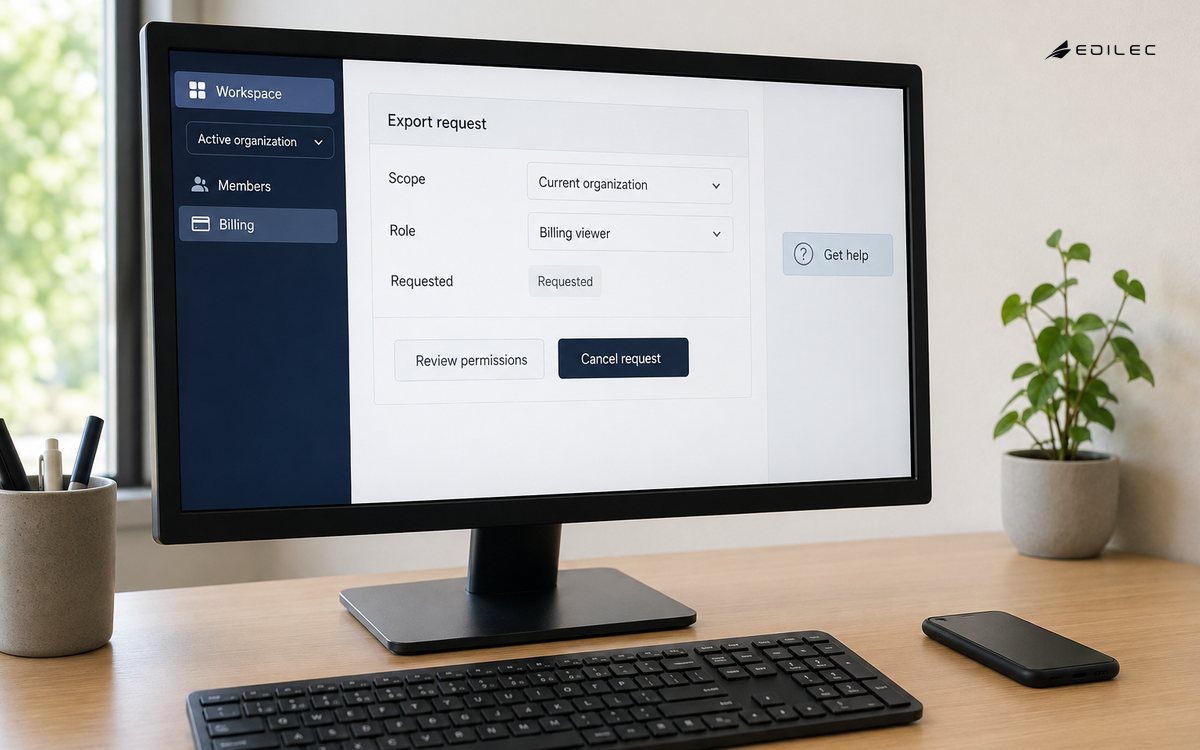
Use permissions based on actions and resources rather than vague labels. “Admin” often grows into an unsafe bundle. Define who can view billing, export data, manage integrations, create credentials and alter security policy. Evaluate whether delegated administrators may grant each permission. Preserve the policy version and decision context for consequential changes. NIST identity assurance levels are risk tools, not universal portal tiers; choose proofing, authentication and federation requirements from the harm of identity errors.
3. Build authentication and application security into acceptance
Support phishing-resistant authentication or federation where customer risk requires it. Secure enrollment and recovery as carefully as sign-in. Sessions need protected cookies or tokens, bounded lifetime, rotation, revocation and clear behavior after role or organization changes. Step up authentication for actions such as credential creation, payment changes or bulk export. Avoid security questions and recovery shortcuts that undermine the primary authenticator. Notify users of material security changes through a trusted channel.
Turn OWASP ASVS requirements into tested backlog items for input validation, authorization, cryptography, file handling, APIs, business logic and logging. Test object-level access by changing identifiers and tenant context. Apply rate limits to expensive and sensitive actions. Scan uploaded files and isolate processing. Protect webhooks and integrations with scoped credentials, signature verification and replay controls. Threat-model administrative and support features because they concentrate authority beyond ordinary customer workflows.
4. Make complex administration accessible and predictable
Use semantic headings, labels, status messages and keyboard-operable controls. WCAG 2.2 adds criteria relevant to portals, including focus not obscured, target size, consistent help, redundant entry and accessible authentication. Do not require a puzzle or memory-only step when an accessible authentication alternative is possible. Test with keyboard, screen reader, zoom and high contrast. A technically conforming component can still fail when a modal traps focus or an error appears outside the user’s reading order.
Design tables and dashboards for decisions. Provide meaningful column headers, sorting state, filters that can be reset and a nonvisual representation of charts. Confirm destructive actions with the resource and consequence, not a generic “Are you sure?” Preserve drafts for long forms and avoid timeouts without warning. Use plain language for permission and billing changes. Status must include freshness and scope so “healthy” does not imply every tenant service is current.
| Release gate | Evidence | Failure example |
|---|---|---|
| Authorization | Role-action matrix and negative tests | Member reaches another tenant’s invoice |
| Identity | Enrollment, MFA, federation and recovery tests | Recovery bypasses strong authentication |
| Accessibility | Keyboard, screen-reader and zoom results | Hidden focus behind sticky dialog |
| Data integrity | System-of-record and idempotency tests | Retry creates duplicate change |
| Operations | SLI, audit, alert and support runbook | Failure has no traceable correlation |
| Privacy | Export, retention and deletion verification | Portal cache retains restricted data |
5. Design integrations, notifications and audit as products
APIs used by the portal should be versioned contracts, not privileged shortcuts around product authorization. Use idempotency for retryable mutations and expose stable operation status for asynchronous work. Webhook setup needs endpoint verification, signed events, replay handling and delivery history. Credentials require clear scope, last-used information, rotation and revocation. Test integration behavior when downstream systems are slow or unavailable; the portal should show pending work rather than inventing success.
Audit records should answer who did what, to which tenant and resource, when, from which authenticated context, with what result. Do not log secrets or unnecessary personal data. Make material customer-visible events searchable and exportable with stable timestamps. Separate security audit from product analytics. Notifications should state the action and safe next step without embedding sensitive details. Define deduplication and severity so customers do not ignore an unbounded stream of emails.
6. Pilot, migrate and operate the portal safely
Pilot with customers that represent different account structures, identity providers and workflows. Import memberships and permissions through a reconciled process; never infer administrator rights from a loose CRM field. Run the old and new path together only with a clear source of truth. Exercise invitation, role change, recovery, export, billing and support escalation. Include accessibility and mobile testing. Capture task completion, error, support contact and abandonment while protecting user privacy.
Roll out by cohort with feature flags and a reversal plan. Publish changes that affect permissions or integrations. Monitor sign-in success, task success, authorization denials, downstream latency, export queues and notification delivery. Alert on security-relevant patterns without treating every failed login as an incident. Assign service ownership and on-call response. Keep an improvement backlog based on observed customer effort, not only feature requests from the largest account.
Worked example: delegated access and invoice export
A B2B portal allows a customer administrator to invite billing users and export invoices. The server derives organization context from the authenticated membership, then verifies that the actor may grant the requested billing role. The invitation is single-use, expires and cannot be accepted into a different organization. Invoice lookup checks tenant ownership in the billing service rather than trusting a browser-supplied ID. Export runs asynchronously and exposes pending, complete and failed states with an audit event.
Negative tests change organization, invoice and membership identifiers; each request is denied without revealing whether the resource exists. Accessibility tests cover keyboard invitation, focus after an error and a screen-reader announcement when export finishes. Support can inspect correlation and delivery state but cannot download the invoice unless separately authorized. The release is accepted when the customer completes the journey and administrators can reconstruct the action without exposing secret or personal data in logs.
The customer also revokes the billing role during an active session and confirms that the next protected action re-evaluates authorization rather than trusting stale browser state.
Key takeaways
- Map each portal journey to an authoritative record and recovery path.
- Separate identity, organization membership and delegated permissions.
- Test negative authorization and account recovery before polished dashboards.
- Treat accessibility, integrations and audit as release criteria.
- Roll out with reconciled permissions, cohort controls and observable task success.
Frequently asked questions
Should a SaaS company build or buy a client portal?
Buy commodity identity, billing or support capabilities when they fit, but retain control of tenant authorization and product workflows. The decision should compare integration, extensibility, data ownership, accessibility and lifecycle cost.
Is SSO enough for enterprise portal security?
No. Federation improves authentication management, but the portal still needs correct membership, authorization, session handling, recovery, audit and application-security controls.
Does the portal need a mobile app?
Only when mobile-specific journeys justify one. A responsive accessible web portal often covers administration. Native apps add credential storage, release and support obligations that should be tied to a clear user need.
Conclusion
A client portal earns trust when customers can complete consequential work and understand the result without support, while the SaaS company can prove authorization and recover from failure. Build the account model and evidence first, then shape the interface around real journeys. That order produces a portal that scales service rather than merely relocating operational confusion to the customer.