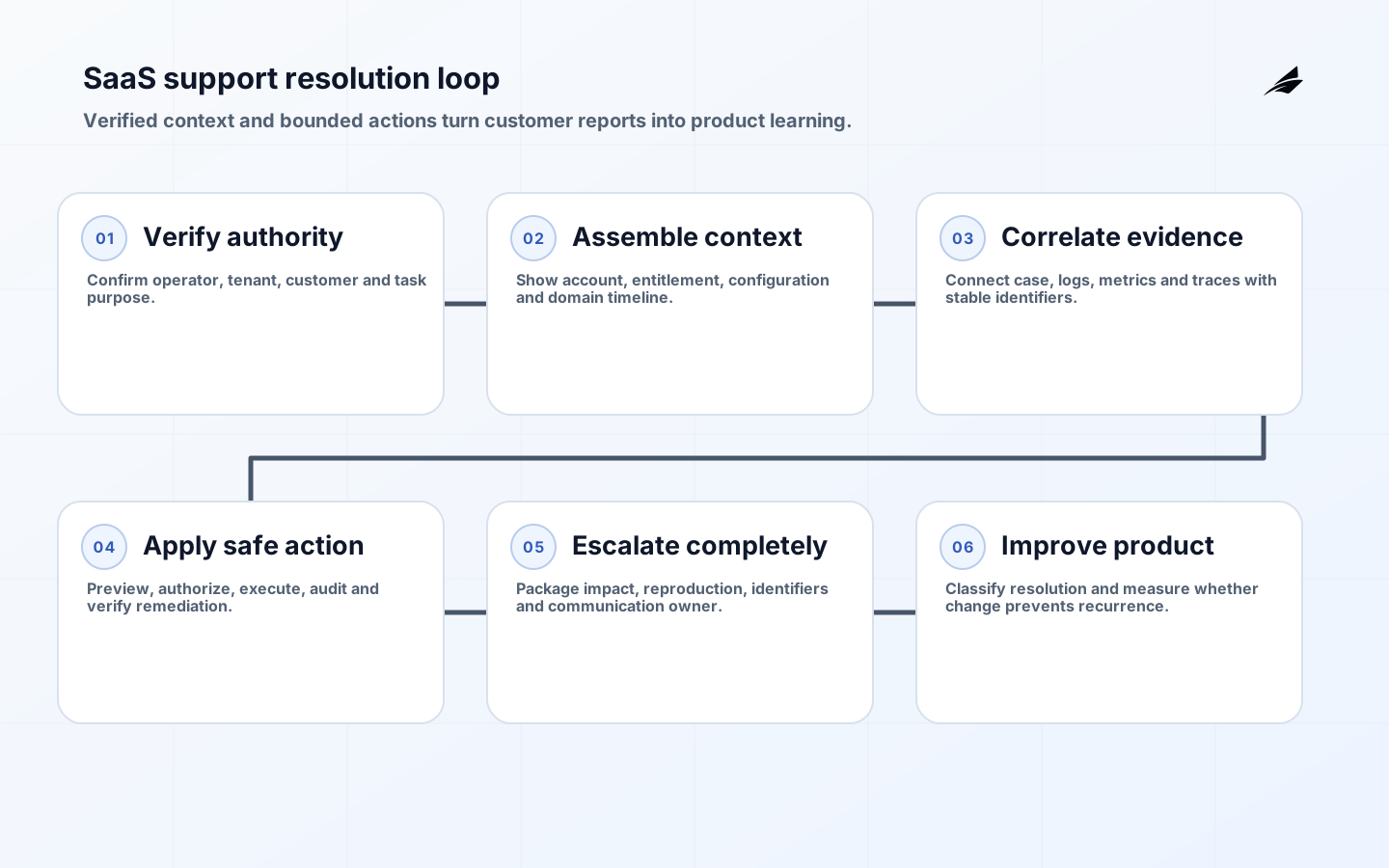
Product support tooling for SaaS companies should help an authorized operator answer four questions quickly: who is affected, what state is the product in, what changed, and which action is safe now. A ticket queue alone cannot answer them. Effective tooling connects customer identity, account configuration, entitlements, recent events, service health and approved remediation while preserving tenant isolation and audit evidence. The goal is not to give support unrestricted power; it is to replace guesswork, screenshots and database requests with bounded, explainable workflows.
This guide covers the operating surface around support. Teams shaping adjacent product work can connect cases to roadmap decision systems, reduce avoidable contacts with accessible in-app guidance, and evaluate knowledge assistants using the company knowledge RAG evaluation guide. These are complements: guidance prevents confusion, support resolves exceptions, and roadmap governance turns repeated evidence into product change.
Define the support jobs and authority boundaries
Map contacts by job, not channel: explain a status, correct customer-provided data, retry failed work, change an entitlement, investigate degraded behavior, restore access, handle a security concern or escalate a product defect. For each job, name the information required, allowed roles, reversible actions and escalation threshold. Separate customer support, technical support, billing, trust and safety, and incident command where consequence differs. A single “admin” role is convenient to implement and difficult to govern.
Make impersonation exceptional. Prefer a support view that reproduces relevant state without creating the customer’s session. If impersonation is necessary, require a reason, stronger authentication, visible indication, time limit and audit event; suppress actions that would create legal or financial commitments. Search must be tenant-aware and resistant to enumeration. Mask sensitive attributes by default and reveal them only for an approved support purpose. The operator should see why an action is unavailable instead of seeking an unsafe workaround.
| Support job | Minimum context | Safe action pattern |
|---|---|---|
| Explain status | Current state, timestamps, actor and dependency | Read-only timeline with plain-language reason |
| Retry work | Idempotency key, attempts and external outcome | Bounded replay with preview and deduplication |
| Correct data | Authoritative field, validation and prior value | Validated amendment with before-and-after audit |
| Restore access | Identity evidence, risk signals and policy | Dedicated recovery flow, never a password disclosure |
| Escalate defect | Reproduction, correlation ID, impact and workaround | Linked engineering issue with customer-safe updates |
Create a customer context model
Build a compact account view around stable identifiers: tenant, user, subscription, workspace, region and current release exposure. Show relevant configuration and recent domain events, not an unfiltered dump of every database field. Keep provenance visible so support knows whether a value came from the customer, billing provider, identity provider or internal rule. Include freshness and degraded-source indicators. A stale entitlement displayed as current can turn a support action into a second incident.
Correlate the customer journey across services
Assign a correlation identifier at the edge and propagate context through synchronous calls and asynchronous messages. OpenTelemetry describes context propagation as the mechanism that correlates traces, logs and metrics across service boundaries. Add domain identifiers carefully; avoid putting personal or secret values into trace baggage. From a support case, an operator should be able to open a sanitized journey showing major steps, latency, retries and outcomes. Engineers may receive deeper technical access, but the handoff should preserve the same identifiers.
Instrument for diagnosis without collecting everything
Record domain events that explain consequential transitions: invitation accepted, import validated, payment confirmed, export completed or integration rejected. OWASP recommends application-level logging because infrastructure logs often lack user, role, target and outcome context. Record when, where, who and what, but exclude passwords, tokens, keys, full payment data and unnecessary personal content. Protect log integrity and access, test logging failures, and define retention from operational and legal purpose rather than unlimited convenience.
Monitor customer-facing indicators alongside infrastructure. Google SRE’s four golden signals offer a useful diagnostic frame: latency, traffic, errors and saturation. Add workflow measures such as completion, queue age and reconciliation breaks. Use percentiles for latency so long-tail failures are not hidden by averages. A support dashboard should answer a question and point to an owner. A wall of charts without thresholds, links or expected action increases cognitive load during an incident.
| Signal | Support question | Required drill-down |
|---|---|---|
| Workflow success | Can customers finish the intended task? | Step, tenant-safe cohort, release and failure reason |
| Tail latency | Who experiences slow completion? | Journey, dependency, region and percentile |
| Error rate | Is failure systemic or account-specific? | Domain code, provider response and correlation |
| Queue age | Is delayed work accumulating? | Oldest item, retry state and owner |
| Correction rate | Where are operators repeatedly intervening? | Action, reason, product area and outcome |
Build safe remediation actions
Expose business operations rather than generic record editing. “Re-send invitation,” “recalculate entitlement” and “replay export” can enforce validation, authorization, idempotency and evidence. Show a preview of the target and effect. Require confirmation proportional to consequence, and use dual approval for rare high-impact actions. Every operation should return a durable result and correlation identifier. If a dependency is unavailable, place the request in a visible pending state instead of presenting success before the effect is known.
Design reversal at the same time as execution. Some actions can be undone directly; others require a compensating event, such as a refund rather than deleting a charge. Document irreversible boundaries. Rate-limit actions that can amplify failure and add emergency disablement. Support tools are production clients, so they need contract tests and compatibility review when APIs change. They also need accessibility: keyboard operation, clear focus, labels, error association and status announcements are essential in high-frequency operational work.
Route escalation with complete evidence
Define severity from customer impact, scope, duration, data risk and available workaround. A single high-value customer is not automatically a platform incident, and low ticket count does not rule out silent data damage. The escalation package should include affected journey, first known time, account-safe identifiers, correlation IDs, release or configuration changes, attempted actions and communication owner. Preserve customer consent and access limits when sharing attachments. Security concerns need a separate route that does not expose investigation details broadly.
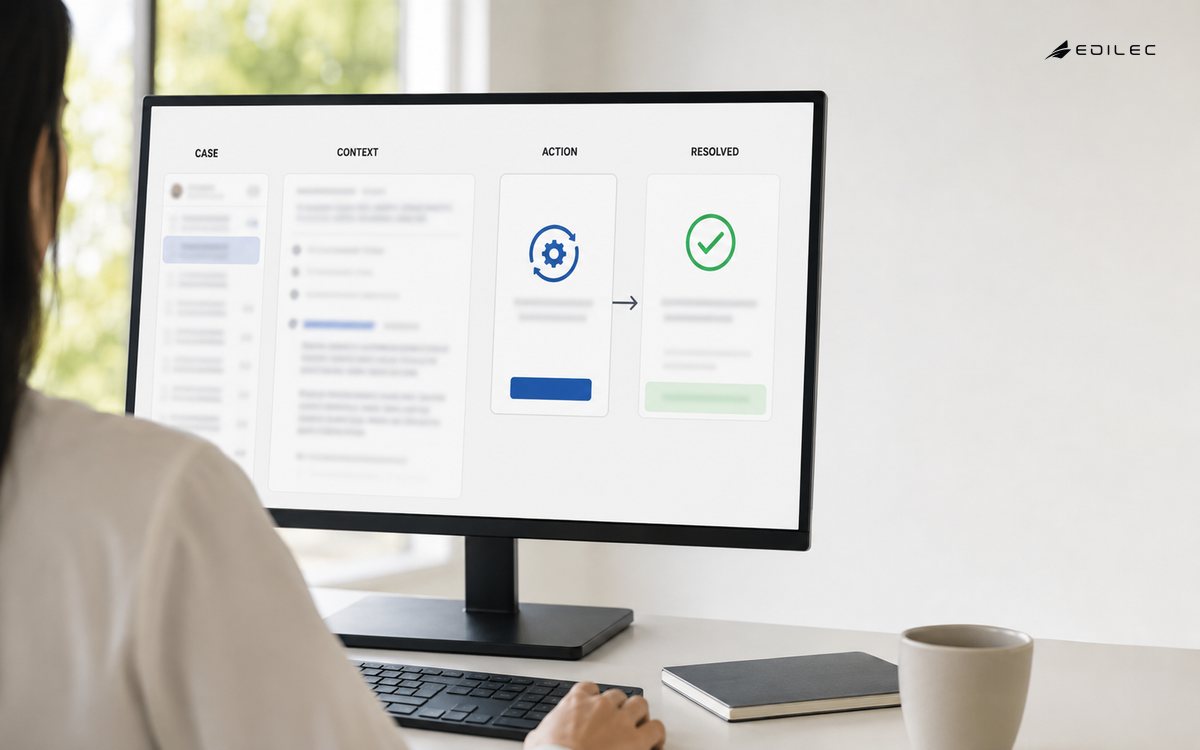
- Verify identity, tenant and operator authority before opening sensitive context.
- Classify the job and collect structured reproduction or impact evidence.
- Inspect the customer timeline and correlated telemetry using stable identifiers.
- Apply a bounded action or provide an accurate status and workaround.
- Escalate with evidence, severity and communication ownership when thresholds are met.
- Close only after outcome verification, then classify the learning for product review.
Turn support evidence into product decisions
Use a controlled taxonomy for contact reason, affected workflow, root contributor, resolution and preventability. Do not force agents to diagnose code ownership during a customer conversation; allow classification to mature during review. Combine contact volume with active customer count, severity, handling effort and product telemetry. A low-volume issue that blocks onboarding may deserve more attention than a frequent cosmetic question. Link product changes back to cases and measure whether contacts, completion and correction behavior improve after release.
Roll out support tooling without disrupting service
Begin with read-only context for one product area and compare diagnosis time and accuracy with the current process. Add one low-risk, reversible action after access and audit review. Shadow the new routing and escalation rules before making them authoritative. Import only the history needed for active work and legal retention; a wholesale ticket copy can bring stale permissions and sensitive attachments. Train agents with realistic cases, then observe where they leave the tool, request elevated access or keep private notes.
Use launch gates for search accuracy, tenant isolation, action authorization, accessibility, event freshness and support continuity. Keep the previous path available for a bounded fallback window without permitting two systems to issue conflicting corrections. Reconcile action and case state during that period. After cutover, remove unused privileged integrations and review exported data. A thirty-day review should compare repeat contact, correction rate, handling effort, unresolved age and agent confidence against the baseline.
Key takeaways
- Organize support tooling around jobs and authority, not a universal admin role.
- Join customer state and telemetry with stable, tenant-safe identifiers.
- Expose validated business actions with preview, audit and reversal behavior.
- Keep logs useful while excluding secrets and unnecessary personal content.
- Close the loop from cases to measured product improvement.
Frequently asked questions
Should a SaaS company build or buy support tooling?
Buy commodity case management, communication and knowledge functions when they fit. Build the product-specific context and remediation layer that understands your tenants, domain states and controls. Keep the integration replaceable and exportable. The decision depends on workflow consequence, internal capability, provider access model and total operating cost, not on whether a vendor offers a customizable sidebar.
How much customer data should support see?
Only what the current role and task require. Mask sensitive values, separate metadata from content and require an explicit reason for exceptional access. Review access periodically and log consequential viewing or export where appropriate. Support convenience does not justify a permanent copy of every customer record in the ticket platform.
Where can AI help in product support?
AI can retrieve approved knowledge, summarize an event timeline, suggest classification and draft a response. It should cite source context, respect permissions and hand uncertain or consequential decisions to a person. Evaluate it on representative cases, including outdated documentation and adversarial content. Do not allow a generated answer to trigger privileged remediation without normal authorization and validation.
Conclusion
Strong product support tooling gives operators enough context and authority to resolve real work without turning the support desk into an uncontrolled backdoor. Build a tenant-safe customer view, correlate domain events with telemetry, offer bounded remediation and preserve evidence through escalation. Then use structured resolution data to improve the product. The result is faster support because the system is explainable, not because agents have been granted broader access.