A Field Guide to Product Support Tooling for Growing Teams
A growing team usually builds support tooling in response to pressure: a customer needs an explanation, an engineer needs evidence, or a support queue is filling faster than the product can change. The first useful view may be a query or an internal page. As usage grows, that same tool becomes a privileged product surface with customer data, operational authority, and a growing history of exceptions. This guide shows how to keep it safe and useful while the team adds people, customers, integrations, and support volume.
Start with cases the team can resolve safely
Start with three or four common cases that have a measurable customer outcome: explain a failed action, restore a safe setting, reconcile a delayed event, or coordinate a service incident. For each, document what support knows at intake, what evidence is authoritative, what action is permitted, what requires engineering or customer approval, and what closes the case. This keeps the tool focused as the team grows and makes it easier to measure whether it reduces resolution time or simply moves work around.
Use a case identifier that follows the issue across support, product, engineering, and incident response. Link customer, workspace, request, job, deployment, and outcome without putting sensitive payloads into every system. The Atlassian incident handbook is a useful reference for roles, communication, and escalation when a case becomes a wider service event.
| Case capability | Design decision | Useful measure |
|---|---|---|
| Context | Which customer and workspace facts are needed? | Time to verified understanding |
| Action | What safe operation removes the customer problem? | Success and reversal rate |
| Escalation | When does support involve engineering or incident command? | Time to correct owner |
| Learning | How does a case change product work? | Repeat cases and linked defects |
Show trustworthy state without oversharing
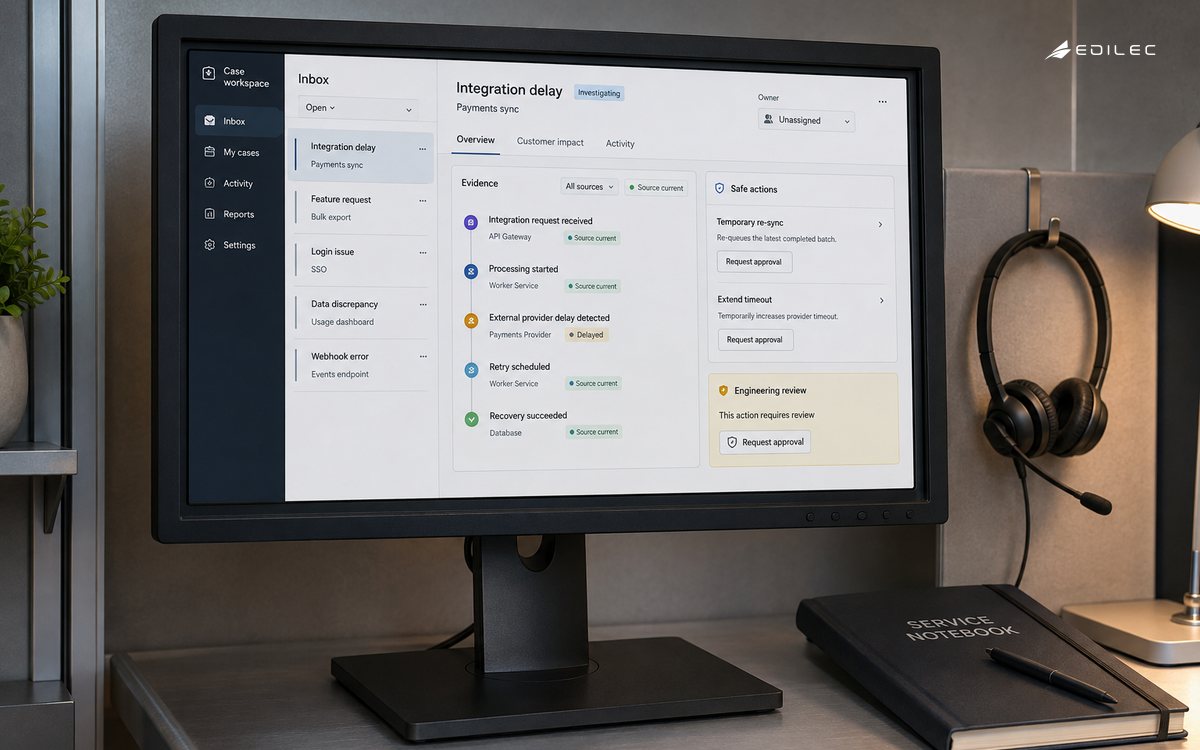
Show source, timestamp, current state, last transition, and correlation ID for each important fact. Mark data as current, delayed, derived, or unknown. A support person should be able to distinguish a failed request from a successful request whose notification was delayed. Avoid presenting a cached or derived field with the same visual weight as an authoritative record. Clarity reduces unnecessary escalations and prevents an agent from making a correction based on stale information.
Mask sensitive values by default and use a controlled reveal for rare cases. Log the reason, scope, actor, and time for access. OpenTelemetry's logs data model supports consistent event context; use it to join evidence without copying entire customer records into a support screen or chat message.
Add support roles with bounded elevation
Define roles for frontline support, senior support, technical support, incident command, engineering, and security. Give each role only the data and actions needed for its job. The OWASP authorization cheat sheet supports server-side checks, deny-by-default, least privilege, and negative testing. Apply these checks to deep links, APIs, exports, scripts, scheduled jobs, and service identities.
Prefer typed operations with preconditions over an unrestricted edit interface. A reset, resend, retry, or correction command should verify current state, identify the customer scope, use an idempotency key, and record an outcome. As more people gain access, make temporary privilege elevation explicit, approved, time-limited, and visible. Growing teams need a way to onboard quickly without normalizing permanent broad access.
Make ownership and next steps unavoidable
Use clear statuses and transitions: new, triaged, investigating, waiting, escalated, resolved, and closed. Require an owner and next step for open work. Let support link an incident, defect, release, or knowledge article without losing the customer case. When a case is waiting on another team, show the due time and escalation path. This turns a shared inbox into an operating system for resolution rather than a list of unread messages.
Review repeated cases as product signals. A workaround that helps one customer may create inconsistent state or future support debt. The team should know whether a correction is a one-time exception, a safe product capability, or evidence of a defect. Keep the reason and expiry for temporary workarounds so they do not become permanent invisible policy.
| Growth risk | Control | Evidence to review |
|---|---|---|
| Access sprawl | Role review, temporary elevation, and server checks. | Privilege changes and denied actions |
| Case duplication | Stable case and incident identifiers. | Linked records and repeat rate |
| Unsafe workaround | Typed action, precondition, expiry, and owner. | Override history and reversals |
| Slow escalation | Priority, owner, due time, and route. | Time to correct owner |
| Blind monitoring | Customer-impact indicators and case correlation. | Silent failure samples |
Measure resolution quality, not queue activity
Google SRE's monitoring workbook is useful for keeping monitoring tied to service behavior rather than raw system activity. For a growing support team, segment resolution quality by case type, customer tier, product area, and role; include action failures, reopens, escalation wait, and customer-impact minutes. Averages should not hide a serious path.
Add synthetic checks for critical support actions and evidence views. A page can load while its authorization service, data source, or case integration is broken. Test a removed support role, a suspended workspace, a stale session, a delayed job, and a provider outage. Monitor the tool as a production service because support cannot safely compensate for a tool that lies about current state.
Add one reversible action at a time
Begin read-only, then add one reversible action tied to a clear customer outcome. Use production-like identities, masking, audit, rate limits, and failure handling from the first release. The NIST SSDF supports integrating secure design and testing into ordinary development. Keep a manual route until the new operation has enough evidence and a tested recovery path.
Use Edilec's customer feedback loops operations playbook, product support tooling implementation checklist, and production product support tooling guide to connect daily support with product learning and production controls. A growing team benefits when support tooling creates durable feedback instead of only faster ticket closure.
Retire workarounds and preserve decision context
Review changes to fields, permissions, actions, data retention, integrations, and customer-visible explanations. Keep a current owner for the tool, each action, and each data source. Define how a bad release is disabled, how privileged access is revoked, and how audit evidence is retained during an incident. As the team grows, governance should become clearer, not heavier: a short permission matrix, release checklist, and case taxonomy can prevent a large amount of ambiguity.
Treat knowledge as part of the support tool. For each case type, show the current product behavior, safe next action, escalation trigger, customer explanation, and evidence to retain. Version that guidance with the product so an old workaround does not survive a behavior change. A searchable article is useful only when it tells the agent what decision the evidence supports.
Design for uneven workload. Growing teams experience launches, incidents, time-zone handoffs, and customer-specific spikes. Use queues, priorities, due times, and ownership that make pressure visible. A queue that hides age or groups unrelated work forces the team to use private spreadsheets and chat, weakening the audit trail and making capacity problems harder to see.
Give customers a consistent explanation when a case is escalated. State what is known, what is being checked, who owns the next step, and when an update is due. Support tooling should make this safe by showing verified evidence and avoiding promises that depend on an unapproved product change. Clear communication reduces repeated contacts and protects the relationship during uncertainty.
Use post-incident and post-release reviews to retire brittle workarounds. Ask whether the case was discoverable, whether the evidence was sufficient, whether the action was safe, and whether the customer impact was measured. Convert the answer into a product, observability, support, or policy change with an owner. This is how a growing support function becomes a source of product quality rather than a buffer for defects.
Build a feedback path from support to product that preserves customer impact and evidence. A repeated case should carry the pattern, affected workflows, attempted workarounds, and measurable consequence into planning. This helps product teams prioritize the defect that creates the most support load rather than the case that was most recently escalated. It also lets support tell customers what changed with confidence.
Keep ownership resilient across time zones and absences. Every open case needs a current owner, next step, due time, and escalation rule. Every privileged action needs a role that can be revoked without breaking the entire operation. These simple fields become increasingly valuable as the support team adds shifts, specialists, and regional coverage.
As support volume grows, resist the urge to solve every new case with another privileged control. First ask whether the product needs a clearer state, better observability, a customer-facing explanation, or a durable workflow. A narrow support action is valuable when it removes real toil and has a clear owner; a growing collection of exceptions is evidence that the product boundary needs attention.
Give the support team a safe answer when data is incomplete. The tool should distinguish no record, delayed record, permission-limited record, and system failure. Those states lead to different customer explanations and different escalation paths. A generic not found message can cause an agent to repeat a request or assume a product defect when the real issue is data freshness or access.
Use sampled case review to check whether the tool produces good decisions, not only whether it is used. Review the evidence shown, action taken, customer communication, escalation quality, and closure reason. Rotate reviewers and include cases that were marked resolved quickly. Sampling quiet success helps find incorrect confidence that a queue-based metric will miss.
A growing support team benefits from explicit stop conditions too. If an action produces an unknown external result, a customer boundary cannot be verified, or the tool's evidence is stale, pause the operation and escalate. The goal is to make uncertainty visible early rather than letting a fast but unverified workaround create a larger customer problem.
Key takeaways
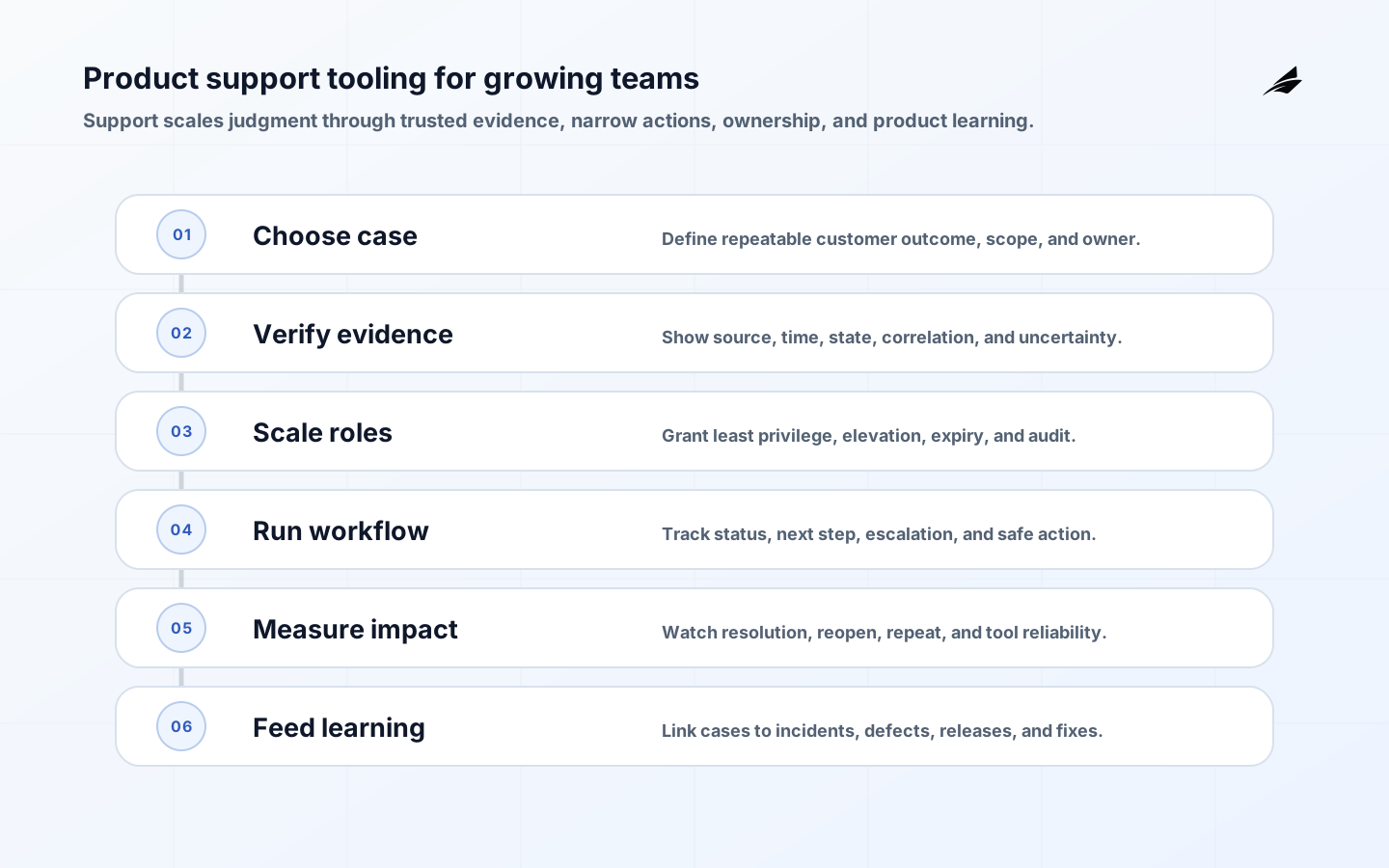
- Design around repeatable customer outcomes and case types.
- Show authoritative, time-stamped evidence and mark uncertainty visibly.
- Scale permissions with least privilege, explicit elevation, and server-side enforcement.
- Use typed, idempotent, reversible actions with current-state checks.
- Measure customer impact, case learning, and tool reliability together.
- Ship safe slices with synthetic tests, a manual fallback, and named owners.
Frequently asked questions
When should a growing team build dedicated support tooling?
Build when repeated cases require the same evidence, safe action, or escalation path and the workaround cost is visible. Start with the narrowest workflow that has an accountable owner and a measurable customer outcome. Avoid building a broad console before the case taxonomy and authority model are clear.
What is a good support-tooling KPI?
Use time to verified understanding and safe resolution, not only ticket closure. Add action failure, reopen, escalation, repeat case, customer impact, and evidence quality. Faster closure that creates a second failure is not an improvement.
Conclusion
Growing teams need support tooling that scales judgment, not just access. Keep customer context trustworthy, privilege narrow, workflows explicit, telemetry connected, and learning durable. That approach lets support move faster while protecting the customer boundary and giving product teams better evidence for what to fix next.