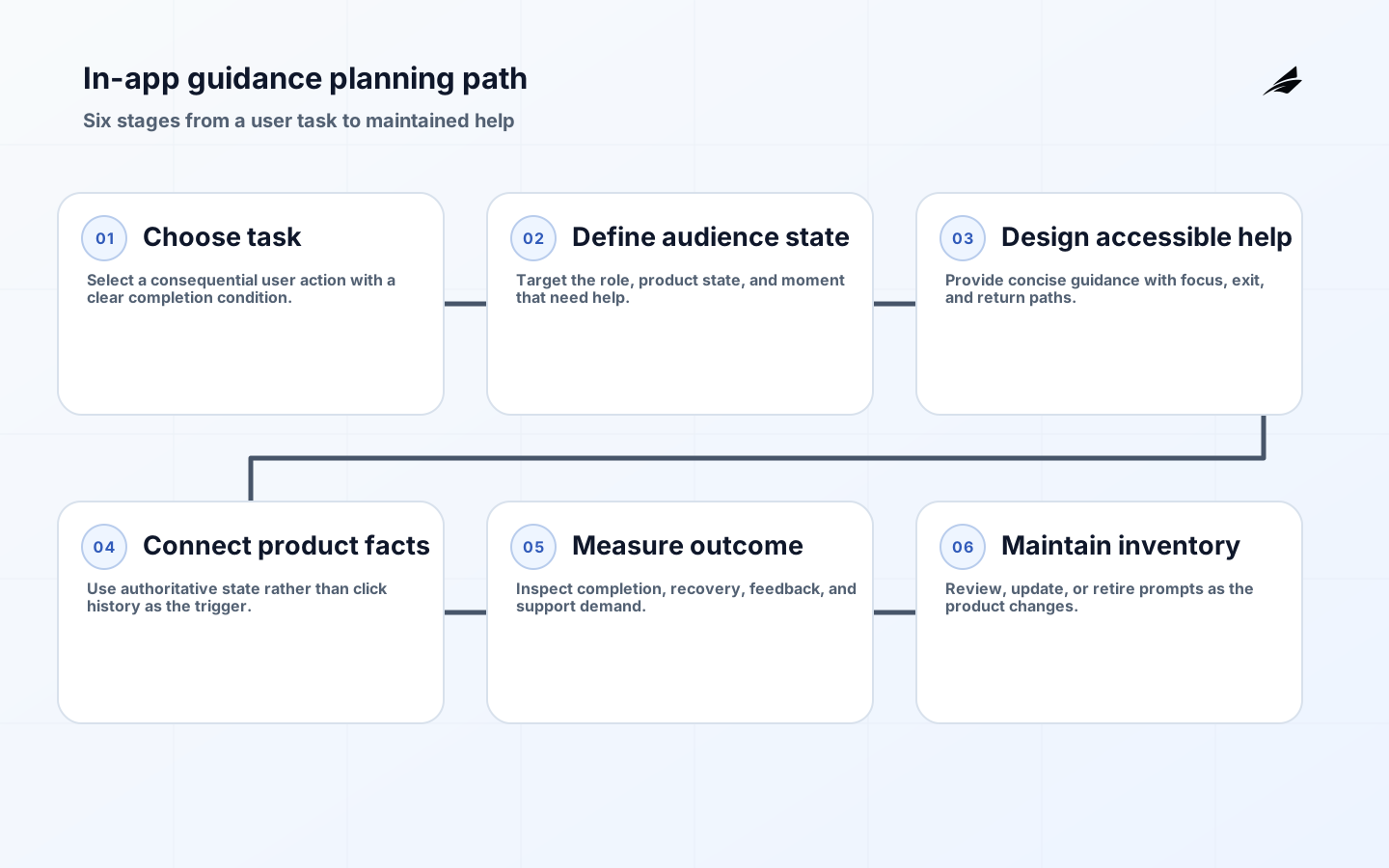
In-app guidance is any timely help embedded in the product: a concise explanation beside a field, an empty-state prompt, a checklist, a contextual help link, an assistant message, or a guided sequence. Its job is to reduce uncertainty at the moment a person is trying to complete work. Its failure mode is familiar: a full-screen tour blocks the task, an animated pointer disappears before it can be understood, or the same prompt interrupts an experienced administrator every week. Plan guidance as part of the product workflow, with an audience, trigger, user goal, state, and exit. The best guidance often looks modest because it appears only when it helps a specific person make the next safe move. The result should be a completed task, not an impressive count of tips displayed.
Start in-app guidance with a user task, not a tour
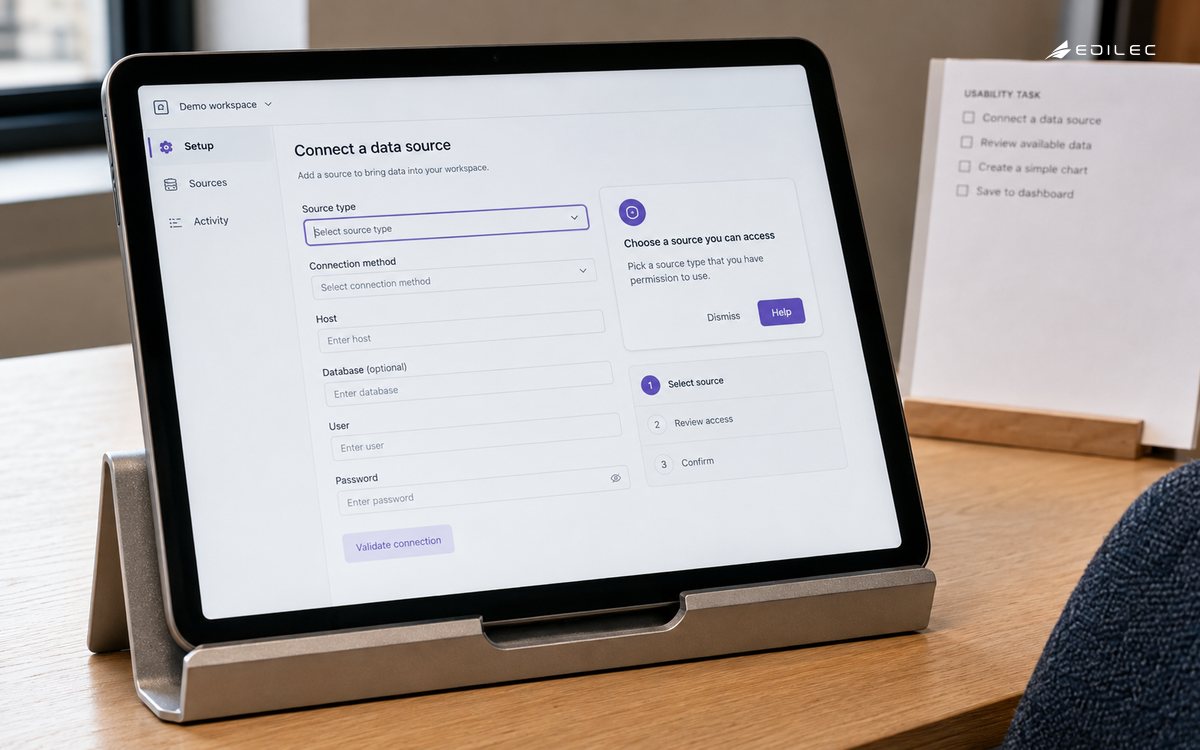
Pick a task whose failure is visible and important: connect a data source, invite a colleague, publish a report, set an approval rule, or recover from a validation error. Observe how people currently attempt it. What information is missing? What unfamiliar term causes hesitation? Which decision has consequences that deserve more than a tooltip? Then write a completion condition that the product can detect without over-collecting behavioral data. A generic “welcome tour” rarely answers these questions because new users have different roles, prior experience, and goals. Segment by meaningful product state, such as first workspace owner, user with an incomplete import, or administrator who has not configured authentication. Let people dismiss, postpone, or reopen help. Guidance that cannot be escaped becomes an obstacle, especially in urgent operational work.
| Guidance form | Use it when | Avoid it when |
|---|---|---|
| Empty state | A page has no content and a clear first action. | The action requires context a new user does not have. |
| Inline explanation | A field or decision needs a short definition. | A multi-step process needs a separate guide. |
| Checklist | Several independent setup tasks lead to value. | Completion can be gamed without a meaningful outcome. |
| Context link | A user needs optional depth or policy detail. | Critical safety information must be seen before action. |
Make guidance accessible, calm, and respectful
Guidance is part of the interface and must meet the same accessibility expectations as the task itself. A popover needs a logical focus order, a visible close control, an accessible name, and behavior that does not trap keyboard users. Do not rely on color, animation, or a hover state to convey the only instruction. Respect reduced-motion preferences and make sure screen readers receive a useful announcement without being flooded by repeated messages. Keep language direct: name the action and outcome rather than using vague encouragement. If the guidance collects feedback or usage events, say what is captured where appropriate and minimise the data. Do not expose another user’s name, internal score, or sensitive activity in a prompt. A helpful nudge should increase agency, not pressure someone into an irreversible choice.
Connect guidance to product state and ownership
A guidance rule needs reliable inputs. Define the role, workspace state, feature availability, prior completion, and trigger event that make the message relevant. Store completion as a product fact where possible, rather than inferring it from whether someone clicked “next.” For instance, an import guide can complete when a valid dataset is processed, not when a walkthrough slides past the upload button. Protect the rules with change review: a renamed feature, new entitlement, or redesigned page can make a previously harmless message misleading. Assign an owner for content accuracy, localization, accessibility review, and technical instrumentation. If a third-party guidance tool injects scripts into the product, review its access to page content, its identity model, its performance impact, and its behavior during an outage. The implementation FAQ can help frame these trade-offs for a delivery discussion.
| Rule input | Example | Review question |
|---|---|---|
| Role | Workspace administrator. | Would a regular member see confusing or unsafe guidance? |
| Product state | No integration has connected successfully. | Is the state current and derived from an authoritative event? |
| Entitlement | Reporting feature is available. | Will the prompt appear for plans that cannot use the action? |
| Completion | First report is published. | Does completion demonstrate value rather than a click? |
Measure completion and confusion together
Measure the outcome the guidance was intended to improve, plus the cost it imposes. For an import helper, inspect successful valid imports, abandonment, error rate, time to recovery, help-link use, and support contacts. Compare cohorts carefully and do not assume a prompt caused every observed difference; product changes, customer mix, and seasonality may matter. Review qualitative evidence too: short feedback, usability sessions, and support transcripts often explain why an apparently high click-through rate did not lead to useful completion. Retire guidance that no longer matches the product, and remove messages that repeatedly interrupt people who have demonstrated competence. A maintained library of small, task-specific help is more trustworthy than an ever-growing overlay of old tours.
- Choose a consequential task and a completion condition before choosing a guidance pattern.
- Target guidance by product state and role, not a vague definition of “new user.”
- Make every prompt keyboard-operable, dismissible, and available again on demand.
- Treat injected guidance tools as integrations with security and performance obligations.
- Measure task success, error recovery, and support demand instead of views alone.
Govern guidance content and experiments
Treat guidance copy, targeting rules, and experiments as production changes. Give each item an owner, purpose, audience, creation date, review date, and removal condition. A message that was accurate during a beta can become false after a permission model or pricing change. Preview it in the role and state that will receive it, including narrow screens and translated layouts. When testing alternatives, define the customer-protection guardrails first: no group should lose access to essential safety information, and a temporary experiment should not create inaccessible behavior. Keep a change log so support can identify why one customer saw a message another did not.
Build feedback routes that do not interrupt the task. A small optional “was this useful?” mechanism can be helpful when it is paired with the task and does not demand an explanation. More detailed research should happen through consented sessions and support analysis, not repeated pop-ups. Review the guidance inventory quarterly and remove abandoned items, especially prompts tied to retired features or old migrations. The maintenance work matters because every obsolete message trains customers to ignore the next one. A smaller guidance system with accurate, timely help is more credible than an elaborate library that nobody owns.
Plan for localization and domain language before the guidance library grows. A short phrase that is clear to the product team may be ambiguous in another locale or unfamiliar to a user whose work uses different terminology. Keep interface labels, help text, error messages, and documentation anchors aligned, and test the longest localized strings in the actual component. Where guidance concerns a regulated or high-stakes task, have the accountable policy owner review the wording. Product guidance gains trust when it uses the customer’s work vocabulary accurately and refuses to simplify a consequential decision into a misleading “next” button.
Avoid using guidance to conceal a product-design problem. If a task repeatedly needs a long explanation, a complex guided tour, and support intervention, the underlying information architecture or workflow may need revision. Keep a backlog of guidance-driven product findings: terms customers misunderstand, repeated validation mistakes, configuration choices they cannot predict, and handoffs that require an external document. Product and design should review that backlog alongside feature requests. Sometimes the best guidance improvement is a better default, clearer field label, or safer system behavior that eliminates the decision entirely. This prevents a guidance layer from becoming permanent wallpaper over a workflow that remains unnecessarily difficult.
- Tie every message to a task, audience, and authoritative product state.
- Offer a visible exit and a route to reopen help later.
- Use interface labels that match the customer’s work vocabulary.
- Test popovers and walkthroughs with keyboard and screen-reader use.
- Review third-party guidance scripts for access, performance, and outage behavior.
- Retire guidance when product changes make its advice inaccurate or redundant.
- Escalate repeated guidance needs into an underlying product-design improvement.
Keep a simple owner and review date beside every guidance rule so obsolete messages can be removed before they become customer folklore.
Key takeaways
- In-app guidance exists to complete work, not to showcase the interface.
- A specific task is a better starting point than a universal product tour.
- Accessibility and an easy exit are core requirements.
- Reliable product state keeps messages relevant and safe.
- Remove stale guidance as deliberately as you add new help.
Frequently asked questions
Are product tours always a bad idea?
No. A short, optional tour can orient a narrowly defined audience. It becomes harmful when it replaces task-specific help, blocks urgent work, or assumes every user begins with the same goal and experience.
Should we use a third-party guidance platform?
It can speed delivery, but assess its script access, privacy posture, accessibility behavior, performance budget, outage fallback, and editorial ownership. The product team remains accountable for what the customer sees and what the tool collects.
Conclusion: help at the moment of decision
Useful in-app guidance respects the task already in progress. It supplies the missing context, preserves control, and disappears when it has done its job. Plan it around real product state, accessibility, and measurable completion, and it becomes a quiet but powerful part of a product that people can learn without being talked over.