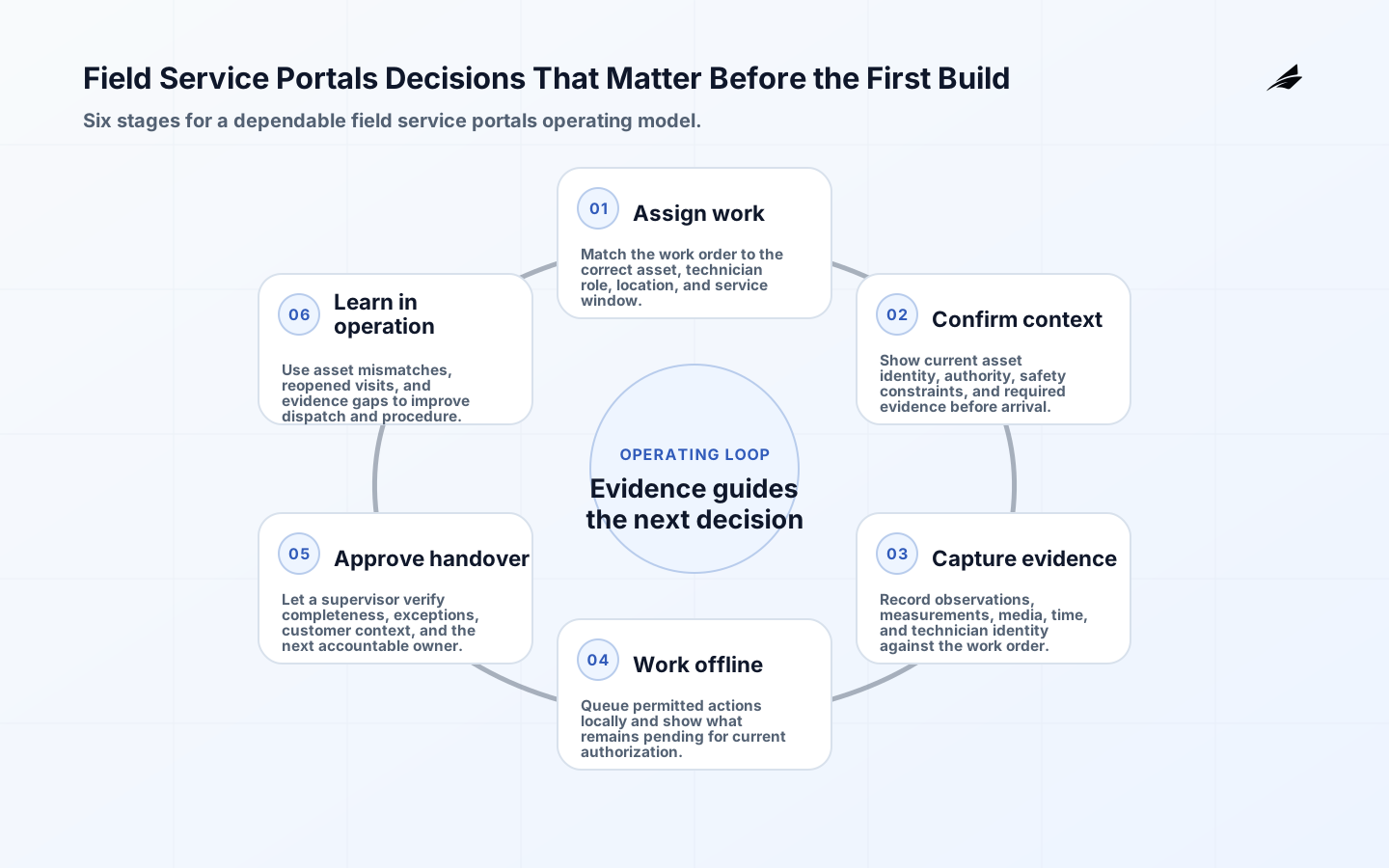
A field service portal is the working surface between a planned job and a real asset in a changing environment. Its value is not a prettier work-order list; it gives a technician the right context, captures evidence at the point of work, keeps unsafe or unauthorized actions out of reach, and returns a clear handover. Planning must cover connectivity gaps, device constraints, accessibility, identity, asset matching, photos, measurements, exceptions, and completion.
Design around the technician’s decision
Observe a representative job before drawing screens. A technician may need to identify equipment in poor connectivity, compare a symptom with prior work, follow a safe procedure, capture a measurement, request remote support, and leave a defensible completion record. Separate information that supports diagnosis from controls that change equipment state. Also separate a technician’s observation from a supervisor’s approval. A portal becomes easier to trust when every consequential action displays the asset, current status, procedure version, and limits of the user’s authority. “Complete” should mean something operationally precise, not merely that a required text field was filled.
| Moment in the visit | Portal must provide | Record created |
|---|---|---|
| Arrival and identification | Correct asset, site context, and safety prerequisites | Technician, time, location, and asset confirmation |
| Diagnosis | Relevant history, current signals, and procedure | Observed condition and evidence source |
| Work execution | Approved steps and permitted adjustments | Step results, parts, and exception requests |
| Handover | Clear status and next owner | Completion, pending work, and customer acknowledgement |
Design the work-order lifecycle
Use states that match how work really moves: proposed, scheduled, accepted, on site, paused, awaiting approval, completed, verified, and closed may be more honest than a simple open/closed model. State transitions need authority, timestamp, reason, and evidence. Allow a portal to retain a technician’s draft observation while clearly distinguishing it from a submitted operational fact. When a job is reassigned, preserve the previous operator and unfinished work instead of silently replacing history. This model makes escalations and customer questions reconstructable without asking people to remember a visit weeks later.
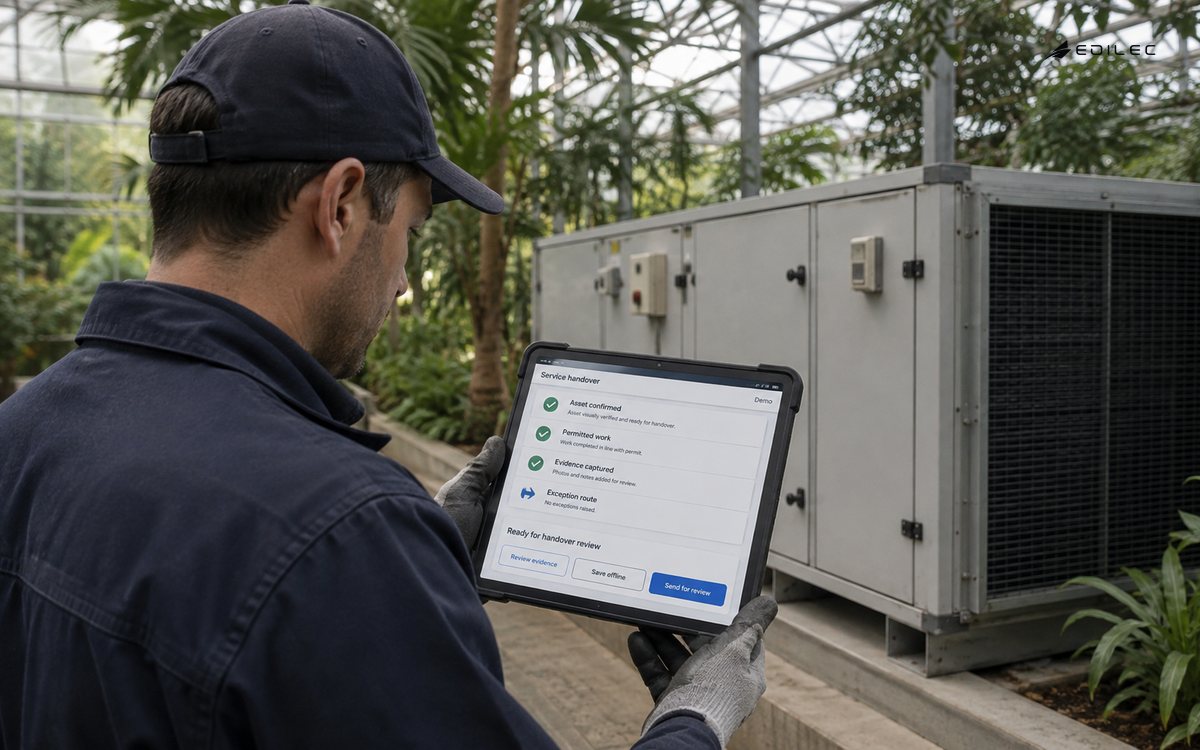
- Show asset identity, procedure version, and risk context before a consequential action.
- Use constrained evidence capture for measurements, photos, signatures, and reasons.
- Keep assignment, execution, approval, and closure permissions distinct.
- Represent paused and awaiting-parts work without forcing a false completion.
- Make handover explicit when a job changes technician or team.
- Retain the original observation when a later reviewer corrects its interpretation.
Make offline work safe and understandable
Offline operation is not a promise that every action can proceed without a network. Classify actions by the authority they require. A technician may be able to read cached manuals and draft a visit record offline, while a safety override, customer entitlement check, or equipment command requires current confirmation. Show the age of cached data and the pending state of unsynchronized work. On reconnection, use stable identifiers and conflict rules that preserve both facts for review when necessary. Hiding a conflict behind a last-write-wins update is especially damaging when the record documents maintenance, safety, or asset condition.
Protect people, assets, and service data
The portal should not use a technician’s location or a shared device as a substitute for authorization. NIST SP 800-207 provides a useful access principle: evaluate identity, device posture, and policy for the request instead of granting broad trust because someone is on a familiar network. Use least privilege, role and job context, secure local storage, session expiry, and an auditable support path. For portals connected to assets, a request to issue a command needs a stronger review than a request to read status. Capture the action intent, approver where needed, and a subsequent observation that confirms the outcome.
Operate the portal as a service
A field workflow should have service owners, availability expectations, support routes, and a feedback loop from technicians. The NIST Cybersecurity Framework 2.0 publication helps make that ownership concrete across governance and recovery, while NISTIR 8259A is useful when the portal interacts with device identities and configuration. Measure assignment-to-acceptance delay, failed synchronization, time spent in waiting states, rejected evidence, unresolved conflicts, and reopen rate. Review the reasons behind workarounds; a workaround can reveal an unclear procedure, missing asset data, or an overly rigid approval rule.
| Portal failure | Immediate behavior | Recovery evidence |
|---|---|---|
| No connectivity | Allow approved offline tasks and label cached information | Sync queue, conflicts, and completion confirmation |
| Wrong asset selected | Block consequential work when identity is uncertain | Corrected identification and reason |
| Approval unavailable | Keep work in a visible pending state | Approver decision and elapsed time |
| Device lost | Revoke session and protect locally cached data | Device status, credential action, and reassignment |
Run a field workflow acceptance exercise
Walk a technician, supervisor, and support person through one realistic job from assignment to handover. Include a poor-connectivity moment, an asset that initially appears ambiguous, a procedure revision, a measurement requiring context, and an approval that is not immediately available. Watch whether the technician can distinguish cached guidance from current authority, save a useful draft without claiming completion, and hand the work to another person without an oral explanation. The supervisor should be able to see what was observed, what remains pending, and why an exception was requested. The exercise should use gloves-on, time-limited field conditions where practical rather than a quiet office demonstration.
Inspect the resulting record as if a customer or safety reviewer asked about the visit later. It should link the right asset, technician, time, procedure, evidence, approval, and subsequent status. Reconnect the device and introduce a conflict with a changed work order to confirm that the portal preserves both facts for resolution. Revoke the mobile session to model a lost device and verify locally cached information and access behave as designed. These scenarios help teams find the small omissions that cause technicians to bypass a portal: unclear state, slow evidence capture, unnecessary online dependencies, or an authority boundary that does not match the job.
The field-service dispatch boundary
For a field-service portal, define the technician’s decision, the authoritative work-order and asset records, the evidence required at each handoff, and which actions remain permitted without a current connection. Test asset mismatch, expired authorization, incomplete evidence, queued work, and a supervisor review. Use NISTIR 8259A, RFC 3339, RFC 8446, and the W3C Service Workers specification for identity, time, transport, and client-side operation concerns. For related Edilec context, compare the field-service planning guide, connected field-service guide, and sensor-calibration checklist.
Walk one work order from dispatch through arrival, asset verification, observation capture, approval, and closeout. Include a weak signal, an incorrect asset match, a local evidence capture, and a handoff to a supervisor. Confirm that the technician can tell what is saved locally, what is awaiting synchronization, and which action needs current authority. Measure correct asset matching, complete evidence, safe offline behavior, and handover clarity instead of counting completed screens.
| Decision area | Field-service question | Field-service evidence |
|---|---|---|
| Purpose | For field-service portal, answer this question: Which real decision does the system change? | For field-service portal, record the scenario, owner, and acceptance example. |
| Boundary | For field-service portals, identify what is allowed, and what is deliberately excluded? | For field-service portal, retain policy, identity, and version details. |
| Failure | For field-service portals, identify what happens when data, network or dependency fails? | For field-service portal, retain a contingency test and visible status. |
| Change | For field-service portal, answer this question: Who can alter rules, mappings or access? | For field-service portal, retain approval, diff and rollback point. |
| Review | For field-service portal, answer this question: What shows the design remains useful? | For field-service portal, retain outcome, exception and correction record. |
Field-service portal takeaways to retain
- Design the visit, not a miniature office application.
- Make work states, evidence, authority, and handover explicit.
- Support offline drafting selectively and reveal the age of cached facts.
- Protect commands and approvals more strongly than read-only context.
- Preserve conflicts and corrections for review rather than overwriting history.
- Use operational signals to find friction in the real field workflow.
FAQ: questions before a field-service portal build
- What should be in the first release? Asset identification, one repeatable work type, offline-safe evidence capture, explicit submission, and a supervisor review path are usually more valuable than broad feature coverage.
- Can a portal issue equipment commands? It can, but commands need narrow roles, current context, unambiguous intent, audit evidence, and a way to confirm physical outcome rather than assuming the request succeeded.
Treat portal content as part of the operating system. Procedures, asset references, fault codes, parts availability, and escalation rules need owners, versions, and a controlled way to correct them. A visually polished portal with an obsolete procedure can create more risk than a slower paper process. Establish a feedback route that lets technicians flag a confusing instruction, missing asset relationship, or unsafe default while preserving the original record. Review those reports with operations and engineering, then publish a visible update. This turns the portal into a learning surface for the field organization instead of a fixed form that people learn to work around.
Measure portal success with field outcomes as well as usage. Useful indicators include time to identify the right asset, successful first-time completion, rework, evidence rejection, approval delay, offline conflict rate, and technician-reported procedure gaps. Interpret them with representative job types and sites; a reduction in time that merely skips a safety or verification step is not improvement. Review the metrics with technicians so the resulting changes strengthen the workflow they actually carry out.
Keep the field portal quick under real conditions: optimize asset lookup, make required evidence clear before entry, retain drafts safely, and reduce unnecessary navigation. Speed matters because a workflow that consumes time without improving clarity will be bypassed. The useful target is a faster, more defensible visit record, not merely more screen activity.
Plan for accessibility and device variability too. Technicians may work with glare, gloves, intermittent power, translated procedures, different camera quality, or assistive technologies. Validate critical flows under those constraints. A portal that assumes a fast network and a pristine touchscreen can quietly exclude the people responsible for the evidence it depends upon.
Conclusion: dispatch with evidence and authority
A capable field service portal gives people the right context and leaves behind an evidence trail that the next person can trust. Explore Field Service Portals: Hands-on Planning Guide, How Founders Should Think About Field Service Portals, and Field Service Portals for Connected Systems for complementary planning and production guidance.