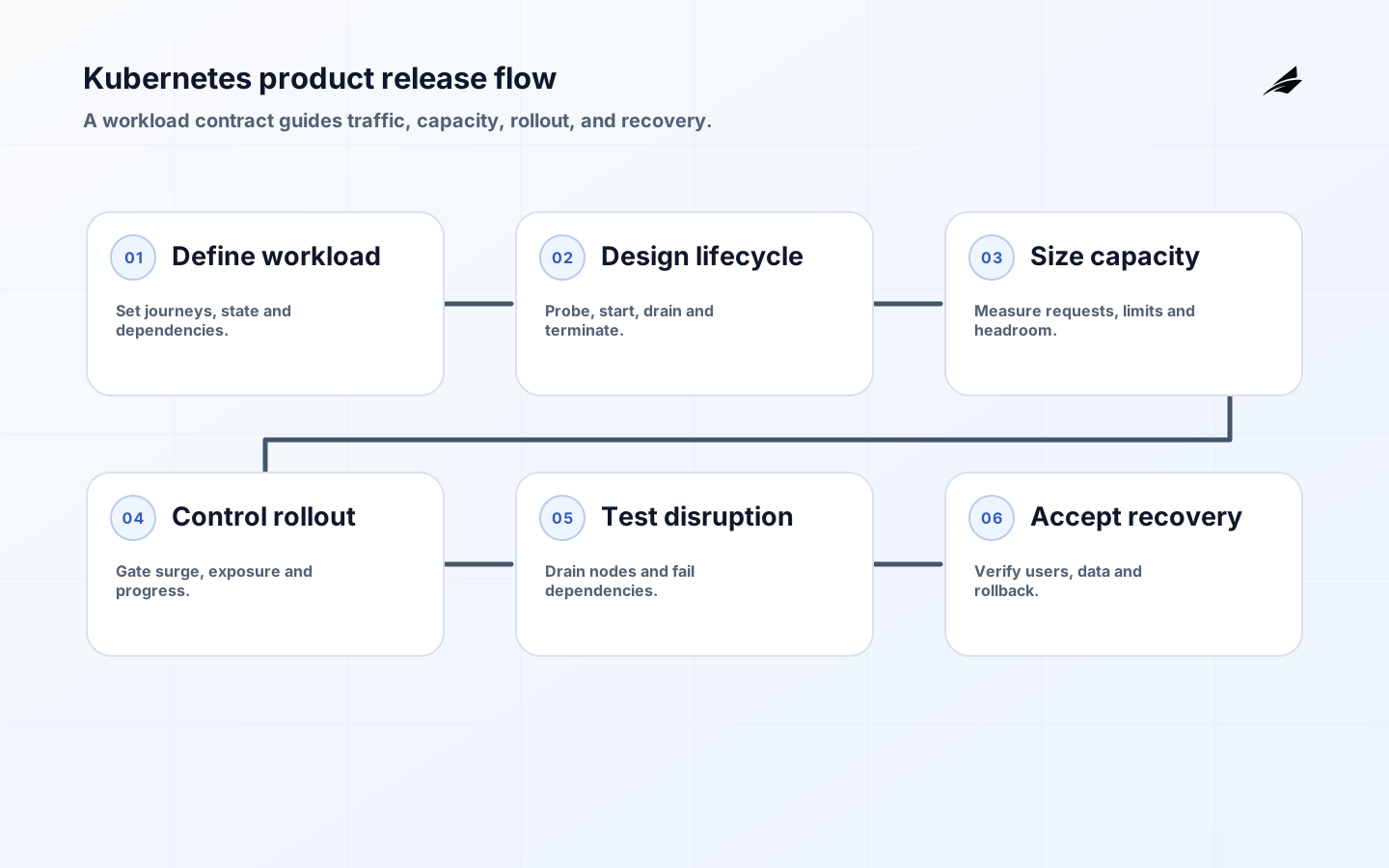
Kubernetes Deployments for product teams should be treated as product behavior, not cluster syntax. A Deployment continuously works toward a declared state for a set of interchangeable Pods and supports controlled updates through ReplicaSets. That mechanism is useful only when the application also defines readiness, startup, shutdown, resources, dependencies, and rollback. Product managers need not write manifests, but they should understand the customer promise encoded by those decisions.
Use this guide with Edilec's production Kubernetes checklist, blue-green deployment mistakes, and canary release security review. The question is not whether a rollout reached 100 percent. It is whether the new version served valid work, preserved data, stayed within service objectives, and could be stopped or reversed under realistic failure.
Key takeaways
- Write a workload contract for traffic, state, dependencies, startup, shutdown, capacity, and recovery before tuning Deployment fields.
- Use readiness for traffic admission, startup for slow initialization, and liveness only for failures a restart can actually repair.
- Set resource requests from observed demand and limits with runtime behavior in mind; test throttling and memory pressure.
- Choose rollout surge and unavailability from capacity and service objectives, not copied defaults.
- Test rollback with schema and dependency compatibility; a manifest rollback cannot reverse every application change.
Translate the product promise into a workload contract
For one service, name the user journeys, availability objective, latency target, traffic pattern, startup time, shutdown time, concurrency, state location, external dependencies, and data compatibility window. Identify which requests are safe to retry and which need idempotency. Decide what happens when the database is slow, a queue is unavailable, or a region dependency fails. The Deployment specification cannot answer these product questions, but it must implement their consequences.
| Product requirement | Workload decision | Acceptance evidence |
|---|---|---|
| No traffic before initialization | Readiness remains false until required local state is usable | Cold-start test shows no failed customer requests |
| Requests finish during release | Graceful termination, pre-stop behavior, and sufficient grace period | Long request and queue-consumer drain test |
| Service tolerates one replica loss | Replica count, spread, capacity headroom, and disruption policy | Load test during node drain |
| Release can stop on harm | Progress deadline, monitored gates, and rollout pause | Injected regression halts before full exposure |
| Rollback remains possible | Backward-compatible config, API, and database changes | Previous image resumes against current state |
Use a Deployment for stateless or externally stateful replicas that can be replaced. Stateful identity, ordered rollout, and stable storage may require a StatefulSet or another operator. Jobs suit finite work. Do not force every workload into a Deployment because it is familiar. The official Deployment documentation describes the controller's desired-state and rollout behavior; application ownership begins where that controller's guarantee ends.
Design probes and lifecycle behavior
Readiness answers whether a Pod should receive traffic now. It can consider local ability to serve, but avoid making it flap because an optional downstream dependency is momentarily slow. Startup protects slow initialization by delaying liveness and readiness checks until startup succeeds. Liveness should detect a stuck state that a container restart can repair. The current Kubernetes probe documentation explicitly warns that incorrect liveness probes can create cascading failures by restarting containers under load.
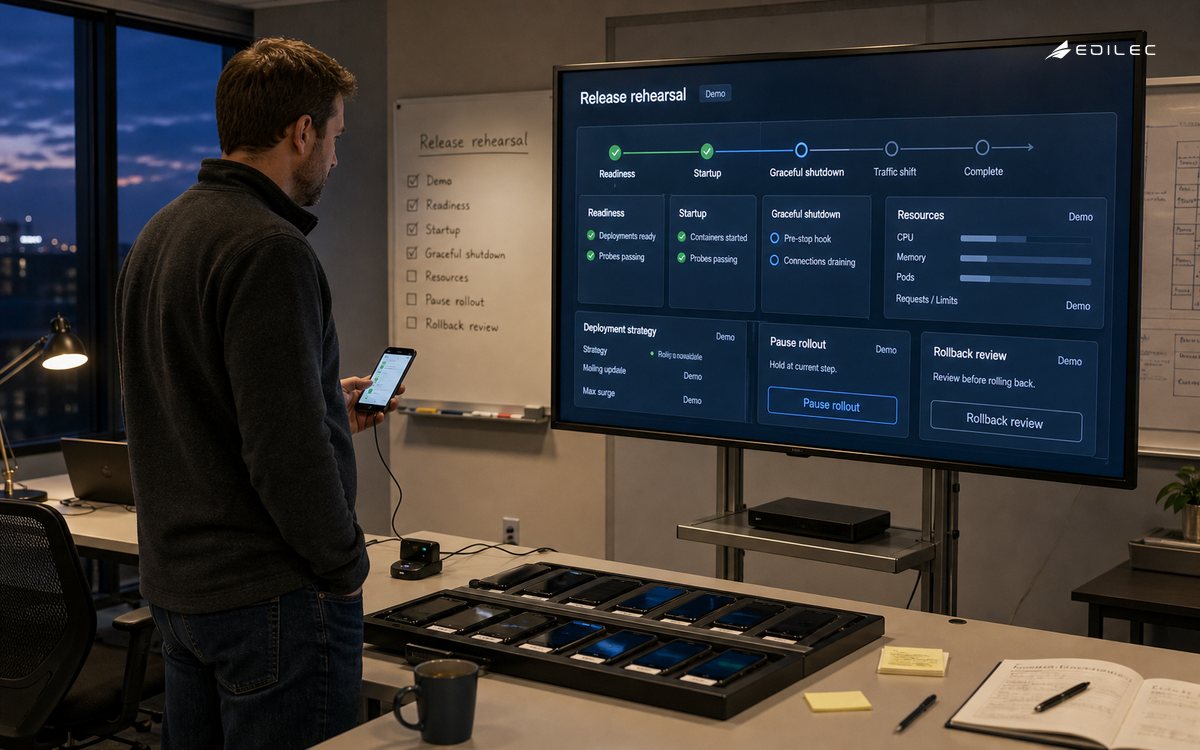
Shutdown deserves equal design. When a Pod terminates, it should stop accepting new work, drain in-flight requests or messages, flush necessary state, and exit within terminationGracePeriodSeconds. Handle the termination signal in the process. Coordinate load balancers, service endpoints, queue leases, and connection pools. The official Pod lifecycle guide is the reference for Pod phases, container states, restart behavior, and termination. Test the entire route rather than assuming a hook guarantees graceful service.
| Health mechanism | Question | Good failure | Common mistake |
|---|---|---|---|
| Startup probe | Has initialization completed? | Pod remains out of liveness and readiness evaluation while starting | Using a very large liveness delay instead |
| Readiness probe | Can this Pod serve new work now? | Endpoint is removed while process remains available for diagnosis | Checking every optional dependency |
| Liveness probe | Is the process irrecoverably stuck? | Restart restores a known failure mode | Restarting on load-induced latency |
| Application metric | Is behavior acceptable to users? | Release gate pauses or alerts an owner | Treating HTTP 200 as service health |
| Synthetic journey | Can a representative user complete the path? | Detects integration failure across components | Running only against an isolated endpoint |
Set resources and capacity from evidence
CPU and memory requests influence scheduling and are a foundation for capacity planning; limits constrain runtime use according to resource behavior. The Kubernetes resource management guide explains that CPU limits are enforced through throttling while memory limits are enforced reactively and can lead to termination under pressure. Measure representative load, startup peaks, background work, and memory growth. A request that is too low produces crowded nodes and unstable latency; one that is too high wastes capacity and can make Pods unschedulable.
Define the capacity needed during rollout. With maxSurge, the cluster needs room for extra Pods; with maxUnavailable, the service must absorb reduced capacity. Horizontal autoscaling does not remove the need for this calculation, especially when metrics lag or dependencies have their own ceilings. Test a release during realistic traffic with one node unavailable. Observe pending Pods, throttling, out-of-memory events, queue depth, database connections, and downstream rate limits.
Control rollout, disruption, and rollback
Choose a rolling update, blue-green switch, or canary based on risk and state compatibility. A Deployment rolling update controls replica replacement but does not evaluate customer outcomes by itself. Add release gates for error rate, latency, saturation, critical business events, and data integrity. Pause on a threshold with enough time to detect delayed failures. Record image digest, configuration, feature flags, database migration version, and dependency changes as one release unit.
Plan voluntary disruption separately. The official Kubernetes disruptions guide explains that PodDisruptionBudgets limit simultaneous voluntary disruptions for replicated applications, while involuntary disruptions cannot be prevented and direct deletion can bypass that protection. Combine a suitable disruption budget with topology spread, sufficient replicas, capacity, and tested node drains. A PDB cannot make a single replica highly available or fix an application that cannot run two versions safely.
- Pin immutable image digests and promote the same artifact across environments.
- Validate manifests and policy, scan images, and compare rendered configuration before admission.
- Run startup, readiness, shutdown, capacity, dependency-failure, and data-compatibility tests in a representative environment.
- Deploy to a small controlled population and evaluate user-facing and business signals, not Pod status alone.
- Pause or roll back within a named threshold; verify that the previous version works with current schema and messages.
- Reconcile interrupted jobs, duplicate requests, and partial writes after recovery; close only when customer impact is understood.
Operate the workload after release
| Signal | Why it matters | Action question |
|---|---|---|
| Available and ready replicas | Shows controller and traffic-admission state | Is loss localized to a version, zone, or dependency? |
| Rollout duration and stalled progress | Exposes startup, scheduling, and readiness problems | Should the rollout pause before more exposure? |
| CPU throttling and memory working set | Connects resource policy to latency and termination | Are requests and limits supported by load evidence? |
| Restart reason and probe failures | Distinguishes crash, liveness action, and memory pressure | Will restart repair the cause or amplify it? |
| User errors, latency, and critical transactions | Measures the product outcome | Does the new version remain within release gates? |
| Termination and drain duration | Shows whether releases discard work | Is grace time and application shutdown behavior sufficient? |
Give product teams a release view that joins application version, rollout state, infrastructure saturation, service objectives, and critical product events. Platform teams own safe defaults and cluster capabilities; application teams own workload semantics and acceptance. Review repeated probe failures, rollback causes, and resource overrides as product debt. The objective is not a perfect manifest. It is a release system that makes routine changes boring and abnormal changes containable.
Agree on an ownership contract between application and platform teams. The platform should publish supported Kubernetes versions, admission policies, default security context, ingress behavior, storage classes, autoscaling capabilities, maintenance windows, observability, and escalation. The product team should publish workload dependencies, resource evidence, availability expectations, probes, graceful shutdown, data migration behavior, and on-call ownership. When a rollout stalls, this contract keeps investigation concrete: scheduling and node pressure belong to the platform path; an endpoint that never becomes ready belongs to the workload path; a dependency quota may require both. Review the contract after cluster upgrades and major architecture changes.
Also test maintenance outside releases. Drain a node, rotate a secret or certificate, reschedule across zones, and restart a dependency while ordinary traffic continues. Verify PodDisruptionBudgets, topology, connection handling, caches, queue leases, and alert routing. Product reliability is exposed as often by routine platform work as by a new application version. Evidence from these exercises should update replica counts, grace periods, runbooks, and capacity assumptions.
Frequently asked questions
How many replicas should a Deployment have?
Derive the number from availability needs, failure domains, peak load, per-Pod capacity, rollout surge, and maintenance. Two replicas are not automatically resilient if both land in one failure domain or cannot carry traffic during a drain.
Does a PodDisruptionBudget guarantee availability?
No. It constrains qualifying voluntary evictions. It does not prevent involuntary failures, guarantee capacity, cover every deletion path, or repair poor application behavior. Use it as one control in a tested availability design.
Is kubectl rollout undo a complete rollback plan?
No. It can return the Deployment Pod template to an earlier revision, but database migrations, external messages, configuration, feature flags, and third-party effects may remain. A rollback plan must address the complete release unit and reconcile partial work.
Conclusion
A Kubernetes Deployment becomes production-ready when the application and platform share an explicit workload contract. Correct probes, observed resources, graceful lifecycle behavior, capacity-aware rollout, disruption planning, and full-unit recovery turn a controller into reliable product delivery. Product teams should judge success by protected user journeys and recoverable change, not by the sight of green Pods.