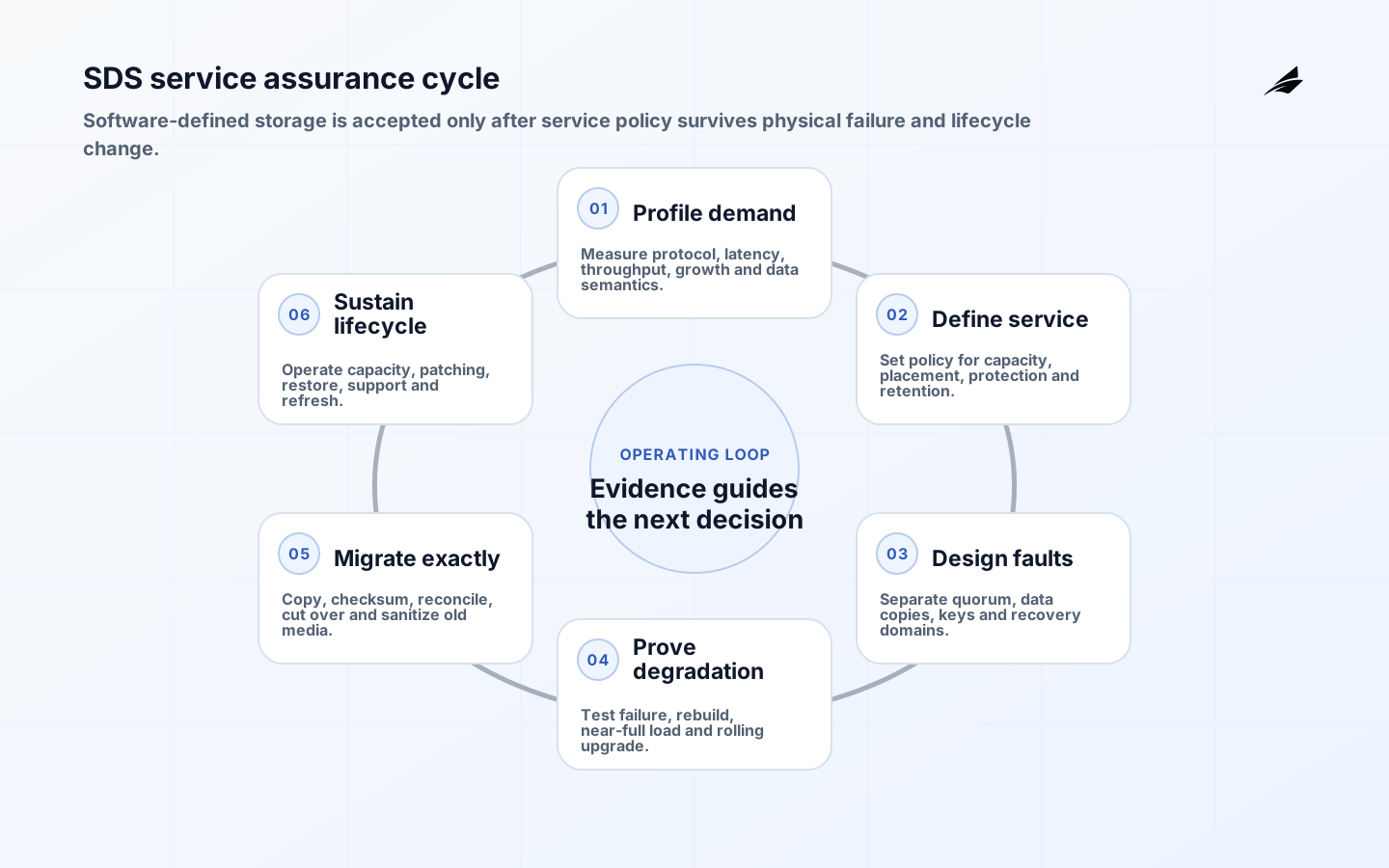
Software-defined storage solutions separate storage services and policy from a fixed hardware appliance. The software aggregates or controls capacity and exposes block, file or object services through programmable management. That definition covers materially different products: hyperconverged clusters, distributed object stores, virtual storage appliances and software that manages external arrays. Buyers should compare the actual data path, failure model and operating contract rather than treating SDS as one architecture.
This FAQ complements the SDS scope, cost and risk plan and SDS implementation checklist. The related software-defined storage delivery plan gives another planning view. The answers below are product-neutral; validate any design with the selected software, hardware, workload and support versions.
What makes storage software-defined?
The SNIA Software Defined Storage white paper centers SDS on virtualized storage with a service-management interface and pools whose data-service characteristics can satisfy requested requirements. In practical terms, consumers request a class such as capacity, performance, replication or retention; software maps it to resources and enforces policy. Hardware still matters. Media endurance, controllers, network paths, CPU, memory and fault domains determine what the software can deliver.
Ask where control-plane metadata and user data flow, how placement is calculated, and what happens when management services are unavailable. Some systems put storage software on the same nodes as compute; others use dedicated nodes or manage existing arrays. These choices affect independent scaling, contention, licensing, upgrade sequencing and blast radius. A useful architecture diagram distinguishes clients, protocol gateways, metadata or monitor services, data nodes, replication paths and administrative APIs.
Which workloads fit SDS and which need caution?
SDS can suit environments that value scale-out growth, automation, commodity hardware options or a common service across sites. Object workloads, virtual-machine datastores, container volumes, backup repositories and analytics can all fit, but not on identical configurations. Characterize capacity, block size, read/write mix, sequentiality, metadata rate, latency percentiles, concurrency, data reduction, retention and growth. Include rebuild and backup traffic in the load model.
Use caution with hard real-time latency, unsupported databases, very small clusters, unusual hardware, constrained edge sites or applications whose vendor support excludes the platform. A benchmark on an empty healthy cluster says little about tail latency during failure and recovery. Test realistic fullness, background scrubbing, snapshot load, node loss and rolling upgrades. Confirm application-level consistency and recovery; storage durability cannot repair a logically corrupt transaction.
| Workload question | Why it matters | Test condition |
|---|---|---|
| Latency distribution | Averages hide user-visible stalls | P95/P99 under rebuild |
| Failure domain | Copies on one chassis or site can fail together | Node, rack and site loss |
| Data semantics | Block, file and object expose different guarantees | Application consistency test |
| Growth pattern | Capacity changes recovery time and network demand | Near-target fullness |
| Lifecycle | Upgrades and media replacement are recurring work | Rolling upgrade rehearsal |
How should resilience and security be designed?
Choose replication or erasure coding from recovery objectives, fault domains and performance, not only usable-capacity ratio. Keep quorum services in independent domains and model correlated failures. Define behavior when a site is partitioned, capacity is exhausted or metadata is damaged. Maintain backup or immutable recovery copies outside the administrative blast radius. A replica is not a backup when deletion, ransomware or a control-plane error reaches every copy.
NIST SP 800-209 covers storage-specific concerns including data protection, isolation, restoration assurance and encryption alongside identity, configuration and incident response. Apply separate administrative identities, least privilege, protected management networks, encryption with managed keys, secure erase and auditable policy changes. Threat-model management APIs because automation can spread a destructive configuration quickly. Test key loss, credential compromise and restore from a clean control plane.
Which interfaces and standards matter?
Consumers need stable service interfaces while operators need inventory, telemetry and lifecycle control. For infrastructure management, SNIA's Swordfish API defines a RESTful model for storage and data services. Container platforms commonly use the Container Storage Interface between orchestrators and storage plugins. Standards can reduce custom integration, but conformance, version support and optional behavior still need verification.
Automate class creation, quota, snapshot, replication and retirement through reviewed policy. Give each request an owner, data class, retention and expiry. Idempotent workflows should recover from timeout without duplicate volumes or leaked credentials. Capture the requested policy, controller decision, resulting resources and software version. Rate-limit destructive actions and require stronger authorization for bulk deletion, replication changes or disabling protection.
How should data be migrated to SDS?
Inventory datasets, owners, protocols, access controls, dependencies, change rate and recovery requirements. Clean abandoned data only with owner approval and records obligations considered. Select host copy, storage replication, application replication or backup-and-restore based on support and consistency. Create checksums or application reconciliation criteria before copying. For a live cutover, define the final synchronization, write freeze, validation, DNS or mount change and rollback window.
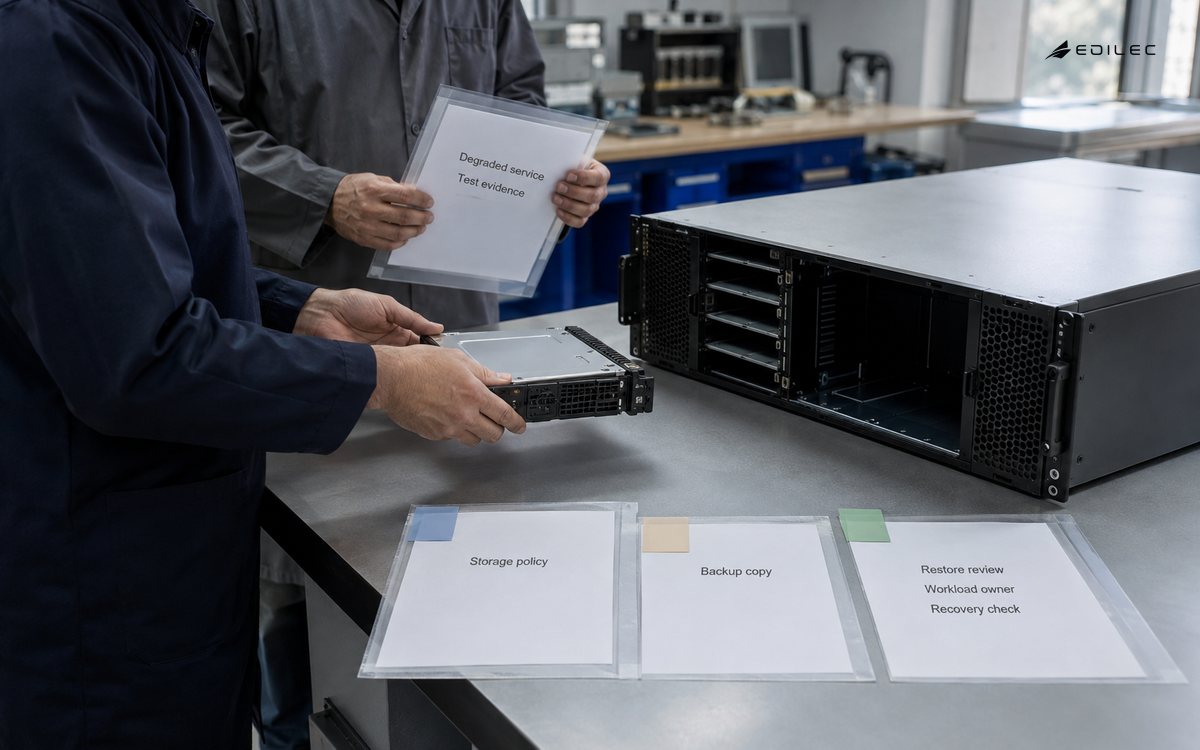
- Approve workload profile, data class, capacity forecast and recovery objectives.
- Build the target service class and validate identity, encryption and telemetry.
- Load-test normal, degraded, rebuild and near-full conditions.
- Copy data through a supported method and reconcile completeness.
- Cut over with explicit freeze, validation and rollback authority.
- Observe application behavior, prove backup and retire old copies securely.
After cutover, retain the source only for the approved rollback period. Continued bidirectional changes make rollback ambiguous. Revoke old access, update recovery documentation and sanitize media according to policy. Measure migration throughput separately from production headroom. A copy process that saturates the cluster or network can invalidate performance results and harm existing consumers.
How are SDS operations and economics measured?
Monitor consumer latency and errors, capacity by failure domain, metadata health, rebalance state, media faults, recovery duration, data-protection jobs and configuration changes. Alert on actionable service risk, not every transient disk event. The operator should be able to trace a volume or bucket to its owner, policy, physical placement, protection state and cost. Rehearse upgrades in a representative environment and document supported version paths.
Model raw and usable capacity, reserve headroom, servers, media, network, racks, power, software, support, spares, staff, backup and migration. Erasure coding may improve capacity efficiency while increasing compute or recovery traffic. Hyperconverged designs may force compute and storage to scale together. Compare a multi-year demand range and include refresh. Unit cost is meaningful only when paired with the service class and achieved reliability.
| Operating measure | Decision it supports | Incomplete substitute |
|---|---|---|
| Usable capacity by domain | Expansion timing and resilience | Raw terabytes |
| P99 latency under degradation | Workload fit and headroom | Healthy average latency |
| Restore success and duration | Recoverability | Snapshot count |
| Rebuild exposure window | Risk after component loss | Disk replacement count |
| Cost per protected TB-month | Economic comparison by service class | Hardware purchase price |
How should an SDS proof of capability be run?
Create a proof plan with target software, hardware, firmware, network and management versions. Load representative data and run application-level traffic long enough to fill caches and expose compaction, scrubbing or balancing behavior. Capture configuration automatically. Measure healthy operation first, then remove media, nodes, links and quorum members according to the architecture. Observe client errors, tail latency, rebuild duration, capacity headroom and operator actions. Repeat after a rolling upgrade.
Evaluate support as part of the system. Open a realistic diagnostic case, collect the requested bundle and confirm what sensitive content it contains. Review the compatibility matrix, security-notice process, critical-fix path, release cadence and end-of-support policy. For community software, identify the internal or contracted team that owns integration and urgent fixes. A subscription does not automatically transfer architectural or data-recovery accountability to a vendor.
End with a signed comparison against workload criteria and alternatives. Document exceptions, mitigation, expansion trigger, three-year cost range and exit method. Preserve the benchmark harness and datasets so later versions can be compared. Reject results obtained with configurations the organization cannot support in production. If no option meets the threshold, change the workload, service objective or procurement rather than accepting an unverified resilience promise.
Include day-two labor in the evaluation. Estimate routine patching, drive replacement, balancing, capacity planning, certificate renewal, incident analysis and upgrade testing by role. Confirm whether those tasks can be performed during normal staffing or require a specialist on call. A technically successful cluster can still be the wrong service if the organization cannot sustain its maintenance cadence or diagnose degraded states before redundancy is exhausted.
Key takeaways
- Define SDS by its service interface, policy and architecture, not a marketing label.
- Benchmark representative workloads during failure, rebuild, upgrade and high utilization.
- Separate replicas from protected recovery copies and test restoration.
- Verify standard-interface versions and product behavior before relying on portability.
- Compare full cost per protected service unit, including operations and refresh.
Frequently asked questions
Does SDS require commodity hardware?
No. Some products support broad hardware choices, while others require certified configurations or appliances. Even open software needs validated controllers, drives, network and firmware. Hardware freedom is useful only when the organization can test and support the resulting combinations.
Does SDS replace every SAN or NAS?
No. Existing arrays may remain the best supported fit for some workloads, and software-defined control can sometimes manage them. Decide per workload, lifecycle risk and operating capability. A forced replacement can create migration cost without a better service outcome.
Is software-defined storage only for AI workloads?
No. SDS predates the current AI infrastructure wave and supports many general workloads. AI pipelines can add high throughput, object-scale datasets and checkpoint patterns, but their needs still require a measured workload profile and suitable data architecture.
Conclusion
Software-defined storage solutions can make storage programmable and scalable, but software does not erase physical or operational limits. Select from workload evidence, design fault and security boundaries, automate guarded service policies, migrate with reconciliation and prove operation under degradation. The defensible choice is the one that delivers the required data service through failures, upgrades and growth at a cost the organization can sustain.