A useful software-defined storage FAQ begins with the boundary: SDS implements storage behavior in software and manages pools of hardware through policy and automation. It can reduce dependence on a proprietary appliance, scale across standard nodes and expose block, file or object interfaces. It does not make hardware irrelevant. Drive endurance, controllers, networks, CPU, memory, racks, power and failure domains still determine performance and resilience, while the software adds its own upgrade and operational responsibilities.
This guide helps buyers evaluate those responsibilities rather than treating SDS as a license comparison. Use the SDS scope and delivery plan for business framing and the SDS implementation checklist for deployment tasks. Product selection should follow workload measurements, failure analysis and an honest skills assessment.
What counts as software-defined storage?
SDS separates storage services and policy from a single fixed appliance. A control plane tracks topology, placement, health and policy; a data plane serves and protects data across devices. Some products are hardware-neutral, while supported configurations may still prescribe components. Some run directly on storage nodes, others integrate with virtualization or Kubernetes, and some are delivered as managed software. Ask what is actually portable: data format, management policy, client protocol, operational tooling or only procurement choice.
Do not confuse SDS with storage virtualization alone. Virtualization can aggregate existing arrays behind a common interface; an SDS system may also implement distributed placement, replication, erasure coding, snapshots, lifecycle and self-healing. The Ceph architecture illustrates a distributed object foundation that supports object, block and file interfaces. That is one design, not a universal template, so compare behavior and evidence rather than labels.
| Access model | Typical fit | Critical validation |
|---|---|---|
| Block | Databases, virtual machines and applications expecting a volume | Latency distribution, fencing, snapshots and crash consistency |
| File | Shared directories, home areas and content workflows | Metadata scale, locking, permissions and small-file behavior |
| Object | Backups, archives, media and cloud-native datasets | API compatibility, versioning, consistency and lifecycle rules |
| Unified | Mixed access patterns on a common cluster | Resource isolation and failure impact between services |
How should teams evaluate SDS architecture?
Draw clients, protocols, gateways, monitors or quorum services, storage daemons, management services, networks and external identity or key dependencies. Mark which components are stateful, how membership changes, where metadata lives and what happens when control-plane quorum is lost. Read upstream and supported-product documentation together. The Red Hat Ceph documentation is useful for seeing how architecture becomes deployment, administration, monitoring and upgrade work.
Map physical topology into logical failure domains. Replicas placed on different drives but in one chassis do not protect against chassis failure. Racks sharing power or switches may not be independent. Stretch clusters add latency and quorum questions; they are not a substitute for a separate recoverable copy. Record the minimum healthy components for reads, writes, rebuild and administration, then test those assumptions under realistic load.
How are capacity and performance sized?
Collect workload traces or representative benchmarks: usable data, annual growth, object or file counts, block sizes, read/write mix, sequentiality, queue depth, burst duration, latency percentiles, concurrency and retention. Include snapshot, clone and backup behavior. Raw capacity is not usable capacity. Replication, erasure coding, reserved free space, metadata, checksums, journals and rebuild headroom consume resources. State every overhead assumption and show the point at which another node or rack is required.
Benchmark the system you intend to operate, not an empty lab with favorable settings. Run steady state, peak demand, degraded mode, rebuild, scrub, snapshot and backup together where they can overlap. Measure tail latency and application transaction time, not only aggregate throughput. CPU and network can become storage bottlenecks, especially with encryption, compression or erasure coding. An IBM architecture guide can help teams identify components, but local testing must validate the chosen hardware and release.
Operate SDS through a six-stage evidence loop
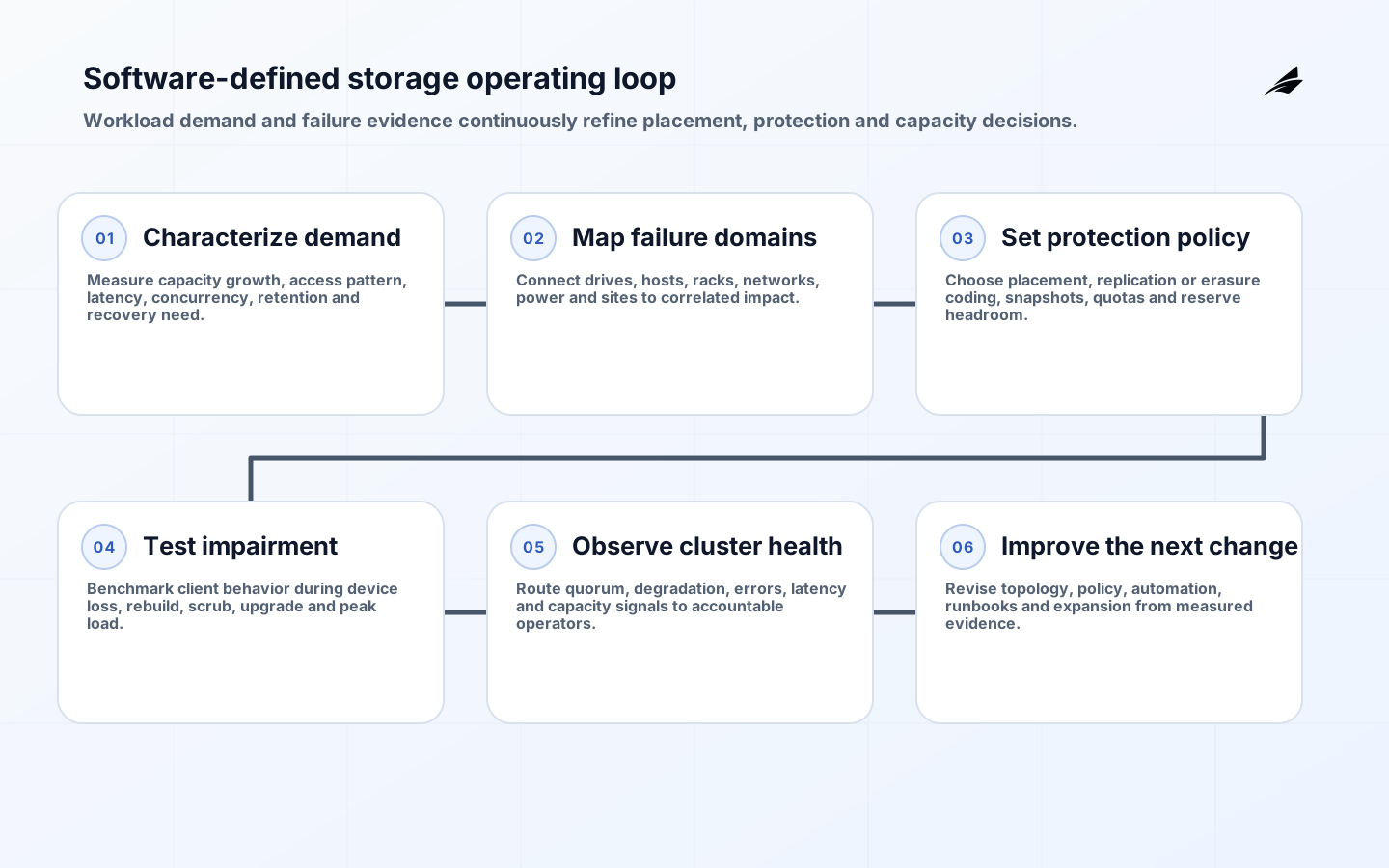
The operating loop starts by characterizing demand, then maps failure domains, selects protection policy, validates under impairment, monitors health and capacity, and improves the next change. Treat placement and recovery policy as code where the platform permits. Peer-review changes to replication, erasure coding, quotas, network or authentication. Use a canary cluster or bounded pool for upgrades, and verify compatibility across server daemons, clients, orchestrators and backup tools before broad rollout.
Health dashboards need decision-oriented signals: quorum state, degraded or misplaced data, unavailable objects, recovery backlog, device errors, capacity by failure domain, latency, scrub findings and clock health. Alert only when an operator has a defined action. Automate routine remediation cautiously; a restart loop can worsen a correlated failure. Preserve event timelines and configuration history so incident review can distinguish hardware faults, software defects, capacity pressure and operator changes.
How does SDS protect and recover data?
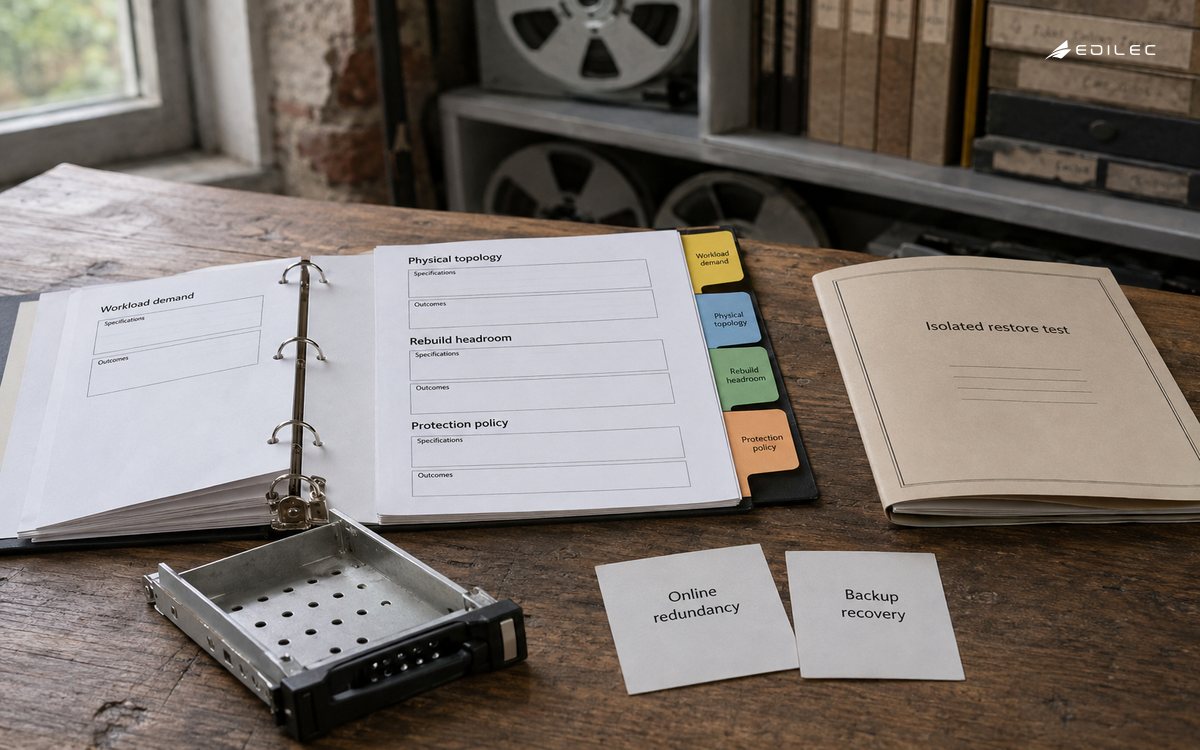
Replication and erasure coding maintain availability within designed failure assumptions; neither is automatically a backup. Administrative deletion, compromised credentials, software defects and policy mistakes can affect every online copy. Define recovery point and recovery time for each dataset, create protected generations in a separate security or failure boundary, and test restoration into an isolated environment. Validate application semantics and permissions after restore, not merely object counts.
Snapshots can provide fast local rollback but may share the same control plane and capacity. Replication can reduce site-loss exposure but can also replicate corruption. Backup catalogs, keys and identity systems are dependencies that need their own recovery path. Exercise device, host, rack, site and administrative-compromise scenarios. During rebuild testing, observe whether business latency remains acceptable and whether free space is sufficient to complete recovery without emergency expansion.
Which security controls belong in an SDS design?
Separate storage administration from workload access. Use individual, short-lived or rotated credentials; narrow client permissions to pools, namespaces or paths; protect management networks; encrypt traffic and media where the threat model requires it; and integrate logs with accountable review. Harden the host operating system and orchestration layer because SDS inherits their vulnerabilities. Track software bills of materials, supported versions, security advisories and emergency upgrade procedures.
Apply the NIST Cybersecurity Framework as an outcome map across governance, identification, protection, detection, response and recovery. For retired devices, encryption alone may not satisfy every disposal scenario; align media handling with NIST sanitization guidance, organizational policy and applicable obligations. Maintain chain of custody and evidence for failed drives that cannot be sanitized normally.
| Risk | Evidence to request | Operational response |
|---|---|---|
| Correlated hardware failure | Topology map and tested placement policy | Keep headroom and replace by failure-domain priority |
| Capacity exhaustion | Forecast including rebuild and snapshot overhead | Thresholds, quotas and funded expansion lead time |
| Upgrade regression | Compatibility matrix and canary results | Phased rollout with tested rollback |
| Credential compromise | Narrow grants, logs and key lifecycle | Revoke, investigate and recover protected copies |
| Silent corruption | Checksums, scrub schedule and restore validation | Repair, identify scope and verify application records |
How should data migrate into SDS?
Inventory authoritative datasets, owners, protocols, permissions, metadata, retention, legal holds, change rate and downtime tolerance. Choose offline copy, staged synchronization, application replication or dual writing based on consistency needs. Dual writing adds failure and reconciliation complexity; do not use it casually. Establish a source freeze or clear conflict rule at cutover. Compare counts, hashes where meaningful, ACLs, timestamps and application-readable transactions.
Pilot a dataset that represents real scale and permissions. Measure copy duration without saturating production, rehearse cutover and rollback, and keep the source protected until acceptance. After migration, confirm backup, restore, monitoring, quotas and support ownership. Decommission source storage only after retention and rollback windows close. Capture migration tools and reconciliation reports in customer-controlled systems so later waves do not depend on one operator’s workstation.
What determines SDS lifecycle cost?
Model hardware, support subscriptions, facilities, network ports, spares, replacement cadence, orchestration, backup capacity, observability, staff and migration overlap. Commodity hardware is not free hardware, and flexibility can shift integration responsibility to the operator. Include engineering time for patching, capacity planning, incident response and performance analysis. Compare alternatives over the same capacity growth, availability, retention and support horizon rather than comparing raw terabytes.
A managed offering may cost more per unit while reducing staffing or upgrade risk; an internally operated cluster may be economical at scale when the organization has durable expertise. Quantify the cost of unavailable or slow service and of delayed expansion. Track usable capacity, cost per protected terabyte, support hours, energy, incidents and forecast error. A low acquisition price is not a successful outcome if rebuilds violate application objectives.
Software-defined storage takeaways
- Match block, file and object behavior to measured applications.
- Treat hardware topology, network and free-space headroom as part of the software design.
- Test performance during rebuild and other overlapping maintenance.
- Keep separately protected, restorable copies because cluster redundancy is not backup.
- Fund upgrades, security, capacity planning and skills across the full lifecycle.
Frequently asked questions
Is SDS hardware agnostic? It may support broad hardware choices, but production support and predictable behavior still depend on validated components. Is SDS cheaper than an array? Sometimes; compare usable protected capacity, labor, facilities, support and risk over time. Can one cluster serve every workload? Technically possible does not mean operationally wise; isolate workloads when contention, security or failure impact demands it.
Does erasure coding replace replication? It offers a different capacity and performance tradeoff; test small writes, recovery and failure assumptions. Is Kubernetes storage automatically SDS? A container storage interface connects orchestration to storage but does not itself implement resilience. How much free space is needed? Product guidance and failure policy matter; reserve enough to rebuild and operate safely, then validate through exercises rather than relying on a universal percentage.
Conclusion
SDS is an operating model as much as a storage architecture. Define workloads and failure boundaries, size usable capacity honestly, test degraded behavior, protect independent copies and make upgrades routine. The strongest selection is not the platform with the longest feature list; it is the one the organization can monitor, recover, secure and expand while applications continue to meet their objectives.