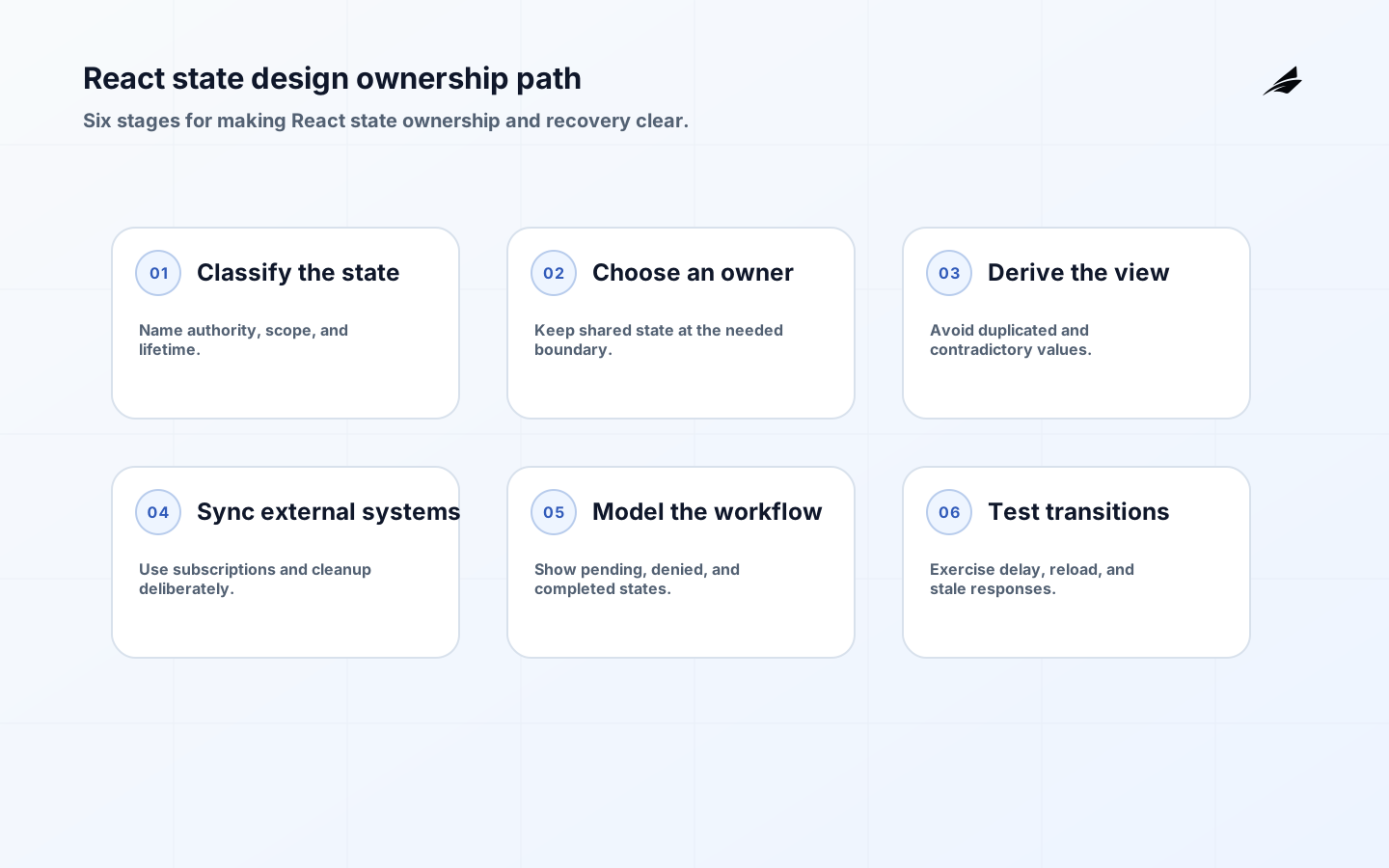
React state design is a decision about authority, lifetime, and user intent before it is a decision about a hook or state library. A search filter may belong in the URL, a server record may belong in a cache with a freshness rule, and an unsaved draft may belong to one workflow until the server accepts it. When those values are copied into several stores, the interface can show a combination of facts that never existed together. This guide gives teams a practical way to decide what state to keep, where to keep it, how to derive views without synchronization loops, and how to preserve a user’s work when a request or component changes.
Classify state by authority, scope, and lifetime
Before writing useState, list the value and ask three questions: who owns the truth, which parts of the interface need it, and how long should it survive? A local input draft has a short lifetime and one feature owner. A selected account may be shared across a workspace but should reset when the account changes. A server record is authoritative elsewhere and needs loading, stale, error, and mutation states. A route filter should survive reload and sharing when it defines the current view. Choosing the State Structure recommends avoiding redundant and contradictory state; the same principle helps a team choose a store only after it understands the value’s shape.
| State kind | Likely owner | Useful design question |
|---|---|---|
| Ephemeral interaction | Component or feature boundary. | Does another part of the screen need it after this interaction? |
| Route and filter | URL or route-level owner. | Should a person be able to share or restore this view? |
| Remote record | Server-state layer with cache policy. | When is it stale, and which action invalidates it? |
| Draft or mutation | Workflow state with a durable identifier. | What should survive a retry, reload, or permission failure? |
| External store | Store adapter with subscription lifecycle. | How are snapshots and cleanup made consistent? |
Choose an owner that can explain the value
The narrowest owner is often the easiest to reason about. Keep a dialog’s open state in the feature that opens it, rather than putting every dialog in a global store. Lift a value only when two components need to coordinate the same fact, and pass the owner’s events down instead of letting children mutate a hidden copy. Use context for a stable dependency or a genuinely shared concern, not as a universal escape from explicit data flow. When a state library is justified, give each slice a boundary, an owner, and a reset rule. The Managing State chapter describes several ways to scale state organization; none removes the need to name the source of truth.
Make reset and preservation behavior intentional
A component remount, a route change, an account switch, or a server refresh can either preserve or discard local state. Decide which behavior protects the user. A comment draft should not disappear when a validation message appears, but it may need to reset when the user deliberately switches to another record. A selected filter may reset when its parent workspace changes, while a display preference may persist across sessions. Use stable keys and explicit reset actions when the boundary is meaningful; do not depend on an incidental tree position to preserve a consequential draft. Test the transition, not just the initial render.
Derive views instead of synchronizing copies
If a value can be calculated from props and existing state during render, keep the calculation there. A filtered list, a button’s disabled state, a display label, and a validation summary are usually derived values, not separate state. Copying them into an Effect creates a render with stale data, an extra update, and another place for contradictory values to appear. The official You Might Not Need an Effect guidance is a useful diagnostic: ask whether the code is responding to a user event, deriving a render result, or synchronizing with something outside React. Only the last category generally needs an Effect.
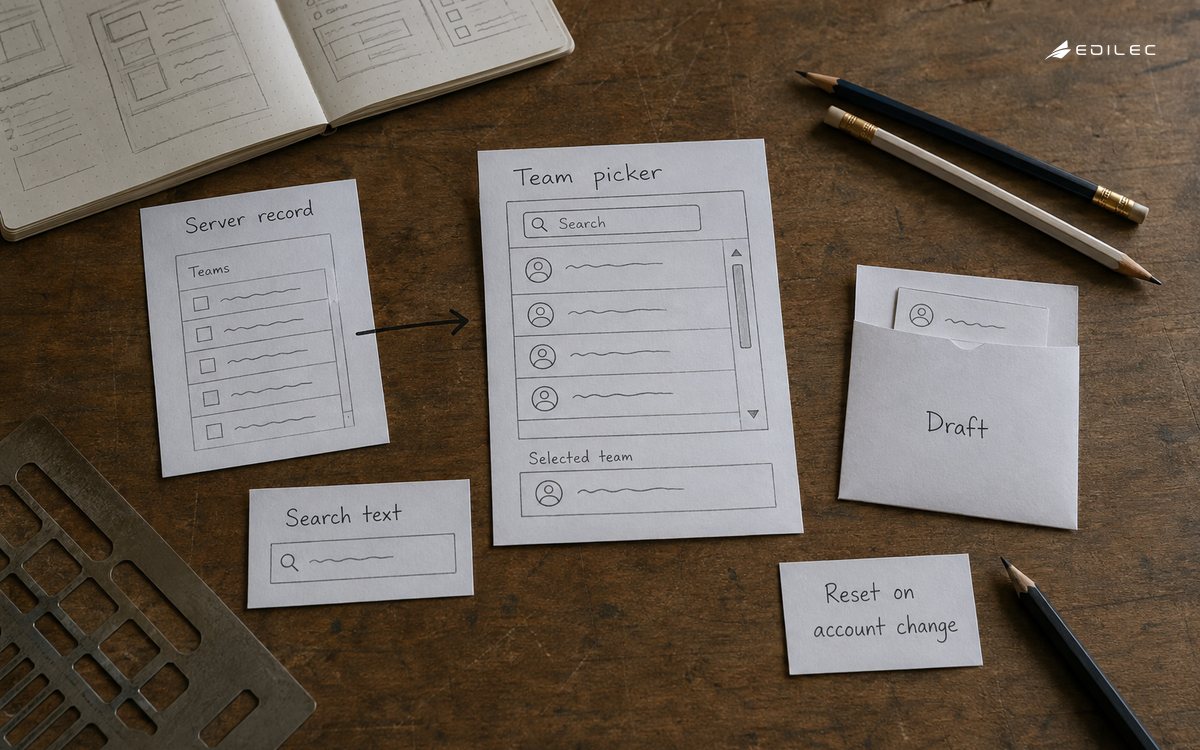
A practical example is a team picker with a search box. Store the selected team ID and the search text. Derive the visible teams from the authoritative team list and the query. Do not store filteredTeams and then try to synchronize it whenever either input changes. If the team list is remote, let the server-state layer own freshness and let the feature derive the visible result from the current snapshot. If a team disappears, show a recoverable selection state rather than silently selecting the first remaining item. Simpler state gives the product a clearer answer when data changes between renders.
Synchronize external systems only at a real boundary
Effects are appropriate when React must connect to something it does not control: a browser API, a network subscription, a media player, a map widget, an analytics sink, or a store that changes outside the React tree. Define what starts the connection, what values are sent, what cleanup stops it, and what happens when a dependency changes. Synchronizing with Effects emphasizes that rendering should remain pure and that cleanup runs before the next setup or unmount. Treat an Effect as a resource lifecycle, not a second place to compute UI state. If the code only transforms data or responds to a click, it likely belongs in render or the event handler instead.
Use a supported adapter for state outside React
When a browser API or external store is the authority, subscribe through a stable adapter and return an unsubscribe function. useSyncExternalStore exists for this case: it lets React read a snapshot and subscribe to changes without guessing when the value changed. Keep the snapshot deterministic and make server rendering behavior explicit if the application renders on the server. Do not copy an external store into local state merely to make it feel familiar; that creates two authorities and a synchronization problem. If a feature needs a temporary draft, keep that draft separate and reconcile it with the external fact at a named action.
| Situation | State decision | Failure prevented |
|---|---|---|
| A filter changes | Use route state when the view is shareable or restorable. | Reload silently changing the user’s working context. |
| A mutation starts | Track intent, request identity, and outcome near the workflow. | A retry creating a second indistinguishable action. |
| Server data refreshes | Use one cache policy and compare or replace deliberately. | A stale screen overwriting newer authoritative data. |
| External store changes | Subscribe with a snapshot and cleanup contract. | Tearing or a listener surviving its owner. |
| A record changes | Reset or preserve local state based on explicit identity. | A draft appearing under the wrong record. |
Model user workflows as visible state transitions
A button click is not the same as a completed business action. For a consequential workflow, distinguish ready, editing, submitting, accepted, processing, completed, denied, failed, and needs-review states when the user or operator can act differently in each one. Keep the draft when a save fails, show whether a retry is safe, and retain a stable request or record identifier. A loading spinner alone says only that code is waiting; it does not tell the user whether the server accepted the request or whether a later worker is still processing it. Write the transition table before choosing where each piece of state lives.
- Name the event that moves the workflow into each state and the authoritative fact that confirms it.
- Preserve user-entered values when validation or dependency failure is correctable.
- Disable or make idempotent a repeated action when a duplicate side effect would be harmful.
- Expose pending work with a reference or status the user and support team can revisit.
- Reset only on a deliberate identity change, successful completion, or explicit cancel action.
Review state design through production behavior
State bugs often appear as user stories rather than console errors: a filter disappears on reload, an old response replaces a newer edit, a success toast appears after a denied mutation, or a subscription continues after navigation. Instrument the transitions that matter to the business outcome: request started, accepted, rejected, reconciled, draft preserved, and external subscription cleaned up. Test with slow responses, duplicate clicks, out-of-order responses, permission changes, and a browser refresh during a draft. Use React State Design: Architecture Guide, What Changes When React State Design Moves into Production, and A Field Guide to React State Design for Growing Teams as adjacent references when a local component decision becomes a product-wide operating concern.
A useful review asks whether an engineer can point to the authority for every value on the screen. If two stores can both say that an order is paid, a user is selected, or a job is complete, the next question is which one wins after a network delay. Remove duplicated state or give the relationship an explicit reconciliation rule. Prefer small, inspectable state shapes over a global object that is convenient to update but impossible to reason about at a feature boundary.
React state design takeaways
- Classify state by authority, scope, and lifetime before choosing a hook or store.
- Keep one source of truth and derive filters, labels, validation, and display values during render when possible.
- Use Effects for external synchronization with explicit setup and cleanup, not for ordinary calculation.
- Model consequential actions with visible lifecycle states, durable identifiers, and safe retry behavior.
- Test transitions under reloads, delays, duplicates, stale responses, permission changes, and unmounts.
React state design FAQ
Should all shared state be global?
No. Share state at the smallest boundary that needs to coordinate it. Lift a value to a parent when sibling components need the same fact, use context for a stable cross-cutting dependency, and use a dedicated external store when the authority truly lives outside the React tree. Global state increases the number of consumers and reset paths, so require a concrete sharing need before adding it.
When is an Effect necessary?
Use an Effect when rendering must synchronize with an external system, such as a subscription, browser API, network connection, or non-React widget. Do not use one to derive a value from props and state, respond to a click that can be handled directly, or mirror one state variable into another. Setup, dependencies, cleanup, and failure behavior should all be understandable at the boundary.
Should server data and UI state use the same store?
They can share infrastructure, but they have different authorities and lifetimes. Server data needs freshness, invalidation, caching, and reconciliation; UI state needs local interaction and reset rules. Keeping those responsibilities distinguishable prevents a temporary form value from being treated as authoritative server data or a stale cache from overwriting user intent.
Conclusion: let React state describe ownership and intent
Strong React state design is less about the number of hooks than about the clarity of the model. Identify the authority, choose a boundary that can own the value, derive what does not need storage, and synchronize external systems with a real lifecycle. For user workflows, preserve intent and make completion honest. When every visible value has a clear source and every transition has a recoverable outcome, the interface becomes easier to change without surprising the people who depend on it.