Session Security Checklist for Reliable Digital Operations
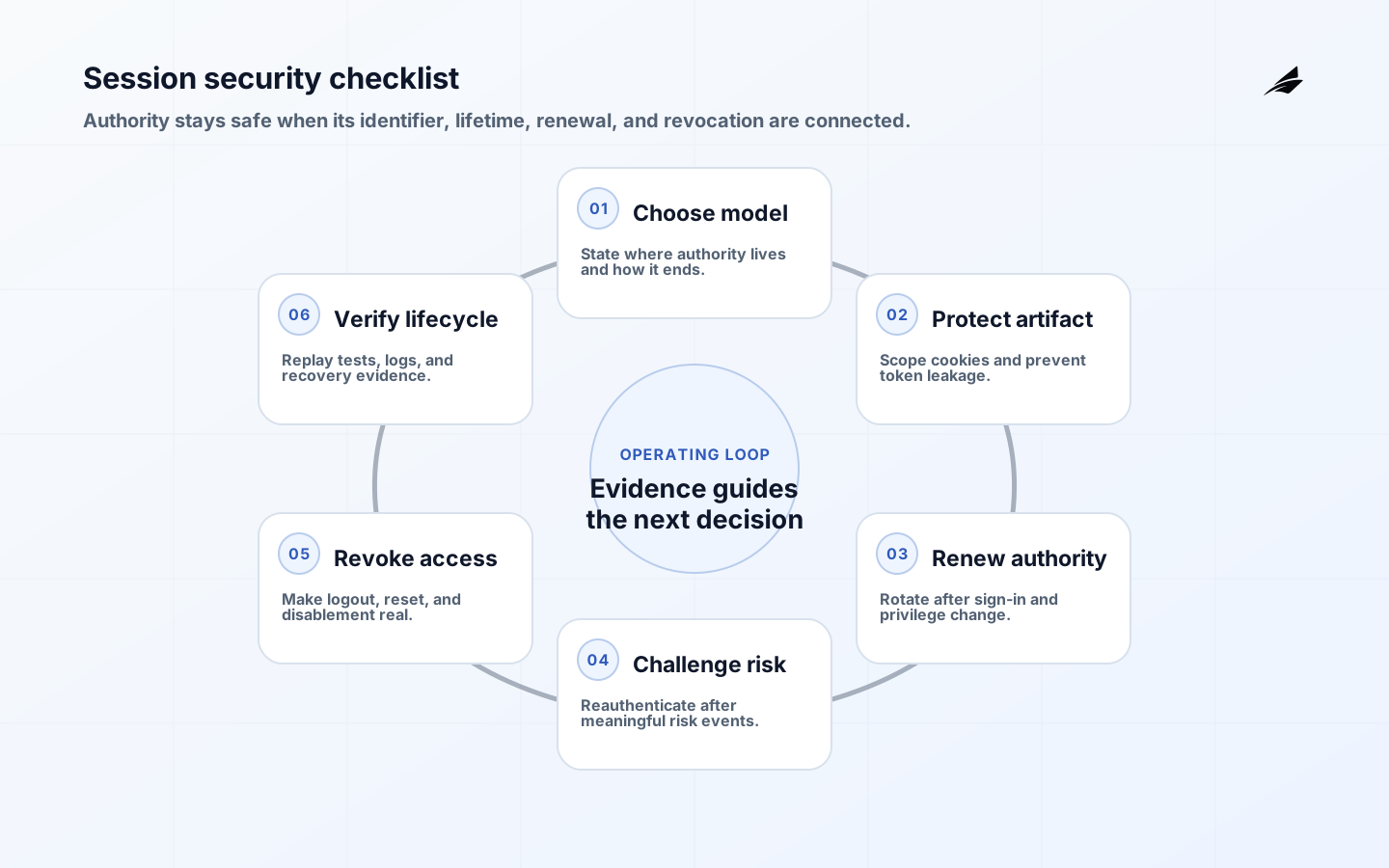
Authentication proves a credential at one moment; a session carries the resulting authority across later requests. That bridge is valuable and dangerous. OWASP describes a session identifier as the binding between authentication, HTTP traffic, and access control. A session security checklist therefore covers more than cookie flags: it includes creation, renewal, scope, idle and absolute lifetime, logout, risk events, token storage, support tooling, and evidence of invalidation.
Choose the session model deliberately
Document whether the application uses a server-side session with an opaque cookie, a stateless signed token, or an OAuth access and refresh token pair. For each, identify where authority is stored, how it is revoked, how it changes after a role update, and what a stolen artifact can do. Do not call every browser value a session. Preferences and analytics identifiers have different risk and lifetime requirements.
| Decision | Safer question | Evidence |
|---|---|---|
| Identifier | Can it be predicted, fixed, or replayed? | Entropy and fixation tests |
| Scope | Which host and path receive it? | Cookie policy and browser test |
| Lifetime | What happens after idle and absolute limits? | Expiry test and user message |
| Revocation | How does logout or risk revoke authority? | Server record and replay test |
Protect the browser boundary
Use HTTPS, secure cookies, HttpOnly where script access is not required, and an appropriate SameSite policy. Set narrow domain and path scope rather than sharing a cookie across unrelated applications. RFC 6265 explains cookie behavior, but the implementation still needs a threat model for cross-site requests, subdomains, embedded contexts, and legacy clients. Pair cookie protections with CSRF defenses where the browser automatically sends credentials.
Never put a session identifier in a URL, log line, analytics payload, or error message. Mask sensitive values in support tooling and avoid copying them into client-side storage when an HttpOnly cookie can serve the use case. If a token must be in JavaScript, make the XSS and refresh-token consequences explicit and keep the token scope and lifetime narrow.
Renew after important changes
Generate a new session identifier after authentication and after privilege changes such as password reset, MFA enrollment, role elevation, or switching to a more sensitive tenant. OWASP calls out renewal after privilege-level changes because continuing the same identifier can preserve fixation or stale authority. Invalidate the old session where the risk warrants it. A role change should not wait for a user to close a browser before taking effect.
| Event | Action | User-visible result |
|---|---|---|
| Sign-in | Create fresh session | Signed in on this device |
| MFA added | Renew and record factor | Security method updated |
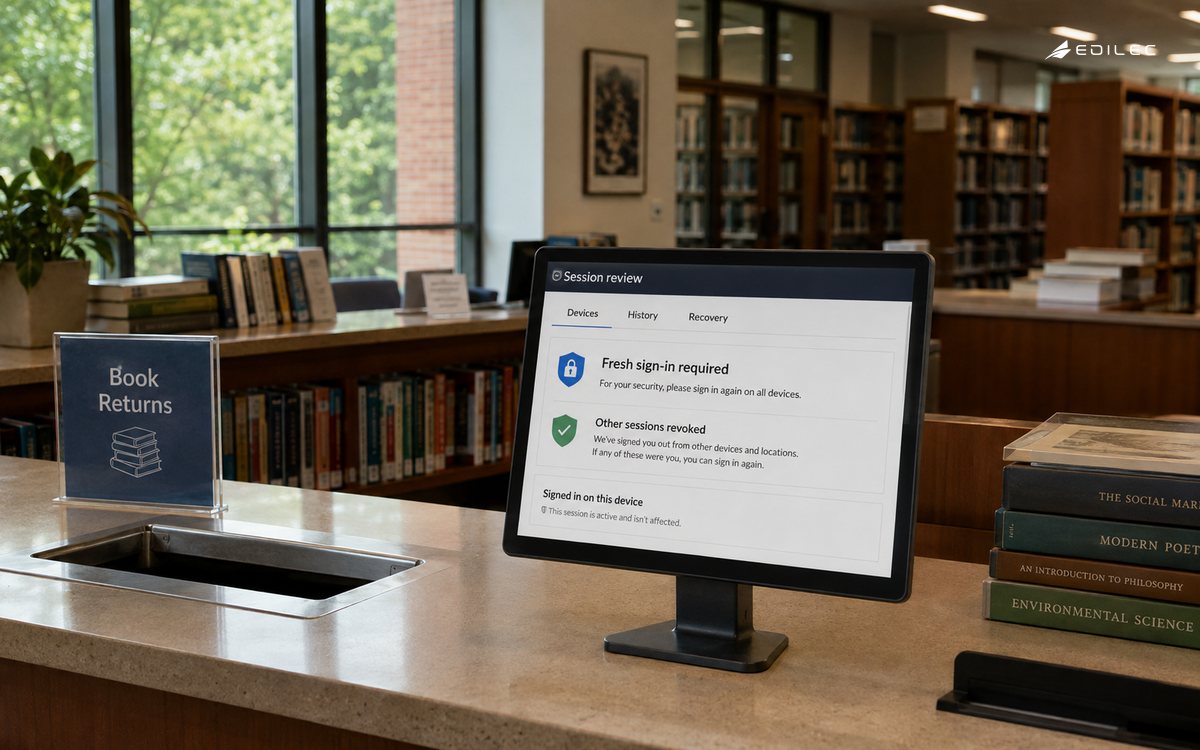
| Password reset | Revoke active sessions | Other sessions signed out |
| Risk signal | Require reauthentication or revoke | Explain the protective step |
Use timeouts that match consequence
Idle timeout limits unattended exposure; absolute timeout limits the maximum lifetime; renewal limits how much authority one identifier carries. Choose values by sensitivity and user workflow, then make them observable. A short timeout that destroys unsaved work can push users toward unsafe workarounds. A long-lived administrator session can turn a stolen browser into a durable breach. Give sensitive actions a fresh-authentication step even when the broader session remains valid.
Handle OAuth tokens as credentials
For OAuth-based systems, use the current IETF guidance rather than inheriting an old tutorial. RFC 9700 recommends authorization-code based flows and PKCE for applicable clients, discourages insecure patterns, and discusses sender-constrained tokens and refresh-token protection. Keep access tokens narrow and short-lived, rotate or otherwise protect refresh tokens, validate redirect URIs and state, and ensure the resource server checks issuer, audience, scope, and expiry.
Make logout and recovery real
Logout should remove the browser artifact and invalidate the server-side authority or token family according to the model. Provide a way to view and revoke other sessions. Password reset, suspected compromise, device loss, account disablement, and role removal need explicit invalidation behavior. Test logout by replaying a captured test artifact, checking background requests, and confirming that old refresh tokens cannot mint new access.
Observe the lifecycle without leaking secrets
Design for browser and cross-site behavior
Cookie attributes are necessary but not sufficient. Decide how the application behaves when it is embedded, opened in another tab, served from a subdomain, or reached through a legacy client. Pair SameSite behavior with CSRF tokens or another request-integrity control when the browser automatically sends credentials. Set a narrow domain and path, and do not widen them merely to make a second application convenient. If two applications need to share a login, use an explicit identity protocol rather than an undocumented shared cookie.
Test the browser's actual behavior in the clients customers use. Check redirects, back-button requests, password-manager flows, concurrent tabs, private browsing, and a device that loses network access during renewal. A session that expires while a form is open should fail safely and preserve only the data the product can protect. Do not silently retry a protected mutation after reauthentication unless the action is idempotent and the user can see what will be submitted.
Define what revocation means
Revocation can mean invalidating one session, all sessions for a user, every session on a device, a refresh-token family, or an entire tenant. Choose the granularity each artifact supports and state the propagation target. A password reset may revoke all browser sessions but leave a carefully scoped service integration running; an administrator disablement may require both to stop. Make the result visible to the person who initiated the action and to the operator investigating it.
| Transition | Minimum check | Useful evidence |
|---|---|---|
| Sign-in | Fresh identifier and secure storage | Session reference and factor |
| Privilege change | Renew and re-evaluate scope | Old and new policy decision |
| Risk event | Challenge or revoke by class | Reason and response |
| Logout | Reject old protected request | Revocation time and replay result |
| Recovery | Re-establish identity without artifacts | Verified recovery record |
Rehearse a stolen-session incident
Use a test account and capture its session in a controlled environment. Ask the team to identify the artifact, revoke it, determine what requests it could make, notify the right owner, and restore the user safely. Include a support employee who cannot see the raw token, a resource server in another region, and a background job that was created before revocation. The exercise should end with a list of evidence the team can trust and a list of authority it cannot.
Record session creation, renewal, revocation, risk challenge, and unusual geographic or device changes with an actor, session reference, reason, and correlation ID. Do not log raw cookies or tokens. Alert on impossible travel only as a signal, not a verdict; combine it with device, action, and user context. Support staff need enough evidence to help a user without becoming a second route to session theft.
Key takeaways
Give clients a clear session contract
Clients need to know whether a response means the session expired, the user needs a fresh factor, the account was disabled, or the resource is simply forbidden. Use distinct server outcomes and safe recovery instructions. Do not let a generic retry loop turn an expired session into a burst of failed requests or duplicate a mutation after renewal. For mobile and desktop clients, define how refresh-token failure clears local state, notifies the user, and prevents an offline queue from replaying protected actions unexpectedly.
A session contract also covers deployment. When cookie names, domains, token claims, signing keys, or lifetime rules change, support old and new behavior only for a bounded migration period. Instrument both versions and remove compatibility code after the population has moved. Security controls are easier to maintain when the team can tell which clients still depend on an old assumption.
- Choose and document the authority model before selecting cookie or token storage.
- Protect cookies, URLs, logs, browser storage, and support tools from identifier leakage.
- Renew after sign-in, privilege changes, recovery, and other high-risk transitions.
- Use idle and absolute limits together and require fresh authentication for sensitive actions.
- Apply current OAuth guidance, including code flow, PKCE, validation, and replay protection.
- Test logout, revocation, refresh-token rotation, and device/session recovery.
Frequently asked questions
Keep the session contract close to the authentication and authorization contracts so a change in one cannot silently weaken the others. A small test that starts with a valid session, changes the user's role, and then repeats the protected action is especially valuable.
Keep a short record of the session model, its threat assumptions, and the test that proves revocation. This turns a checklist item into an operating contract that can survive a client or provider change.
For high-value applications, pair the checklist with a controlled browser test and a service-to-service test. The two paths often use different artifacts and have different revocation behavior. A complete review covers both, plus the support and recovery paths that can create new authority.
Also test a session through the least convenient path: an old client, a second region, a background tab, a changed role, or a provider timeout. Session controls are dependable when their behavior remains safe under interruption, not only when the normal login flow is healthy.
Keep the session contract written beside the authentication and authorization contracts so a change in one cannot silently weaken the others.
The strongest session design is the one the team can revoke, explain, and test under ordinary browser behavior and extraordinary incident conditions.
Are HttpOnly and Secure cookies enough?
No. They reduce particular exposure but do not solve fixation, CSRF, excessive lifetime, weak revocation, authorization flaws, or an application that logs the identifier. Session security is a lifecycle control.
What should a session security checklist cover?
Cover issuance, storage, renewal, expiry, revocation, logout, recovery, privilege changes, client behavior, and tests for old artifacts. The checklist should prove the lifecycle, not just inspect cookie attributes.
How long should a session last?
Choose idle, absolute, and renewal behavior based on the consequence of misuse and the user workflow. Sensitive actions should require fresh authentication even inside a longer working session.
Conclusion
Reliable session security makes authority temporary, scoped, renewable, revocable, and explainable. Treat the session as a security object with a lifecycle, not as a cookie added after login works.
For adjacent decisions, read Edilec's session security mistakes and fixes, CTO session security guide, and session security in production. The MDN cookie guide and Set-Cookie reference explain browser controls; RFC 6797 covers strict transport security; and RFC 6265 defines HTTP cookie behavior.