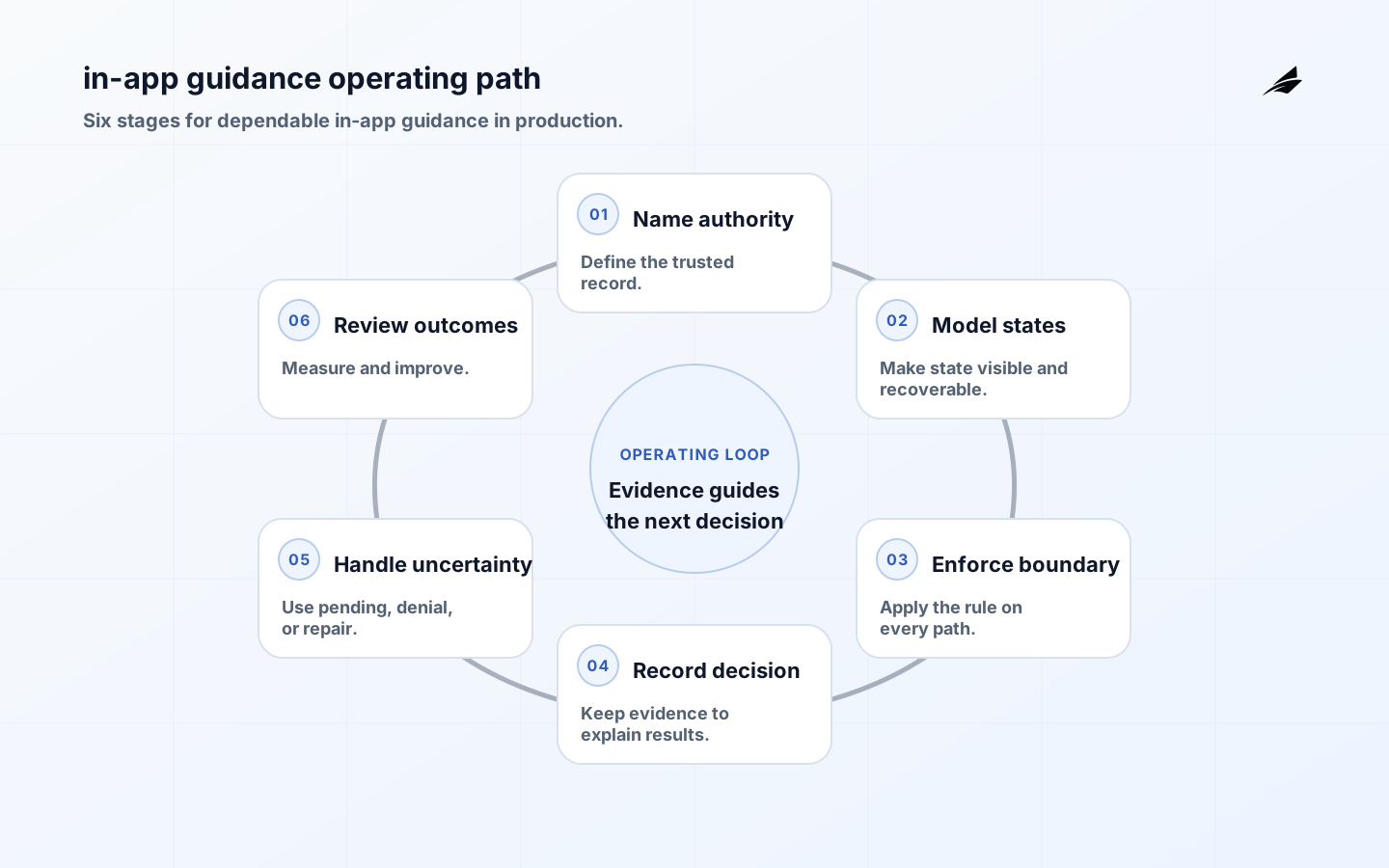
In-app guidance can be a tooltip, checklist, coach mark, empty-state explanation, contextual prompt, or embedded walkthrough. The format matters less than the decision behind it: who should see it, at what moment, with which product state, and what should happen after the person acts or dismisses it. A prototype can render a message from a route and a flag. In production, guidance must remain accurate when permissions change, content is updated, a user returns on another device, or the underlying feature is unavailable.
Key takeaways
- Treat guidance as a product decision tied to current customer state, not decoration placed over a screen.
- Define audience, eligibility, frequency, dismissal, completion, and expiration before publishing a message.
- Keep the target action safe when content is stale, a permission changes, or the feature is unavailable.
- Make every important message accessible, dismissible, and understandable without visual positioning alone.
- Measure whether guidance helps the task while preserving a record of what the customer actually saw.
Define the guidance decision boundary
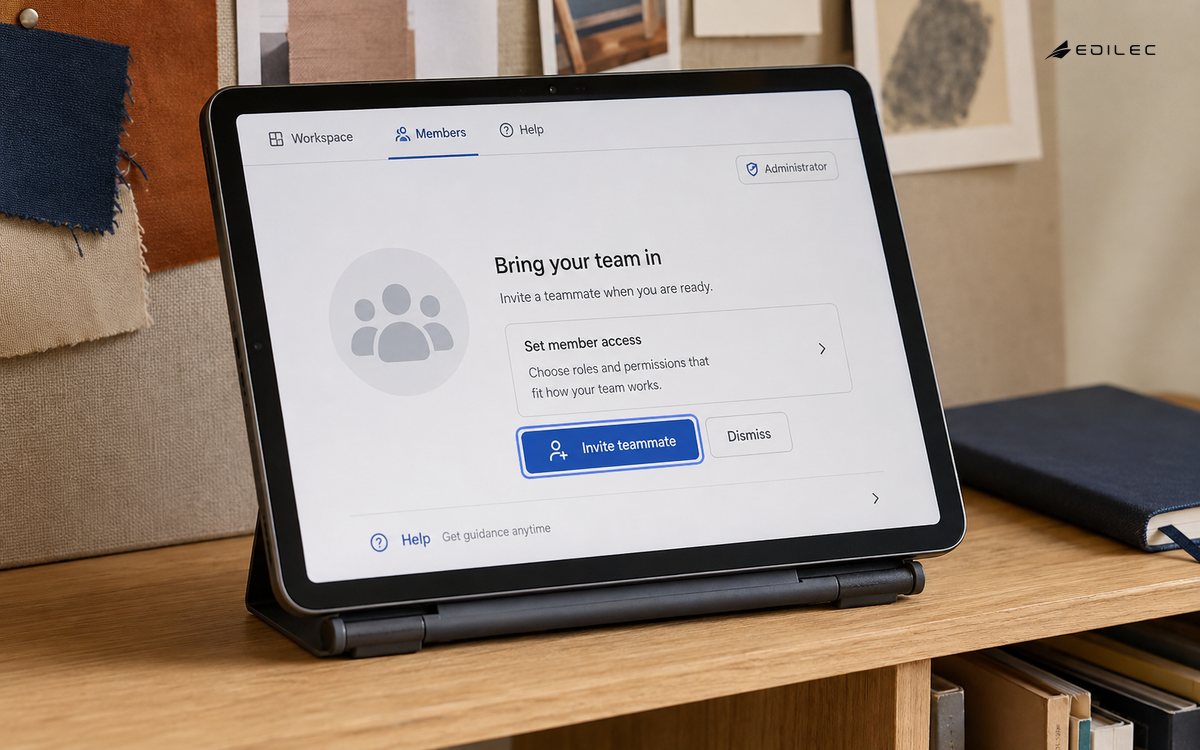
A guidance rule should identify the person or workspace, the product surface, the intended action, the prerequisites, and the time window. A new administrator may need a prompt about inviting members, while an ordinary member should not see a control they cannot use. A message about an empty report should disappear when data becomes available, even if the person dismissed it earlier. These rules belong on trusted product state, not only on route names or values held in the browser.
Authorization still governs the action beneath the message. The OWASP Authorization Cheat Sheet is a useful reminder that a visible control is not permission and that server-side checks must remain authoritative. Guidance may explain an action, but it must never be the mechanism that grants access. Decide how to behave when eligibility data is missing: hide the message, show a neutral explanation, or wait for a trusted refresh.
| Rule element | Question | Example decision |
|---|---|---|
| Audience | Which person or workspace qualifies? | Only workspace administrators with no members. |
| Moment | When can the message help rather than interrupt? | After the empty state has rendered. |
| Action | What safe outcome should a click produce? | Open the member-invite form with current scope. |
| Persistence | What does dismissal or completion mean? | Suppress this message until the related state changes. |
Model content, eligibility, and lifecycle
Keep the message definition separate from the state that says whether a person has seen, dismissed, started, or completed it. A definition needs an identifier, version, placement, audience rule, copy, action, accessibility label, start time, expiry, and owner. The customer state needs a stable subject and workspace reference, the definition version, event time, and the reason a message stopped appearing. This separation allows the message to change without losing the meaning of an earlier interaction.
A dismissal should not always be permanent. For a one-time announcement it may suppress the current version; for task guidance it may pause the prompt until the relevant state changes. Completion should be tied to the intended outcome when possible, not merely to a click. If a person clicks “Connect data” but authorization fails, the guidance should remain useful and the record should distinguish an attempted action from a completed task.
Build a safe rendering and action path
Fetch or evaluate guidance against current server-backed context, then render it in a way that cannot block the core task. A slow content service should not prevent the dashboard from loading. If a target element is absent because the screen changed, move the message to a stable context or suppress it rather than placing an orphaned overlay. When the customer follows an action, recheck permission and state on the destination request.
Use stable identifiers and idempotent interaction recording. A page refresh should not produce a second completion event, and a message shown on two devices should not create contradictory customer state. Consider versioning when the underlying task changes. If an old message points to a removed control, expire it promptly and preserve the old record for explanation. Keep content changes independent from application deployment when that can be done without bypassing review of the action contract.
| Condition | Rendering choice | Reason |
|---|---|---|
| Target missing | Suppress or use a stable inline location. | Avoid an overlay detached from the task. |
| Permission changed | Remove the action and explain the current scope. | Do not let old guidance imply authority. |
| Content service slow | Render the product without the optional message. | Guidance must not become a core dependency. |
| Action fails | Show a recoverable result and retain eligibility. | An attempt is not the same as completion. |
Make guidance accessible and respectful
A message should work for keyboard and screen-reader users, people who zoom, and people who reduce motion. Give dialogs a logical focus target, a reliable close action, and a meaningful name. Do not communicate urgency through color or position alone. A coach mark that points to a control should also explain the control in text, and an animation should not be the only signal that a step changed. Test with long labels and narrow viewports so the message does not cover the action it describes.
Frequency is part of the user experience. Several unrelated prompts competing for the same screen can make the product feel unstable and can hide a serious notice. Establish a priority order, a quiet period after dismissal, and a limit on simultaneous interruptions. For sensitive workspaces, consider whether the message reveals a product state to someone who should not see it.
Use content that remains meaningful when a person encounters it out of sequence. A returning customer may have completed the underlying task through navigation, a teammate may have changed the state, or a release may have moved the control. Recalculate eligibility when the message opens and again when the action is submitted. This small delay prevents a carefully written prompt from becoming a stale instruction.
Give content owners a way to see the current version, intended audience, expiry, and associated action before publishing. The review should include the empty, loading, error, and permission-denied states around the target surface. That context catches messages that are accurate on a polished screenshot but misleading when customers encounter the feature under pressure.
Also decide where a customer can find help after dismissing a prompt. A contextual message should not be the only route to the explanation or task it introduced.
Release changes with a learning loop
Test guidance with real task paths, not only with screenshots. Check a qualifying user, a non-qualifying user, a user who dismisses the message, and a user whose permissions change while it is open. Verify that a feature flag can be turned off without leaving a broken target or an inaccessible modal. Start with a small audience, watch customer feedback and task completion, then adjust timing or wording while keeping the decision rule understandable.
Observe help, interruption, and drift
Measure exposure, action, completion, dismissal, error, and later return to the task. A high click rate can mean the message is helpful, or it can mean the wording makes people search repeatedly. Compare the interaction record with the actual product outcome. The OpenTelemetry documentation can help connect a guidance event to the destination request and any worker that completes the task.
Record the definition version, eligibility result, placement, action result, and correlation ID. Keep personal data to the minimum needed for support and analysis. The OWASP Logging Cheat Sheet provides useful principles for protecting logs while retaining enough context to investigate a failure. Review messages with unusual dismissal, error, or repeat exposure, and assign an owner to retire content that no longer matches the product.
Plan for stale or mistimed guidance
Test a message opening just as the target feature is disabled, a role being revoked while a dialog is visible, a customer returning after an update, and a content change arriving while an older version is cached. Also test offline or degraded content delivery, multiple prompts becoming eligible at once, and a customer completing the task outside the guided path. The safe answer is usually to preserve the customer’s work, re-evaluate eligibility, and offer a current action rather than insisting on the old sequence.
Frequently asked questions
Should dismissal hide a message forever?
Only when that matches the message’s purpose. A one-time announcement can be suppressed by version, while task guidance may return after the underlying state changes. Make the rule explicit and avoid surprising people with a prompt they deliberately closed.
How can the team tell whether guidance helps?
Connect the interaction to the intended task outcome and inspect errors, repeated exposure, and support contacts. A click alone is weak evidence. Review a sample of customer journeys when aggregate numbers and feedback disagree.
For delivery teams working on in-app guidance, this operating decision should connect customer outcomes, tenant state, entitlements, release controls, support actions, and operating cost to evidence an accountable owner can inspect. For adjacent decisions, continue with Edilec's Multi-tenant SaaS Architecture: Production Boundaries That Hold and Feature Flags in Production: Safe Release and Rollback. In this production review, move beyond the operating decision only after the owner can show the accepted result, the exception path, and the signal for another review.
Conclusion
In-app guidance earns trust when it appears for the right person, at a useful moment, with an action that still reflects current product state. Make eligibility explicit, keep content and interaction records versioned, protect accessibility, and let the core product work when guidance is unavailable. That approach turns prompts from surface decoration into a dependable part of the customer journey.