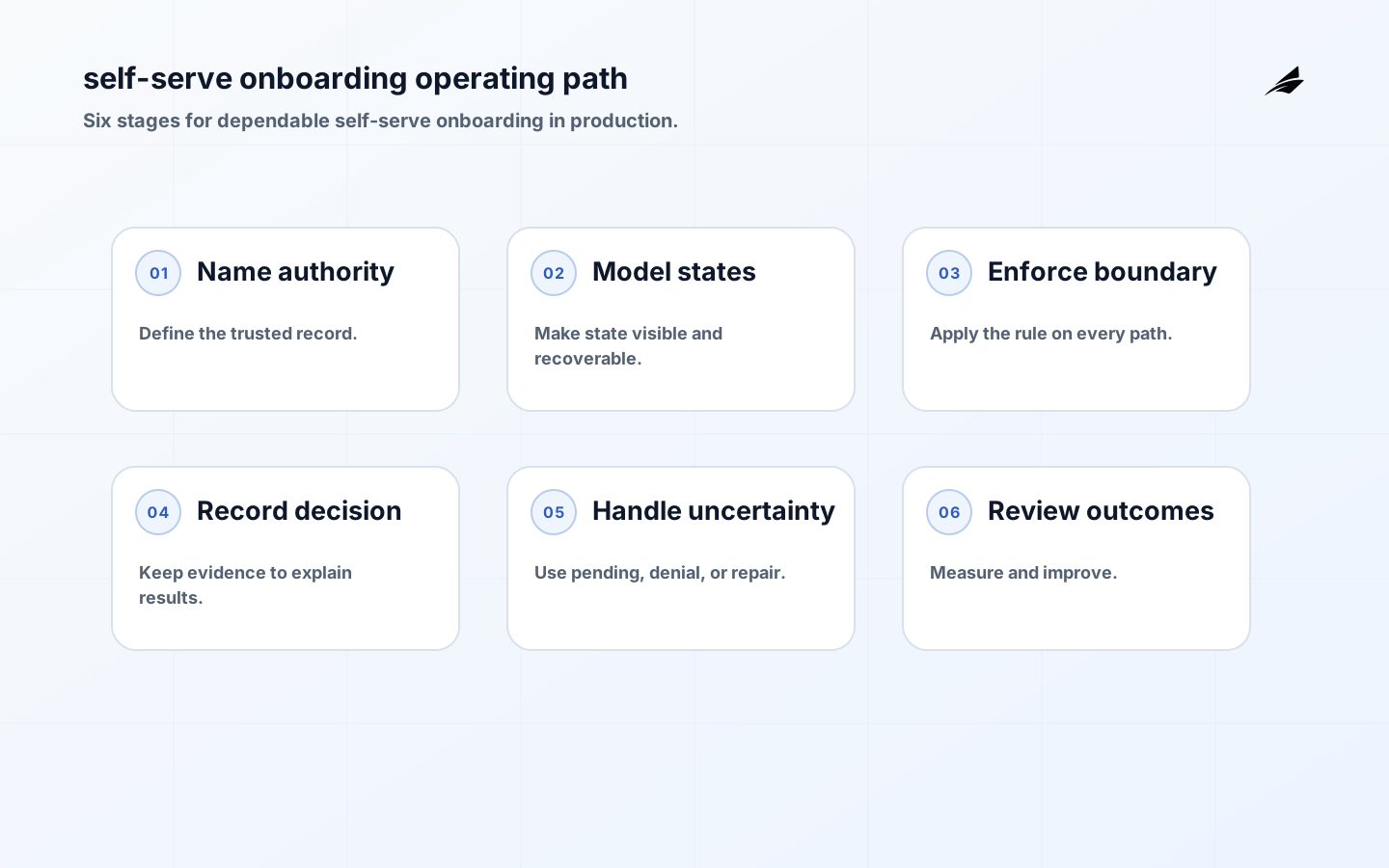
Self-serve onboarding is more than a sequence of welcome screens. It creates an identity, a workspace, an initial permission boundary, and often the first durable customer data. In an early product, a founder or implementation specialist can repair an incomplete setup by hand. Once many customers enter without assistance, the product must make safe choices when an email is unverified, an invitation is stale, a workspace already exists, or a setup task fails halfway through. Production onboarding should feel simple to the customer because the underlying states are explicit.
Key takeaways
- Separate account creation, workspace creation, verification, and activation so each can recover independently.
- Make the first member and initial role deliberate; never infer authority from a display name or an unverified claim.
- Treat invitations, setup tasks, and imports as expiring, replayable operations.
- Show progress that reflects durable state rather than a completed screen transition.
- Give both the customer and support a safe route out of an incomplete onboarding path.
Define the onboarding boundary
List the outcomes the flow is allowed to create: an identity record, a workspace, an initial membership, a selected use case, imported data, and an activation marker. Then name what requires stronger evidence or a later step. Email ownership may be enough to create a personal account, but it may not be enough to join an existing company workspace. A person who can accept an invitation may become a member, while only a workspace administrator can change billing, retention, or security settings.
Write the boundary in terms of subject, resource, action, and scope. The OWASP Authorization Cheat Sheet supports this discipline: authentication establishes who is present, while authorization decides what that person may do. A self-serve flow should fail closed when the workspace mapping or invitation authority is uncertain, and should explain the next safe action instead of silently creating a second workspace.
| Onboarding stage | Customer-visible result | Durable fact to retain |
|---|---|---|
| Account created | The person can return to the flow. | Stable identity and creation source. |
| Email verified | The person may continue to the permitted scope. | Verification time and method. |
| Workspace ready | The initial environment has a clear owner. | Workspace ID, creator, and membership role. |
| Setup incomplete | The next task is visible and restartable. | Task state, attempt history, and failure reason. |
Model identity, membership, and progress separately
A person, a login method, a workspace, and a membership are different objects. Keeping them separate prevents common onboarding mistakes: a second email address should not create an unexpected owner, and a workspace invitation should not be consumed by the wrong account. Store the invitation token as a reference to a server-side record with a scope, issuer, expiry, intended role, and consumption state. Do not put authority in a long-lived client token that cannot be revoked or inspected.
Represent progress as named tasks with clear prerequisites and terminal outcomes. “Connect data” may be not started, waiting for authorization, importing, complete, or needs attention. This is more useful than a single percentage because a customer can resume the exact unfinished task. A task should be safe to retry, and a failed task should not erase completed identity or membership work unless the business rule explicitly requires that behavior.

Build for interruption and return
Create durable records before starting work that can outlive the request. When a new person submits a workspace name, validate the request on the server, establish the identity and membership relationship, then queue optional setup tasks. Use idempotency for form submissions and a unique constraint for relationships that must exist once. A refresh should return the current durable state, not replay every creation side effect.
Imports and integrations deserve their own operation status. Record the connection owner, granted scope, source, cursor or batch reference, and last successful progress. If a provider returns a timeout after accepting a request, reconcile before asking the customer to authorize again. If a customer removes access, stop future work and make the partial result visible. Never continue an import merely because the first authorization once succeeded.
| Failure | Safe behavior | Recovery surface |
|---|---|---|
| Invitation expired | Do not consume it or create membership. | Request a fresh invitation from an authorized member. |
| Workspace name collision | Show a choice without revealing private details. | Join an invitation or create a distinct workspace. |
| Import interrupted | Retain completed work and pause the operation. | Resume from a durable cursor or restart safely. |
| Role change during setup | Recheck authority before each sensitive task. | Ask an eligible member to continue the task. |
Make the path legible to customers
The interface should distinguish required setup from optional guidance. Tell the customer what is ready, what is waiting, and what action can move the process forward. Avoid claiming that an integration is connected when the server has only received a browser callback. Avoid forcing a customer to repeat an earlier step simply because a later task failed. A resume link should land on the current task with enough context to act, while a support reference should identify the workspace and operation without exposing sensitive data.
Account recovery and invitation acceptance also need a coherent handoff. If a person signs in with another method, explain whether it belongs to the same identity or needs verification. If a customer returns after a role has changed, recalculate permitted tasks from current membership. These checks prevent a smooth-looking flow from granting access based on stale onboarding assumptions.
Release with representative account shapes
Test the flow with a new individual, a team invitation, an existing workspace, a customer who abandons the flow, and a customer who returns after a task fails. Include multiple login methods, repeated submissions, revoked integration access, and a user whose role changes mid-session. Release to a small cohort with a support owner who can inspect state and pause a risky task. A rollout is ready to widen when the customer path and the operator path agree on what “complete” means.
Measure progress and friction together
Track completion by task and by customer shape, not only as one overall funnel. Useful signals include time waiting for verification, invitation acceptance failures, workspace creation conflicts, abandoned tasks, import retries, permission errors, and support-assisted completion. The OpenTelemetry documentation can help connect a request, worker, and provider call so the team can see where a customer’s progress stopped. Pair aggregate signals with individual timelines when investigating a confusing case.
Keep operational records useful and restrained. Record stable IDs, task transitions, actor scope, provider result, and correlation identifiers, but omit credentials, access tokens, and unnecessary personal data. The OWASP Logging Cheat Sheet offers guidance for protecting logs while keeping them actionable. Alerts should name an owner and a response, such as reviewing a queue of imports stuck beyond an agreed threshold.
Review onboarding friction with care. A customer who pauses at company details may need clearer scope, while a customer who repeatedly retries an import may be facing a provider or permission problem. Compare the visible task, the durable operation, and the support outcome before changing the flow. This keeps a shorter path from becoming a less honest one.
Remember that onboarding may be collaborative even when it begins with one person. Let the creator invite the right roles without forcing every teammate through the same explanation, and show which tasks belong to an administrator. A workspace that is technically created but has no usable path for its next member has not reached a healthy first-use state.
Give the first member a clear way to return to unfinished work and to see which teammate can help. That small ownership cue prevents an incomplete setup from becoming an orphaned workspace.
Anticipate trust-changing failures
Exercise the intersections that customers experience as broken trust: verification arrives after the session expires, an invitation is accepted while its issuer loses authority, a workspace is created but the welcome task times out, an import repeats after a browser refresh, or an integration is revoked while a worker is processing data. Choose whether the operation waits, stops, or rolls back. Explain the result in plain language and preserve the internal reason needed for repair.
Frequently asked questions
When is onboarding complete?
Define completion as durable product state, not the final screen. The account, workspace, membership, required permissions, and any promised first-use task should meet their stated conditions. Optional setup can remain visible without blocking the customer.
What should support be able to do?
Support should be able to inspect the timeline, resend or expire an invitation within policy, retry a safe task, and escalate a permission or data issue. Each action needs a narrow scope, a reason, and a durable record. Raw database edits are a poor substitute for a defined repair path.
For delivery teams working on self-serve onboarding, this recovery path should connect customer outcomes, tenant state, entitlements, release controls, support actions, and operating cost to evidence an accountable owner can inspect. For adjacent decisions, continue with Edilec's Multi-tenant SaaS Architecture: Production Boundaries That Hold and Feature Flags in Production: Safe Release and Rollback. In this production review, move beyond the recovery path only after the owner can show the accepted result, the exception path, and the signal for another review.
Conclusion
Moving self-serve onboarding into production means the product must carry the guidance that a human used to provide. Separate identity from membership, make progress durable, treat integrations as interruptible operations, and give every incomplete state a safe next step. When those decisions are visible in the interface and the records behind it, customers can start independently without leaving the team to guess what happened.