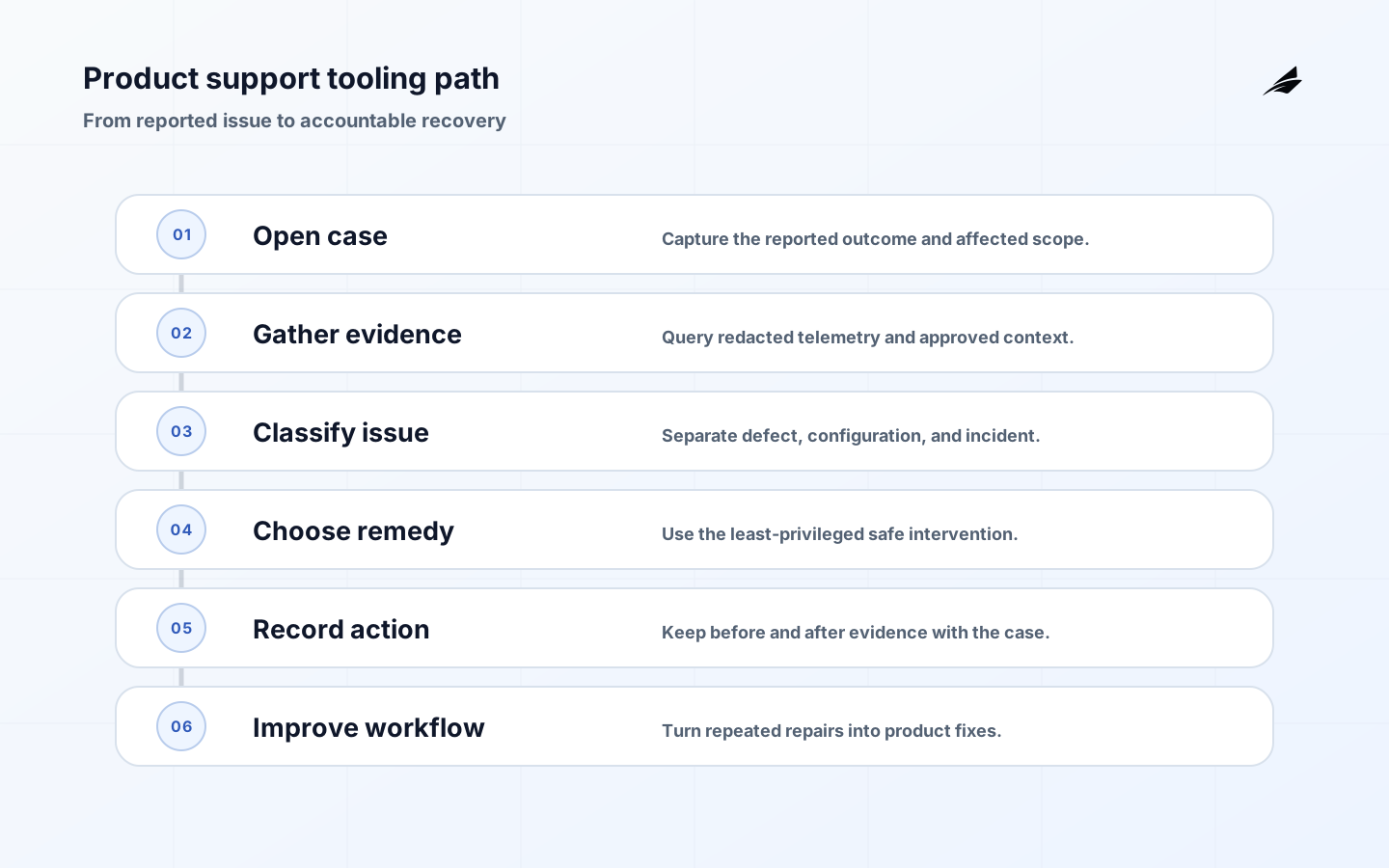
Product support tooling is a product-engineering concern because it shapes what a customer can trust in the product, what an operator can explain, and what a delivery team can change safely. For engineering teams, the work is not to collect more tooling or policy language. It is to make one important decision visible: what state is authoritative, who owns it, which controls enforce it, and how the team learns when reality differs from the plan.
Why Product support tooling Matters
Product support tooling becomes dangerous when it is a shortcut around the product's controls. An engineer needs enough context to reproduce a failed workflow, but not a permanent ability to impersonate any customer, read every record, or alter production data without evidence. A support inbox, logs, admin console, and incident channel can each contain part of the story. Without a deliberate operating model, teams either work blind or collect broad access that nobody can later explain.
Build support around a case and a bounded investigation, not around a privileged person. A case should identify the reported outcome, affected tenant, consent or authority to inspect, current severity, and a timeline of investigation actions. Diagnostics can then retrieve approved, minimized context for that case. If someone must perform a repair, the tooling should record the reason, the before and after state, and whether a reviewer was required.
Build the Operating Model
Separate three modes of work. Observability answers what happened using events, traces, metrics, and structured logs. Customer-context access explains a particular case through scoped records and carefully redacted values. Intervention changes state and therefore needs stronger authorization, confirmation, and audit evidence. This distinction prevents a convenient read-only view from slowly growing write capabilities. It also makes it easier to set sensible on-call permissions without granting every responder administrator rights.
| Support need | Safe capability | Guardrail |
|---|---|---|
| Explain a failed action | Case-scoped trace and error summary | Redact secrets and constrain tenant and time. |
| Confirm record state | Read-only customer snapshot | Use a service identity with least privilege. |
| Repair a known condition | Idempotent command with confirmation | Record before and after values and owner. |
| Investigate a severe incident | Temporary elevation | Require reason, expiry, and post-incident review. |
Agree on a support event contract before shipping more dashboards. Every customer-visible operation should carry a correlation identifier, tenant context handled by trusted server code, outcome, latency, and an error classification that is useful to a responder. Do not log secrets, authentication tokens, raw payment details, or unrestricted free-text input. Define retention, access, and redaction rules as part of the contract; an incident trace is only helpful if it can be safely found when needed.
Design the Architecture and Controls
Use an internal case record as the join point. It links the support request to telemetry queries, approved customer snapshots, related deployments, and intervention actions. Give each tool a narrow service identity rather than one shared administrator credential. A diagnostic query should be constrained by the case tenant and time window. A repair command should use an idempotency key, require explicit parameters, and produce an immutable audit entry that support and engineering can read later.
Watch for the soft failures. A log field added for convenience can expose a token. A support search that accepts any tenant identifier can become a cross-tenant data browser. An emergency command that has no idempotency key can create duplicate invoices or notifications when retried. Treat break-glass access as a temporary elevation with a reason and review queue, not as a role that accumulates members. Good support systems make unsafe actions feel deliberately inconvenient.
Roll Out with Evidence
Begin with the ten most frequent or costly case types, such as failed invitations, missing exports, billing-state mismatch, and delayed background jobs. For each, write the minimum facts a responder needs, the safe diagnostic query, the permitted remedy, and the handoff rule. Implement read paths first, then the smallest reversible intervention. Run a few real cases through the new flow with support staff and engineers, and remove fields or actions that were not actually needed.
| Signal | What it can reveal | First response |
|---|---|---|
| High repeat-contact rate | The tooling explains symptoms but not remedies | Add a diagnostic or product recovery path. |
| Intervention rollback rate | A repair command is too broad or poorly validated | Tighten preconditions and simulate the command. |
| Missing correlation identifiers | Telemetry cannot reconstruct the case | Fix propagation at the request boundary. |
| Old break-glass memberships | Emergency access became normal access | Expire memberships and review the approval path. |
Operate and Measure
Measure time to first useful response, time to resolution, repeat-contact rate, percentage of cases resolved without production writes, diagnostic query failures, and intervention rollback rate. Pair those with access measures: number of break-glass sessions, stale privileged memberships, and audit entries lacking a case identifier. These are not productivity theater. They show whether product support tooling is reducing uncertainty while preserving the boundaries that customers expect from a SaaS service.
- Make a support case the anchor for investigation evidence.
- Separate diagnostics from state-changing interventions.
- Log outcomes and decisions, not secrets.
- Use short-lived elevation for exceptional access.
- Turn frequent manual repairs into safe product workflows.
Implementation Detail
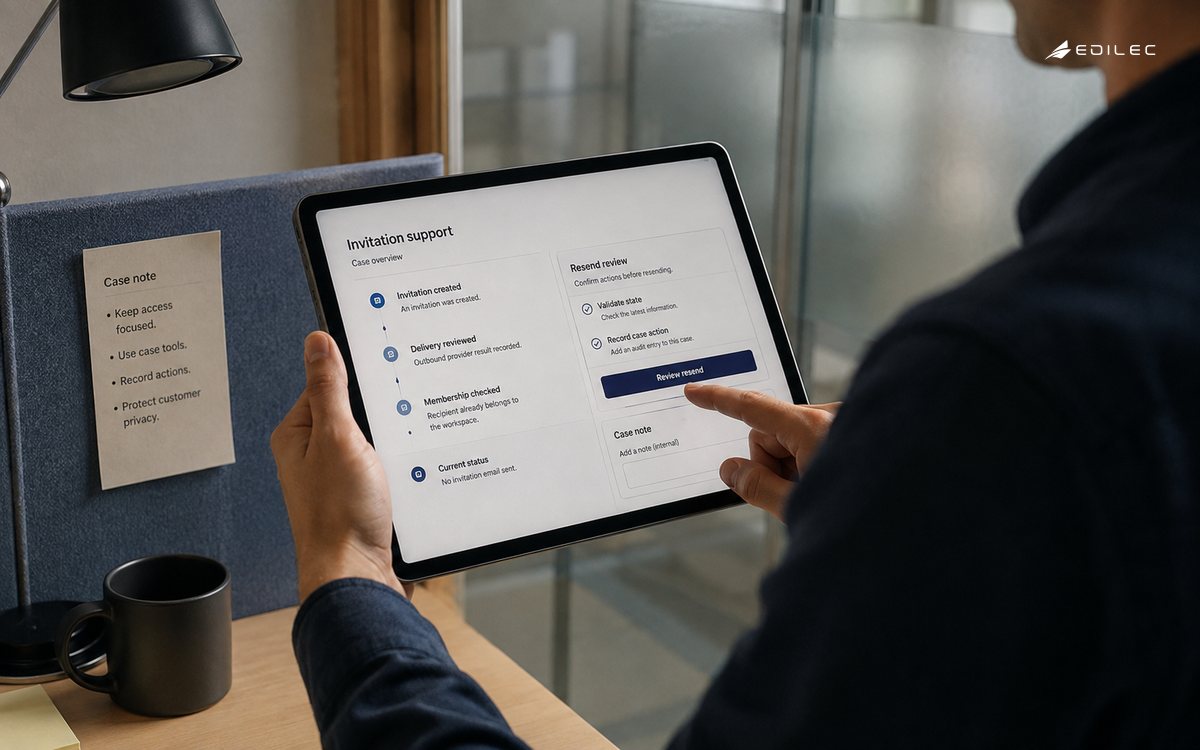
Imagine a customer reports that an invitation never arrived. A responder should be able to open a case, see that an invitation was created, identify the outbound provider result, and tell whether the recipient already belonged to the workspace. They should not need raw mailbox content, an unrestricted tenant search, or a database console. If a resend is appropriate, the command should validate the current state and leave an audit entry linked to the case. That narrow path resolves a common issue while demonstrating the shape of safe support tooling.
Build a small library of diagnostic views around questions, not around data tables. 'Why did this job fail?' can show the classified error, retry count, deployment version, and next recovery step. 'What can this user access?' can show role and entitlement decisions without exposing unrelated records. Review each view with the people who answer cases and remove data that never helps a decision. This reduces both cognitive load and the long-term security cost of treating every support screen as a generic production browser.
Review Before Scaling
Test interventions like production APIs. Verify that the operator cannot target a different tenant by changing a request parameter, that a retry cannot create duplicate work, and that an expired elevation cannot run a command after a tab has been left open. Include audit-log tests that confirm the case, actor, reason, and outcome are present. Then run a game-day case with an engineer who did not build the tool. Confusion during a calm rehearsal is cheap evidence compared with a real customer escalation.
As the tooling grows, assign ownership by capability rather than by a vague admin-console label. A team that owns invitations owns the diagnostic and repair semantics for invitations; a platform team can own the shared case, access, and audit primitives. Support should be part of the review loop because it sees the language customers use and the dead ends they encounter. That division keeps the system close to product behavior while preventing a central support tool from becoming an unmaintained collection of privileged shortcuts.
A support tool should also make escalation quality visible. When a case reaches engineering, the handoff should include the customer impact, correlation identifiers, observed state, actions already attempted, and the reason a broader intervention is needed. This reduces duplicate investigation and gives the engineer a trustworthy starting point without granting support wider access than the case requires. Review this evidence with the owner of product support tooling, the people who operate the surrounding workflow, and the team responsible for customer communication. Agree on one change, one measure, and one follow-up date. That closed loop keeps local fixes from becoming unexamined policy and makes the next decision easier to defend.
Key Takeaways
- Make product support tooling a named operating decision rather than an implicit implementation detail.
- Keep customer impact, evidence, and recovery visible to the team that owns the workflow.
- Start with a narrow path, learn from real outcomes, and expand only after the controls hold.
Frequently Asked Questions
Where should a team start with product support tooling? Start where an incorrect decision would create meaningful customer, commercial, or operational harm. Map the current state, the owner, the boundary, and the evidence available during failure. How much process is enough? Use the smallest process that makes the decision repeatable, reviewable, and recoverable. Add rigor when the data, action, or customer consequence makes a shortcut unsafe.
Conclusion
Strong product support tooling work is not a one-time project. It is a durable agreement between product, engineering, and operations about how the system behaves under ordinary and difficult conditions. When the contract, controls, telemetry, and recovery path agree, engineering teams can improve the product without turning each release or customer exception into a new source of uncertainty.
The practical continuity test for product support tooling is whether a qualified teammate who did not design the workflow can inspect the current state, understand the relevant decision and its limits, and take the next safe action without improvised access or tribal knowledge. Keep the owner, evidence location, escalation route, and recovery rule visible. That discipline makes routine operations calmer and gives the organization a reliable starting point when a customer, release, or incident exposes a new edge case.
Sources
The implementation advice in this product support tooling guide is grounded in OpenTelemetry documentation, OWASP Logging Cheat Sheet, GitHub Projects documentation, Google SRE product-focused reliability guidance. These references are useful for checking platform-specific controls and terminology during delivery; the decisions here still need to be applied to the product's data, risk, and customer context.