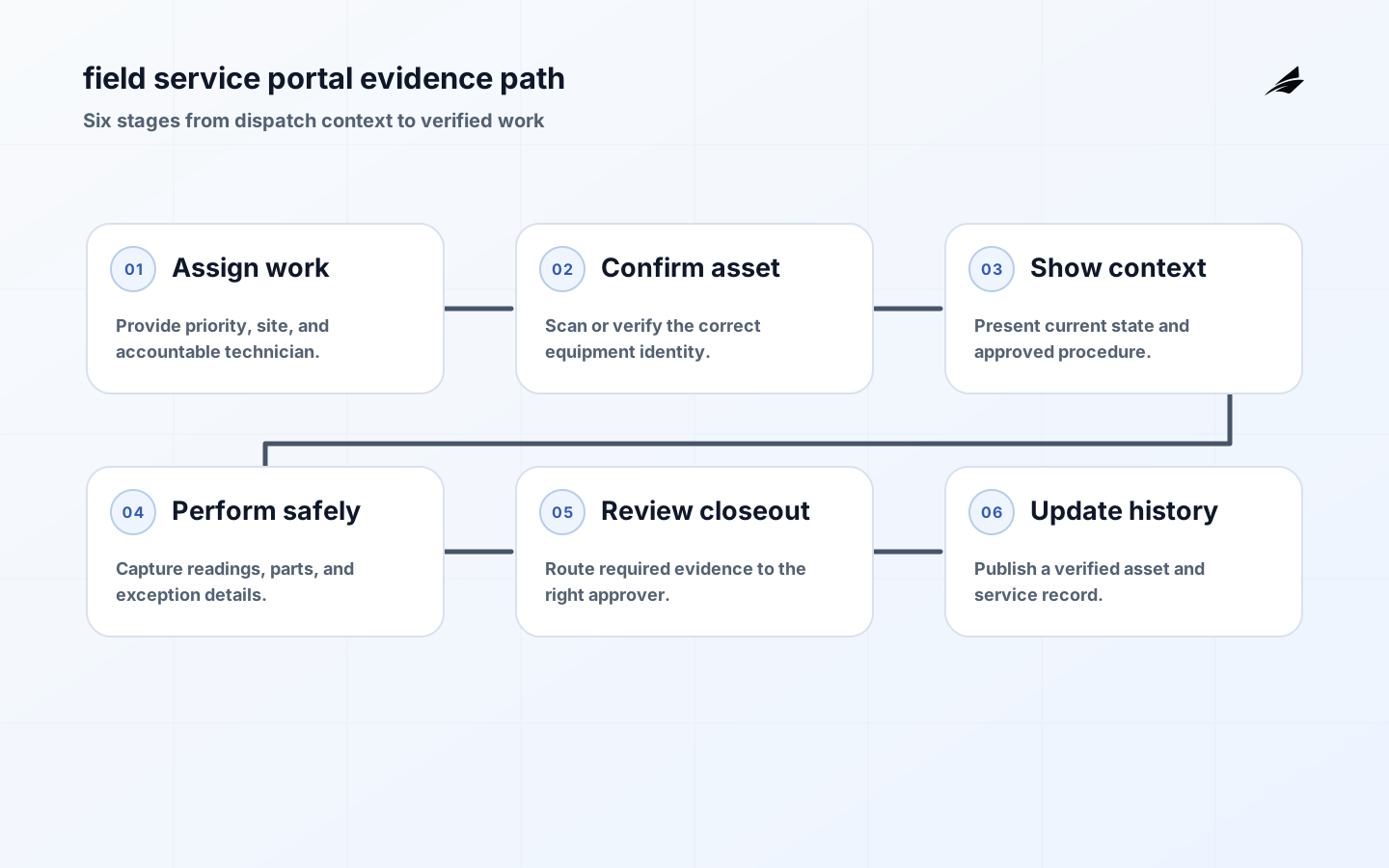
Field service portals are not smaller versions of an office CRM. They are working surfaces for people who may be offline, time-constrained, wearing protective equipment, and responsible for equipment that has a physical history. A useful portal answers four immediate questions: am I at the right asset, what is its current condition, what work is permitted, and what evidence must I capture before closing the task? Engineering teams should begin there. A polished dispatch list is inadequate if technicians still phone a supervisor to locate manuals, guess which serial number matters, or re-enter the same repair in separate systems.
Build Around the Technician Workflow
Observe a real job from dispatch to completion. Include travel, site entry, safety checks, parts lookup, diagnostic readings, escalation, customer communication, and closeout. Record moments when connectivity is absent or a technician changes course. Design the portal around the task state, not the database schema: assigned, acknowledged, on site, blocked, work in progress, awaiting approval, completed, and verified. Each transition should state who may perform it, what minimum evidence is needed, and what system is authoritative for that part of the record.
| Portal view | Information needed | Operational reason |
|---|---|---|
| Work order | Priority, SLA, site contacts, hazard and access notes | Lets the technician prepare before travel |
| Asset record | Stable identifier, model, service history, current telemetry summary | Prevents work on the wrong equipment |
| Procedure | Applicable version, steps, parts, required readings | Makes the approved method usable in the field |
| Closeout | Work performed, parts, measurements, photos, customer or supervisor acknowledgement | Creates auditable and billable evidence |
Link Live State With Service History
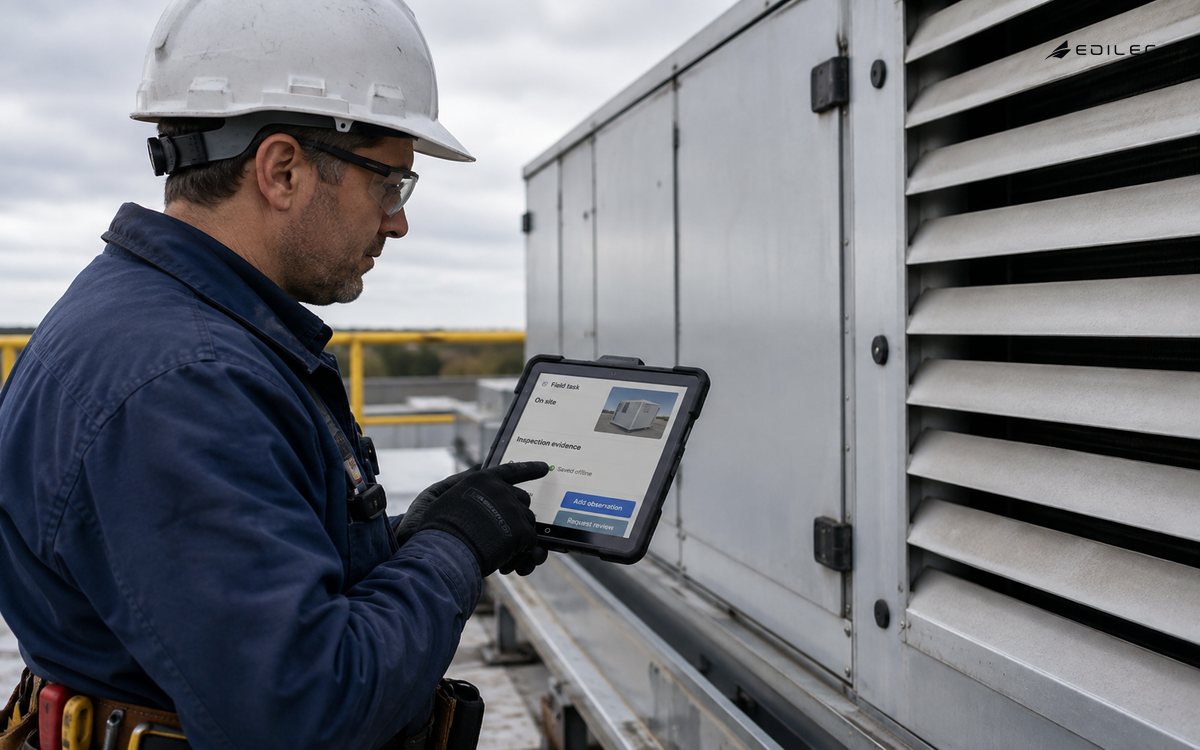
Connected data can improve a job only when it is clear, current, and tied to the asset. Show a compact health summary with last-seen time, important alarm state, and the data source; do not turn the task screen into an unfiltered telemetry console. A technician may need the last three relevant events and a maintenance trend, while a reliability engineer needs a deeper view elsewhere. Preserve the distinction between a reported device state and a verified field observation. The latter should be captured with time, actor, and asset identity so it can resolve, confirm, or challenge the remote signal.
- Use QR or NFC scanning only after testing labels, gloves, lighting, and replacement-asset scenarios.
- Show freshness and source beside connected data so stale values are not treated as live.
- Cache the assigned job, procedure, and required forms for an offline interval.
- Queue offline changes locally with conflict rules and visible sync status.
- Keep service notes structured enough to support later analysis without preventing useful free text.
Design the Evidence and Approval Path
Work evidence should fit the risk. Replacing a filter may require a part number and completion time. Recommissioning regulated equipment may require readings, a procedure version, a witness, and a signed review. Let the portal request the evidence at the point of work, then prevent final closure when a required item is missing. Avoid forcing a technician to navigate a long form before diagnosing a fault. The best sequence lets them see the context, perform the work safely, and capture the outcome while it is still accurate.
| Exception | Portal behavior | Escalation |
|---|---|---|
| Asset ID cannot be confirmed | Block irreversible work and offer a mismatch workflow | Supervisor or asset-data steward |
| Procedure is unavailable offline | Show cached approved version and its date, if available | Operations control when no valid copy exists |
| Telemetry conflicts with field finding | Record both values and request an investigation flag | Reliability or integration owner |
| Required approval delayed | Keep work in a visible awaiting-review state | Named approver and service coordinator |
Secure and Support the Portal
Field users need least privilege that still lets them finish legitimate work. Scope access by assignment, customer, site, or asset class, and recheck it when a task changes hands. Protect cached records on managed devices and provide a recovery process for a lost phone or tablet. Log assignment changes, asset lookups that reveal sensitive sites, approvals, and completed work without placing secrets or personal details in broad diagnostic logs. Connected operations gives the wider operating model, while device provisioning helps maintain trustworthy asset identity.
Measure Work, Not Screen Time
Track first-time completion, time in blocked state, percentage of jobs with valid asset identification, offline-sync conflicts, evidence rework, and repeat visits. Pair these with technician interviews. A reduction in typing is not a success if it removes the information needed to diagnose repeated failures. Establish a feedback channel that turns recurring field comments into a ranked design backlog, then publish what changed. People adopt a portal when it visibly improves the job rather than adding a reporting burden after the useful work is done.
Field Service Portals FAQ
Should the portal work offline?
If work occurs in basements, remote sites, secure facilities, or areas with intermittent cellular service, yes. Define exactly which records and actions work offline, how long they remain valid, and how conflicting edits are surfaced after reconnection.
Can telemetry close a work order automatically?
Telemetry can support closure, but it should not substitute for a required physical inspection or acceptance step. Use it as evidence with a source and freshness indicator, then apply the service policy appropriate to the asset and risk.
Key Takeaways
- Design from observed field work, including offline and exception states.
- Link live signals to a stable asset and an explicit freshness label.
- Request evidence at the right moment, with approvals proportional to risk.
- Measure completed work quality and repeat visits, not clicks.
Conclusion
A capable field service portal connects the technician's work to an asset history the whole organization can trust. Build the smallest complete task path, make its evidence and failures visible, and improve it with the people who use it in the field. That is how connected systems become practical service operations.
Run an Operational Review
Implementation Notes
Implement field service portals as a sequence of observable releases. In the first release, keep the producer or source, identity registry, validation rule, one consumer, and support view connected end to end. Capture a baseline before switching users over: current completion time, recurring error, number of manual reconciliations, and the records that are difficult to explain. During a limited rollout, compare the new path with that baseline and look for unexpected gaps between the digital record and the physical or operational reality. A release that makes uncertainty visible is safer than one that reports success because traffic is flowing.
Configuration deserves the same discipline as application code. Version thresholds, mappings, topic or route permissions, asset associations, and retention rules; review changes with the owner of the affected workflow; and record when the new configuration became effective. This protects field service portals from a common production failure: correct software interpreting a changed environment with an old assumption. Build a rollback that restores the previous known-good behavior, then test it with evidence that downstream consumers, users, and support tools see a coherent state.
Capacity planning is also a correctness concern. Estimate peak rather than average input, reconnect storms after a site outage, retained history, processing windows, and the time needed to catch up without making live work stale. Set quotas and backpressure behavior deliberately. If the system must shed load, define the least harmful data to defer and how an operator will know that it happened. Review cost alongside quality because an uncontrolled field service portals design may become so expensive that teams disable retention or diagnostics precisely when they are needed for an incident.
Finally, give users an honest interface to system state. Show whether the latest information is fresh, whether an action is pending or confirmed, and who owns the next exception. Do not represent a queued request as a completed business result. Provide a stable case or correlation identifier that lets a technician, analyst, and support engineer discuss the same occurrence without copying opaque payloads into chat. These details turn field service portals from infrastructure that only specialists can interpret into a dependable part of daily operations.
Field service portals deserves a scheduled operating review because production evidence changes the design assumptions made during delivery. Review a representative week of normal activity and one difficult incident with the people who own the asset, service, security, and data responsibilities. Trace a record from its first observation to its final use. Check identity, timestamps, configuration or schema version, access decision, retry history, and the person who handled the exception. This is where a team discovers that a technically successful message had no business owner, an alert reached the wrong queue, or a recovered device quietly produced an older configuration. Record each finding as a concrete change with an accountable owner and due date. For Field Service Portals: Engineering Notes for Connected Operations, that review is more valuable than a generic maturity score because it tests the actual route users depend upon.
Use a small scorecard that measures reliability and usefulness together. Count incomplete records, stale evidence, unassigned exceptions, manual workarounds, recovery time, and decisions later reversed because context was missing. Segment those measures by site, device class, software version, and workflow state so a broad average does not hide a troubled cohort. Then test a repair: replay an event or record, rotate an identity, restore a blocked integration, and confirm the person doing the work can explain the result. The aim is not perfect data or zero alerts. It is a field service portals service whose limitations are visible, whose failures have a practiced route, and whose next improvement is selected from evidence rather than anecdote.