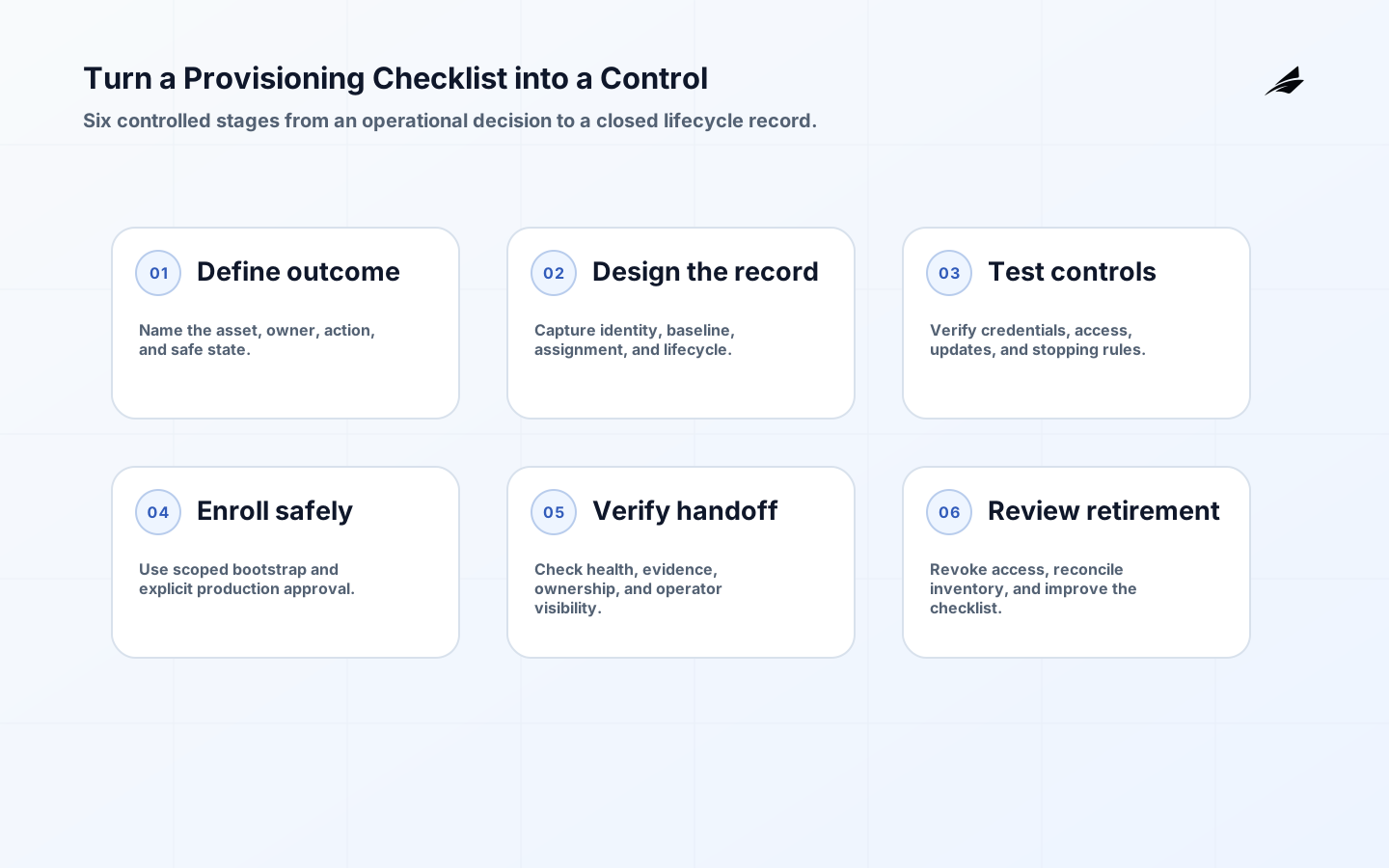
A device provisioning checklist is valuable when it controls a real lifecycle rather than documenting a one-time installation. Reliable digital operations need to know which physical unit is present, what it is allowed to do, which software and policy it carries, who owns it, and how access ends. The checklist should work for a new device, a replacement, a temporary exception, and a secure retirement. It should also leave evidence that a support person can understand without calling the installer.
Define the operational decision
Start by naming what a provisioned device enables. The device may report a measurement, control equipment, or provide location evidence. State the owner, timing, permitted action, and consequence of a wrong identity. Device provisioning for connected systems covers the broader lifecycle; the checklist translates it into acceptance evidence. If the team cannot describe the safe result of enrollment, it is too early to automate the form or script. Security and firmware handoff details are in Provisioning security review and Firmware update operations.
| Checklist stage | Required decision | Evidence to retain |
|---|---|---|
| Identify | What proves the unit is expected? | Hardware and device identity |
| Baseline | What software and settings are approved? | Version and configuration result |
| Assign | Which asset, site, tenant, and owner apply? | Relationship and approval |
| Authorize | Which services and actions are allowed? | Policy evaluation |
| Retire | How is access ended and history preserved? | Revocation and closure |
Define the checklist record and boundary
Use a stable record with hardware identifier, device identifier, asset relationship, model, site, owner, lifecycle state, enrollment date, firmware, configuration, credential status, and last review. Keep the device record distinct from the business asset because hardware can be replaced. Set a boundary between bootstrap and production authority. NIST SP 800-213A helps teams turn device requirements into a structured catalog; use it to decide what must be verified before a unit receives access.
Turn checklist controls into tests
Every checklist item should have a pass condition and a failure path. “Certificate installed” is incomplete unless the team also verifies the expected identity, scope, expiry, rotation, and revocation. “Firmware current” needs a baseline source and a response to a failed update. TLS 1.3 protects a connection, but it does not tell the service whether the device belongs to the right tenant. Keep those checks separate and visible.
- Verify identity before applying production configuration.
- Record an approved baseline and its exception process.
- Limit bootstrap credentials by time, scope, and network context.
- Separate telemetry permissions from command permissions.
- Test a failed, duplicated, moved, and retired device record.
Secure enrollment and assignment
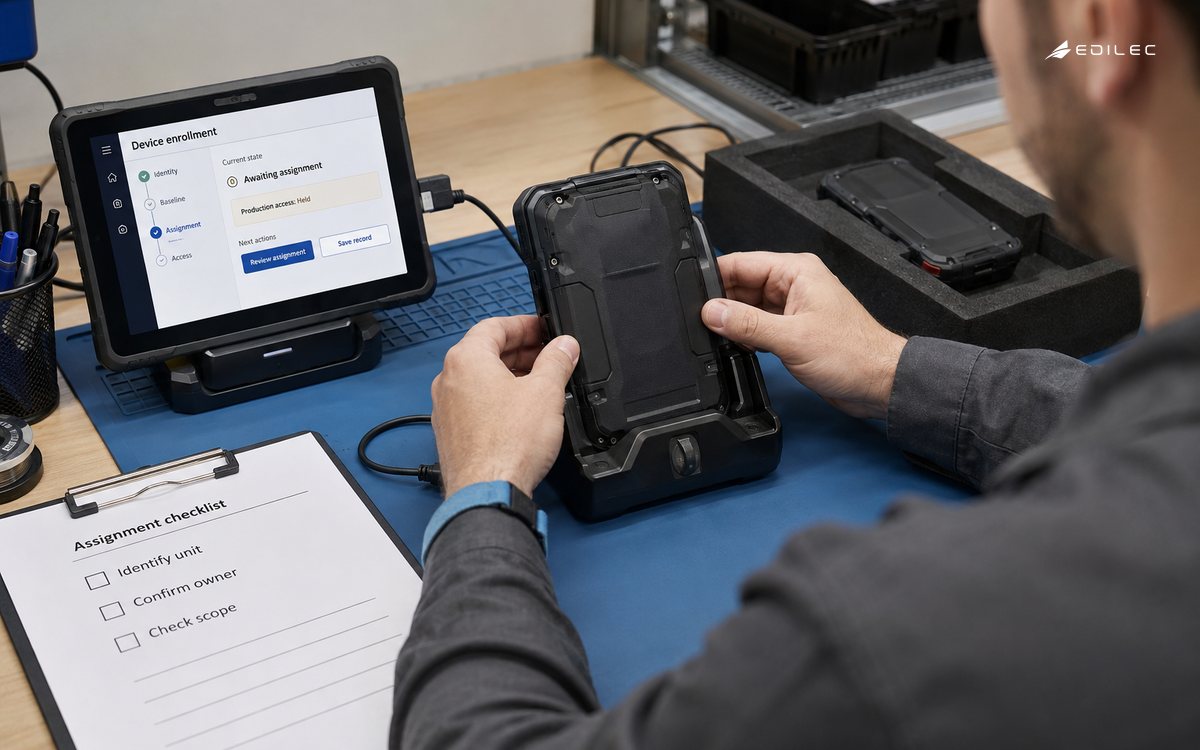
Use a controlled enrollment station, installer workflow, or bootstrap service that can verify the unit and create a unique credential. Mark the unit as pending until asset, site, owner, and policy relationships are approved. Do not let a device report sensitive data to production merely because it has completed a network handshake. A failed or duplicate enrollment should create a reviewable state. NISTIR 8259A is a useful baseline for capabilities such as configuration, data protection, and lifecycle support.
| Scenario | Expected state | Operator action |
|---|---|---|
| New unit | Pending until identity and assignment agree | Approve or correct record |
| Wrong baseline | Quarantined with version mismatch | Remediate before access |
| Moved unit | Assignment change requires authority | Record new site and owner |
| Expired credential | Connection denied or constrained | Rotate through approved path |
| Retired unit | Access revoked and history closed | Confirm inventory and secrets |
Operate from lifecycle evidence
Monitor time to enrollment, failed identity checks, drift, credential age, missing heartbeats, unauthorized attempts, update results, and retirement completion. Separate an offline device from one that is connected but not authorised. Make timestamps unambiguous so a delayed installer action is not mistaken for a current device state; RFC 3339 provides a clear representation for exchanged times. Review exceptions by owner and age, and close them rather than allowing a permanent bypass.
Roll out and review
Pilot the checklist with a representative slice: a new unit, a replacement, a temporary exception, and a retirement. Measure technician effort, failure reasons, time to usable service, and support effort after handoff. Exercise credential rotation, bad configuration, lost hardware, and a moved asset. Use NIST SP 800-207 to review whether access decisions remain explicit as roles and sites change. Update the checklist from findings, not from a desire to make it longer.
Keep checklist evidence useful
Capture evidence close to the action that created it. The enrollment result, baseline version, identity proof, assignment approval, and health check should share a device and lifecycle identifier. Avoid a checklist that merely records a tick without the value, version, actor, or time needed to investigate a later problem. A short structured record is more useful than a long narrative that cannot be searched or compared across devices.
Set a retention rule for provisioning evidence. Keep enough history to explain ownership, access, replacement, and retirement, but do not retain sensitive installation details forever by default. Limit access to custody and location information and review who can export it. Secure device provisioning includes protecting the record that says how trust was established, not only protecting the device connection.
Use a small sample to measure checklist quality. Count first-pass success, rework, time to activation, unresolved exceptions, and defects found after handoff. If one step creates repeated confusion, clarify the instruction or move the decision to the system that owns the evidence. A checklist should reduce uncertainty at the boundary, not transfer it to a later support queue.
Retirement is part of a reliable provisioning checklist because old access can undermine every successful enrollment. Verify that the device is removed from active inventory, credentials are revoked, subscriptions or routes are closed, retained state is handled, and historical records preserve the asset relationship. Ask a reviewer to confirm the unit cannot reconnect with the old identity. Closing the loop is the evidence that provisioning is a lifecycle control rather than an onboarding task.
When the fleet grows, automate the evidence that is stable and leave judgement where it is genuinely needed. Identity checks, baseline comparison, credential expiry, and retirement can usually be system-enforced. Asset assignment, unusual exceptions, and high-consequence command access may require a named human approval. The checklist should make that boundary visible so automation reduces repetition without pretending that every lifecycle decision is routine.
Use the checklist at the handoff
The checklist should be used at the moment a device changes state, not only stored in a project folder. A technician can complete physical identity and custody checks; an enrollment service can verify credentials and baseline; an asset owner can approve assignment; operations can confirm telemetry and alert visibility. Capture the evidence where the next person will find it. A checklist that requires copying results between systems will be skipped under time pressure, so keep the required record short and linked to the lifecycle state.
Define a stopping rule. If identity cannot be verified, the device should remain pending or quarantined. If the baseline cannot be confirmed, it should not quietly receive broad access. If an owner or site is missing, the unit may be physically installed but not operationally ready. Stopping rules are not bureaucracy; they prevent an incomplete record from becoming the authority used by support, analytics, and incident response.
Review the checklist after a real incident. Look for the first point at which the record diverged from the physical device, the point at which an exception became invisible, and the evidence a responder had to reconstruct manually. Change one or two checks and test them with the next lifecycle event. This keeps the checklist proportional and prevents it from becoming a long inventory of controls that nobody can execute consistently.
Consider privacy and data minimisation while designing the record. Store the information needed for identity, ownership, support, and audit, but do not copy personal or location data into every telemetry payload by default. Restrict who can view physical location and custody details, and set retention for retired records. A provisioning record can be operationally useful without becoming an uncontrolled catalogue of sensitive information.
A good final check is a cold handoff. Give the record and device state to someone who did not perform enrollment. Ask them to identify the unit, owner, permitted actions, current baseline, latest contact, open exception, and safe retirement step. If they cannot, the system may be technically provisioned but the operation is not ready. Repeat this exercise across device classes before making the checklist a standard.
| Handoff test | Pass condition | If it fails |
|---|---|---|
| Identify unit | Record and physical label agree | Hold activation and reconcile |
| Find owner | Current team and site are visible | Correct assignment |
| Check baseline | Version and exception are clear | Remediate or quarantine |
| Check access | Allowed scope is understandable | Review policy |
| Retire safely | Revocation and history steps are known | Update runbook |
Checklist control takeaways
- A checklist should control identity, baseline, assignment, access, replacement, and retirement.
- Separate pending, active, quarantined, replaced, and retired states.
- Give every check a pass condition, failure state, owner, and evidence record.
- Use least privilege and unique credentials from the first pilot.
- Review the checklist with real lifecycle exceptions before scaling it.
Checklist questions
What is the most important provisioning check?
Verify that the physical unit, digital identity, approved asset relationship, and allowed scope agree before production access is granted. That check prevents many downstream ownership and trust errors.
How often should a provisioning checklist be reviewed?
Review it after lifecycle incidents, major fleet or policy changes, and on a regular cadence appropriate to the consequence. A checklist that has never been updated by real exceptions is an untested assumption.
Conclusion: evidence at every handoff
Device provisioning becomes reliable when its checklist describes the whole lifecycle and leaves evidence at every decision. Establish identity, apply a baseline, assign ownership, enforce narrow access, handle drift, and close the record at retirement. That is enough structure to make connected operations safer without burying the team in ceremony.