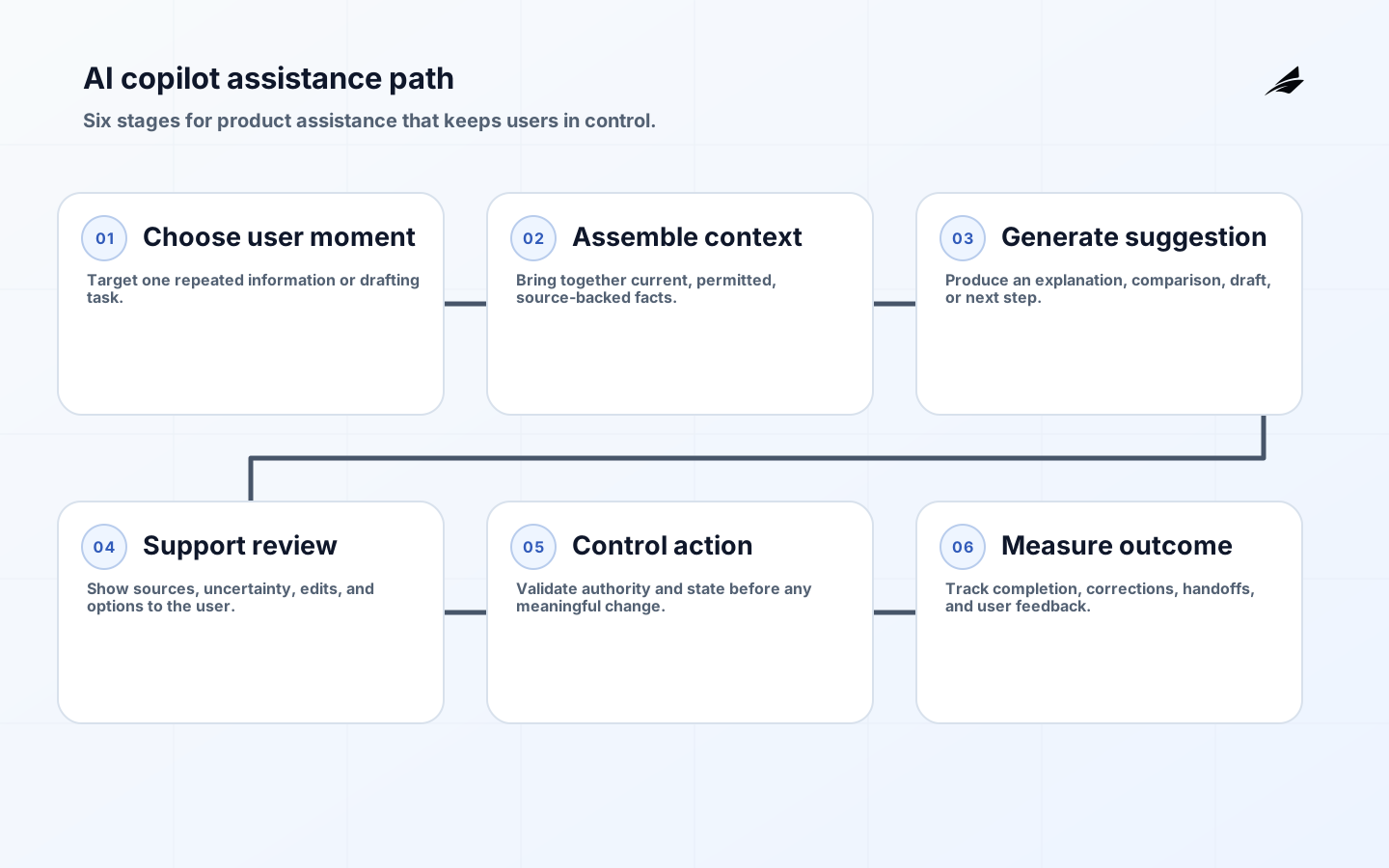
An AI copilot is a product interaction that helps a person understand, prepare, or complete work. The useful question is not whether the interface looks conversational. It is whether the person can complete a real task with less effort and no loss of control. A support copilot may draft a response using approved account context. An operations copilot may explain why a request is blocked and prepare the next action. A design copilot may transform structured requirements into a first draft. In every case, the product team owns the task boundary, data context, interface cues, validation, and recovery. The NIST Generative AI Profile offers a helpful reminder that human-AI interaction must be considered in the system’s real setting.
Choose One User Moment
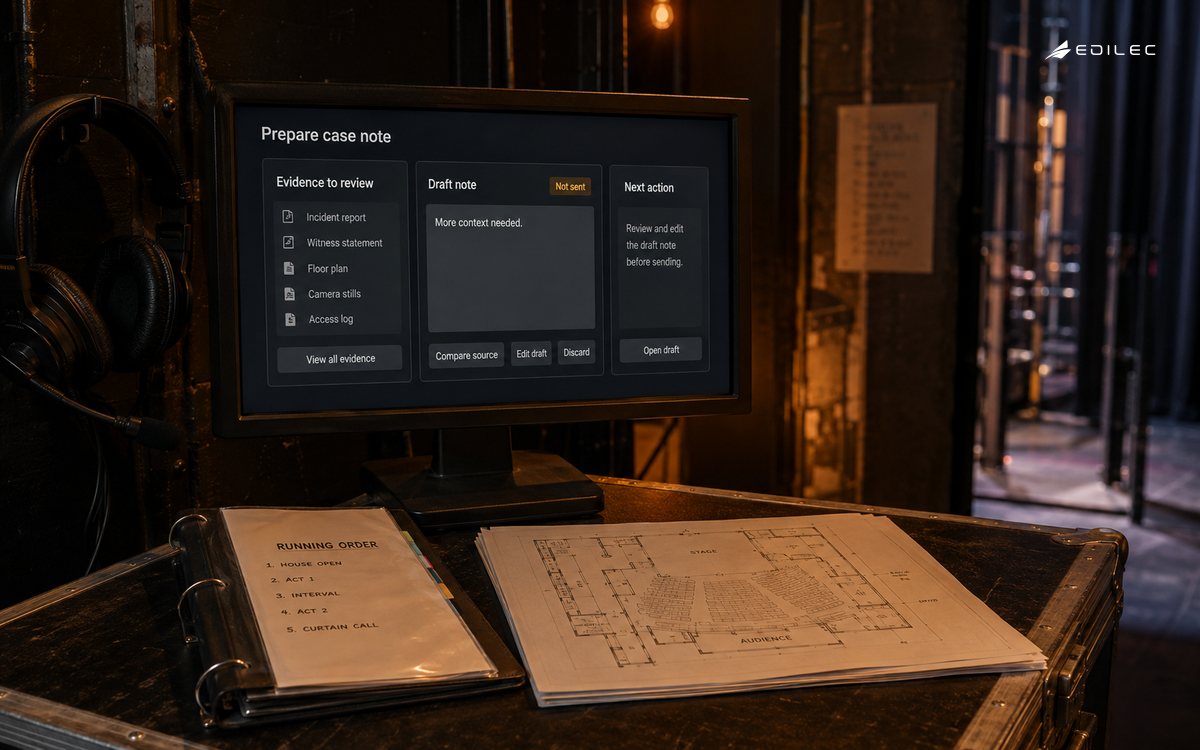
Find a specific moment where a user repeatedly gathers information, translates it, or drafts a routine artifact. Examples include explaining a report variance, preparing an internal case note, comparing a submitted form against policy, or turning a meeting transcript into assigned actions. Observe the current workflow: what evidence does the person consult, what judgment do they apply, what errors matter, and what must remain their decision? A copilot should reduce that information burden without hiding the underlying facts. Starting with one moment also prevents the product from becoming an open-ended chat box that users must teach how to help them.
| Copilot mode | User value | Product safeguard |
|---|---|---|
| Explain | Makes a complex record or policy easier to understand. | Show sources, dates, and uncertainty; do not present a summary as a binding rule. |
| Draft | Prepares an email, note, plan, or response. | Keep it editable and clearly separate draft from sent or approved state. |
| Compare | Highlights differences between records or options. | Link claims back to source fields and surface missing information. |
| Guide | Suggests next steps in a workflow. | Make state, permissions, and irreversible actions visible to the user. |
Ground The Copilot In Current Context
A copilot needs a disciplined context assembly process. Provide the current case, the user’s role, approved sources, and the task framing; do not dump every available record into a prompt. Label retrieved material and include source links or identifiers where the interface can show them. Fetch live data when an answer depends on account status, inventory, or workflow state. Treat the user’s question and imported content as untrusted text that cannot change system policy. The retrieval pipelines guide can help product teams make this context layer observable rather than mysterious.
- Provide only the context needed for the user’s current job.
- Show sources for claims that influence a decision or external communication.
- Make it clear when information may be stale, incomplete, or outside scope.
- Respect the user’s existing data permissions rather than inventing a copilot-wide role.
- Store drafts and feedback according to explicit retention expectations.
Design For Review And Recovery
Good copilot design makes review faster than starting from scratch. Let users inspect supporting evidence, edit the suggestion, choose among constrained options, and understand what will happen next. Use previews and confirmations before a consequential action. Avoid interface language that implies the copilot has verified something it merely inferred. When the system does not know, say so and point the user to a next step or a human owner. OWASP’s LLM application guidance is relevant because over-trust and unsafe downstream actions are product design risks as well as technical ones.
Measure Workflow Improvement
Do not use message count as the primary success metric. Measure whether the user finishes the intended job: time to complete, correction rate, source-open rate, handoff quality, repeat contact, and user confidence calibrated against actual accuracy. Segment results by task and user role, because a feature can help experienced operators while confusing new users. Review overrides and abandoned drafts; they often expose missing context, bad timing, or an interface that offers the wrong kind of help. Run usability sessions with realistic records and include people who have to clean up errors afterward. The NCSC guidance supports keeping those operating signals connected to continuous improvement.
| Signal | Interpretation | Product response |
|---|---|---|
| High suggestion acceptance, high later correction | Users may be over-trusting a plausible draft. | Improve evidence visibility and add validation before commitment. |
| Low use in a known pain point | The copilot may appear at the wrong time or lack key context. | Observe the workflow and redesign the entry point. |
| Frequent source opening | Users value verification or do not trust the answer yet. | Keep provenance prominent and improve the relevance of cited evidence. |
| Escalations become clearer | The copilot is packaging cases well even when it cannot resolve them. | Treat that as a meaningful outcome and refine routing. |
Ship With Clear Ownership
A copilot needs an owner across product, operations, design, security, and engineering. Document the supported jobs, data sources, model and prompt versions, known limits, review expectations, and incident path. Release initially to a group that can provide useful feedback, then expand by task rather than simply by user count. Keep a standing set of representative interactions and run it when sources, prompts, permissions, or tool access change. This turns a copilot from a novelty layer into a product capability that can evolve without surprising the people who depend on it.
Roll Out A Copilot With Users
Invite a small group of users who perform the target task often enough to notice both value and failure. Give them a way to flag an answer, correct a draft, and explain whether the suggestion saved time or created new work. Observe them in the surrounding workflow rather than judging the copilot only from chat transcripts. Did it lead them to the right case screen, reduce typing, improve their explanation, or merely add an extra step? Keep a clear off switch and an alternative manual path during the pilot. This protects users while the team learns where the experience is genuinely dependable.
Product teams should make an explicit choice about the copilot’s voice and authority. A suggestion that says “you may be eligible” needs different presentation from “the system has verified eligibility,” and neither should hide the conditions a user must meet. Document the claims the copilot is allowed to make, the sources it must cite, and the actions it can prepare but not execute. Review the content and interaction design whenever policies, source systems, or permissions change. That level of product ownership makes trust a feature of the interface rather than a disclaimer users must decipher.
| Copilot review | Evidence to inspect | Product decision |
|---|---|---|
| Task fit | Observed workflow shows a repeated information burden the copilot can reduce. | Keep or change the product entry point. |
| Grounding | Important claims link to current permitted sources. | Decide whether the feature can advise or only draft. |
| User control | Users can edit, decline, or recover without losing work. | Approve the interaction for broader exposure. |
| Outcome | Completion and correction data improve against the manual baseline. | Invest further or keep the feature narrow. |
Accessibility and inclusion deserve attention in copilot work. A suggestion that is easy to inspect in a wide desktop panel may be unusable on a mobile device, in a screen reader, or for a user who works in a second language. Keep source references understandable, avoid using color alone for uncertainty, and make keyboard and non-chat paths complete. Test with people who have different levels of domain expertise, because the interface needs to help a newcomer without patronizing an experienced operator. Those details influence whether the copilot distributes expertise or simply creates a new layer of hidden complexity.
A copilot should also have a concise “not for” list. State the decisions it cannot verify, the records it cannot access, and the moments when users should go directly to the standard workflow. Clear boundaries reduce disappointment and make a helpful feature easier to adopt responsibly across different teams.
Keep the copilot’s empty and error states useful. When relevant context is unavailable, show the manual route or the precise information needed rather than an apologetic generic response. These moments are where users learn whether the product understands their work, and they often determine trust more than the most impressive successful suggestion.
Avoid measuring a copilot only by how often it offers text. In some workflows, the best assistance is a concise source comparison, a warning that a required fact is missing, or a clean route to a specialist. Product telemetry should recognize these quiet successful outcomes rather than rewarding unnecessary generation.
Treat user feedback as evidence about the task, not a referendum on the model. A correction can reveal a missing source, a confusing screen, or a process step that the product should make explicit for everyone.
Key Takeaways
- Start with one observable user moment, not an open-ended chat surface.
- Ground assistance in current, permitted, source-backed context.
- Design editing, evidence inspection, and recovery into the interface.
- Measure completed work and correction burden rather than engagement alone.
- Release by task with clear cross-functional ownership and known limits.
Frequently Asked Questions
When should a copilot take an action? Only after the user understands the action and a separate workflow validates authority and state. Drafting and explanation are often valuable before direct execution is appropriate.
How do we prevent users from over-trusting it? Show evidence, label uncertainty, make edits natural, and avoid authoritative language where the system has not performed a deterministic check. Interface design is part of the control.
Conclusion
A well-designed AI copilot helps people exercise judgment with better prepared information. Give it one job, grounded context, a reviewable interaction, and a measure of real workflow improvement. That makes it a useful colleague in the product, not an opaque shortcut around the product.