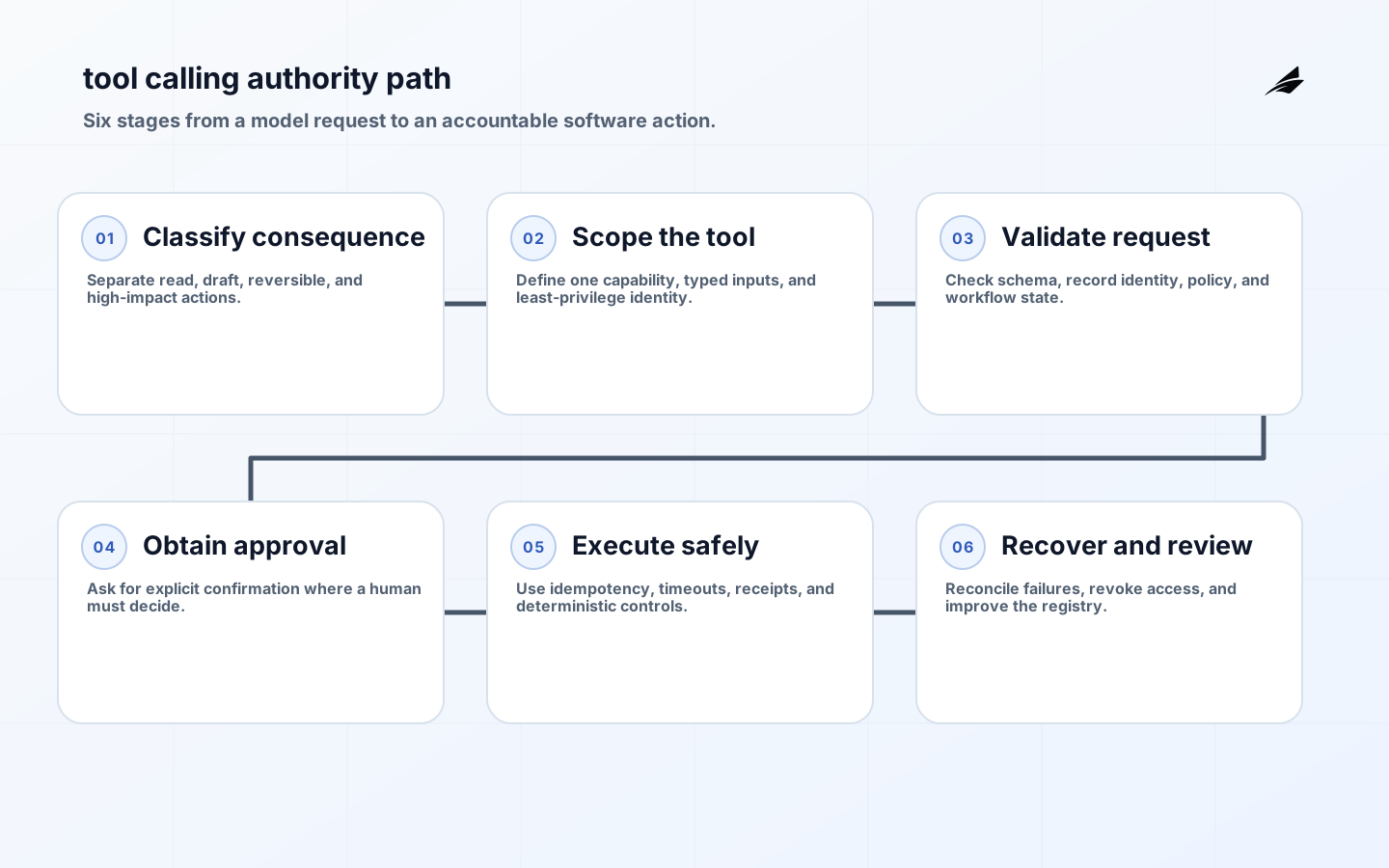
Tool calling allows a model to request that an application invoke a defined function, such as looking up an order, creating a ticket, or preparing a draft. The model does not become the integration layer. It selects from capabilities that software exposes, and the application remains responsible for authentication, authorization, validation, execution, logging, and recovery. That distinction matters to IT managers because an attractive chat demonstration can conceal a wide operational surface: credentials, rate limits, idempotency, downstream failures, and audit requirements. The NIST Generative AI Profile offers a sound lens: map the system context and the harm that can arise before giving it consequential capabilities.
Classify Tool Authority
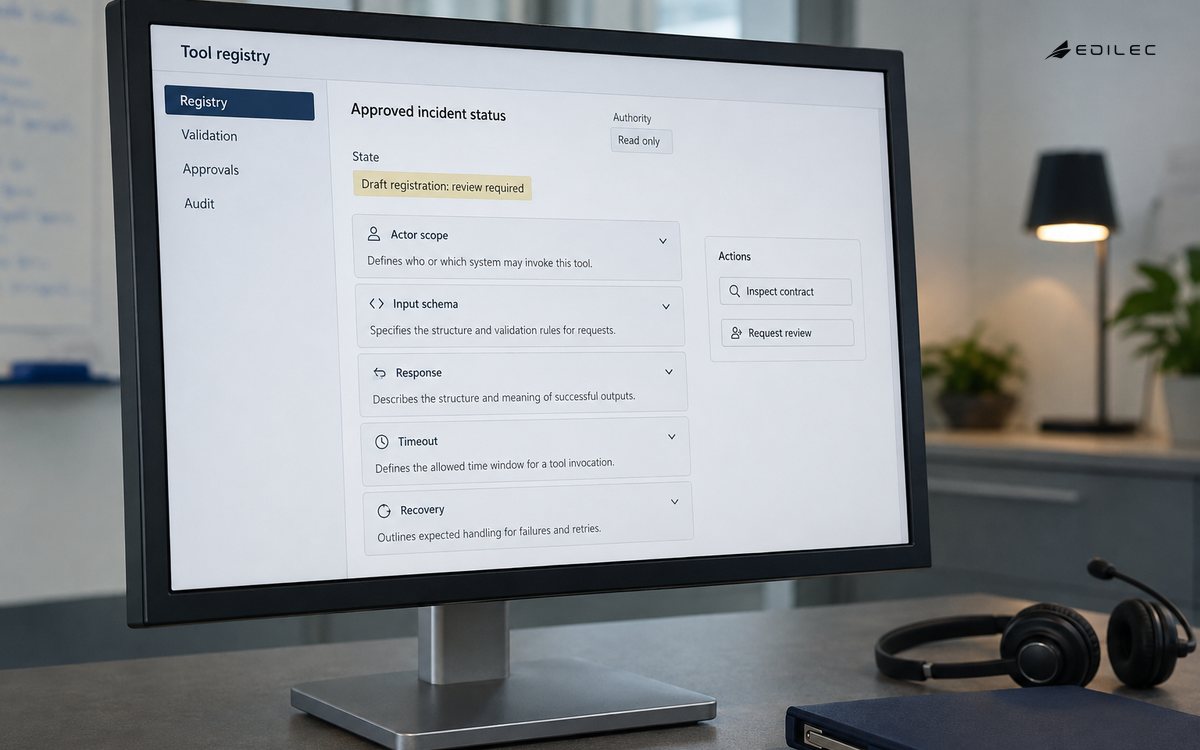
Inventory proposed tools by the consequence of a successful call. Read-only retrieval is not risk-free, but it has a different failure mode from creating a vendor record, changing a subscription, or sending a message to a customer. For each tool, define the actor, permitted scope, input schema, side effect, required approval, expected response, timeout, and compensation or reversal path. Start with one narrow operation that solves a repeated problem. A service desk assistant that retrieves approved incident status is a more defensible first tool than an agent with general administrative access. This framing complements the AI workflow approvals guide.
| Tool class | Example | Control expectation |
|---|---|---|
| Read-only | Fetch current order status. | Enforce record-level authorization, minimize returned fields, and log the query. |
| Draft | Create a proposed support reply. | Store as a draft, identify the source facts, and require a human or policy check before sending. |
| Reversible write | Open an internal ticket. | Validate schema, use idempotency keys, show the created record, and support cancellation. |
| High-impact write | Release funds or change permissions. | Use deterministic eligibility checks, explicit approval, separation of duties, and a full audit trail. |
Design Tools Like APIs
A tool description should never be the only safeguard. Build each capability as a conventional API with a narrow verb, typed inputs, server-side validation, least-privilege credentials, bounded response data, and predictable errors. Avoid a generic “run query” or “perform admin task” endpoint because it makes scope impossible to review. Resolve identifiers server-side where possible; do not let the model invent account IDs or authorization parameters. Make retries safe with idempotency, and return a receipt that identifies the result. The model may decide that a tool is relevant, but the server should refuse requests that fail policy, schema, state, or rate limits.
- Give a tool one clear business capability and a documented owner.
- Use allowlists for fields, resources, and state transitions.
- Separate planning from execution for any meaningful side effect.
- Set timeouts, retry rules, and idempotency behavior explicitly.
- Return machine-readable outcomes that a workflow can validate.
Defend Against Untrusted Instructions
An application may pass user text, retrieved documents, emails, or web pages to a model. Any of them can contain text that attempts to redirect the model toward an unsafe call. Do not assume a model will reliably distinguish a trusted instruction from a hostile one. Keep tool policy outside the prompt, constrain available tools by workflow state, and require confirmation where the user should understand the consequence. OWASP’s LLM application guidance describes why excessive agency and prompt injection deserve architectural controls. The safest execution path is often a deterministic workflow that asks the model only to classify, extract, or draft.
Test Failure And Recovery
Test tools with more than happy-path prompts. Include malformed arguments, duplicate calls, expired sessions, a user who loses permission mid-flow, a downstream timeout after partial completion, and a request that should be rejected even though it sounds reasonable. Test how a user sees uncertainty: can they tell that an action is pending, failed, or requires review? For write operations, rehearse recovery before launch. A rollback button is not enough if a call triggers a remote workflow that cannot be undone. The NCSC guidance is useful here because secure operation includes supply chain, deployment, monitoring, and incident response, not merely model behavior.
| Failure condition | Poor user outcome | Designed response |
|---|---|---|
| Duplicate request | Two tickets or orders are created. | Use an idempotency key and return the prior receipt. |
| Partial downstream failure | The chat says complete while a later system rejected the update. | Represent pending and failed states, then reconcile with the system of record. |
| Permission change | A cached session performs an action after access was removed. | Recheck authorization at execution time and stop the workflow. |
| Ambiguous request | The agent changes the wrong record. | Resolve identity with deterministic lookup and ask for a choice when confidence is insufficient. |
Operate A Tool Registry
Maintain a living registry of tools, owners, credentials, data classes, approval rules, dependencies, and deprecation dates. Instrument every call with a trace identifier, tool version, caller context, validated arguments or a safe fingerprint, authorization result, downstream receipt, latency, and final state. Review tools when an API changes, a permission model changes, or an incident exposes a new abuse route. Rate limits and circuit breakers protect downstream services; audit trails and reconciliation protect the business process. The goal is not to make agents look autonomous. It is to make their useful actions inspectable, bounded, and recoverable.
Roll Out Tools In Controlled Increments
Start a tool-calling rollout in an environment with realistic but non-production consequences. Let a small group exercise read-only tools, inspect arguments and receipts, and compare the workflow with the existing interface. Promote a tool only when its access scope, error handling, ownership, and audit path are clear. For a draft or write tool, begin with a review queue or a limited subset of records. Explicitly decide who can enable the tool, who can change its schema, and who can suspend it during an incident. A kill switch should stop new executions without destroying the evidence required to reconcile actions already in flight.
Capacity planning belongs in the rollout as well. A model can create a burst of seemingly reasonable requests that exceeds a downstream API quota or overwhelms a reviewer queue. Apply per-user and per-workflow limits, back pressure, and circuit breakers. Watch not only call success but business reconciliation: did the intended record change exactly once, did notifications match the final state, and did operators have to repair a side effect? These are ordinary distributed-systems questions, which is precisely why tool calling deserves ordinary engineering rigor. The model adds a variable request source; it does not exempt the integration from reliability practice.
| Tool review | What good evidence looks like | Reason |
|---|---|---|
| Scope review | A short schema and policy show exactly which records and transitions are allowed. | Prevents broad capability from hiding behind a friendly tool name. |
| Execution test | A duplicate, timeout, and policy failure each yield an understandable final state. | Proves the service is recoverable under ordinary failures. |
| Access review | Credentials are unique, bounded, rotated, and not visible to the model. | Limits blast radius when an integration is compromised. |
| Business reconciliation | A receipt can be matched to the actual system-of-record change. | Detects false success messages and partial work. |
When a tool’s usefulness depends on several calls, resist exposing the entire sequence as a free-form agent loop. Model the stable parts as a workflow with explicit state and expose only the bounded choice the model can contribute. For example, a model may classify a service request and extract missing details, while a deterministic service routes it and creates a ticket. This reduces the number of capabilities the model can invoke and gives operators a familiar place to inspect failures. It is also easier to change safely: workflow state transitions have tests and owners, while the model-assisted step can be evaluated independently.
Document the expected user-facing language for each tool outcome as well. “Request submitted,” “awaiting approval,” and “completed” should map to actual system states, not guesses based on a model response. This small discipline prevents support debt when an action has been requested but not yet committed downstream.
Maintain a simple ledger of which workflows can call which tools in each environment. It should be easy to answer whether a new assistant has read-only access, can create drafts, or can perform a specific write after approval. That ledger shortens security reviews and makes emergency suspension much less error-prone.
Keep development, test, and production tool registries separate. A capability that is harmless against fixtures can be damaging against live customer records, even when its name and schema are identical. Promotion should therefore include a credential change, policy review, and a test of the production-style failure path, not merely a configuration toggle.
Review the tool catalog after each incident or major workflow change. The most dependable automation portfolio is usually smaller, better documented, and easier to suspend than the one that accumulates every possible capability.
Key Takeaways
- Classify tools by consequence before exposing them to a model.
- Build narrow, typed, least-privilege APIs rather than general-purpose admin endpoints.
- Keep authorization and state checks on the server side.
- Test duplicates, partial failures, permission changes, and recovery.
- Operate tools with owners, receipts, traces, and deprecation discipline.
Frequently Asked Questions
Can a model call a production API directly? It can request a call through a controlled application layer. Production credentials, validation, authorization, and error handling should belong to that layer, not to the model or an instruction string.
What is a good first tool? Choose a read-only or draft-producing operation with a clear user benefit, stable source of truth, and easy review path. It builds the operational muscles needed for more consequential automation.
Conclusion
Tool calling can turn an AI feature into a useful workflow, but it also turns model output into an operational input. Treat every tool as a small, governed API product. With narrow scope, independent controls, tested recovery, and clear evidence, IT teams can add capability without delegating accountability.