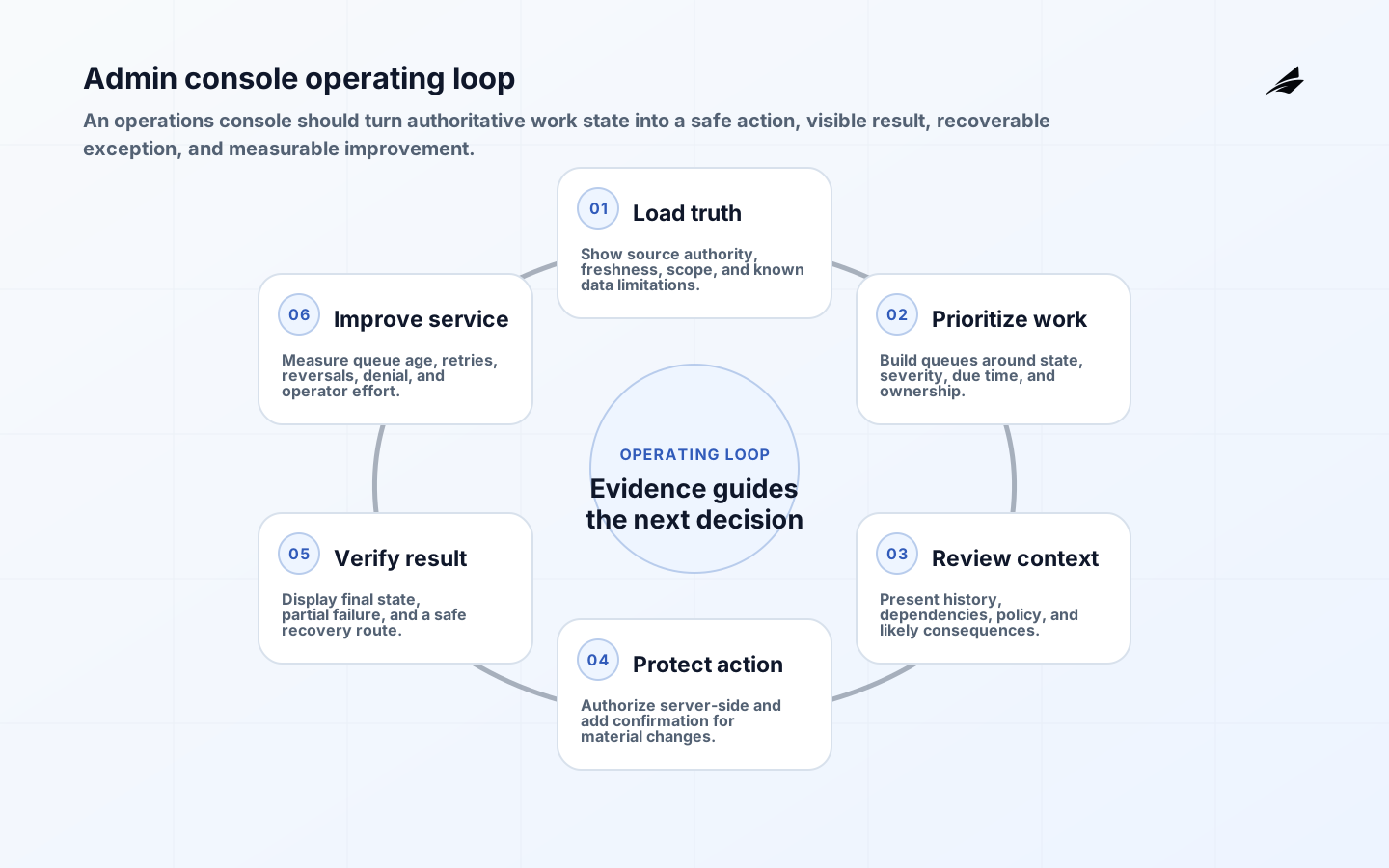
Admin dashboard architecture should begin with the work an operator must complete, not with a collection of charts. A dependable operations console brings authoritative state, prioritized queues, relevant history, protected actions, and recovery into one coherent workflow. It helps a support, finance, content, trust, logistics, or platform team decide what needs attention, act within its authority, and verify the result. When architecture begins with widgets, the product often becomes a read-only reporting page beside a maze of scripts and database edits.
Internal does not mean low risk. Admin tools may expose customer data, refunds, identity recovery, exports, feature configuration, and production operations. Define the console as a product with named users, service objectives, security boundaries, accessibility requirements, telemetry, and change ownership. Edilec's internal tools guide explains the wider product discipline; this article focuses on the architecture that connects work queues to safe action.
Define operator decisions and systems of record
Map the most important operator journeys: investigate a failed payment, correct a customer record, retry a job, review a flagged item, resolve an identity issue, or change a configuration. For each journey, name the trigger, owner, authoritative record, decision, protected action, expected result, and exception path. Define latency and freshness needs. A live incident queue may need seconds, while a daily reconciliation view can tolerate hours. Displaying stale data without a visible timestamp creates false confidence.
Avoid copying every upstream table into a new dashboard database without an ownership plan. Read models can combine systems for fast queries, but each field should retain source, transformation, update time, and reconciliation behavior. Commands should return to the authoritative service through a versioned API or durable workflow. If the console permits edits in its own database and later syncs them, conflicting authority will eventually create lost updates. The dashboard source-of-truth guide provides a deeper model for definition, freshness, and evidence.
| Console concern | Architecture decision | Visible operator cue |
|---|---|---|
| Source authority | One owner for each mutable fact | Source and last-updated state |
| Queue | Server-defined state, priority, due time, and owner | Why the item appears now |
| Concurrency | Version check or explicit conflict policy | Changed-since-open warning |
| Command | Authenticated, authorized, idempotent service call | Pending and final result |
| History | Attributable business and security events | Chronology with actor and reason |
| Recovery | Retry, compensate, escalate, or reverse | Actionable failure state |
Design queues for priority, ownership, and context
A queue should explain why work is present and who owns the next action. Model explicit states, severity, age, due time, assignment, and dependencies. Prefer server-side pagination, filtering, and sorting for large datasets; loading thousands of records into the browser creates latency, privacy exposure, and inconsistent totals. Use cursor-based pagination when records change frequently, and preserve filters in the URL or saved view so operators can share and resume investigations safely.
List views should show only the fields needed to choose the next case. Place detailed evidence, history, and commands in a stable work view. Avoid opening sensitive data merely by hovering or displaying every field in a dense table. Support bulk actions only when policy, preview, scope, and failure handling are explicit. A bulk command needs a dry-run or count, confirmation of material effect, per-item result, and recovery for partial success.
- Show queue definition, freshness, and total-count limitations.
- Make ownership and due time visible.
- Preserve filters and selection during safe navigation.
- Warn when a record changes while an operator reviews it.
- Use bulk actions only with preview and per-record outcomes.
- Keep sensitive fields masked until the task requires them.
Protect actions with precise authorization and state checks
The OWASP Authorization Cheat Sheet recommends deny-by-default, least privilege, and validation on every request. Use the interface to communicate available actions, but enforce permission, tenant, object scope, record state, amount, and separation rules in the service. Re-read authoritative values at command time. A user who opened a refund page while authorized may lose the role before submitting; another operator may have completed the case; or the amount may have changed.
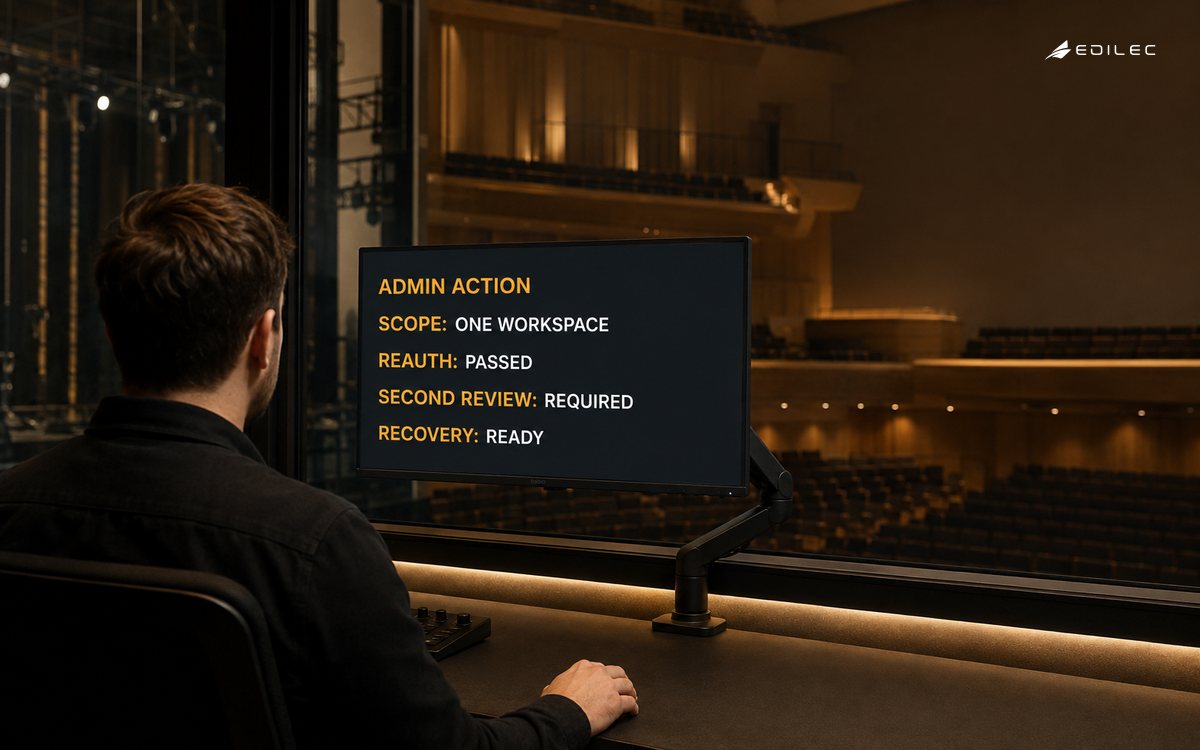
Apply stronger interaction to consequential changes. Show a before-and-after preview, explain downstream effects, request a reason, and require recent authentication or independent approval where appropriate. Make impersonation, export, identity reset, policy edit, and production configuration separate privileges. Follow the RBAC checklist for internal tools rather than relying on an isAdmin claim. Use idempotency keys for retries and optimistic concurrency or version checks to prevent silent overwrites.
| Action | Additional guard | Evidence to retain |
|---|---|---|
| View sensitive field | Purpose and field-level permission | Actor, record, field class, reason |
| Export | Explicit scope, count, expiry, and download control | Query, row count, destination, completion |
| Refund | Threshold, current state, and separation | Request version, decision, processor result |
| Reset authentication | Recent assurance and independent context | Target, actor, method, notification |
| Impersonate | Time-boxed session and visible banner | Requester, approver, tenant, actions |
| Bulk update | Dry run and partial-failure plan | Selection, version, per-item outcomes |
Use an admin console operating loop
The operating loop starts with trustworthy work state and closes only when the result is confirmed. Seeing an error is not equivalent to resolving it. Every command should expose pending, succeeded, failed, partially completed, and unknown outcomes where relevant. A timeout does not prove failure, so use a correlation identifier and reconciliation query before allowing a retry. Keep exceptions in the queue with a named owner instead of discarding them behind a toast message.
Build an accessible and resilient interface
Operational speed depends on predictable interaction. Use semantic headings, labels, tables, forms, buttons, and dialogs; maintain keyboard focus; do not communicate state with color alone; and provide error text near the affected field. WCAG 2.2 covers focus, target size, accessible authentication, error prevention, and status messages. Loading, save progress, command completion, filter results, and validation errors should be programmatically determinable without forcing focus to jump.
Design slow and failed states deliberately. Use skeletons only when they preserve layout and convey that data is loading; do not show an empty table that looks authoritative. Cache reference data with version and expiry, cancel obsolete searches, debounce safely, and prevent double submission. If a dependency fails, identify which information is unavailable and whether the operator may continue read-only. Provide a retry or escalation route rather than a generic error.
Instrument the workflow, not only the server
OpenTelemetry signals describe traces, metrics, and logs as complementary views of a system. Trace search, record load, authorization, command, downstream work, and reconciliation with a shared correlation identifier. Measure queue age, command latency, errors, partial failures, retry, stale-data incidents, permission denials, and abandoned workflows. Avoid high-cardinality identifiers in unrestricted metrics; retain detailed context in protected traces or events according to policy.
Consistent OpenTelemetry semantic conventions help teams query similar operations across services. Add business events for meaningful state transitions without duplicating sensitive record contents. The OWASP Logging Cheat Sheet provides guidance on security events and log protection. Join technical and workflow signals so an operator report such as ‘refund remained pending’ can be traced to the exact command and dependency.
Release a thin operational slice and improve it
Deliver one queue and one action end to end with real operators. Include search, authoritative detail, permission checks, audit history, command state, reconciliation, accessibility, telemetry, and recovery. Test representative volume, slow dependencies, concurrent edits, keyboard use, revoked access, wrong-tenant identifiers, duplicate submission, partial failure, and session expiry. Run old and new workflows together only long enough to reconcile outcomes and close migration gaps.
Review the console with operators using real cases. Measure time to first useful context, work age, handoffs, correction, reversal, repeated search, manual database intervention, and support escalations. A faster click path is not automatically better if it increases the chance of an irreversible mistake. Remove fields and charts that do not change decisions, make common safe actions efficient, and invest more friction where consequence demands it.
Manage the console API as an explicit contract. Version commands and read models when compatibility cannot be preserved, and deploy client and service changes so an older open tab fails safely. Return machine-readable error categories, correlation identifiers, and current record versions without leaking internal stack traces. Set timeouts according to the operation, distinguish accepted asynchronous work from completed work, and expose cancellation only when the downstream process supports it. Contract tests should cover permission, state, idempotency, and partial failure as well as response shape; otherwise a harmless-looking backend change can break operational recovery.
Key takeaways
- Architecture begins with operator decisions and authoritative records.
- Queues need explicit state, priority, ownership, freshness, and exceptions.
- Every command requires server-side authorization and business-state validation.
- Consequential and bulk actions need preview, evidence, idempotency, and recovery.
- Accessibility and failure states are core operating requirements.
- Trace the workflow from visible condition through verified outcome.
Frequently asked questions
Does an admin dashboard need to be a single-page application?
No. Choose rendering and navigation based on workflow, latency, maintainability, and accessibility. Server-rendered pages can work well for many operations. Rich client state is useful when operators compare or update many related records, but it increases synchronization complexity.
Can the console write directly to the database?
Avoid bypassing domain validation and audit behavior. Use an owned service or command boundary that enforces authorization, state transitions, idempotency, and events. A tightly scoped maintenance path may exist for incidents, but it should be exceptional and reconciled.
Should every dashboard field update in real time?
No. Match freshness to the decision. Real-time subscriptions add load and concurrency complexity. Show update time and refresh behavior, then reserve streaming updates for conditions where delay changes action or safety.
Conclusion
A professional admin dashboard is an operations system, not a wall of metrics. It brings trustworthy work state, clear priority, appropriate context, protected commands, accessible feedback, and recoverable exceptions into one path. Build the first slice around a real decision and verify the business effect end to end. When authorization, evidence, observability, and operator experience reinforce one another, the console can scale daily work without becoming an uncontrolled back door.